
1. Giriş
Thank you for choosing the EuroFone S3 Plus Motorcycle Intercom with 2K HD Camera. This device is designed to enhance your riding experience by providing seamless communication, high-definition video recording, and entertainment features. Please read this manual carefully to understand the product's functions and ensure safe and optimal use.

Image 1.1: The EuroFone S3 Plus Intercom unit, showcasinkompakt tasarımı ve kontrol kadranı ile.
2. Paket İçeriği
Lütfen aşağıda listelenen tüm öğelerin paketinizde yer aldığından emin olun:
- 1 x EuroFone S3 Plus Bluetooth Host Unit
- 1 x Type-C Şarj Kablosu
- 2 x Helmet Clips (1 Screw Clip, 1 Velcro Clip)
- 1 x Stereo Headset
- 1 x Kullanım Kılavuzu
- 2 x Microphones (1 Hard Mic for open-face helmets, 1 Soft Mic for full-face helmets)
3. Ürün Bittiview
Familiarize yourself with the various parts and controls of your S3 Plus intercom unit.

Image 3.1: Detailed diagram of the S3 Plus unit with numbered components.
| HAYIR. | Bileşen | İşlev |
|---|---|---|
| 1 | Kamera Merceği | Captures 2K HD video footage. |
| 2 | İnterkom Düğmesi | Activates and manages intercom communication. |
| 3 | Kayıt Düğmesi | Video kaydını başlatır ve durdurur. |
| 4 | Wi-Fi Düğmesi | Activates Wi-Fi for app connection and file Aktar. |
| 5 | Döner Kadran | Adjusts volume, navigates menus, and controls music playback. |
| 6 | Çok Fonksiyonlu Düğme | Manages phone calls, voice assistant, and other features. |
| 7 | Güç Düğmesi | Cihazı açar/kapatır. |
| 8 | TF Card / Reset Button | Slot for microSD card; press and hold for reset. |
| 9 | Earphone Mic Jack | Connects the stereo headset and microphone. |
| 10 | Charging Port / K-Line Plug | Şarj ve veri aktarımı için Type-C bağlantı noktası. |
4. Kurulum
4.1. Kaskın Takılması
The S3 Plus can be mounted on most helmets using either the screw clip or the Velcro clip.
- Choose Clip Type: Select the screw clip for a more permanent attachment or the Velcro clip for easier removal.
- Konumlandırma: Attach the clip to the left side of your helmet, ensuring it is securely fastened and does not obstruct your vision or helmet functionality.
- Ünitenin Montajı: Slide the S3 Plus host unit onto the installed clip until it clicks into place.
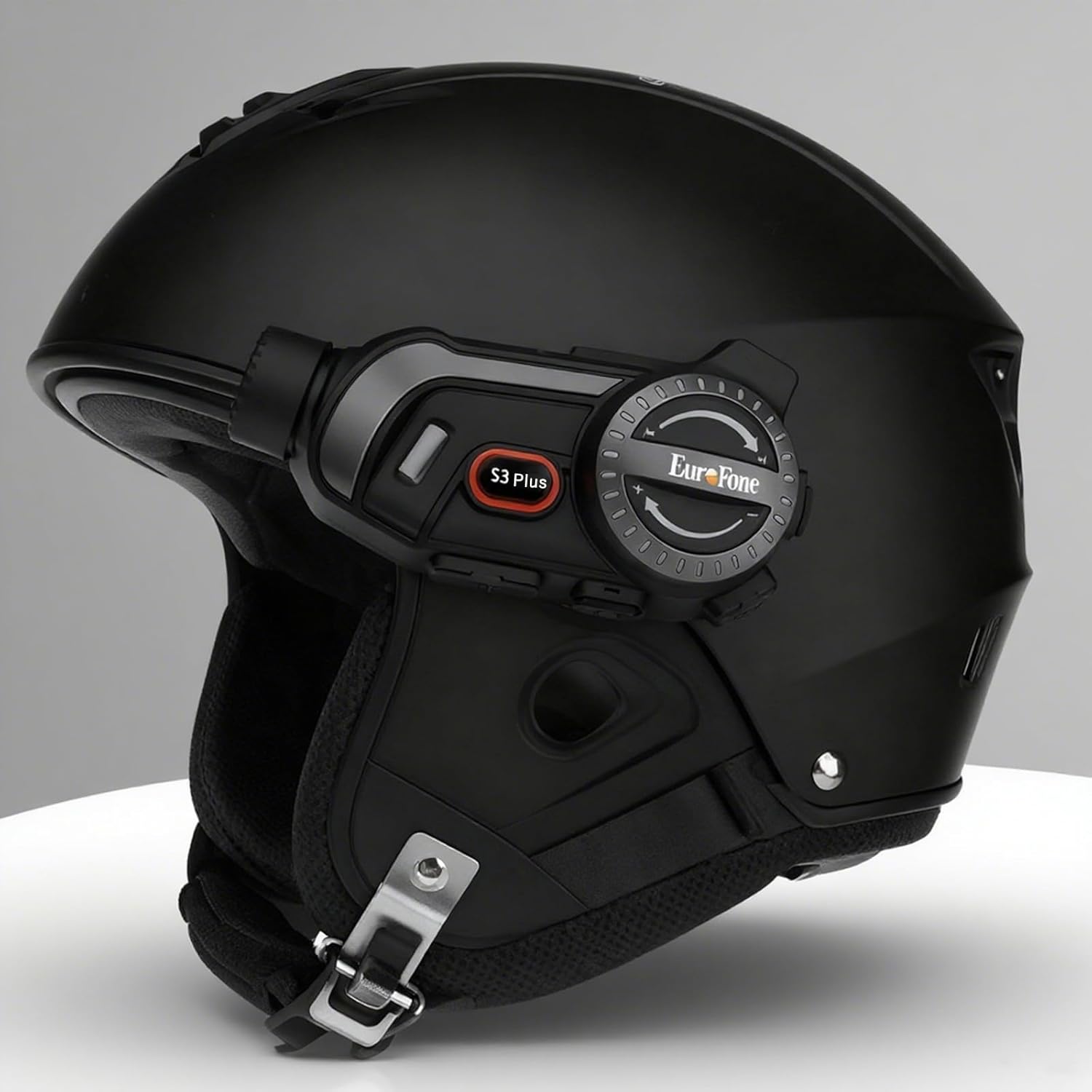
Image 4.1: The S3 Plus intercom unit securely attached to the side of a helmet.
4.2. Headset and Microphone Connection
Connect the stereo headset and microphone to the S3 Plus unit.
- Hoparlörleri Takın: Place the headset speakers inside the helmet's ear pockets, ensuring they are aligned with your ears for optimal sound.
- Mikrofon Seçin: Choose the hard mic for open-face helmets or the soft mic for full-face helmets. Attach the microphone to the inside of the helmet near your mouth.
- Üniteye bağlanın: Plug the headset and microphone cable into the Earphone Mic Jack (9) on the S3 Plus unit.
4.3. Cihazın Şarj Edilmesi
Before first use, fully charge the S3 Plus unit.
- Kabloyu bağlayın: Insert the Type-C charging cable into the Charging Port (10) on the S3 Plus unit.
- Güç Kaynağı: Kablonun diğer ucunu bir USB güç adaptörüne (dahil değildir) veya bir bilgisayarın USB portuna bağlayın.
- Şarj Göstergesi: LED göstergesi şarj durumunu gösterecektir. Tam şarj yaklaşık 1.5 saat sürer.
4.4. Güç Açma/Kapatma
- Güç Açık: Press and hold the Power Button (7) for approximately 3 seconds until the LED indicator lights up and you hear a voice prompt.
- Kapat: Press and hold the Power Button (7) for approximately 3 seconds until the LED indicator turns off and you hear a voice prompt.
5. Kullanım Talimatları
5.1. Bluetooth Eşleştirme
Pair your S3 Plus with your smartphone or other Bluetooth devices.
- Eşleştirme Moduna Girin: With the S3 Plus powered off, press and hold the Power Button (7) for about 5-7 seconds until the LED indicator flashes red and blue alternately, indicating pairing mode.
- Bluetooth'u etkinleştir: Akıllı telefonunuzda veya cihazınızda Bluetooth'u etkinleştirin ve kullanılabilir cihazları arayın.
- Cihaz seç: Select "EuroFone S3 Plus" from the list of found devices. If prompted, enter "0000" as the PIN.
- Onay: Once paired, the LED indicator will flash blue slowly, and you will hear a voice confirmation.

Image 5.1: Illustration of Bluetooth 5.1 connectivity and extended battery performance.
5.2. İnterkom Fonksiyonu
The S3 Plus supports both two-way and multi-person group intercom communication.
- İki Yönlü İnterkom: To initiate a direct intercom call with another S3 Plus unit, ensure both units are powered on and within range (up to 2000m in open terrain). Briefly press the Intercom Button (2) on one unit. The units will connect automatically.
- Group Intercom (Up to 6 Riders): The S3 Plus supports simultaneous communication for up to 6 riders. Follow the pairing instructions in the manual for multi-unit connection. The system features automatic reconnection, so if a rider goes out of range, they will automatically rejoin the conversation when back in range.

Image 5.2: Visual representation of up to 6 riders engaged in group intercom communication.
5.3. Kameranın Kullanımı
Record your rides in 2K HD quality.
- TF Kartını Takın: Ensure a microSD (TF) card (Class 10 or higher, up to 128GB) is inserted into the TF Card slot (8) before recording.
- Kaydı Başlat/Durdur: Briefly press the Record Button (3) to start recording. The LED indicator will change to confirm recording is active. Press again to stop recording.
- Döngü Kaydı: The S3 Plus supports loop recording, automatically overwriting the oldest filehafıza kartı dolduğunda.
- Wi-Fi App Connection: Press the Wi-Fi Button (4) to activate the unit's Wi-Fi. Connect your smartphone to the S3 Plus Wi-Fi network (details in the dedicated app manual). Use the companion app to view canlı footage, kayıtları oynatma ve indirme files.

Image 5.3: Details on 2K video resolution (2560*1440) and the 135° wide-angle lens for comprehensive capture.
5.4. Müzik Çalma ve Paylaşımı
Enjoy music from your paired smartphone and share it with another rider.
- Oynat/Duraklat: Briefly press the Multi-function Button (6) to play or pause music.
- Ses Ayarı: Rotate the Rotary Dial (5) clockwise to increase volume, counter-clockwise to decrease volume.
- Sonraki / Önceki Parça: Press the Rotary Dial (5) forward or backward to skip tracks.
- Müzik Paylaşımı: While music is playing, activate the music sharing function (refer to the full manual for specific button combinations) to share your audio with a connected intercom unit.

Image 5.4: Two riders enjoying shared music during their journey, illustrating the music sharing feature.
5.5. FM Radyo
Tune into FM radio stations for news, weather, and entertainment.
- FM Radyo'yu Etkinleştir: Press and hold the Intercom Button (2) for approximately 2 seconds to turn on the FM radio.
- Tarama İstasyonları: Briefly press the Rotary Dial (5) forward or backward to scan for the next or previous available station.
- FM Radyoyu Kapatın: Press and hold the Intercom Button (2) for approximately 2 seconds again to turn off the FM radio.

Image 5.5: A rider listening to FM radio, highlighting the integrated FM radio functionality.
5.6. Sesli Asistan
Access your smartphone's voice assistant (e.g., Siri) hands-free.
- Voice Assistant'ı etkinleştirin: Briefly press the Multi-function Button (6) twice to activate your paired smartphone's voice assistant.
- Sesli Komutlar: The S3 Plus supports voice prompts in Japanese, English, and Chinese, which can be switched as needed.

Image 5.6: Visualizing the voice assistant feature, HIFI audio quality, and key device statistics like weight and battery life.
5.7. Telefon Görüşmeleri
Manage incoming and outgoing phone calls safely while riding.
- Cevap Çağrısı: When a call comes in, the S3 Plus will automatically answer after approximately 10 seconds, allowing for hands-free communication.
- Çağrı Sonu: Briefly press the Multi-function Button (6) to end an active call.
- Çağrıyı Reddet: Press and hold the Multi-function Button (6) for 2 seconds to reject an incoming call.
- Son Numarayı Tekrar Ara: Briefly press the Multi-function Button (6) twice to redial the last number.
6. Bakım
Proper maintenance ensures the longevity and performance of your S3 Plus intercom.
- Temizlik: Yumuşak bir d kullanınamp Cihazın dış yüzeyini temizlemek için bir bez kullanın. Sert kimyasallar veya aşındırıcı temizleyiciler kullanmayın.
- Suya Maruz Kalma: The S3 Plus is IP67 waterproof. While it can withstand rain, avoid prolonged submersion in water or exposure to heavy downpours. If wet, wipe dry immediately with a towel.
- Depolamak: Cihazı kullanmadığınız zamanlarda serin, kuru ve doğrudan güneş ışığından ve aşırı sıcaklıklardan uzak bir yerde saklayın.
- Pil Bakım: En iyi pil ömrü için, pili sık sık tamamen boşaltmaktan kaçının. Cihaz uzun süre kullanılmasa bile düzenli olarak şarj edin.
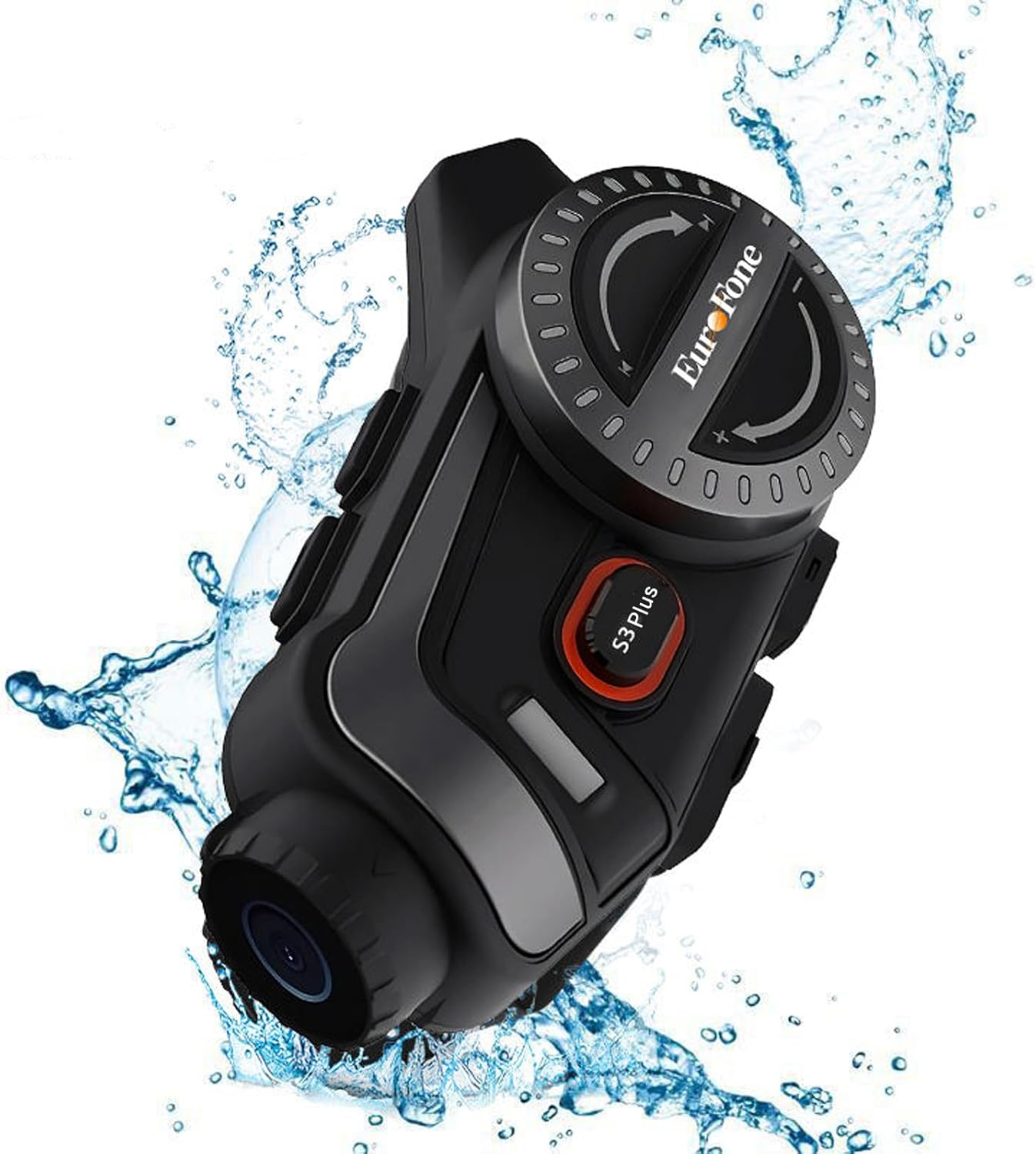
Image 6.1: The S3 Plus unit demonstrating its IP67 waterproof and dustproof capabilities.
7. Sorun Giderme
If you encounter issues with your S3 Plus, refer to the following common problems and solutions:
- Cihaz Açılmıyor: Ensure the battery is charged. Connect to a charger and try again. If unresponsive, try a factory reset by pressing the Reset Button (8) with a small pin.
- Akıllı telefonla eşleştirilemiyor: Ensure the S3 Plus is in pairing mode (flashing red and blue). Turn off and on your phone's Bluetooth. Clear previous Bluetooth connections on both devices and try again.
- İnterkom Bağlantı Sorunları: Ensure both intercom units are within range and fully charged. Re-initiate the intercom connection. Obstacles can reduce range.
- Poor Audio Quality (Intercom/Music): Check headset and microphone connections. Ensure speakers are correctly positioned in the helmet. The device features CVC8.0 and DSP dual noise cancellation for clear audio, but extreme wind noise can still affect quality.
- Kayıt işlemi çalışmıyor: Ensure a compatible microSD (TF) card is inserted and has sufficient free space. Format the card if necessary (refer to app instructions or connect to PC).
- Wi-Fi App Connection Failure: Ensure the S3 Plus Wi-Fi is activated. Check your smartphone's Wi-Fi settings to confirm connection to the device's network. Ensure the app is up-to-date.
8. Özellikler
Key technical specifications of the EuroFone S3 Plus intercom:
| Özellik | Şartname |
|---|---|
| Model Adı | S3 Artı |
| Marka | EuroFone |
| Renk | Siyah |
| Bağlantı Teknolojisi | Kablosuz (Bluetooth 5.1) |
| Bluetooth Sürümü | 5.1 |
| interkom aralığı | Up to 2000 meters (1500-2000m between 2 units) |
| Grup İnterkom | Aynı anda en fazla 6 yolcu konuşabilir. |
| Video Çözünürlüğü | 2K HD (1440p) |
| Kamera Merceği | 135° Wide Angle, 14mm Sony HD F2.0 |
| Sürekli Video Kaydı | 8 saate kadar |
| Pil Kapasitesi | 2000mAh |
| Sürekli Konuşma Süresi | 45 saate kadar |
| Müzik Çalma Süresi | 80 saate kadar |
| Bekleme Süresi | 1000 saate kadar |
| Şarj Süresi | Yaklaşık 1.5 saat (C Tipi) |
| Su Geçirmezlik Derecesi | IP67 |
| Gürültü Önleme | CVC8.0 & DSP Dual Noise Cancellation |
| Özel Özellikler | FM Radio, Music Sharing, Voice Assistant (Siri compatible), Auto-Answer Calls, Loop Recording, WiFi App Support, GPS Guidance Compatibility |
| Ürün Boyutları | 5.7x10.5x3.5 cm |
| Ürün Ağırlığı | 0.45 kilo |
9. Garanti ve Destek
The EuroFone S3 Plus Motorcycle Intercom comes with a 1-year warranty, affirming its quality and reliability. If you have any questions, concerns, or require technical assistance, please do not hesitate to contact our support team. We aim to respond within 24 hours.
For support, please refer to the contact information provided with your purchase or visit the official EuroFone webalan.