
1. Ürün Bittiview
The CUKTECH 65W USB C Charger and 20000mAh Power Bank Combo provides a versatile charging solution for a wide range of electronic devices. This product integrates a powerful wall charger with a high-capacity portable power bank, designed for both home and on-the-go use.
Temel Özellikler:
- 65W USB-C Charger: Provides fast charging for devices including smartphones, tablets, and laptops. An iPhone 14 Pro Max can reach approximately 55% charge in 30 minutes.
- Triple-Port Output: Features two USB-C ports and one USB-A port, allowing simultaneous charging of up to three devices with a total output of 65W.
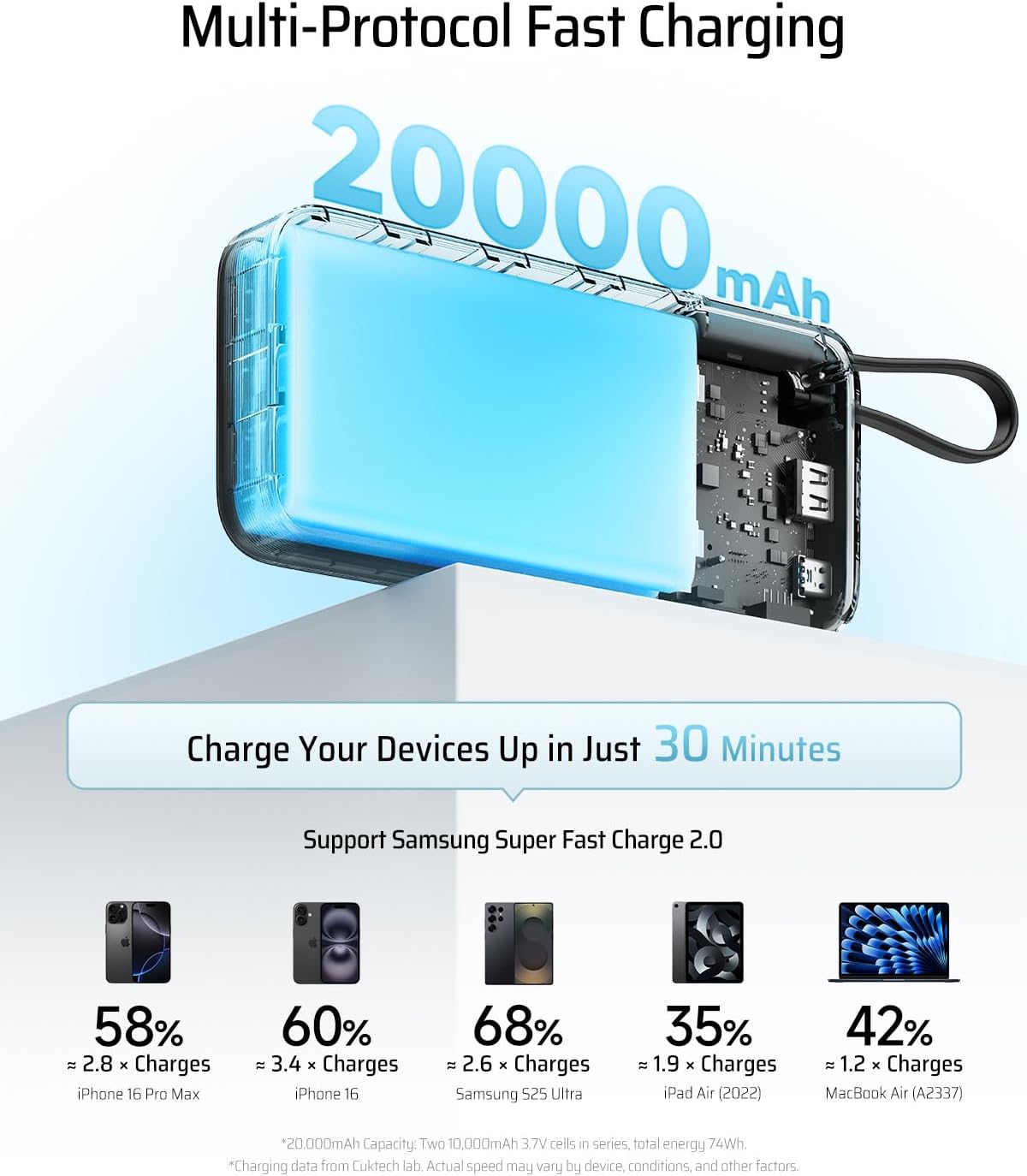
- 20000mAh Power Bank: High capacity portable charger capable of providing multiple charges for mobile devices. For example, it can charge an iPhone 15 approximately 4.1 times, a Samsung Galaxy S24 Ultra about 2.9 times, and an iPad Air approximately 1.9 times.
- 45W MAX Power Bank Output: Supports rapid 45W MAX output for fast charging compatible devices like the iPhone 16/15 Pro Max, MacBook Air, and Samsung Galaxy S24 Ultra. A Samsung Galaxy S24 Ultra can be charged to approximately 50% in 20 minutes.
- Entegre USB-C Kablosu: The power bank includes a built-in USB-C charging cable for convenience and durability, which also functions as a carrying strap.
Resim 1.1: Üzeriview of the CUKTECH 65W USB C Charger and 20000mAh Power Bank Combo.
2. Başlarken
2.1 Paket İçeriği
- CUKTECH 65W USB C Charger and 20000mAh Power Bank Combo
- Kullanıcı Kılavuzu
2.2 Power Bank'ın İlk Şarjı
Before first use, fully charge the 20000mAh power bank. This ensures optimal performance and battery longevity.
- Connect the integrated USB-C cable from the power bank to the USB-C input port on the 65W charger.
- Plug the 65W charger into a standard wall outlet.
- The power bank's indicator lights will illuminate to show charging status. Charge until all indicator lights are solid, indicating a full charge.

Image 2.1: The power bank supports 45W MAX fast charging, which also applies to its self-charging capability.
3. Kullanım Talimatları
3.1 Using the 65W USB-C Charger
The 65W charger can be used independently to charge devices directly from a wall outlet.
- Unfold the AC prongs and plug the charger into a wall outlet.
- Connect your device's charging cable to one of the charger's output ports (2x USB-C, 1x USB-A).
- Kablo ucunu cihazınıza bağlayın. Şarj işlemi otomatik olarak başlayacaktır.
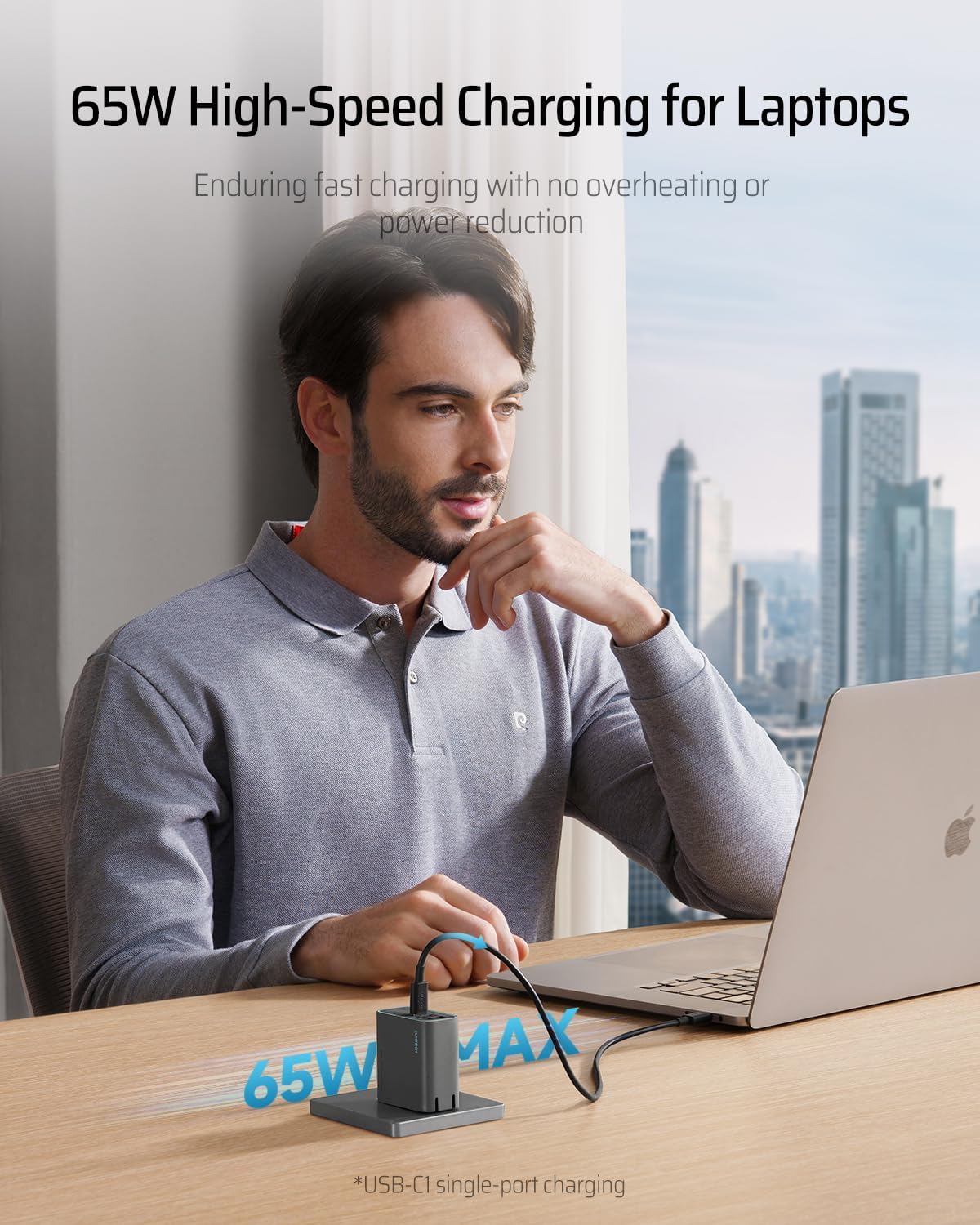
Image 3.1: The 65W charger provides high-speed charging for laptops and other compatible devices.
3.2 Using the 20000mAh Power Bank
The power bank provides portable power for your devices when a wall outlet is not available.
- Powerbank'in yeterli şarja sahip olduğundan emin olun.
- For devices with a USB-C port, use the integrated USB-C cable or connect your own USB-C cable to one of the power bank's USB-C output ports.
- For devices requiring a USB-A connection, use your own USB-A cable with the power bank's USB-A output port.
- Connect the cable to your device. Charging will commence.

Image 3.2: The power bank features a convenient built-in USB-C cable for easy charging and portability.
3.3 Birden Fazla Cihazı Şarj Etme
Both the charger and power bank can charge multiple devices simultaneously. The total output wattage will be distributed among the connected devices.
- When using the 65W charger, connect up to three devices to its available ports.
- When using the 20000mAh power bank, connect up to three devices to its available ports (including the built-in cable).

Image 3.3: The CUKTECH combo offers universal compatibility, charging a wide range of devices from phones to laptops.
4. Bakım ve Onarım
- Keep the device dry. Do not expose it to moisture or liquids.
- Cihazı yumuşak, kuru bir bezle temizleyin. Sert kimyasallar veya aşındırıcı malzemeler kullanmaktan kaçının.
- Cihazı serin, kuru ve doğrudan güneş ışığından ve aşırı sıcaklıklardan uzak bir yerde saklayın.
- Cihazı düşürmekten veya güçlü darbelere maruz bırakmaktan kaçının.
- Periodically recharge the power bank if it is not used for extended periods to maintain battery health.
5. Sorun Giderme
| Sorun | Olası Neden | Çözüm |
|---|---|---|
| Device not charging from charger. | Charger not plugged in correctly; cable faulty; device incompatible. | Ensure charger is firmly plugged into outlet. Try a different cable. Verify device compatibility. |
| Powerbank cihazı şarj etmiyor. | Power bank battery depleted; cable faulty; device incompatible. | Recharge the power bank. Try a different cable. Verify device compatibility. |
| Yavaş şarj hızı. | Cable not supporting fast charging; multiple devices connected; device not supporting fast charging. | Use a high-quality, fast-charging compatible cable. Disconnect other devices to maximize power to one. Ensure your device supports fast charging protocols. |
| Powerbank şarj olmuyor. | Charging cable faulty; wall adapter faulty; power bank internal issue. | Try a different USB-C cable and wall adapter. If issue persists, contact customer support. |
6. Ürün Özellikleri
| Özellik | Detay |
|---|---|
| Örnek | B0DP43FW6Q |
| Güç Bankası Kapasitesi | 20,000mAh |
| Charger Output (Max) | 65W (Toplam) |
| Power Bank Output (Max) | 45W (Single Port) |
| Limanlar | 2x USB-C, 1x USB-A (on charger and power bank) |
| Dahili Kablo | USB-C (supports 45W MAX) |
| Ağırlık (Yaklaşık) | 17.6 oz (1.1 lb) |

Image 6.1: The power bank's weight is comparable to a standard bottle of water, highlighting its portability.
7. Önemli Güvenlik Bilgileri
- Cihazı sökmeyin, değiştirmeyin veya onarmayın.
- Avoid exposure to extreme temperatures (above 45°C/113°F or below 0°C/32°F).
- Do not expose to fire or immerse in water.
- Çocukların erişemeyeceği yerde saklayınız.
- Use only original or certified cables and adapters.
- If the device swells, emits an odor, or becomes excessively hot, discontinue use immediately and contact customer support.
- Ürünü, elektronik atıklarla ilgili yerel yönetmeliklere uygun olarak sorumlu bir şekilde imha edin.
8. Garanti ve Destek
CUKTECH products are designed for reliability and performance. For warranty information or technical support, please refer to the official CUKTECH webLütfen web sitelerini ziyaret edin veya müşteri hizmetleri departmanıyla iletişime geçin. Garanti talepleri için satın alma belgenizi saklayın.