
1. Giriş
Thank you for choosing the HyperGear Power Bank Pro+ 20,000mAh. This portable power bank is designed to provide reliable and fast charging for your mobile devices, tablets, and even USB-C laptops. With its high capacity and advanced charging technologies, it ensures your devices stay powered on the go. Please read this manual thoroughly before using the product to ensure proper operation and safety.
2. Güvenlik Bilgileri
- Powerbank'i aşırı sıcaklıklara (sıcak veya soğuk), doğrudan güneş ışığına veya yüksek neme maruz bırakmayın.
- Cihazı sökmeyin, değiştirmeyin veya tamir etmeye çalışmayın. Bu, garantiyi geçersiz kılacak ve hasara veya yaralanmaya neden olabilir.
- Güç bankasını su ve diğer sıvılardan uzak tutun.
- Güç bankasını düşürmekten veya güçlü darbelere maruz bırakmaktan kaçının.
- Sadece sertifikalı şarj kabloları ve adaptörleri kullanın.
- Çocukların erişemeyeceği yerde saklayınız.
- Güç bankasını yerel yönetmeliklere uygun şekilde sorumlu bir şekilde atın.
3. Paket İçeriği
- HyperGear Power Bank Pro+ 20,000mAh
- USB-C to USB-C Charging Cable (may vary by package)
- Kullanıcı Kılavuzu
4. Ürün Bittiview
The HyperGear Power Bank Pro+ features multiple ports and an LED display for convenient charging and monitoring.
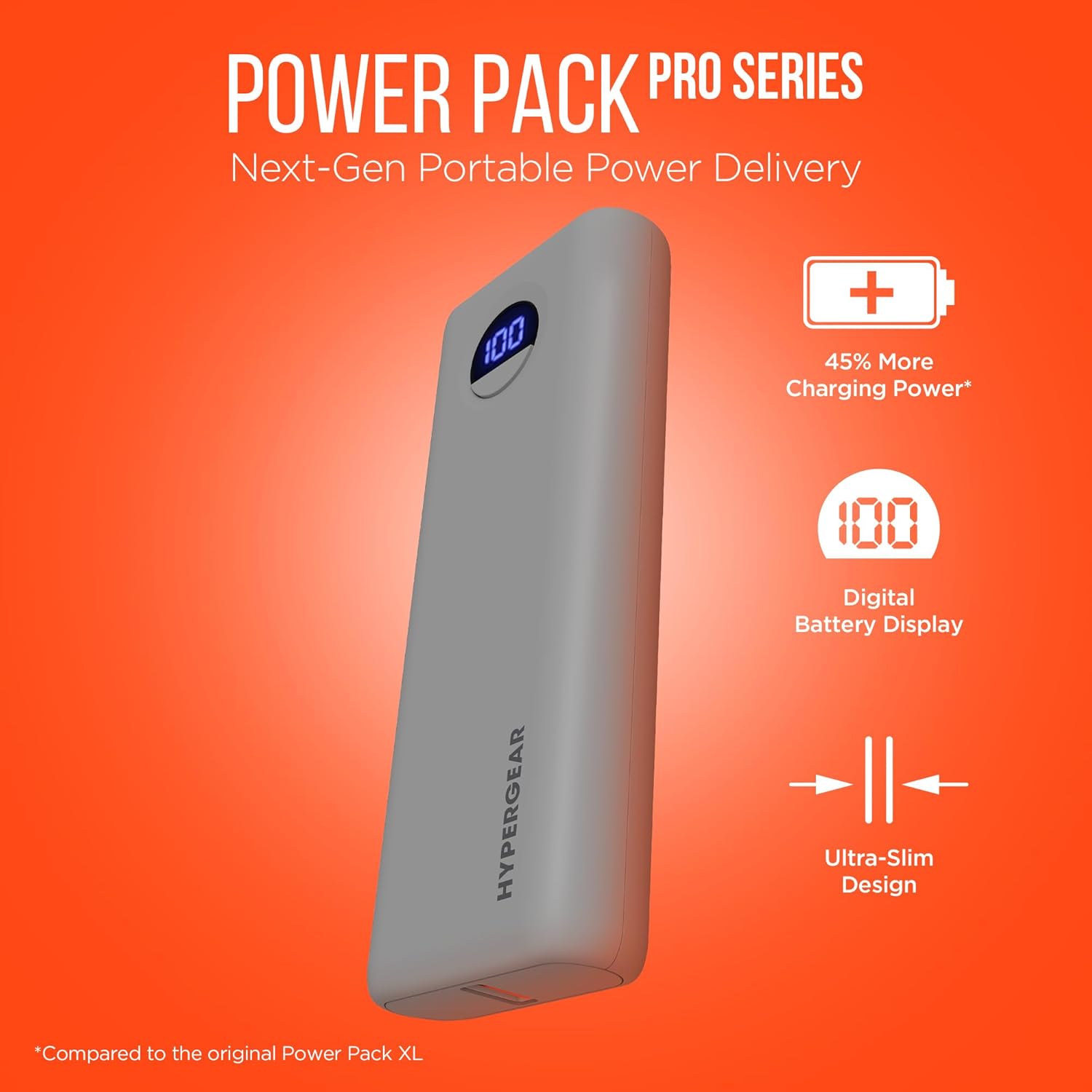
Image: HyperGear Power Bank Pro+ 20,000mAh with LED display showing 100% charge. This image highlights the sleek design and the digital battery indicator.
Port and Indicator Descriptions:
- USB-C Bağlantı Noktası (Giriş/Çıkış): Supports 35W Power Delivery (PD) for fast charging compatible devices and recharging the power bank itself.
- USB-A Bağlantı Noktası (Çıkış): Supports 18W Adaptive Fast Charge for quick charging of various devices.
- LED Dijital Ekran: Kalan pil yüzdesini gösterirtagpowerbank'ın e'si.
- Güç Düğmesi: Press once to check battery level; press and hold to activate/deactivate (if applicable).
5. Kurulum
Power Bank'in İlk Şarjı:
- Kutu içeriğinde bulunan USB-C kablosunu power bank üzerindeki USB-C portuna bağlayın.
- Connect the other end of the USB-C cable to a compatible USB-C wall adapter (not included) with a minimum output of 35W for optimal charging speed.
- The LED digital display will show the charging progress. Allow the power bank to fully charge to 100% before first use.

Image: HyperGear Power Bank Pro+ connected to a wall adapter for recharging, while simultaneously charging a smartphone. This demonstrates the pass-through charging capability.
6. Kullanım Talimatları
Cihazlarınızı Şarj Etme:
- Cihazınızın şarj kablosunu power bank üzerindeki USB-C veya USB-A çıkış portlarından birine bağlayın.
- Kablonun diğer ucunu cihazınıza bağlayın.
- The power bank will automatically begin charging your device. The LED display will show the power bank's remaining battery level.
- To charge two devices simultaneously, connect one to the USB-C port and another to the USB-A port.

Image: HyperGear Power Bank Pro+ connected via a USB-C cable to an iPhone, illustrating fast charging for smartphones.

Image: HyperGear Power Bank Pro+ connected via a USB-C cable to a tablet, demonstrating fast charging for tablets.

Image: HyperGear Power Bank Pro+ connected via a USB-C cable to a MacBook Air, showing its capability for full-speed laptop charging.
Güç Bankasını Şarj Etme:
To recharge the power bank, follow the steps outlined in the "Initial Charging of the Power Bank" section (Section 5). The USB-C port functions as both an input and output.
Geçişli Şarj:
The HyperGear Power Bank Pro+ supports pass-through charging, allowing you to recharge the power bank while it simultaneously charges your devices. Simply connect the power bank to a wall adapter and then connect your devices to the power bank's output ports.
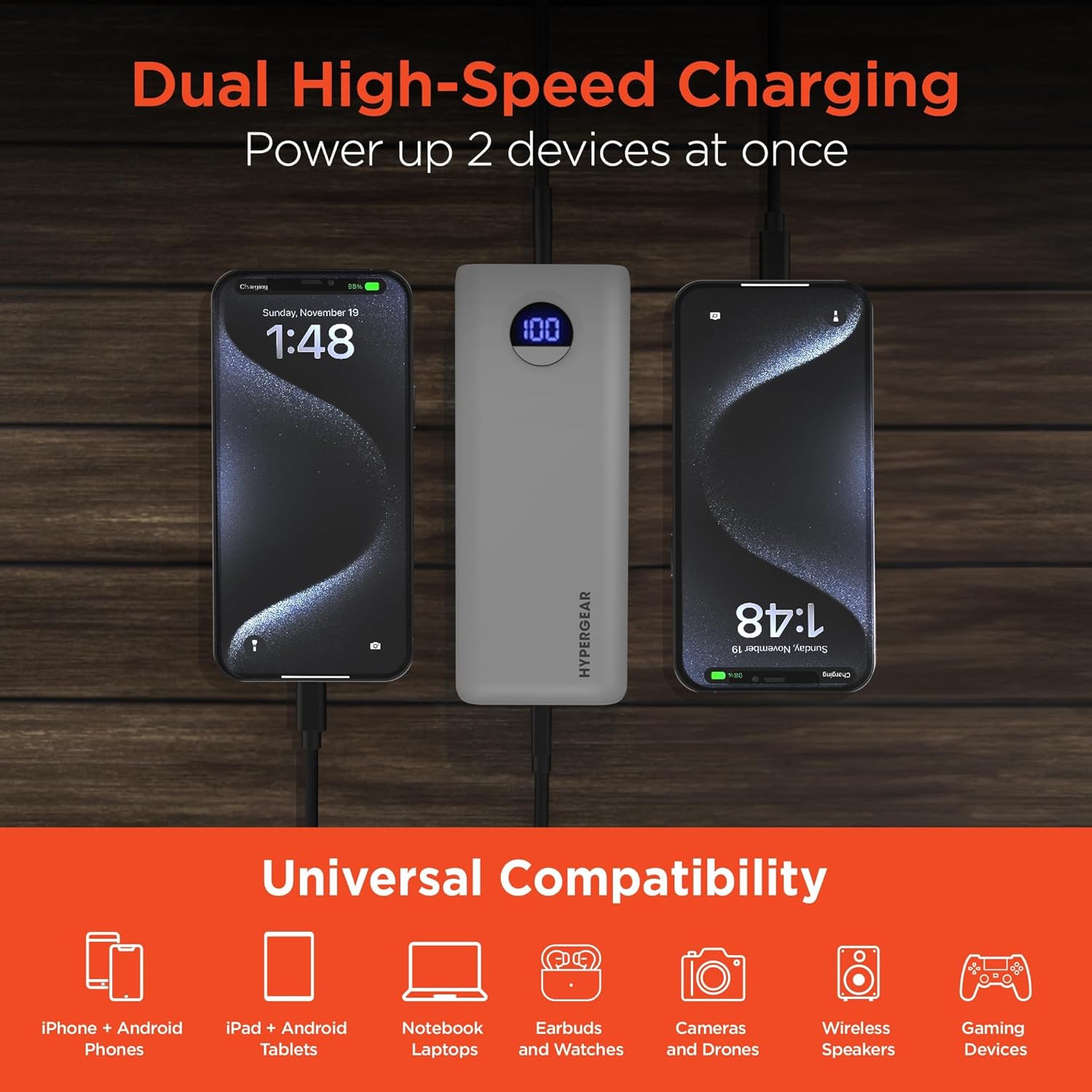
Image: HyperGear Power Bank Pro+ simultaneously charging two smartphones, with icons indicating universal compatibility for various devices.
7. Bakım
- Temizlik: Powerbank'in yüzeyini temizlemek için yumuşak ve kuru bir bez kullanın. Sert kimyasallar veya aşındırıcı malzemeler kullanmayın.
- Depolamak: Store the power bank in a cool, dry place away from direct sunlight and extreme temperatures. For long-term storage, it is recommended to charge the power bank to about 50-75% every 3-6 months to maintain battery health.
- Pil Sağlığı: Avoid fully discharging the power bank regularly, as this can reduce its overall lifespan.
8. Sorun Giderme
Power Bank Şarj Olmuyor:
- Şarj kablosunun hem power bank'e hem de duvar adaptörüne güvenli bir şekilde bağlı olduğundan emin olun.
- Duvar adaptörünün doğru çalıştığından ve çalışan bir elektrik prizine takılı olduğundan emin olun.
- Farklı bir USB-C kablosu ve/veya duvar adaptörü kullanmayı deneyin.
Cihaz Power Bank'ten Şarj Olmuyor:
- Check if the power bank has sufficient charge (refer to the LED display).
- Şarj kablosunun hem power bank'e hem de cihazınıza güvenli bir şekilde bağlı olduğundan emin olun.
- Farklı bir şarj kablosu kullanmayı deneyin.
- Confirm your device is compatible with the power bank's output ports.
Yavaş Şarj:
- Hızlı şarj uyumlu bir kablo kullandığınızdan ve cihazınızın hızlı şarjı desteklediğinden emin olun.
- The charging speed can be affected if multiple devices are charging simultaneously.
- Check your device's charging input requirements.
9. Özellikler
| Model Numarası | 15843 |
| Pil Kapasitesi | 20,000 mAh |
| USB-C Çıkışı/Girişi | 35W Power Delivery (PD) with PPS |
| USB-A Çıkışı | 18W Adaptive Fast Charge |
| Boyutlar | 2.97 x 6 x 1.03 inç |
| Ürün Ağırlığı | 12.6 ons |
| Özel Özellikler | Digital Battery Level Display, Dual Device Charging, Pass-Through Charging, Airline/TSA Compliant |
10. Garanti Bilgileri
HyperGear products are designed and manufactured to the highest quality standards. For detailed warranty information, including coverage period and terms, please refer to the official HyperGear webSatın alma işleminize dahil olan garanti belgesini veya web sitesini ziyaret edin. Garanti talepleriniz için satın alma belgenizi saklayın.
11. Destek
If you encounter any issues or have questions regarding your HyperGear Power Bank Pro+, please visit the official HyperGear support website for FAQs, troubleshooting guides, and contact information. You can typically find support resources at www.hypergear.com/support (eskiampLütfen bağlantıyı kontrol edin, gerçekliğini doğrulayın. URL).