
giriiş
The GameSir G8 Plus Thanos Edition is a versatile mobile game controller designed to provide a console-like gaming experience across multiple platforms. This manual provides essential information for setting up, operating, maintaining, and troubleshooting your controller.
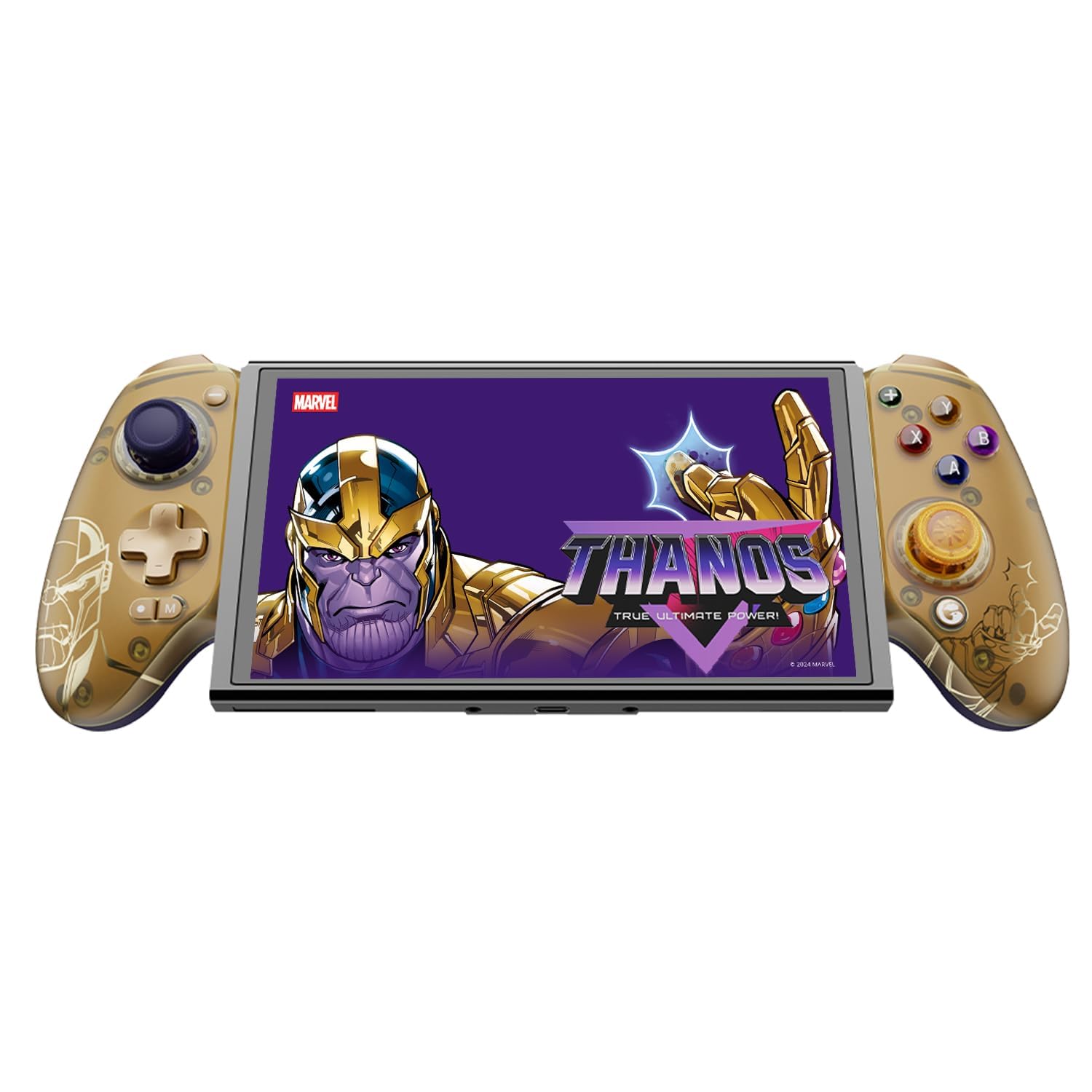
Figure 1: GameSir G8 Plus Thanos Edition Mobile Game Controller.
Kurmak
Paket İçeriği
Paketin içinde tüm öğelerin mevcut olduğundan emin olun:
- GameSir G8 Plus Thanos Edition Mobile Game Controller
- Interchangeable Thumbstick Caps (3 pairs)
- USB-C Kablosu
- Kullanım Kılavuzu (bu belge)

Figure 2: Contents of the GameSir G8 Plus Thanos Edition package.
Cihaz Uyumluluğu
The GameSir G8 Plus is compatible with a wide range of devices:
- Android devices (Android 8.0 or later)
- iOS cihazları
- Nintendo Anahtarı
- Tablets (4.7 to 8.4 inches)
- PC (via 2.4G receiver, sold separately, or wired)

Figure 3: Universal compatibility of the GameSir G8 Plus.
İlk Bağlantı
To connect your GameSir G8 Plus controller to a device:
- Mobil Cihazlar İçin (Bluetooth): Extend the controller to fit your smartphone or tablet. Ensure Bluetooth is enabled on your device. Press and hold the pairing button on the controller until the indicator light flashes, then select "GameSir G8 Plus" from your device's Bluetooth settings.
- Nintendo Switch için: Insert the Switch console into the controller. The controller should automatically connect.
- For PC (Wired): Sağlanan USB-C kablosunu kullanarak kontrol cihazını bilgisayarınıza bağlayın.
- For PC (2.4G Wireless): Insert the 2.4G receiver (sold separately) into your PC's USB port. The controller should connect automatically.
Video 1: Bittiview of the Gamesir G8 Plus Bluetooth Marvel Licensed controller, demonstrating its design and features.
İşletim
Temel Özellikler ve Kontroller
- Hall Etkili Joystickler: Experience precise 360° control with anti-drift technology, ensuring longevity and accuracy.
- Hall Etkisi Tetikleyicileri: Optimized triggers provide smooth and quick response, ideal for various game genres.
- Mappable Back Buttons: Two additional back buttons (L4/R4) allow for instant button mapping, enhancing gameplay customization.
- Hareket Algılama: A built-in 6-axis gyroscope enhances motion control, particularly useful for compatible Switch games and motion-sensitive gameplay.
- Dokunsal Geribildirim: Console-level haptic feedback provides realistic and immersive sensations during gameplay.

Figure 4: Explanation of GameSir Hall Effect Sticks.

Şekil 5: Farklı oyun türleri için tetikleme modlarını değiştirme.

Figure 6: Motion Control capabilities with built-in 6-axis gyro.

Figure 7: Realistic and immersive haptic sensation.
Özelleştirme
- Magnetic Faceplates: The controller features magnetic faceplates that can be easily removed and swapped for personalized aesthetics or maintenance.
- Interchangeable Thumbstick Caps: Three pairs of thumbstick caps with varying heights are included, allowing users to customize control feel.
- GameSir App: The GameSir app (Android exclusive) allows for real-time customization, including button mapping and sensitivity adjustments, for personalized gameplay.

Figure 8: Free customization options for the controller.

Figure 9: Advanced features of the GameSir G8 Plus.
Video 2: Introduction to the GameHub App, showcasing its features for game management and controller customization.
Mod Değiştirme
The controller supports various modes for different platforms. To switch between modes, press the corresponding key combination:
| Mod | Ana Gösterge | Bağlantı Yöntemi | Uyumlu Platform |
|---|---|---|---|
| Android | Yeşil | Controller + A | Android 8.0 veya sonraki sürümler |
| DS4 | Mavi | Controller + B | iOS |
| Anahtar | Kırmızı | Controller + X | Anahtar |
| G-Dokunmatik | Mavi-yeşil | Controller + Y | GameSir Uygulaması |
*Çalışma durumunda istenilen moda geçmek için ilgili tuş kombinasyonuna basın.
Bakım
GameSir G8 Plus kumandanızın uzun ömürlü ve optimum performans göstermesi için lütfen aşağıdaki bakım yönergelerini izleyin:
- Temizlik: Kumanda yüzeyini silmek için yumuşak, kuru bir bez kullanın. İnatçı kirler için hafifçe kurulayın.ampBezi su veya hafif bir temizleme solüsyonuyla yıkayın. Sert kimyasallardan veya aşındırıcı malzemelerden kaçının.
- Depolamak: Kumandayı serin, kuru ve doğrudan güneş ışığından ve aşırı sıcaklıklardan uzak bir yerde saklayın. Uzun süre kullanılmadığında, saklamadan önce tamamen şarj olduğundan emin olun.
- İşleme: Avoid dropping the controller or subjecting it to strong impacts. Do not attempt to disassemble the controller beyond removing the magnetic faceplates and thumbstick caps.
Sorun giderme
If you encounter issues with your GameSir G8 Plus controller, refer to the following common troubleshooting steps:
- Kontrol Cihazı Bağlanmıyor: Ensure Bluetooth is enabled on your device and the controller is in the correct mode (Android, DS4, Switch). Try restarting both the controller and your device. For wired connections, ensure the USB-C cable is securely connected.
- Düğmeler veya Joystick'ler Tepki Vermiyor: Check if the controller's battery is charged. If using the GameSir App, verify that button mappings are correctly configured. For Hall Effect Joysticks, recalibration might be necessary if drift occurs (refer to GameSir App for calibration options).
- Device Not Fitting: Ensure your device's dimensions are within the supported range of 4.7 to 8.4 inches. The controller's design accommodates devices with larger cameras.
- GameSir App Issues: Ensure your GameSir App is updated to the latest version. The app is currently exclusive to Android devices.
Daha fazla yardım için lütfen GameSir müşteri desteğiyle iletişime geçin.
Özellikler
Detailed specifications for the GameSir G8 Plus Thanos Edition Mobile Game Controller:
| Özellik | Detay |
|---|---|
| Uyumlu Cihazlar | Android, iOS, Nintendo Switch, PC |
| Denetleyici Türü | Oyun kumandası |
| Bağlantı Teknolojisi | Bluetooth 5.3, USB, 2.4G (receiver sold separately) |
| Ek Özellikler | Multiuse, Wireless, Hall Effect Joysticks & Triggers, 6-axis Gyroscope, Mappable Back Buttons, Magnetic Faceplates, Interchangeable Thumbstick Caps, Pass-through Charging |
| Düğme Miktarı | 6 (standard face buttons) + D-pad, shoulder buttons, triggers, menu buttons, 2 back buttons |
| Donanım Platformu | Smartphone, Tablet, Nintendo Switch, PC |
| Güç Kaynağı | Battery Powered (500mAh per side) |
| Ürün Ağırlığı | 620 Gram |
| Model Adı | G8 Artı |
| Üretici | OyunSir |
| Renk | Gamesir G8 Plus Thanos Edition (Gold/Purple) |
Garanti ve Destek
Garanti Bilgileri
The GameSir G8 Plus Thanos Edition Mobile Game Controller comes with a 1 Yıllık Garanti. GameSir provides 12 months replacement service for product issues.
Müşteri Desteği
If you experience any problems with your product or require further assistance, please feel free to send a message through Amazon. GameSir aims to reply within 24 hours.