
Ourlife M40TR
Ourlife 5K30FPS WiFi Aksiyon Kamerası Kullanım Kılavuzu
Model: M40TR
giriiş
This manual provides detailed instructions for the safe and effective use of your Ourlife 5K30FPS WiFi Action Camera. Please read this manual thoroughly before operating the device to ensure optimal performance and longevity.
Ourlife M40TR is a versatile action camera designed to capture high-quality video and photos in various environments, including underwater, thanks to its robust waterproof casing. It features 5K 30fps video recording, a dual-screen display, a 170-degree wide-angle lens, and Wi-Fi connectivity.
Kutuda Neler Var?
Kutuyu açtığınızda lütfen tüm bileşenlerin mevcut olduğundan emin olun:
- Ourlife M40TR Aksiyon Kamerası
- Su geçirmez kılıf
- Montaj Aksesuarları
- USB Şarj Kablosu
- Kullanım Kılavuzu (bu belge)
- Remote Control (if included with specific package)

Resim: Ourlife M40TR Action Camera shown with its waterproof housing and a small remote control. This image illustrates the primary components included with the camera.
Ürün Bittiview
Familiarize yourself with the camera's main components and interfaces.
- Ön Ekran: 1.3-inch display for quick status checks.
- Arka Ekran: 2.0-inch IPS touch screen for menu navigation and playback.
- Mercek: 170-degree wide-angle lens.
- Güç / Mod Düğmesi: Cihazı açıp kapatmak ve modlar arasında geçiş yapmak için kullanılır.
- Deklanşör/Tamam Düğmesi: Used to start/stop recording or take photos, and confirm selections.
- Mikrofon Bağlantı Noktası: Harici mikrofon bağlamak için.
- USB Bağlantı Noktası: Şarj ve veri aktarımı için.
- MicroSD Kart Yuvası: Hafıza kartı takmak için.
- Pil Bölmesi: For battery insertion.

Resim: Yakın çekim view O'nunurlife Action Camera highlighting its 2-inch responsive touch screen. This screen is used for controlling camera functions and reviewfootage.
Kurmak
1. Pilin Şarj Edilmesi
Before first use, fully charge the camera battery. Connect the camera to a USB power source (e.g., computer, wall adapter) using the provided USB cable. The charging indicator light will illuminate during charging and turn off when complete.
2. MicroSD Kart Takma
A MicroSD card (not included) is required for recording. Use a Class 10 or higher MicroSD card, up to 128GB. Insert the card into the MicroSD card slot with the contacts facing the correct direction until it clicks into place.
Not: For optimal performance, format the MicroSD card within the camera before first use and periodically thereafter.
3. Su Geçirmez Kılıfın Takılması
The camera comes with a waterproof case for underwater use and protection against impacts. Ensure the camera is securely placed inside the case and the latch is firmly closed before submerging or exposing to harsh conditions.
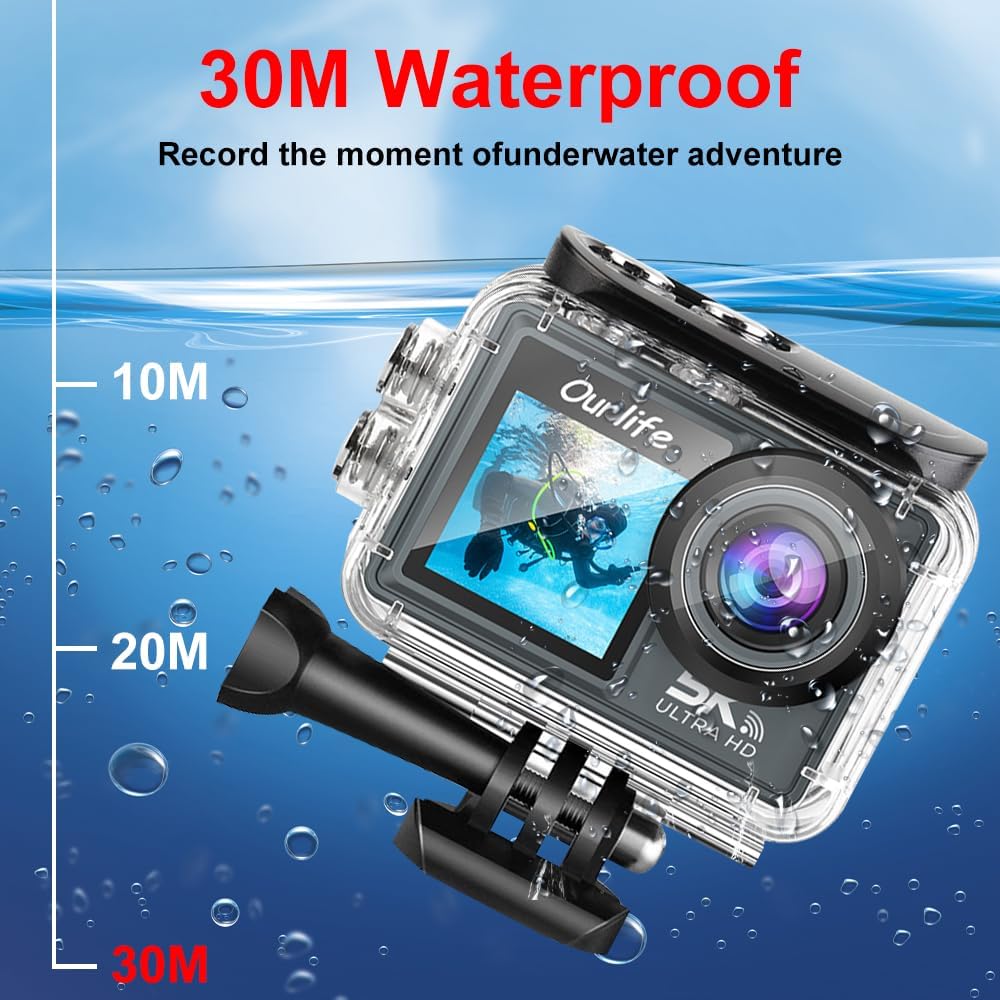
Resim: Ourlife Action Camera enclosed in its waterproof case, depicted underwater with depth markers indicating its 30-meter waterproof capability. This highlights the camera's suitability for aquatic activities.
4. Açma/Kapama
Cihazı açmak için Güç/Mod düğmesini birkaç saniye basılı tutun. Kapatmak için, ekran kapanana kadar Güç/Mod düğmesini tekrar basılı tutun.
Kameranın Çalıştırılması
1. Temel Kontroller ve Gezinme
Use the Power/Mode button to cycle through different shooting modes (Video, Photo, Playback, Settings). Use the touch screen for menu navigation and selecting options. The Shutter/OK button initiates recording or takes a photo in the respective modes.
2. Video Kaydı
In Video mode, press the Shutter/OK button to start recording. Press it again to stop. The camera supports resolutions up to 5K at 30 frames per second (fps), as well as 4K, 2.7K, 1080P, and 720P options. Adjust resolution in the settings menu.
3. Fotoğraf Çekimi
In Photo mode, press the Shutter/OK button to take a single photo. The camera offers various photo modes including single shot, automatic shooting, burst mode, and timed photography.
4. Wi-Fi ve Uygulama Bağlantısı
Enable Wi-Fi in the camera's settings. Download the official Ourlife app on your smartphone or tablet. Connect your device to the camera's Wi-Fi network. The app allows for remote control, live preview, playback, and sharing of your footage.
5. Harici Mikrofon Desteği
For enhanced audio quality, connect a compatible external microphone to the camera's microphone port. Ensure the microphone is securely connected before recording.
6. Enhanced Image Stabilization (EIS)
The camera features Electronic Image Stabilization (EIS) to reduce blur and shake in your videos, especially during action-packed activities. This feature can be toggled On or Off in the camera settings.

Image: A side-by-side comparison demonstrating the effect of Enhanced Image Stabilization (EIS). The left image shows a clear, stable shot with EIS enabled, while the right image shows a blurred shot with EIS disabled, illustrating the benefit of the feature.
7. Wide-Angle Lens
The 170-degree wide-angle lens captures a broad field of view, ideal for landscapes, group shots, and immersive action footage. Be aware that wide-angle lenses may exhibit some distortion at the edges of the frame.

Resim: Bir illüstrasyon gösterisiasing the 170-degree ultra wide-angle capability of the Ourlife Action Camera, demonstrating how it captures a significantly broader scene compared to narrower angles, ideal for expansive views.
Bakım
- Temizlik: Use a soft, lint-free cloth to clean the camera lens and screens. For the waterproof case, rinse with fresh water after saltwater use and allow to air dry.
- Depolamak: Fotoğraf makinesini serin, kuru ve doğrudan güneş ışığından ve aşırı sıcaklıklardan uzak bir yerde saklayın. Uzun süre saklayacaksanız pili çıkarın.
- Pil Bakım: Avoid fully discharging the battery frequently. Charge the battery regularly, even if not in use, to maintain its lifespan.
Sorun giderme
| Sorun | Olası Çözüm |
|---|---|
| Kamera açılmıyor. | Ensure the battery is charged. Reinsert the battery. |
| Video kaydı yapılamıyor/fotoğraf çekilemiyor. | Check if a MicroSD card is inserted and formatted. Ensure sufficient storage space. |
| Video/fotoğraf kalitesi kötü. | Clean the lens. Check resolution settings. Ensure adequate lighting. |
| Wi-Fi bağlantı sorunları. | Ensure Wi-Fi is enabled on the camera and your device. Restart both devices. Check app permissions. |
| Kamera donuyor veya tepkisizleşiyor. | Sert sıfırlamayı gerçekleştirmek için pili çıkarıp tekrar takın. |
Özellikler
| Özellik | Detay |
|---|---|
| Model Numarası | M40TR |
| Video Çözünürlüğü | Up to 5K 30fps (also 4K, 2.7K, 1080P, 720P) |
| Suya Dayanıklı Derinlik | 30 metreye kadar (su geçirmez kılıf ile) |
| Ana Ekran Boyutu | 2.0 inç IPS |
| İkinci Ekran Boyutu | 1.3 inç |
| Mercek Açısı | 170-degree Wide-Angle |
| Bağlantı | Wi-Fi, USB |
| Depolamak | MicroSD Card (Class 10 or higher, up to 128GB) |
| Harici Mikrofon Desteği | Evet |
| Görüntü Sabitleme | Elektronik Görüntü Sabitleme (EIS) |
| Renk | Siyah |
Garanti ve Destek
Garanti bilgileri ve teknik destek için lütfen resmi O sayfasına bakın.urleğer website veya doğrudan müşteri hizmetleriyle iletişime geçin. Garanti talepleri için satın alma kanıtı olarak satın alma makbuzunuzu saklayın.
Official Ourlife Store: O'yu ziyaret edinurlAmazon'da Life Mağazası