
1. Giriş
The UYIKOO PSC35 Mini Spy Camera Sunglasses offer a versatile solution for capturing high-definition video and photos discreetly. Designed for outdoor sports and various activities, these sunglasses integrate a 1080P HD camera, Wi-Fi connectivity, and UV-protected polarized lenses, allowing for hands-free recording and instant sharing.
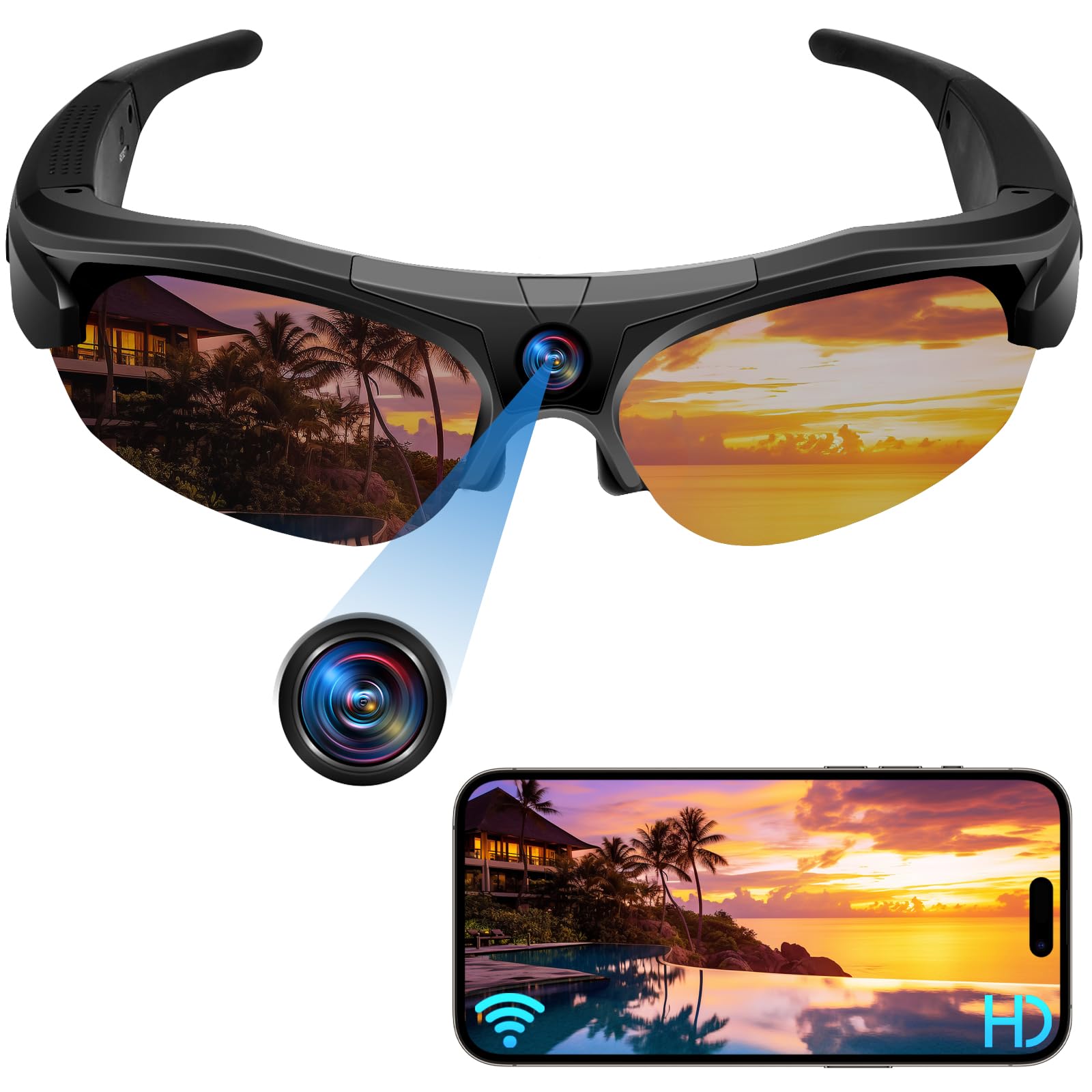
Resim: Ön view of the UYIKOO 1080P HD Mini Spy Camera Sunglasses.
2. Temel Özellikler
- 4'si 1 arada İşlevsellik: Functions as a spy camera, video recorder, dash cam, and sunglasses, suitable for outdoor driving, cycling, climbing, skiing, hiking, and travel.
- Integrated Wi-Fi Connectivity: Connect to a free smartphone app via Wi-Fi to control recording, view HD videos/photos, and share content. Wi-Fi signal range is approximately 10 meters.
- Uzun Pil Ömrü: Equipped with a rechargeable battery providing approximately 2 hours of continuous recording. Supports recording while connected to a power bank.
- Genişletilebilir Depolama: Supports micro SD cards up to 256GB (not included) for ampKayıtların saklanması.
- Polarized UV Protection Lenses: Fashionable polarized lenses with UV protection reduce harmful blue light and provide optimal eye protection.
- Çok Yönlü Kullanım: Comfortable to wear and widely used for cycling, hunting, fishing, mountaineering, hiking, camping, walking, and travel. Suitable for all unisex adult face shapes.

Image: The sunglasses are suitable for multiple outdoor scenarios, including fishing, cycling, skiing, driving, trekking, and boating.
3. Paket İçeriği
Ürün paketi aşağıdaki öğeleri içerir:
- UYIKOO Mini Spy Camera Sunglasses (Model PSC35)
- Koruyucu Kılıf
- Mikrofiber Temizlik Bezi
- USB Şarj Kablosu
- Kullanıcı Kılavuzu

Image: The product box, indicating 4K HD recording and suitability for sports.
4. Kurulum
4.1. Cihazın Şarj Edilmesi
Before first use, fully charge the sunglasses. Connect the provided USB charging cable to the charging port on the sunglasses and to a power source (e.g., computer USB port, USB wall adapter). The LED indicator will show charging status. A full charge provides approximately 2 hours of recording time.

Image: The sunglasses can be charged on the go using a power bank, offering approximately 2 hours of battery life.
4.2. Mikro SD Kart Takma
The device requires a micro SD card (up to 256GB, not included) to store recordings. Locate the micro SD card slot on the frame of the sunglasses. Gently insert the micro SD card until it clicks into place. Ensure the card is formatted before first use for optimal performance. Refer to the user manual for detailed formatting instructions via a computer.
4.3. Saat ve Tarihin Ayarlanması
To ensure accurate time and date stamps on your recordings, connect the sunglasses to a computer using the USB cable. Access the device's storage and locate a "time.txt" fileBunu aç file and edit the time and date according to the specified format. Save the file and safely eject the device from your computer.
5. Kullanım Talimatları
5.1. Güç Açma/Kapatma
- Güç Açık: Press and hold the power button (usually located on the temple) for a few seconds until the LED indicator lights up.
- Kapat: Press and hold the power button for a few seconds until the LED indicator turns off. The device may vibrate to confirm power off.
5.2. Switching Between Photo and Video Modes
The sunglasses feature a switch or button to select between photo and video recording modes. Ensure the desired mode is selected before initiating capture.
5.3. Video Kaydı
Once powered on and in video mode, press the designated button (often the same as the power button, but a single short press) to start video recording. The LED indicator will typically flash or change color to indicate active recording. Press the button again to stop recording.

Image: The sunglasses capture HD 1080p video, ensuring clear footage of your activities.
5.4. Fotoğraf Çekmek
When in photo mode, press the designated button (e.g., a short press or double-click, depending on the model's specific controls) to capture a still image. The LED indicator will briefly flash to confirm the photo has been taken.
5.5. Wi-Fi Connection and App Usage
Download the dedicated free app on your smartphone. Activate Wi-Fi on your phone and connect to the sunglasses' Wi-Fi hotspot. Through the app, you can remotely control recording, view canlı footage, browse recorded videos and photos, and share them directly to social media platforms.

Image: Seamless Wi-Fi connection allows for easy viewing and sharing of captured moments via a smartphone app.
6. Bakım
- Lens Temizliği: Use the provided microfiber cleaning cloth to gently wipe the lenses. Avoid using abrasive materials or harsh chemicals that could scratch or damage the polarized coating.
- Depolamak: Store the sunglasses in their protective case when not in use to prevent scratches and damage. Keep them away from extreme temperatures and direct sunlight for prolonged periods.
- Pil Bakım: Pil ömrünü uzatmak için pili sık sık tamamen boşaltmaktan kaçının. Cihaz aktif olarak kullanılmasa bile düzenli olarak şarj edin.

Image: The polarized lenses offer UV protection and clear vision, requiring proper cleaning to maintain their quality.
7. Sorun Giderme
- Cihaz açılmıyor: Ensure the battery is charged. Connect to the charger and check if the LED indicator lights up.
- Video kaydedilemiyor/fotoğraf çekilemiyor: Check if a micro SD card is inserted and properly formatted. Ensure there is sufficient storage space on the card.
- Wi-Fi bağlantı sorunları: Make sure the sunglasses' Wi-Fi hotspot is active. Try restarting both the sunglasses and your smartphone. Ensure you are within the 10-meter Wi-Fi range.
- Video/fotoğraf kalitesi düşük: Ensure lenses are clean. Check lighting conditions. For best photo results, hold the device very still.
8. Özellikler
| Marka | UYIKOO |
| Model Numarası | PSC35 |
| Boyutlar | 17x3x5 cm |
| Ağırlık | 190 gr |
| Pil Türü | Lityum Polimer (600mAh) |
| Ortalama Pil Ömrü | 2 Saat |
| Video Yakalama Çözünürlüğü | 1080p |
| Fotoğraf Sensörü Teknolojisi | CMOS |
| Flash Bellek Türü | Mikro SD (256 GB'a kadar) |
| Video Yakalama Formatı | AVİ |
| Desteklenen Ses Biçimi | AAC, MP3 |
| Bağlantı Teknolojisi | Wifi |
| Kamera Türü | Hareket Kamerası |

Image: Detailed dimensions of the sunglasses, highlighting their flexible and durable design suitable for various face types.
9. Garanti ve Destek
This product comes with a standard manufacturer's warranty. For detailed warranty information, technical support, or service inquiries, please refer to the contact information provided in the product packaging or on the official UYIKOO webSite. Satın alma belgeniz olarak satın alma fişinizi saklayın.
10. Ürün Videoları
No official product videos directly related to the UYIKOO PSC35 model were found in the provided data. The available videos are for related products and are not included here to maintain relevance to this specific instruction manual.