
1. Giriş
This manual provides instructions for the SENGBIRCH Keyboard Case, designed to enhance the functionality and protection of your iPad mini. Please read this manual carefully before use.
1.1 Uyumluluk
This keyboard case is exclusively compatible with the following iPad mini models:
- iPad mini 7th Generation 2024 (A17 Pro): A2993, A2995, A2996 modelleri
- iPad mini 6th Generation 2021 8.3-inch: A2567, A2568, A2569 modelleri
To confirm your iPad model number, check the back of your tablet. This case is not compatible with any other iPad models.
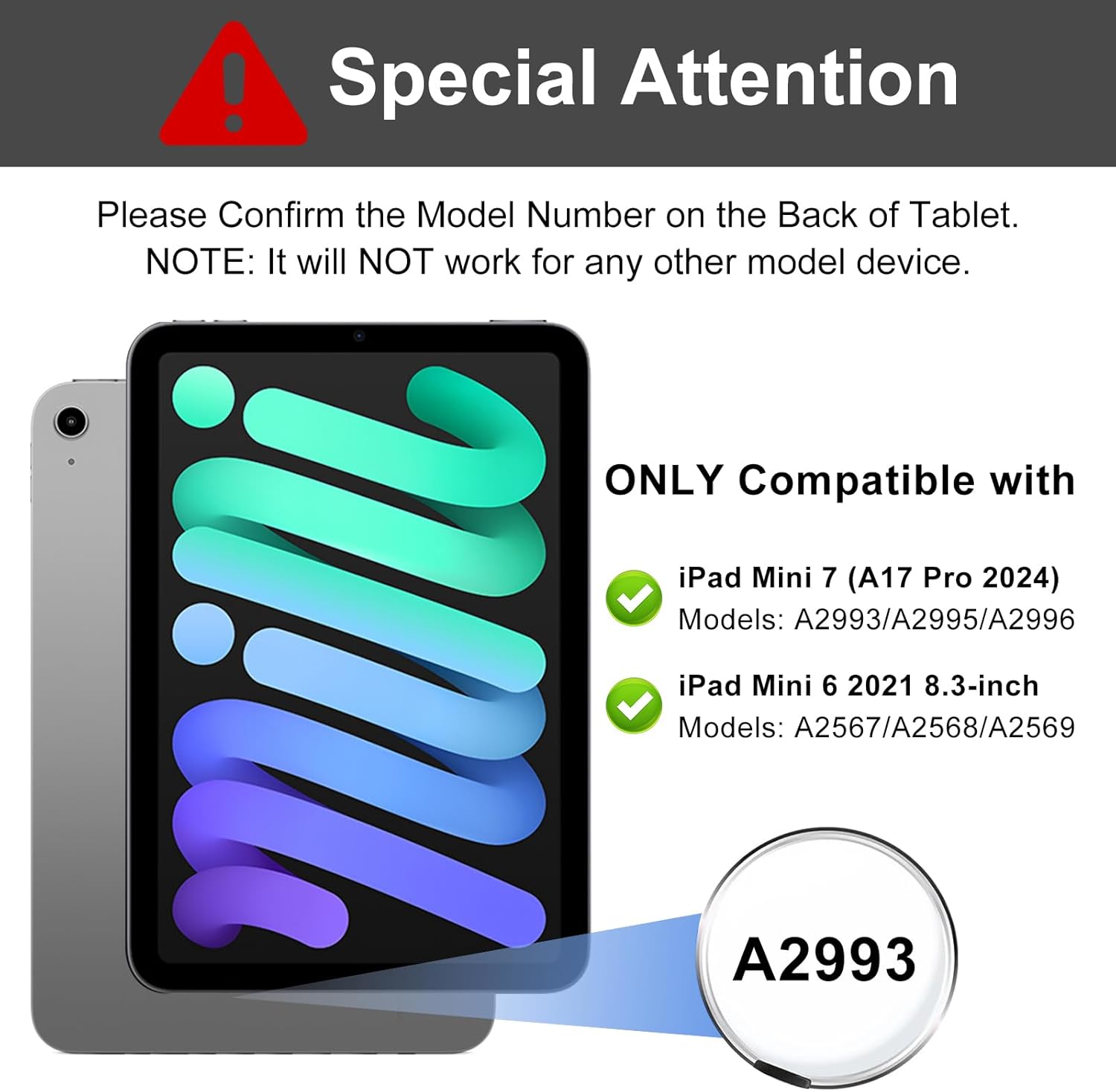
Image: Compatibility details for iPad mini 7th and 6th generation, highlighting model numbers.
1.2 Paket İçeriği
Paket şunları içerir:
- 1 x Case for iPad mini 7th/6th Generation
- 1 x Bluetooth Keyboard for iPad mini 7th/6th Generation
- 1 x USB Şarj Kablosu
- 1 x Kullanım Kılavuzu (bu belge)
Note: iPad mini tablet and Apple Pencil are not included.
2. Kurulum
2.1 Klavyeyi Şarj Etme
Before initial use, fully charge the keyboard. Connect the provided USB charging cable to the keyboard's charging port and a USB power adapter (not included). The charging indicator light will illuminate during charging and turn off when fully charged.
- Şarj Süresi: Yaklaşık 2 saat
- Working Time: Up to 90 hours on a full charge

Image: Keyboard charging port and battery life indicators.
2.2 Bluetooth Eşleştirme
Follow these steps to connect your keyboard to your iPad mini:
- Klavyenin şarjlı olduğundan emin olun.
- Turn on the keyboard by sliding the power switch to the "ON" position. The indicator light will flash.
- Basın "Bağlamak" button on the keyboard. The Bluetooth indicator light will start blinking, indicating it's in pairing mode.
- On your iPad mini, go to Ayarlar > Bluetooth.
- Bluetooth'u açın. iPad'iniz kullanılabilir cihazları arayacaktır.
- Bulmak "Bluetooth Keyboard" (or similar name) in the "Other Devices" list and tap it to connect.
- Once paired, the Bluetooth indicator light on the keyboard will stop blinking and remain solid for a moment, then turn off. The iPad will show "Connected" next to the keyboard name.
The keyboard will automatically connect to your iPad mini when turned on, provided Bluetooth is enabled on your iPad and the keyboard was previously paired.

Image: Keyboard layout highlighting power and connect buttons, demonstrating multi-device compatibility.
3. Kullanım Talimatları
3.1 Detachable Keyboard Functionality
The keyboard is magnetically attached to the case, allowing it to be easily detached for separate use or when you only need the protective case. The strong magnetic adsorption ensures stability when the keyboard is in place.
3.2 Built-in Pen Holder
The case features a dedicated slot for your Apple Pencil. This slot supports wireless charging for compatible Apple Pencils, ensuring your pencil is always ready for use and securely stored.

Image: Apple Pencil stored and wirelessly charging in the case's pen holder.
3.3 Ayarlanabilir ViewAçılar
The case is designed with three anti-slip grooves, allowing you to adjust your iPad mini to optimal viewing angles for various activities such as typing, watching videos, or reading. The available angles are approximately 130°, 120°, and 110°.

Görüntü: Farklı viewing angles provided by the case's anti-slip grooves.

Image: User enjoying media with the iPad mini in the case, set at a comfortable viewaçı.
3.4 Kısayol Tuşu
The keyboard includes various shortcut keys for quick access to common functions. Refer to the keyboard layout for specific key functions. The keyboard is compatible with Android, Windows, and iOS systems. To switch between systems, press Fn + Q (Android), Fn + W (Windows) veya Fn + E (iOS).
The case also supports automatic wake-up/sleep functionality when the cover is opened or closed.
4. Bakım
Klavyenizin kasasının uzun ömürlü ve en iyi performansı göstermesi için aşağıdaki bakım yönergelerini izleyin:
- Temizlik: Yumuşak bir d kullanınamp Kasanın ve klavyenin dış yüzeyini silmek için bir bez kullanın. Sert kimyasallardan veya aşındırıcı temizleyicilerden kaçının.
- Depolamak: Uzun süre kullanılmadığı zamanlarda klavye kılıfını serin ve kuru bir yerde saklayın. Pil ömrünü korumak için klavyenin kapalı olduğundan emin olun.
- Koruma: Avoid exposing the case and keyboard to extreme temperatures, direct sunlight, or liquids.
5. Sorun Giderme
If you encounter issues with your SENGBIRCH Keyboard Case, refer to the following common solutions:
- Klavye Bluetooth üzerinden bağlanmıyor:
- Klavyenin şarj edildiğinden ve açık olduğundan emin olun.
- Make sure Bluetooth is enabled on your iPad mini.
- iPad'inizin Bluetooth ayarlarından cihazı unutun ve yeniden eşleştirmeyi deneyin.
- Restart both your iPad mini and the keyboard.
- Tuşlar yanıt vermiyor:
- Klavyenin Bluetooth üzerinden doğru şekilde bağlı olup olmadığını kontrol edin.
- Ensure the keyboard battery is not low. Charge if necessary.
- Klavyeyi ve iPad'i yeniden başlatın.
- iPad not waking/sleeping automatically:
- iPad'in kılıfa doğru şekilde yerleştirildiğinden emin olun.
- Check iPad settings for "Lock/Unlock" or "Cover Lock" features and ensure they are enabled.
6. Özellikler
| Özellik | Detay |
|---|---|
| Marka | SENGBİRŞESİ |
| Uyumlu Cihazlar | iPad mini 7th Gen (A2993/A2995/A2996), iPad mini 6th Gen (A2567/A2568/A2569) |
| Bağlantı Teknolojisi | Bluetooth |
| Klavye Açıklaması | Detachable / Wireless Bluetooth / Magnetic / Shortcut Keys |
| Özel Özellikler | Detachable Keyboard, Full Coverage, Hotkeys and Media Keys, Scratch Resistant, Slim and Lightweight, Built-in Pen Holder (supports wireless charging) |
| Malzeme | Acrylonitrile Butadiene Styrene, Polyurethane (PU), Thermoplastic Polyurethane (TPU) |
| Pil Ömrü (Çalışma Süresi) | 90 saate kadar |
| Şarj Süresi | Yaklaşık 2 saat |
7. Garanti ve Destek
SENGBIRCH is committed to providing quality products and customer satisfaction. If you have any questions, concerns, or require assistance with your keyboard case, please do not hesitate to contact us.
Please refer to your purchase documentation or the seller's contact information for specific warranty details and customer service channels.