
1. Giriş
Thank you for choosing the MEETION BTM011 Ergonomic Wireless Bluetooth Vertical Mouse. This device is designed to provide a comfortable and efficient computing experience by promoting a natural hand position, reducing wrist strain. It offers versatile connectivity options for multiple devices and adjustable precision to suit various tasks.

The ergonomic design of the MEETION vertical mouse helps maintain a natural hand and wrist posture, reducing discomfort compared to traditional mice.
2. Paket İçeriği
- MEETION BTM011 Ergonomic Wireless Bluetooth Vertical Mouse
- USB 2.4G Receiver (stored in the mouse battery compartment)
- USB-A - USB-C Adaptörü
- Kullanıcı Kılavuzu
3. Ürün Bittiview
Familiarize yourself with the various components and buttons of your MEETION BTM011 mouse.

Ayrıntılı view of the mouse components, including the Mode Switching Button, Power Switch (ON/OFF), Low Battery Indicator, Charging Indicator, DPI Speed Switch Button, 2.4G Connection Indicator, Bluetooth 1 Connection Indicator, and Bluetooth 2 Connection Indicator.
- Sol Tuş: Standart sol tıklama fonksiyonu.
- Sağ Buton: Standart sağ tıklama fonksiyonu.
- Kaydırma tekerleği: For scrolling up and down.
- İleri Düğmesi: İleriye doğru gezinir web tarayıcılar veya file kaşifler.
- Geri Düğmesi: Geriye doğru gezinir web tarayıcılar veya file kaşifler.
- DPI Değiştirme Düğmesi: İmleç hassasiyetini ayarlar.
- Mod Değiştirme Düğmesi: Switches between 2.4G, Bluetooth 1, and Bluetooth 2 modes.
- Güç Anahtarı (AÇIK/KAPALI): Fareyi açar veya kapatır.
- Pil Bölmesi: Located at the bottom, for 1x AA battery and USB receiver storage.
4. Kurulum Talimatları
4.1 Pil Kurulumu
The mouse requires one AA battery (not included).
- Farenin alt kısmında bulunan pil bölmesi kapağını bulun.
- Kapağı kaydırarak açın.
- Bir adet AA pil takın ve kutupların doğru olmasına dikkat edin (+/-).
- Pil bölmesi kapağını sıkıca kapatın.

Insert one AA battery into the compartment. The USB receiver is also stored here.
4.2 Güç Açma/Kapatma
Slide the power switch located on the bottom of the mouse to the "ON" position to turn it on. Slide to "OFF" to conserve battery when not in use.
4.3 Bağlantı Modları
The MEETION BTM011 mouse supports three connection modes: 2.4GHz wireless (via USB receiver) and two independent Bluetooth 5.3 channels (BT1 and BT2). You can connect to up to three devices simultaneously and switch between them.

The mouse supports 2.4G wireless and two Bluetooth 5.3 connections for seamless switching between devices.
4.4 2.4GHz USB Connection
- USB alıcısını farenin pil bölmesinden çıkarın.
- Insert the USB receiver into an available USB-A port on your computer. If your computer only has USB-C ports, use the provided USB-A to USB-C adapter.
- Güç anahtarını kullanarak fareyi açın.
- Press the Mode Switching Button until the 2.4G Connection Indicator (green light) lights up. The mouse should now be connected.
4.5 Bluetooth Bağlantısı (BT1 / BT2)
- Güç anahtarını kullanarak fareyi açın.
- Press the Mode Switching Button to select either Bluetooth 1 (BT1) or Bluetooth 2 (BT2). The corresponding blue indicator light will blink, indicating pairing mode.
- On your device (computer, laptop, tablet, smartphone), go to Bluetooth settings.
- Arama new devices. You should find "Meetion_MS_BT1" or "Meetion_MS_BT2".
- Select the device to pair. Once paired, the blue indicator light will stop blinking and remain solid for a few seconds.

Visual guide for connecting the mouse via 2.4G USB receiver and Bluetooth modes.
5. Kullanım Talimatları
5.1 DPI Ayarı
The mouse features 4 adjustable DPI levels: 1200, 1600, 2400, and 3200. Press the DPI Switch Button (located behind the scroll wheel) to cycle through these settings. Each press changes the cursor speed, allowing you to select the precision suitable for your task.
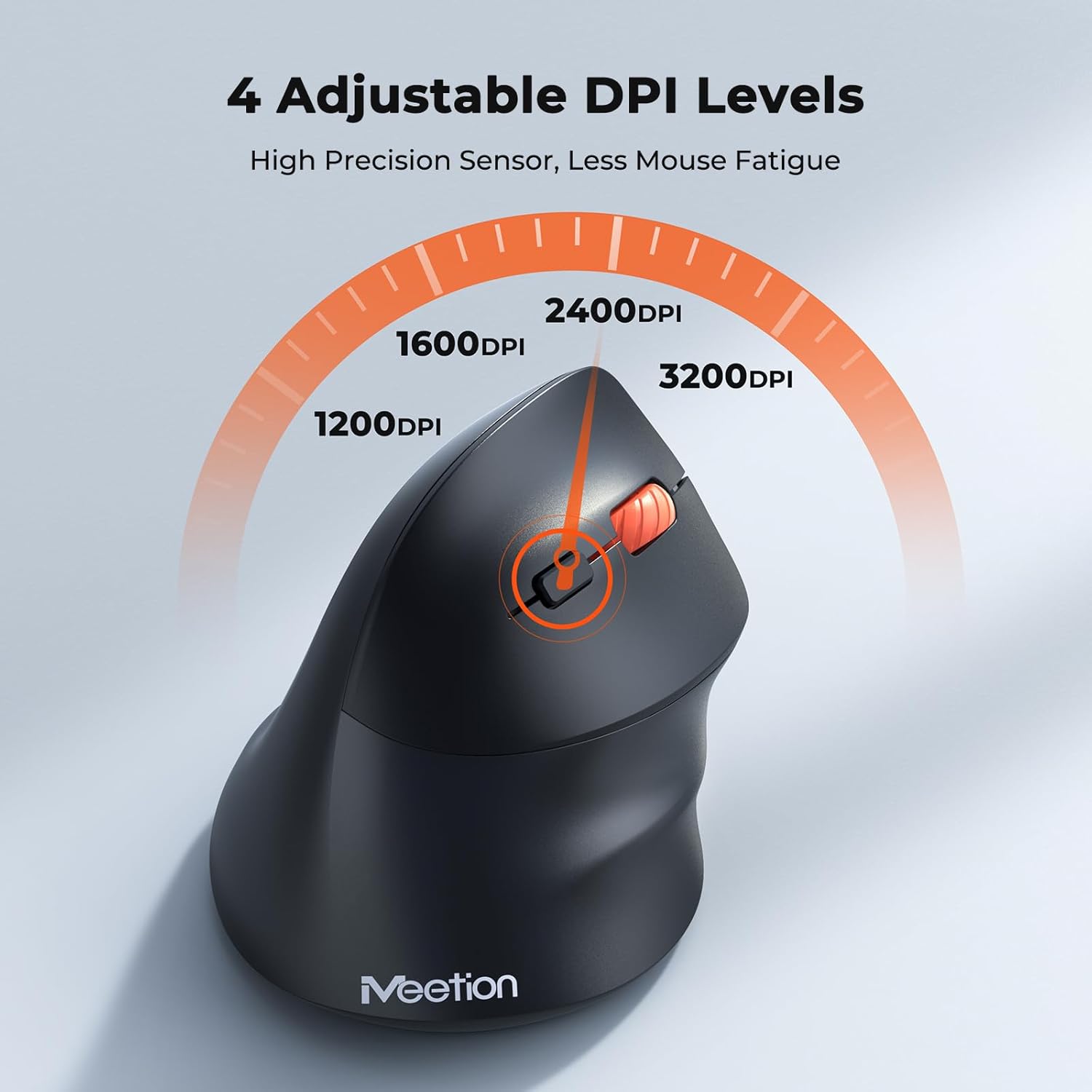
Adjust the DPI to match your preference for cursor speed and precision.
5.2 Çoklu Cihaz Geçişi
To switch between connected devices, simply press the Mode Switching Button located on the bottom of the mouse. The corresponding indicator light (green for 2.4G, blue for BT1/BT2) will illuminate to show the active connection.
5.3 Forward/Back Buttons
Use the Forward and Back buttons, conveniently located on the side of the mouse, for quick navigation in web tarayıcılar, file Gezginler ve bu işlevleri destekleyen diğer uygulamalar.
6. Güç Yönetimi
6.1 Auto-Sleep Mode
To conserve battery life, the mouse will automatically enter sleep mode after 20 minutes of inactivity. This intelligent feature helps extend the battery's operational time.
6.2 Waking the Mouse
To wake the mouse from sleep mode, simply press any button. It will instantly reconnect to the last active device.
6.3 Pil Ömrü
With typical usage, a single AA battery can power the mouse for up to 3 months. Actual battery life may vary based on usage patterns and battery quality.
7. Bakım
To ensure optimal performance and longevity of your mouse, follow these maintenance guidelines:
- Temizlik: Fare yüzeyini silmek için yumuşak, kuru bir bez kullanın. İnatçı kirler için, biraz daha kuru bir bez yeterli olacaktır.amp Bez kullanılabilir, ancak cihazın içine nem girmemesine dikkat edin. Sert kimyasallardan veya aşındırıcı temizleyicilerden kaçının.
- Pil Değişimi: Replace the AA battery when the low battery indicator lights up or when mouse performance degrades. Always dispose of used batteries responsibly.
- Depolamak: Uzun süre kullanılmayacaksa, fareyi kapatın ve kuru, serin bir yerde saklayın.
8. Sorun Giderme
If you encounter issues with your MEETION BTM011 mouse, refer to the following solutions:
| Sorun | Çözüm |
|---|---|
| Fare yanıt vermiyor |
|
| İmleç hareketi düzensiz veya yavaş |
|
| Bluetooth üzerinden bağlanılamıyor |
|
| Forward/Back buttons not working |
|
9. Özellikler
| Özellik | Detay |
|---|---|
| Örnek | BTM011 |
| Bağlantı | 2.4GHz Wireless, Bluetooth 5.3 (BT1, BT2) |
| DPI Seviyeleri | 1200 / 1600 / 2400 / 3200 |
| Düğmeler | 7 (Left, Right, Scroll Wheel, Forward, Back, DPI Switch, Mode Switch) |
| Güç Kaynağı | 1x AA Pil (dahil değildir) |
| Otomatik Uyku | 20 dakikalık hareketsizlikten sonra |
| Uyumluluk | Windows, Mac OS, Linux, Android, iOS (for iPad/iPhone) |
| Malzeme | Plastik |
| Boyutlar (yaklaşık) | 4.4 x 3.29 x 2.74 inç (11.18 x 8.36 x 6.96 cm) |
10. Garanti ve Destek
10.1 Garanti Bilgileri
MEETION products are designed and manufactured to the highest quality standards. This product is covered by a limited warranty against defects in materials and workmanship. Please retain your proof of purchase for warranty claims. Specific warranty terms may vary by region; refer to your local retailer or the official MEETION webayrıntılar için site.
10.2 Müşteri Desteği
For technical assistance, troubleshooting, or general inquiries, please contact MEETION customer support:
- E-posta: service@meetion.com
- Webalan: Visit the official MEETION webSSS ve ek kaynaklar için site.