
1. Giriş
Satın aldığınız için teşekkür ederizasing the AGPTEK A16 MP3 Player. This device is designed to provide a high-quality audio experience with its Bluetooth 5.3 connectivity and HIFI sound capabilities. It features a compact design, a built-in speaker, FM radio, voice recording, and expandable storage. This manual will guide you through the setup, operation, and maintenance of your new MP3 player.

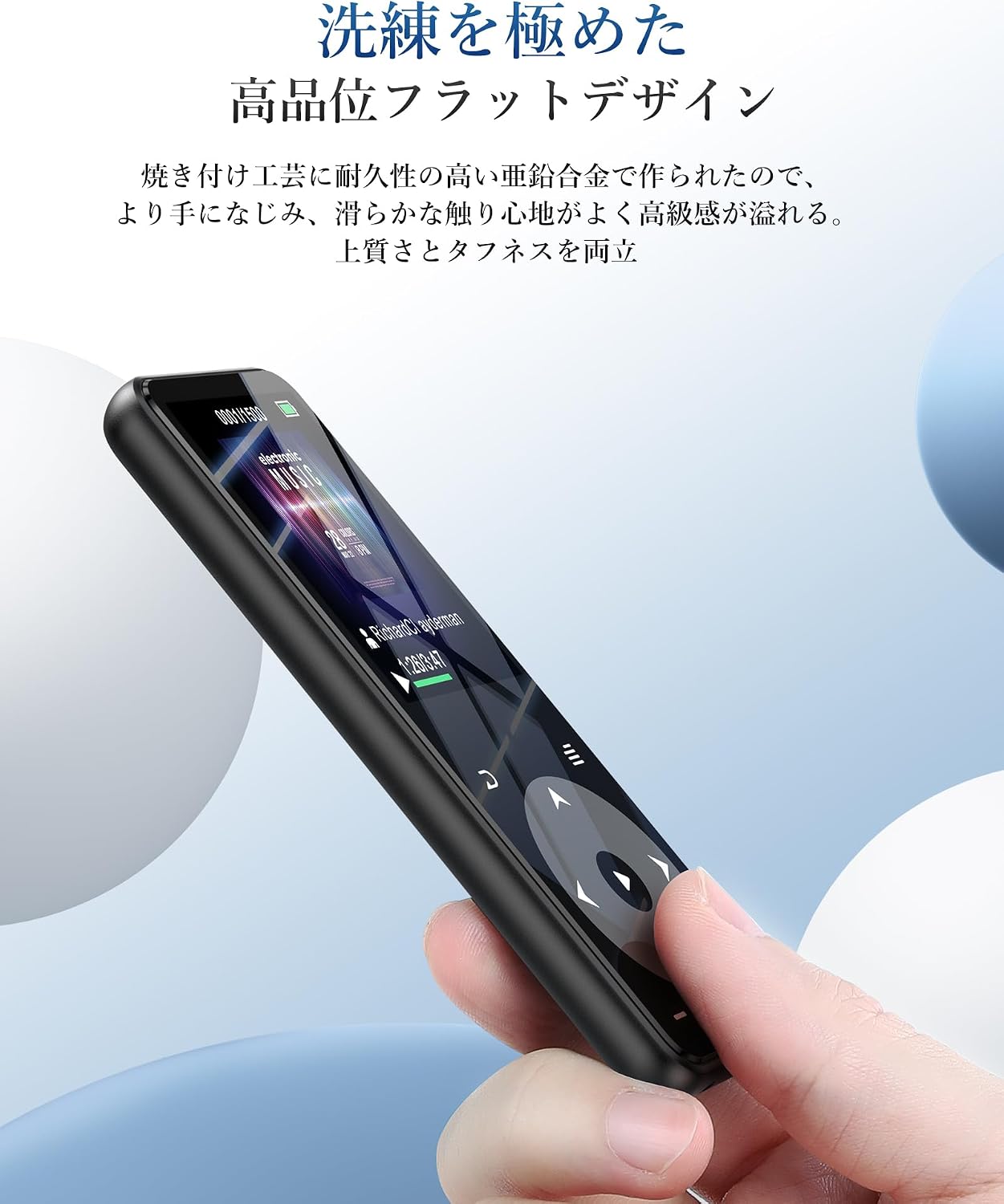
Figure 1.1: AGPTEK A16 MP3 Player
2. Ürün Bittiview
2.1 Paket İçeriği
- AGPTEK A16 MP3 Player
- USB-C Şarj Kablosu
- Kulaklıklar
- Kol bandı
- Kullanıcı Kılavuzu
2.2 Cihaz Düzeni
Familiarize yourself with the buttons and ports on your AGPTEK A16 MP3 Player.

Şekil 2.1: Ön view of the player showing the screen and touch controls.

Şekil 2.2: Yan view of the player, indicating physical buttons and ports.
- Güç Düğmesi: Press and hold to turn on/off. Short press to lock/unlock screen.
- Ses Düğmeleri (+/-): Sesi ayarlayın.
- Dokunmatik Kontroller: Navigate menus, play/pause, skip tracks. These buttons illuminate for easy use.
- USB-C Bağlantı Noktası: Şarj ve veri aktarımı için.
- 3.5 mm Ses Jakı: For wired earphones or external speakers.
- MicroSD Kart Yuvası: Genişletilebilir depolama için.
- Dahili Hoparlör: For audio playback without external devices.
3. Kurulum
3.1 Cihazı Şarj Etme
Before first use, fully charge the MP3 player. Connect the provided USB-C cable to the player's USB-C port and the other end to a USB power adapter (not included) or a computer's USB port. The battery indicator on the screen will show charging status. A full charge typically takes approximately 2 hours.
Şekil 3.1: Pil performansıview. Up to 10 hours via Bluetooth, up to 40 hours with wired earphones, and approximately 2 hours for a full charge.
3.2 Müzik ve Files
Aktarmak için files, connect the MP3 player to your computer using the USB-C cable. The player will appear as a removable disk. You can then drag and drop music files (MP3, WMA, APE, FLAC, WAV, DRM, ACELP, OGG, AAC-LC), videos (AMV), images (JPG, JPEG, BMP), and text files (TXT) into the appropriate folders on the device.
3.3 MicroSD Kart Takma
The device has 16GB of internal storage and supports MicroSD cards up to 128GB. To expand storage, gently insert a MicroSD card into the card slot until it clicks into place. Ensure the card is inserted in the correct orientation.
3.4 Bluetooth Cihazlarını Bağlama
The A16 MP3 player features Bluetooth 5.3 for stable and fast wireless connections. To pair with Bluetooth headphones or speakers:
- Turn on the MP3 player and navigate to the Bluetooth menu.
- Enable Bluetooth on the player.
- Bluetooth kulaklığınızı veya hoparlörünüzü eşleştirme moduna alın.
- On the MP3 player, select 'Arama devices' and choose your device from the list.
- Once paired, the device will connect automatically in the future.

Figure 3.2: The player supports Bluetooth 5.3 for connecting to wireless earphones, headphones, and speakers.
4. Kullanım Talimatları
4.1 Müzik Oynatma
From the main menu, select 'Music'. You can browse your music by artist, album, genre, or all songs. Use the touch controls to play, pause, skip tracks, and adjust volume. The player supports HIFI lossless sound quality for an immersive audio experience.

Figure 4.1: The player features HIFI ultra-high sound quality with a DSP chip for effective noise reduction.
4.2 FM Radyo
To use the FM radio function, connect wired earphones to the 3.5mm audio jack; they act as the antenna. Navigate to the 'FM Radio' option from the main menu. You can perform an automatic search for stations or manually tune to frequencies between 76.0-108MHz.

Figure 4.2: The player's FM radio function, requiring wired earphones as an antenna.
4.3 Ses Kaydı
The A16 MP3 player includes a voice recording function. Select 'Recorder' from the main menu to start, pause, and save recordings. You can also connect external audio sources like a smartphone or CD player via a line-in cable (sold separately) for direct recording.

Figure 4.3: The player's voice recording feature, including direct recording from external devices.
4.4 Kilit Düğmesi
To prevent accidental operations during use, especially when carrying the player, short press the power button to lock the screen and controls. Repeat the action to unlock.
4.5 Diğer Fonksiyonlar
The AGPTEK A16 also offers additional features:
- Pedometre: Track your steps during exercise.
- E-kitap: Metni oku filecihazda s var.
- Video Oynatma: View AMV format videos.
- Dahili Hoparlör: Enjoy music without earphones.

Figure 4.4: The player's built-in speaker allows for cable-free audio playback.
5. Bakım
5.1 Temizlik
Cihazı yumuşak, kuru bir bezle silin. Ekranı veya diğer bileşenleri hasar verebileceğinden sıvı temizleyiciler veya aşındırıcı malzemeler kullanmayın.asing.
5.2 Pil Bakımı
Pil ömrünü uzatmak için, pili sık sık tamamen boşaltmaktan kaçının. Cihazı, uzun süre kullanılmasa bile düzenli olarak şarj edin. Cihazı serin ve kuru bir yerde saklayın.
6. Sorun Giderme
- Cihaz açılmıyor: Ensure the battery is charged. Connect to a power source and try again. If unresponsive, try holding the power button for 10-15 seconds for a hard reset.
- Bluetooth üzerinden bağlanılamıyor: Ensure both the MP3 player and the Bluetooth device are in pairing mode and within range. Check if other Bluetooth devices are interfering. Try unpairing and re-pairing the devices.
- Ses yok: Check the volume level. Ensure earphones are properly connected or Bluetooth device is paired and connected. If using FM radio, ensure wired earphones are plugged in as an antenna.
- FileGörünmüyor: Emin olmak files are in supported formats (MP3, WMA, etc.) and transferred to the correct folders. Disconnect and reconnect the player to your computer.
- Ekran yanıt vermiyor: If the screen is locked, short press the power button to unlock. If still unresponsive, perform a hard reset by holding the power button.
7. Özellikler
| Özellik | Şartname |
|---|---|
| Marka | AGPTEK |
| Model Numarası | A16 |
| Bellek Depolama Kapasitesi | 16 GB (expandable up to 128 GB via microSD card) |
| Bağlantı Teknolojisi | Bluetooth 5.3 |
| Ekran Boyutu | 1.8 Inches (TFT Display) |
| Desteklenen Ortam Türleri | microSD Kart |
| Desteklenen Ses Biçimleri | MP3, WMA, APE, FLAC, WAV, DRM, ACELP, OGG, AAC-LC |
| Desteklenen Video Formatları | AMV |
| Desteklenen Görüntü Biçimleri | JPG, JPEG, BMP |
| Supported Text Formats | TXT |
| Pil Ömrü (Müzik Çalma) | Up to 40 hours (wired earphones), Up to 10 hours (Bluetooth) |
| Şarj Süresi | Yaklaşık 2 saat |
| Renk | Siyah |
| Özel Özellikler | Bluetooth, HIFI Sound, Voice Recorder, FM Radio, Built-in Speaker, Pedometer, E-book, Lock Button |
8. Garanti ve Destek
8.1 Garanti Bilgileri
This AGPTEK A16 MP3 Player comes with a 180-day warranty from the date of purchase. This warranty covers manufacturing defects. Please retain your proof of purchase for warranty claims. The warranty does not cover damage caused by misuse, accidents, unauthorized repairs, or normal wear and tear.
8.2 Müşteri Desteği
For technical assistance, troubleshooting, or warranty inquiries, please contact AGPTEK customer support through the retailer where you purchased the product or visit the official AGPTEK webiletişim bilgileri için site.