
1. Giriş
This manual provides detailed instructions for the installation, operation, and maintenance of your SEBSON Outdoor Motion Detector IP65. Please read this manual carefully before installation and use to ensure proper function and safety. Keep this manual for future reference.
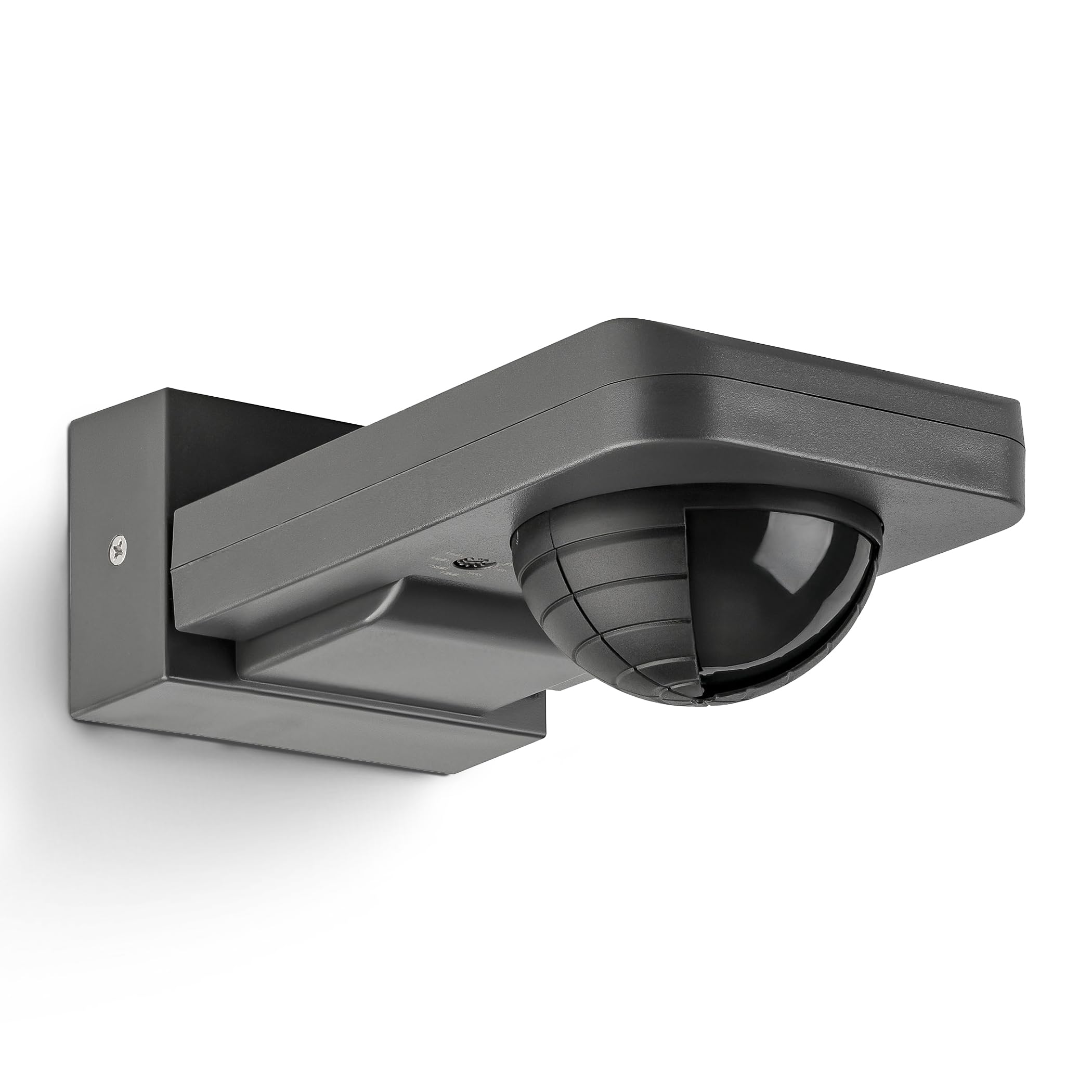
Image 1: SEBSON Outdoor Motion Detector IP65 in anthracite.
2. Güvenlik Talimatları
- Kurulum, yerel kablolama yönetmeliklerine uygun olarak kalifiye bir elektrikçi tarafından yapılmalıdır.
- Kurulum veya bakımdan önce güç kaynağının bağlantısının kesildiğinden emin olun.
- Do not exceed the maximum load capacity specified for the device.
- Bu ürün, IP65 derecesiyle toz ve düşük basınçlı su jetlerine karşı koruma sağlayan, dış mekan kullanımına uygun olarak tasarlanmıştır.
- Avoid installing near heat sources, air conditioning units, or objects that may cause false triggers (e.g., swaying trees, reflective surfaces).
3. Ürün Özellikleri
- Integrated with 3 sensors for precise detection of people, large animals, and vehicles.
- IP65 protection rating for outdoor use.
- Suitable for surface mounting on walls or ceilings.
- Maximum load capacity: 2,000W for incandescent lamps, 1,000W for LED or energy-saving lamps.
- Detection area: 20 meters at 360°.
- Vertical orientation adjustable by 180°.
- Adjustable activation duration: 10 seconds to 30 minutes, or permanent ON/OFF.
- Adjustable ambient brightness sensor: 3-2,000 LUX.

Resim 2: Üzeriview of key product specifications and features.
4. Kurulum ve Kurulum
4.1 Montaj Yeri
Choose a stable surface for mounting, either a wall or a ceiling. Ensure the chosen location allows for the desired detection area and is free from obstructions. The detector can be vertically oriented by 180° after installation.

Image 3: Vertical adjustment range of the motion detector.
4.2 Kablolama
Connect the motion detector to the AC power supply (230V) and the light fixture according to the wiring diagram provided by a qualified electrician. Ensure all connections are secure and insulated.
4.3 Adjusting Detection Area
The detection range is 20m at 360°. To reduce the detection range or exclude specific areas, use the provided modified cover. Cut the cover according to the desired pattern and place it over the sensor lens.
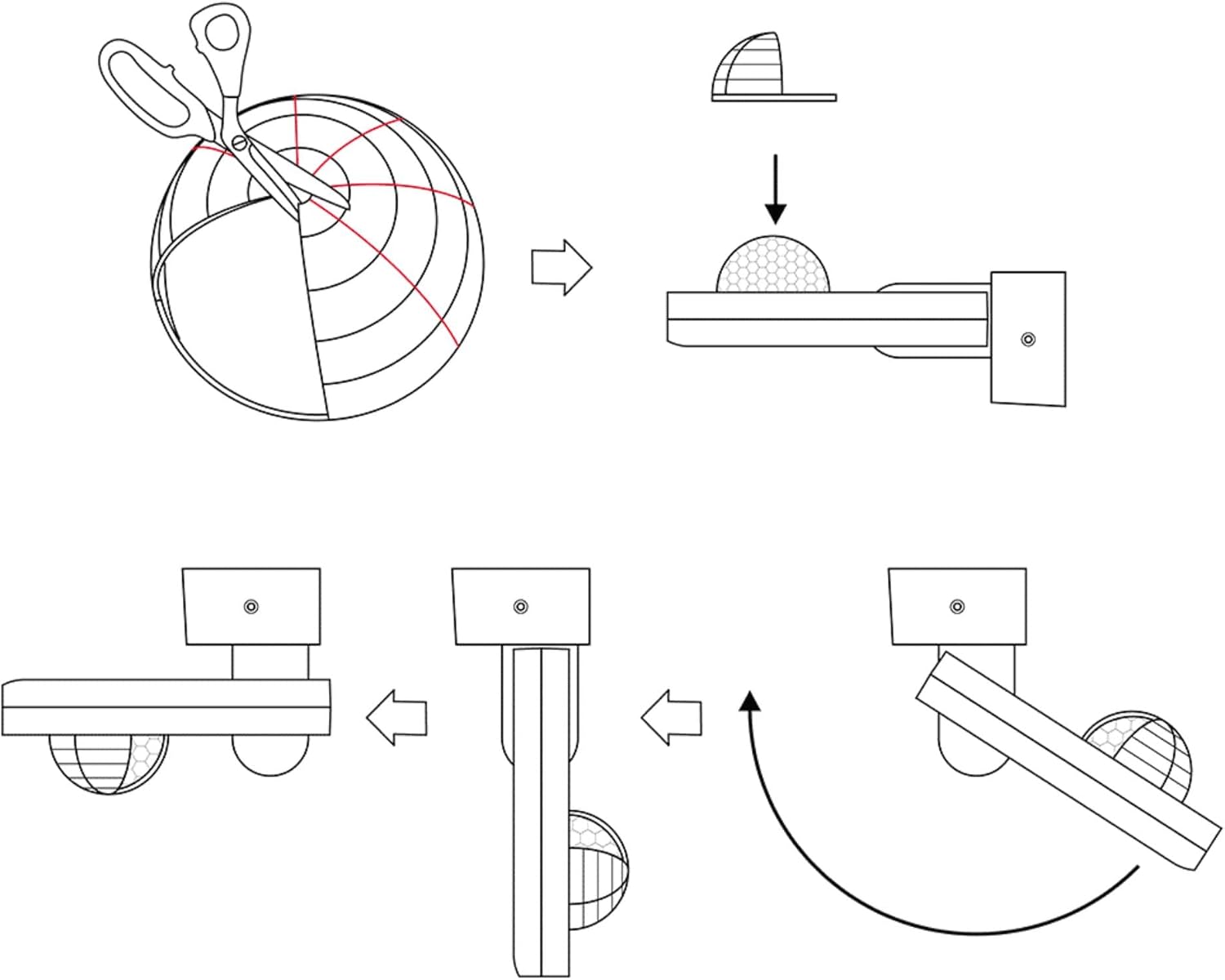
Image 4: Method for adjusting the detection area using a cover.

Image 5: Detection area diagrams for wall and ceiling mounting.
5. Kullanım Talimatları
5.1 Time Setting (TIME)
Use the 'TIME' knob to set the duration the light remains on after motion is detected. Settings range from 10 seconds to 30 minutes. You can also set it to permanent ON or OFF.
5.2 Light Sensitivity Setting (LUX)
Use the 'LUX' knob to adjust the ambient brightness threshold at which the motion detector activates the light. Settings range from 3 LUX (darkness) to 2,000 LUX (daylight). This allows the light to only turn on when it's dark enough.

Resim 6: Ayrıntılı view of TIME and LUX adjustment controls.
6. Bakım
- Regularly clean the sensor lens with a soft, dry cloth to ensure optimal detection performance.
- Aşındırıcı temizleyiciler veya çözücüler kullanmayın, bunlar cihaza zarar verebilir.
- Tüm elektrik bağlantılarının sıkılığını ve aşınma belirtilerini periyodik olarak kontrol edin.
- İçerisinde kullanıcı tarafından bakımı yapılabilecek parça bulunmamaktadır. Onarım için kalifiye personele başvurun.
7. Sorun Giderme
| Sorun | Olası Neden | Çözüm |
|---|---|---|
| Hareket algılandığında ışık yanmıyor. | 1. Incorrect LUX setting (too high). 2. Güç kaynağı yok. 3. Arızalı ampul. | 1. Adjust LUX setting to a lower value. 2. Check power connections. 3. Ampulü değiştirin. |
| Işık sürekli açık kalır. | 1. TIME setting too long or set to permanent ON. 2. Constant motion in detection area. 3. Sensor obstructed or dirty. | 1. Adjust TIME setting. 2. Reposition detector or adjust detection area with cover. 3. Clean sensor lens. |
| Görünürde herhangi bir hareket olmamasına rağmen ışık yanıyor. | 1. Environmental factors (wind, heat, small animals). 2. Sensor too sensitive. | 1. Reposition detector or adjust detection area with cover. 2. Ensure no objects are causing false triggers. |
8. Özellikler
- Marka: SEBSON
- Model Numarası: IR_OUT_CA
- Renk: Antrasit
- Güç Kaynağı: AC (Alternatif Akım)
- Ürün Ağırlığı: 222 Gram
- Maksimum Algılama Aralığı: 20 Metre
- Algılama Açısı: 360°
- Montaj Tipi: Surface mount (wall and ceiling)
- Pil Açıklaması: Pil dahil değildir
- Sıcaklık Aralığı: 20 Santigrat Derece (Çalışma)
- Uyumlu Cihazlar: Smart Home Hub, Light
- Önerilen Kullanımlar: Residential security, commercial sector, automation, energy management
- Boyutlar: 85x55x170mm (approximate, refer to diagram for exact measurements)

Resim 7: Ürün boyutları.
9. Garanti ve Destek
SEBSON products are designed for durability and performance. For warranty information or technical support, please refer to the official SEBSON webSiteden satın alabilir veya perakendecinizle iletişime geçebilirsiniz. Satın alma belgenizi satın alma belgesi olarak saklayın.
Daha fazla yardım için şu adresi ziyaret edebilirsiniz: SEBSON Brand Store.