
1. Giriş
This document serves as a comprehensive user manual for the Western Digital WD Black 2TB Performance Internal Hard Drive, model WD2003FZEX. It provides essential information regarding the product's features, installation procedures, operational guidelines, maintenance tips, and troubleshooting steps to ensure optimal performance and longevity of your drive.
2. Ürün Bittiview
The WD Black 2TB Performance Internal Hard Drive is engineered for demanding applications such as gaming, video editing, and other intensive computing tasks. It features a 7200 RPM spindle speed, a SATA 6 Gb/s interface, and a 64 MB cache to deliver robust performance.
Temel Özellikler:
- Desktop Performance: Designed for high-performance desktop computing.
- Kapasite: 2TB storage capacity for extensive data storage.
- Hız: Hızlı veri erişimi için 7200 RPM dönüş hızı.
- Arayüz: SATA 6 Gb/s for high-speed data transfer.
- Önbellek: 64 MB DRAM cache for optimized performance.
- Teknoloji: Incorporates Western Digital’s StableTrac and Dynamic Cache Technology for enhanced reliability and performance.
- Garanti: Backed by an industry-leading 5-year limited warranty.
Ürün Görselleri:
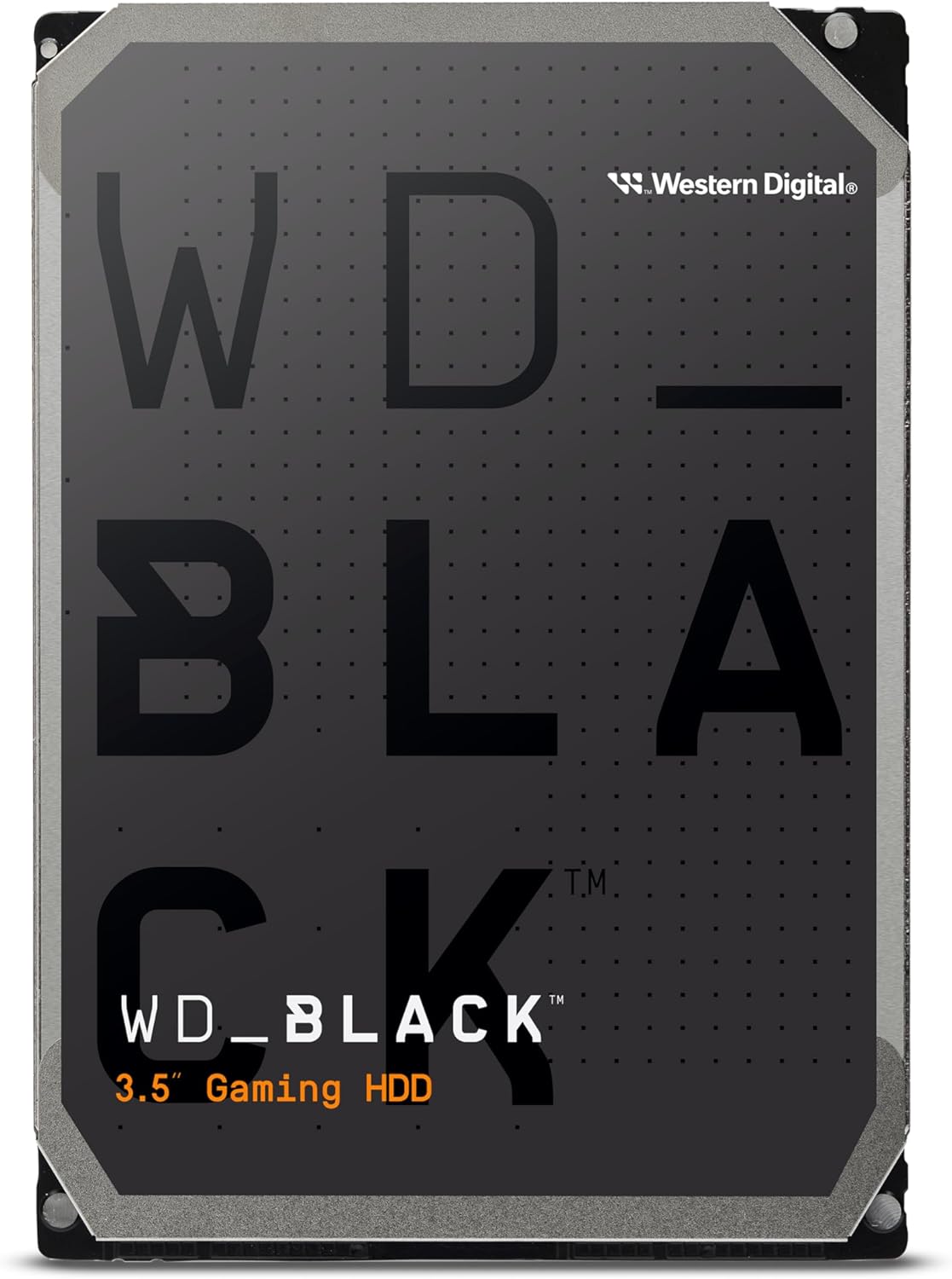
Şekil 2.1: Ön view of the Western Digital WD Black 2TB Performance Internal Hard Drive.

Figure 2.2: Dimensions of the 3.5-inch form factor hard drive, showing approximate measurements of 5.79 inches (length), 4 inches (width), and 1.03 inches (height).

Figure 2.3: Illustration highlighting the increased reliability provided by StableTrac™ Technology in WD Black drives (2TB and larger models).

Şekil 2.4: Açık bir view of a hard disk drive, showing the platters, read/write heads, and internal components.

Figure 2.5: Visual representation of the drive's commanding performance, featuring impressive cache sizes of up to 512 MB DRAM on high-capacity models.

Figure 2.6: Depiction of the WD Black Gaming Hard Drive's dual-core processor, offering enhanced processing capability.

Figure 2.7: Graphic illustrating the 7200 RPM disk speed of the WD Black hard drive.
3. Kurulum ve Kurulum
Proper installation is crucial for the functionality and longevity of your hard drive. Follow these steps carefully.
3.1 Fiziksel Kurulum
- Hazırlık: Ensure your computer is powered off and unplugged from the wall outlet. Open your computer case according to its manufacturer's instructions.
- Sürücü Bölmesini Bulun: Bilgisayar kasanızda kullanılabilir bir 3.5 inç sürücü yuvası bulun.
- Sürücüyü Monte Edin: Slide the WD Black hard drive into the drive bay. Secure it with screws on both sides of the drive, ensuring it is firmly in place.
- Kabloları Bağlayın:
- Connect a SATA data cable from the hard drive to an available SATA port on your motherboard.
- Connect a SATA power cable from your power supply unit (PSU) to the hard drive.
- Davayı Kapat: Once all connections are secure, close your computer case and reconnect the power cable.
3.2 Sürücünün Başlatılması ve Biçimlendirilmesi
After physical installation, the drive needs to be initialized and formatted by your operating system.
- Güç Açık: Bilgisayarınızı başlatın.
- Disk Yönetimine Erişim (Windows): Right-click on the Start button, then select 'Disk Management'.
- Diski Başlat: Locate the newly installed WD Black drive (it will likely appear as 'Unallocated' or 'Not Initialized'). Right-click on the disk and select 'Initialize Disk'. Choose GPT (GUID Partition Table) for drives larger than 2TB, or MBR (Master Boot Record) for smaller drives or older systems.
- Yeni Basit Birim Oluştur: Right-click on the 'Unallocated' space on the drive and select 'New Simple Volume'. Follow the wizard to assign a drive letter and format the drive (NTFS is recommended for Windows).
- Doğrulamak: The drive should now appear in 'This PC' or 'My Computer' and be ready for use.
3.3 Acronis True Image WD Edition Software
Acronis True Image WD Edition software is available as a free download from the Western Digital website. This software allows you to clone drives, back up your operating system, applications, settings, and all your data. Refer to the Western Digital support webİndirme ve kurulum talimatları için site.
4. Sürücünün Çalıştırılması
The WD Black drive is designed for high-performance data storage and retrieval. Once installed and formatted, it operates like any other internal hard drive.
4.1 Data Storage and Access
- File Yönetmek: Use your operating system's file explorer to store, organize, and access fileSürücüde s.
- Uygulama Depolama: Install demanding applications, games, or creative software directly onto the WD Black drive for improved loading times and responsiveness.
- Dual Drive Configuration: For enhanced system performance, consider combining the WD Black drive with a Solid State Drive (SSD). Install your operating system and frequently used applications on the SSD, and use the WD Black drive for mass storage of large files, games, and media.
4.2 Performans Hususları
The 7200 RPM spindle speed and 64 MB cache contribute to the drive's performance. Factors such as system configuration, file size, and concurrent operations can influence actual data transfer rates.
5. Bakım
Regular maintenance helps preserve data integrity and extend the lifespan of your hard drive.
- Veri Yedekleme: Regularly back up important data to another storage device or cloud service. The Acronis True Image WD Edition software can assist with this.
- Disk Defragmentation (HDD Specific): For optimal performance on traditional hard drives, periodically run disk defragmentation tools provided by your operating system.
- Sistem İzleme: Sürücünüzün sağlık durumunu izlemek için SMART (Kendi Kendini İzleme, Analiz ve Raporlama Teknolojisi) araçlarından yararlanın.
- Çevresel Koşullar: Ensure your computer case has adequate airflow to prevent overheating. Operate the drive within recommended temperature ranges. Avoid physical shocks or excessive vibrations.
6. Sorun Giderme
WD Black sabit diskinizle ilgili sorunlarla karşılaşırsanız, aşağıdaki sorun giderme adımlarını göz önünde bulundurun:
- Sürücü Algılanmadı:
- SATA veri ve güç kablolarının tüm bağlantılarının sağlam olduğundan emin olun.
- Anakart üzerindeki SATA portunun BIOS/UEFI ayarlarında etkinleştirilmiş olduğundan emin olun.
- Ensure the drive has been properly initialized and formatted in Disk Management (Windows) or Disk Utility (macOS).
- Test the drive with different SATA cables and ports, or in another computer if possible, to rule out cable or motherboard issues.
- Yavaş Performans:
- Check for excessive fragmentation (Windows).
- Sistem sürücülerinizin, özellikle yonga seti ve SATA denetleyici sürücülerinizin güncel olduğundan emin olun.
- Monitor system resources to identify any background processes consuming significant disk I/O.
- Run a diagnostic tool (e.g., Western Digital Data Lifeguard Diagnostic) to check for drive health.
- Alışılmadık Sesler:
- Clicking, grinding, or repetitive noises can indicate a potential hardware failure. Immediately back up any accessible data and contact Western Digital support.
Daha fazla yardım için Western Digital desteğine başvurun websitesine gidin veya müşteri hizmetleriyle iletişime geçin.
7. Özellikler
Detailed technical specifications for the WD Black 2TB Performance Internal Hard Drive (WD2003FZEX).
| Özellik | Şartname |
|---|---|
| Dijital Depolama Kapasitesi | 2TB |
| Sabit Disk Arayüzü | Seri ATA-600 |
| Bağlantı Teknolojisi | SATA |
| Marka | WD |
| Sabit Disk Form Faktörü | 3.5 inç |
| Sabit Disk Açıklaması | Seri ATA-600 |
| Uyumlu Cihazlar | Masaüstü |
| Kurulum Türü | Dahili Sabit Sürücü |
| Renk | Siyah |
| Ürün Model Numarası | WD2003FZEX-SPSRLA0 |
| Donanım Platformu | PC; Mac |
| Ürün Ağırlığı | 1.32 pound |
| Ürün Boyutları (UxGxY) | 5.8 x 4 x 1 inç |
| Sabit Sürücü Dönüş Hızı | 7200 RPM |
| Önbellek Boyutu | 64 MB |
8. Garanti Bilgileri
The Western Digital WD Black 2TB Performance Internal Hard Drive (WD2003FZEX) comes with an industry-leading 5 yıllık sınırlı garanti.
For complete details regarding warranty terms, conditions, and how to make a claim, please visit the official Western Digital webSite. Garanti geçerliliği için satın alma belgenizi saklayın.
9. Destek
For technical support, product registration, driver downloads, and additional resources, please visit the Western Digital support webalan:
You can also find information about the Acronis True Image WD Edition software and other utilities on their support pages.