
giriiş
Thank you for choosing the AWEI T28 Wireless Earbuds. This manual provides detailed instructions for setting up, operating, and maintaining your earbuds to ensure optimal performance and longevity. Please read this manual thoroughly before using the product.
Paket İçeriği
Paketinizde tüm öğelerin mevcut olduğundan emin olun:
- Wireless Bluetooth Headset (Left and Right Earbuds)
- Wireless Bluetooth Headset Charging Case
- USB-C Şarj Kablosu
- User Instructions (This Manual)
Ürün Bittiview
The AWEI T28 Wireless Earbuds are designed for a comfortable in-ear fit, offering high-fidelity audio and clear call performance. They feature Bluetooth 5.3 technology for stable connectivity and touch controls for easy operation.

Şekil 1: AWEI T28 Wireless Earbuds and Charging Case. This image displays the white earbuds resting inside their open charging case, highlighting their compact and sleek design.

Şekil 2: Earbuds and Charging Case. The image shows the earbuds removed from the charging case, which is open, illustrating the product's design and indicating its readiness for use or charging.
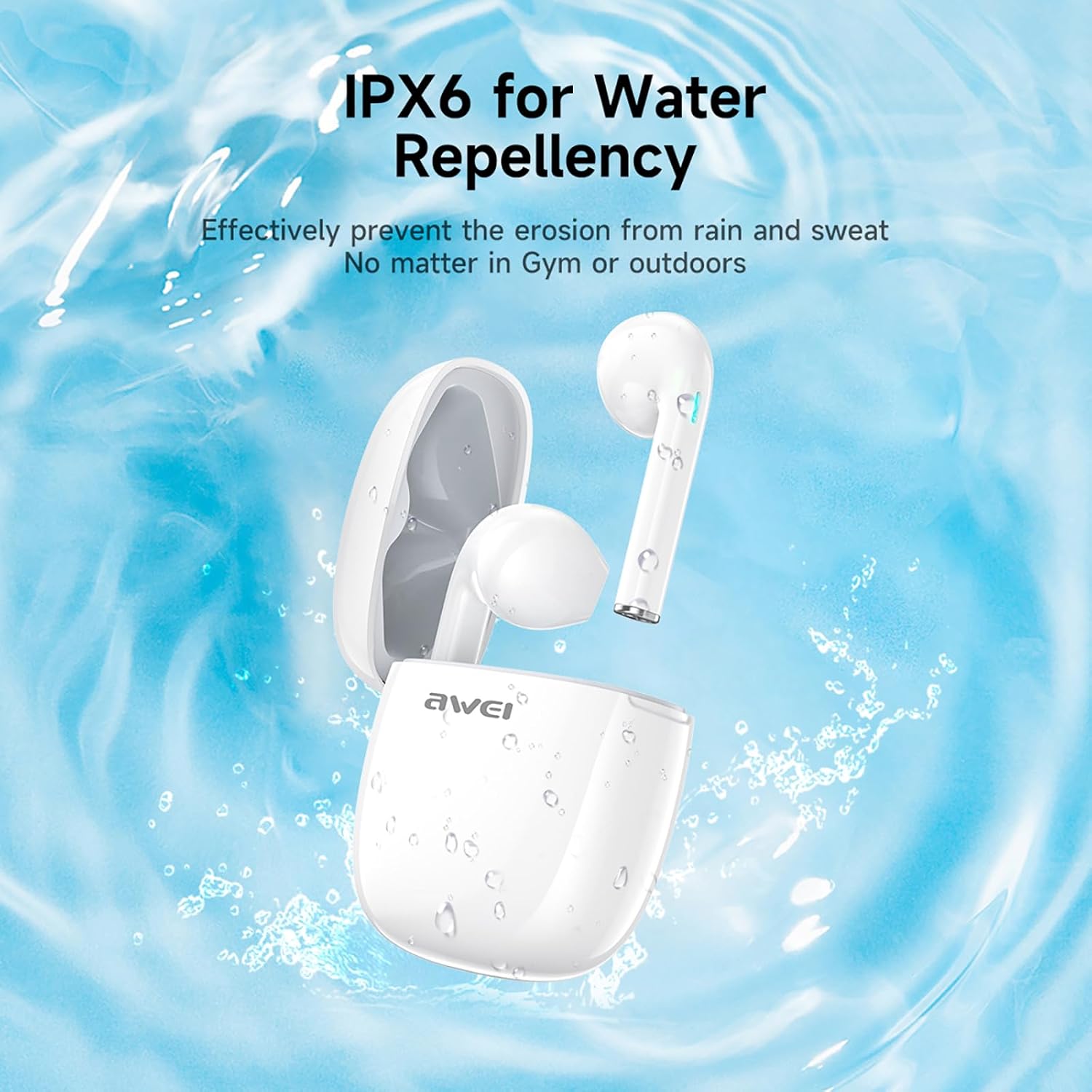
Şekil 3: IPX6 Water Repellency. This image depicts the earbuds and charging case with water splashes, visually representing their IPX6 waterproof rating, suitable for use during exercise or in light rain.
Kurmak
1. Kulaklıkları ve Kutuyu Şarj Etme
- Başlangıç ücreti: İlk kullanımdan önce kulaklıklarınızı ve şarj kutusunu tamamen şarj edin.
- Kasanın Şarj Edilmesi: Connect the provided USB-C charging cable to the charging port on the case and to a USB power source. The charging time for the case is approximately 1.5 hours.
- Kulaklıkların Şarj Edilmesi: Place the earbuds into the charging case. They will automatically begin charging. The earbuds provide approximately 7 hours of continuous use per charge. The charging case extends total playback time to 35 hours in dual-ear mode, or up to 70 hours in single-ear mode by alternating earbuds.
- Pil Göstergeleri: Refer to the LED indicators on the case and earbuds for charging status.
2. Bir Cihazla Eşleştirme
- Güç Açık: Şarj kutusunu açın. Kulaklıklar otomatik olarak açılacak ve eşleştirme moduna girecektir.
- Bluetooth'u etkinleştirin: Akıllı telefonunuzda, tabletinizde veya Bluetooth özellikli diğer cihazınızda, Bluetooth ayarlarına gidin ve Bluetooth'u açın.
- Cihaz seç: Look for "AWEI T28" in the list of available devices and select it to connect.
- Onay: Once connected, you will hear an audio prompt from the earbuds, and the device's Bluetooth settings will show "AWEI T28" as connected.
- Otomatik Yeniden Bağlantı: İlk eşleştirmeden sonra, kulaklıklar şarj kutusundan çıkarıldığında, cihazda Bluetooth etkinleştirilmiş olması koşuluyla, en son eşleştirilen cihaza otomatik olarak bağlanacaktır.
Kullanım Talimatları
Dokunmatik Kontroller
The AWEI T28 earbuds feature smart touch controls on each earbud for convenient management of audio playback and calls.
- Oynat/Duraklat: Her iki kulaklığa da bir kez dokunun.
- Sonraki Şarkı: Sağ kulaklığa iki kez dokunun.
- Önceki Şarkı: Sol kulaklığa iki kez dokunun.
- Sesi aç: Sağ kulaklığa üç kez dokunun.
- Sesi kıs: Sol kulaklığa üç kez dokunun.
- Çağrıyı Cevapla/Sonlandır: Gelen arama sırasında kulaklığınızın herhangi birine tek dokunuş.
- Çağrıyı Reddet: Gelen bir arama sırasında kulaklığınızdan herhangi birini 2 saniye basılı tutun.
- Voice Assistant'ı etkinleştirin: Press and hold either earbud for 3 seconds (functionality may vary by device).
Monaural and Binaural Mode
The earbuds support both monaural (single earbud) and binaural (both earbuds) modes. You can seamlessly switch between modes:
- Binaural Mod: Her iki kulaklığı da şarj kutusundan çıkarın. Otomatik olarak birbirlerine ve ardından cihazınıza bağlanacaklardır.
- Mono Modu: Remove only one earbud from the charging case. It will connect to your device independently. You can place the other earbud back in the case or keep it off.
- Anahtarlama: If using one earbud, simply remove the other from the case to automatically switch to binaural mode. If using both, place one back in the case to switch to monaural mode.
Bakım
Proper maintenance ensures the longevity and performance of your AWEI T28 Wireless Earbuds.
- Temizlik: Kulaklıklarınızı ve şarj kutusunu düzenli olarak yumuşak, kuru ve tiftiksiz bir bezle temizleyin. Aşındırıcı temizleyiciler veya çözücüler kullanmayın.
- Kulak İpuçları: If applicable, gently remove ear tips and clean them with mild soap and water, then dry thoroughly before reattaching.
- Şarj Kişileri: Uygun şarjı sağlamak için hem kulaklıklardaki hem de kutunun içindeki şarj temas noktalarının temiz ve kalıntılardan arındırılmış olduğundan emin olun.
- Suya Dayanıklılık: The earbuds are IPX6 waterproof, meaning they are resistant to strong jets of water. However, they are not designed for swimming or submersion. Ensure they are dry before placing them back in the charging case.
- Depolamak: Kullanmadığınız zamanlarda, kulaklıklarınızı toz ve hasardan korumak için şarj kutusunda saklayın. Serin, kuru ve aşırı sıcaklıklardan uzak bir yerde saklayın.
Sorun giderme
If you encounter issues with your AWEI T28 Wireless Earbuds, refer to the following common solutions:
- Kulaklıklar cihazla eşleşmiyor:
- Her iki kulaklığın da tam şarjlı olduğundan emin olun.
- Cihazınızın Bluetooth'unu kapatın, ardından tekrar açın.
- Forget "AWEI T28" from your device's Bluetooth list and attempt to pair again.
- Ensure the earbuds are in pairing mode (usually indicated by flashing LED lights).
- Cihaza özgü sorunları elemek için farklı bir cihazla eşleştirmeyi deneyin.
- Sadece bir kulaklık çalışıyor:
- Place both earbuds back into the charging case, close the lid, wait a few seconds, then open the lid and remove both earbuds simultaneously.
- Her iki kulaklığın da şarjlı olduğundan emin olun.
- Check if the earbuds are connected in monaural mode. If so, try re-pairing both earbuds.
- Kulaklıklar şarj olmuyor:
- Şarj kutusunun şarjlı olduğundan emin olun.
- Check that the charging contacts on the earbuds and inside the case are clean and free of obstructions.
- Kulaklıkların şarj kutusuna doğru şekilde yerleştirildiğinden emin olun.
- Farklı bir USB-C kablosu veya güç adaptörü kullanmayı deneyin.
- Düşük ses seviyesi veya zayıf ses kalitesi:
- Hem cihazınızın hem de kulaklığınızın sesini ayarlayın.
- İyi bir yalıtım sağlamak için kulaklıkların kulaklarınıza düzgün bir şekilde oturduğundan emin olun.
- Kulaklık başlıklarındaki kulak kirini veya kalıntıları temizleyin.
- Sorunun kulaklıklardan mı yoksa sesten mi kaynaklandığını belirlemek için farklı ses kaynaklarını denemeye çalışın. file.
- Bağlantı sık sık kesiliyor:
- Ensure there are no significant obstacles (walls, large electronic devices) between the earbuds and your connected device.
- Keep the earbuds within the 10-meter Bluetooth range of your device.
- Yüksek Wi-Fi veya diğer kablosuz parazitlerin olduğu ortamlardan kaçının.
Özellikler
| Örnek | T28 |
| Marka | Awei |
| Bağlantı Teknolojisi | Kablosuz (Bluetooth 5.3) |
| Kulak Yerleşimi | Kulakta |
| Kontrol Türü | Dokunmatik Kontrol |
| Su Direnç Seviyesi | IPX6 Su Geçirmez |
| Pil Ortalama Ömrü (Kulaklıklar) | 7 Saat |
| Şarj Kutusuyla Toplam Oynama Süresi | Up to 35 Hours (Dual-ear), 70 Hours (Single-ear) |
| Şarj Süresi (Kılıf) | 1.5 Saat |
| Malzeme | Silikon |
| Ürün Ağırlığı | 150 gr |
| Uyumlu Cihazlar | Smartphones, Computers, TVs |
Garanti ve Destek
For warranty information and customer support, please refer to the documentation provided with your purchase or contact the retailer where you purchased the AWEI T28 Wireless Earbuds. Keep your proof of purchase for any warranty claims.
For further assistance, you may also visit the official Awei websiteye gidin veya doğrudan müşteri hizmetleriyle iletişime geçin.