
giriiş
This manual provides detailed instructions for the proper use and maintenance of your ACEFAST H2 Wireless Headset. Designed with advanced Active Noise Cancelling (ANC) technology and Bluetooth 5.3 connectivity, these headphones offer a high-quality audio experience. Please read this manual thoroughly before using the product to ensure optimal performance and longevity.
Paket İçeriği
- ACEFAST H2 Wireless Headset
- USB-C Şarj Kablosu
- 3.5mm Yardımcı Kablo
- Kullanım Kılavuzu (bu belge)
Ürün Bittiview
Familiarize yourself with the components and controls of your ACEFAST H2 headset.
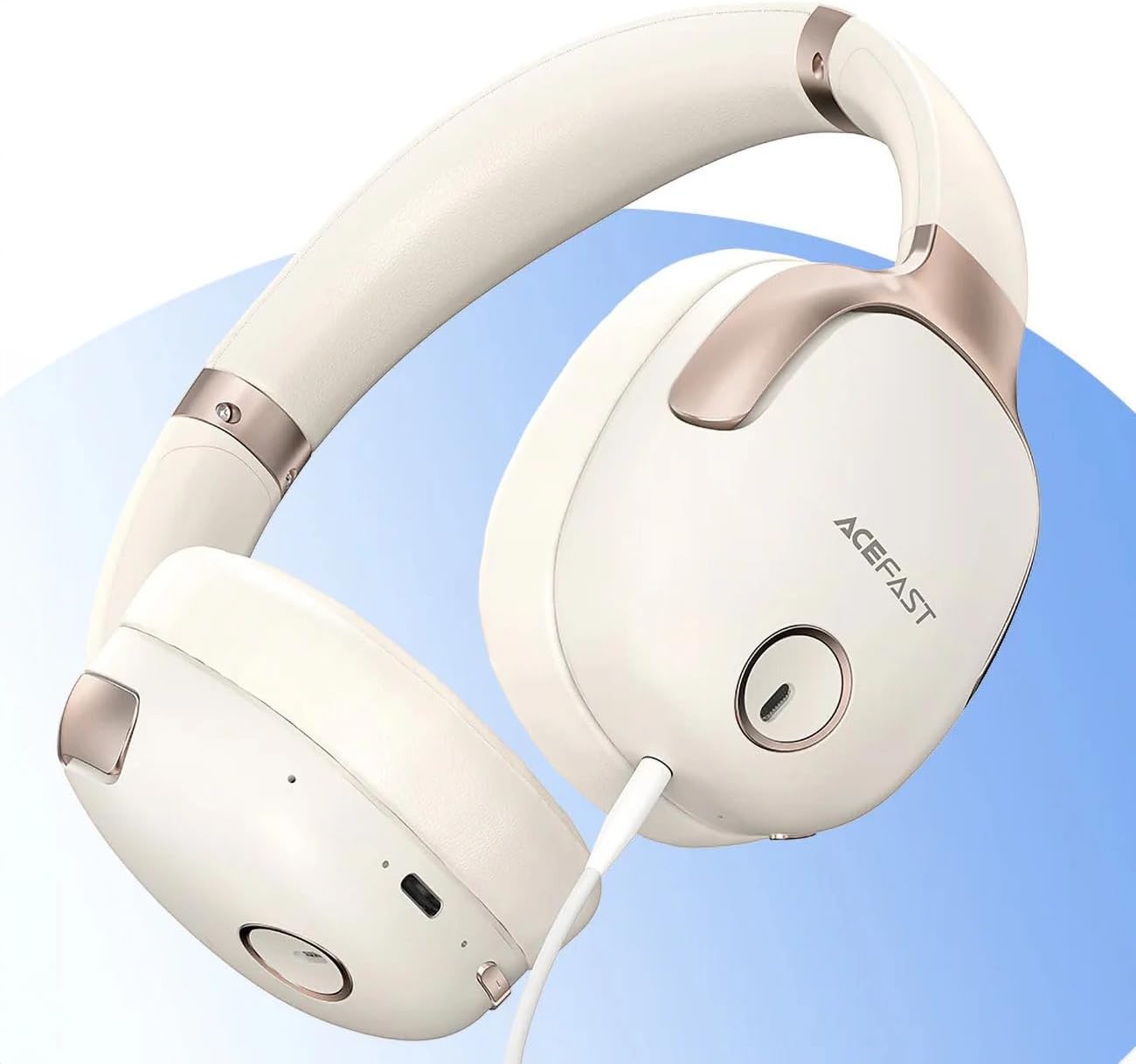
Şekil 1: ACEFAST H2 Headset showing USB-C charging port, 3.5mm audio jack, and control buttons.
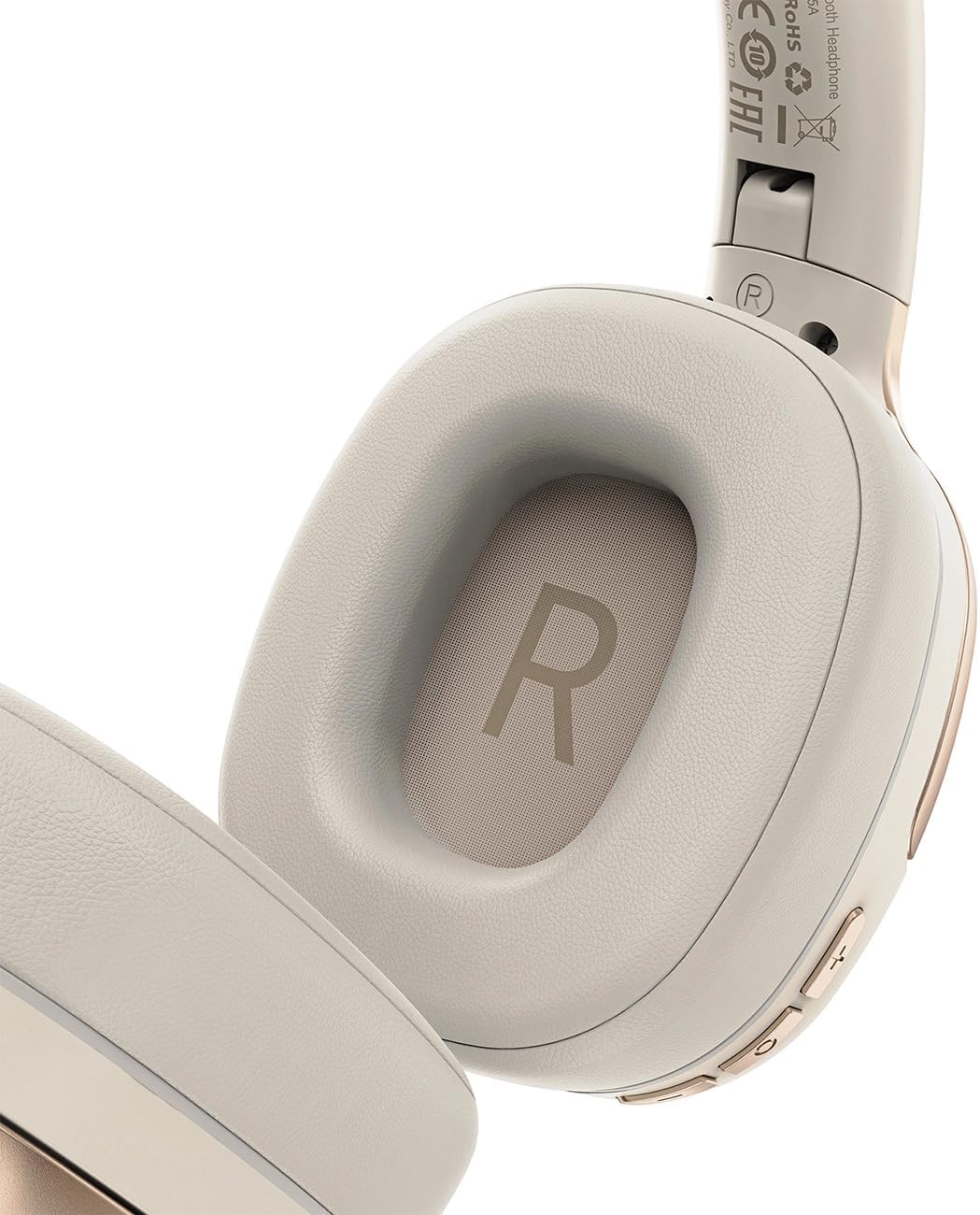
Şekil 2: Interior of the right earcup, indicating proper orientation for wearing.

Şekil 3: Headband adjustment mechanism and ear cup swivel for comfortable fit.

Şekil 4: The foldable design of the headset for easy storage and transport.
Temel Bileşenler:
- Güç/Çok Fonksiyonlu Düğme: Açma/kapama, oynatma/duraklatma, çağrı cevaplama/sonlandırma işlevleri için kullanılır.
- Sesi Aç/Sonraki Parça Düğmesi: Sesi açmak için basın, bir sonraki parçaya geçmek için basılı tutun.
- Sesi Azaltma/Önceki Parça Düğmesi: Sesi kısmak için basın, önceki parçaya dönmek için basılı tutun.
- ANC Düğmesi: Aktif Gürültü Engelleme özelliğini etkinleştirir veya devre dışı bırakır.
- USB-C Şarj Portu: Kulaklığı şarj etmek için.
- 3.5 mm Ses Jakı: For wired connection using the Aux cable.
- Mikrofon: Aramalar için dahili.
- LED Göstergesi: Güç, şarj ve eşleştirme durumunu gösterir.
Kurmak
1. Kulaklığı Şarj Etme
- Connect the provided USB-C charging cable to the headset's USB-C port.
- Kablonun diğer ucunu bir USB güç adaptörüne (dahil değildir) veya bir bilgisayarın USB portuna bağlayın.
- LED göstergesi şarj durumunu gösterecektir (örneğin, şarj olurken kırmızı, tamamen şarj olduğunda mavi).
- A full charge takes approximately 2 hours and provides up to 80 hours of music playback.
2. Açma/Kapama
- Açmak İçin: Press and hold the Power/Multi-function button for approximately 3 seconds until the LED indicator flashes.
- Kapatmak İçin: LED göstergesi sönene kadar Güç/Çok Fonksiyonlu düğmesine yaklaşık 5 saniye basılı tutun.
3. Bluetooth Eşleştirme
- Kulaklığın kapalı olduğundan emin olun.
- Press and hold the Power/Multi-function button for about 5-7 seconds until the LED indicator flashes red and blue alternately, indicating pairing mode.
- Cihazınızda (akıllı telefon, tablet, bilgisayar) Bluetooth'u etkinleştirin ve kullanılabilir cihazları arayın.
- Select "ACEFAST H2" from the list of found devices.
- Eşleştirme tamamlandığında, LED göstergesi yavaşça mavi renkte yanıp sönecektir.
- The headset will automatically connect to the last paired device when powered on, if within range.
4. Wired Connection (Aux Mode)
- Connect one end of the 3.5mm Aux cable to the headset's 3.5mm audio jack.
- Connect the other end to your audio source's 3.5mm audio output.
- In wired mode, the headset functions passively, and Bluetooth features are disabled. ANC may still be active if powered on.
Kullanım Talimatları
Müzik Çalma
- Oynat/Duraklat: Güç/Çok Fonksiyonlu düğmesine kısa süre basın.
- Sesi aç: Sesi Açma tuşuna kısa basın.
- Sesi kıs: Sesi Azaltma düğmesine kısa basın.
- Sonraki Parça: Sesi Açma tuşuna uzun basın.
- Önceki parça: Sesi Azaltma düğmesine uzun basın.
Telefon Görüşmeleri
- Çağrıyı Cevapla/Sonlandır: Güç/Çok Fonksiyonlu düğmesine kısa süre basın.
- Çağrıyı Reddet: Güç/Çok Fonksiyonlu düğmesine uzun süre basın.
- Sesli Asistan: Double-press the Power/Multi-function button (if supported by your device).
Aktif Gürültü İptal (ANC)
- ANC'yi Etkinleştir/Devre Dışı Bırak: Press the dedicated ANC button. The LED indicator will change to confirm status.
- ANC reduces ambient noise up to -40dB, providing a quieter listening environment.
Bakım
- Temizlik: Kulaklığı temizlemek için yumuşak ve kuru bir bez kullanın. Aşındırıcı temizleyiciler veya çözücüler kullanmayın.
- Depolamak: Store the headset in a cool, dry place away from direct sunlight and extreme temperatures. When not in use, it is recommended to fold the headset for compact storage.
- Suya Dayanıklılık: The headset is IPX4 water-resistant, meaning it is protected against splashing water from any direction. It is not designed for submersion or exposure to heavy rain. Avoid exposing the charging port and audio jack to moisture.
- Pil Bakım: To preserve battery life, charge the headset fully before long periods of storage and recharge it at least once every three months.
Sorun giderme
| Sorun | Olası Neden | Çözüm |
|---|---|---|
| Kulaklık açılmıyor. | Pil zayıf. | Kulaklığı tamamen şarj edin. |
| Cihazla eşleştirilemiyor. | Headset not in pairing mode; device Bluetooth off; too far from device. | Ensure headset is in pairing mode (flashing red/blue). Turn on device Bluetooth. Move headset closer to device (within 10 meters). |
| Ses yok veya ses kalitesi düşük. | Volume too low; headset not connected; interference; incorrect audio output selected. | Adjust volume on headset and device. Re-pair headset. Move away from sources of interference. Check device's audio output settings. |
| ANC etkili bir şekilde çalışmıyor. | ANC etkinleştirilmedi; yanlış montaj. | Press the ANC button to activate. Adjust headset for a snug fit over your ears. |
Özellikler
| Model Adı | H2 |
| Bağlantı Teknolojisi | Wireless (Bluetooth 5.3) / Wired (3.5mm Aux) |
| Bluetooth Menzili | 10 metreye kadar |
| Gürültü Kontrolü | Active Noise Cancellation (ANC) up to -40dB, Environmental Noise Cancelling (ENC) for microphone |
| Pil Ömrü | 80 saate kadar (müzik çalma süresi) |
| Şarj Süresi | Yaklaşık 2 saat (USB-C üzerinden) |
| Suya Dayanıklılık | IPX4 (sıçramaya dayanıklı) |
| Kulak Yerleşimi | Kulakta |
| Malzeme | Akrilonitril Bütadien Stiren (ABS) |
| Renk | Bej |

Şekil 5: Illustration of the dynamic HiFi audio driver components.
Garanti Bilgileri
The ACEFAST H2 Wireless Headset comes with a 6 ay üretici garantisi from the date of purchase. This warranty covers manufacturing defects and workmanship under normal use. It does not cover damage caused by misuse, accidents, unauthorized modifications, or normal wear and tear. Please retain your proof of purchase for warranty claims.
Destek
For further assistance, technical support, or warranty inquiries, please refer to the contact information provided by your retailer or visit the official ACEFAST website. Ensure you have your product model number (H2) and proof of purchase ready when contacting support.


