
NJTY T3
NJTY T3 Multimeter Instruction Manual
Modeli: T3
giriiş
This manual provides detailed instructions for the safe and effective use of the NJTY T3 Digital Multimeter. Please read this manual thoroughly before operation and retain it for future reference. The NJTY T3 is a rechargeable, auto-ranging digital multimeter designed for accurate measurements of AC/DC voltage, resistance, and features Non-Contact Voltage (NCV) detection and live wire testing.

Image: The NJTY T3 Digital Multimeter, showing its main unit, red and black test probes, and a USB-C charging cable connected.
Güvenlik Bilgileri
Always adhere to safety precautions when using any electrical testing equipment. Failure to do so may result in injury or damage to the device.
- Her fonksiyon için belirtilen maksimum giriş değerlerini aşmayın.
- Ölçüm yapmadan önce test uçlarının iyi durumda ve doğru şekilde bağlı olduğundan emin olun.
- Vol ile çalışırken dikkatli oluntag30V AC RMS, 42V tepe veya 60V DC'nin üzerindeki akımlarda elektrik çarpması tehlikesi vardır.
- Multimetre hasarlı görünüyorsa veya kasası açıksa çalıştırmayın.
- Always disconnect power to the circuit under test before measuring resistance or continuity.
- Use the Non-Contact Voltage (NCV) function as an initial check, but always verify with direct contact measurements when safety is critical.
Paket İçeriği
Paketin içinde tüm öğelerin mevcut olduğundan emin olun:
- NJTY T3 Multimeter (1 unit)
- Test Leads (1 pair, red and black)
- Type-C Şarj Kablosu (1 adet)
- Kullanım Kılavuzu (1 birim)
Kurmak
1. İlk Şarj
The NJTY T3 Multimeter features a built-in rechargeable Lithium Ion battery. Before first use, or if the low battery indicator is displayed, charge the device using the provided Type-C charging cable.
- Connect the Type-C end of the charging cable to the multimeter's charging port.
- Connect the USB-A end of the charging cable to a standard USB power adapter (not included) or a computer's USB port.
- The charging indicator on the multimeter will illuminate during charging and turn off when fully charged.

Image: The NJTY T3 Multimeter being charged via its Type-C port, connected to a laptop.
2. Test Uçlarını Bağlama
Insert the red test lead into the "VΩ" input jack and the black test lead into the "COM" input jack. Ensure they are securely seated.
Kullanım Talimatları
The NJTY T3 Multimeter features an auto-ranging function, simplifying operation by automatically detecting the measurement type and range.
1. Güç Açma/Kapatma
Press and hold the power button to turn the multimeter on or off. The device will automatically shut off after approximately 15 minutes of inactivity to conserve battery life.
2. Automatic Measurement (Auto-Ranging)
In auto-ranging mode, the multimeter will automatically identify and measure AC voltage, DC hacimtage, or resistance when the test leads are applied to a circuit. The display will show the measurement type (AC, DC, Ω) and the value.
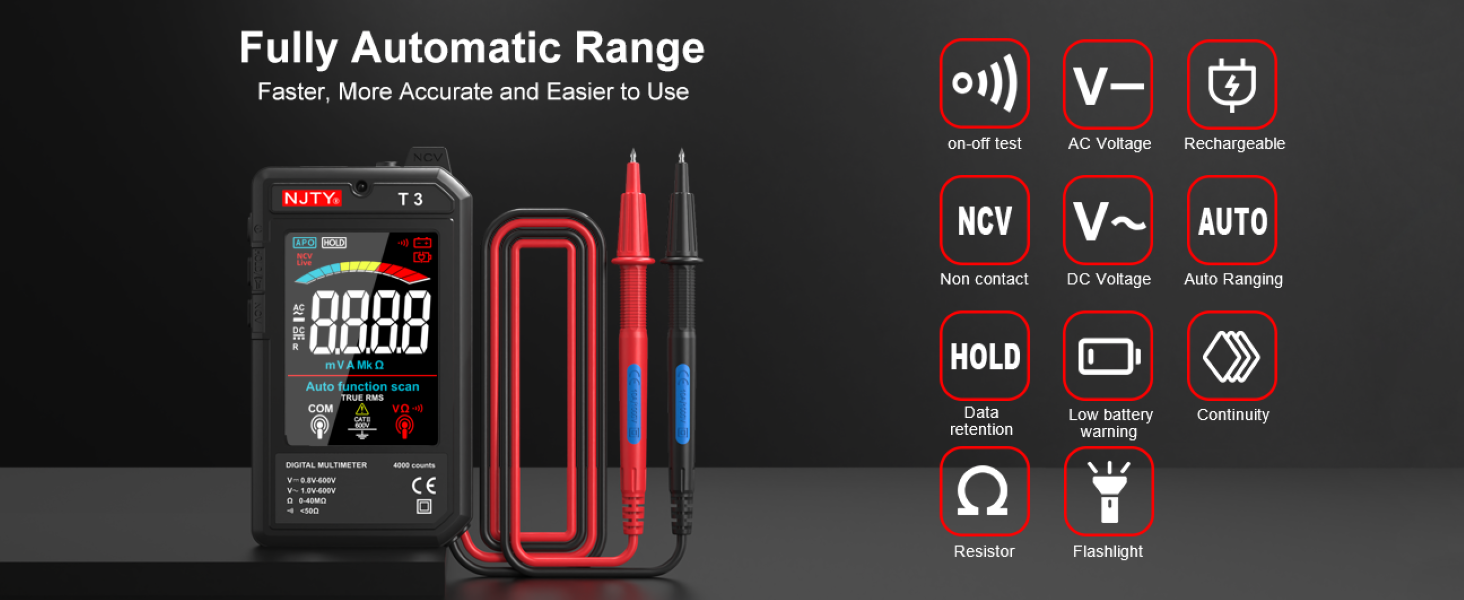
Image: The NJTY T3 Multimeter screen showing "Auto function scan" and icons representing AC/DC voltage, resistance, continuity, NCV, and flashlight functions.
3. AC/DC Hacmitage Ölçüm
- Multimetrenin açık olduğundan emin olun.
- Test uçlarını voltaj bulunan devre noktalarına bağlayın.tage needs to be measured. The multimeter will automatically detect AC or DC voltage.
- Cildi okutagEkranda görüntülenen değer.
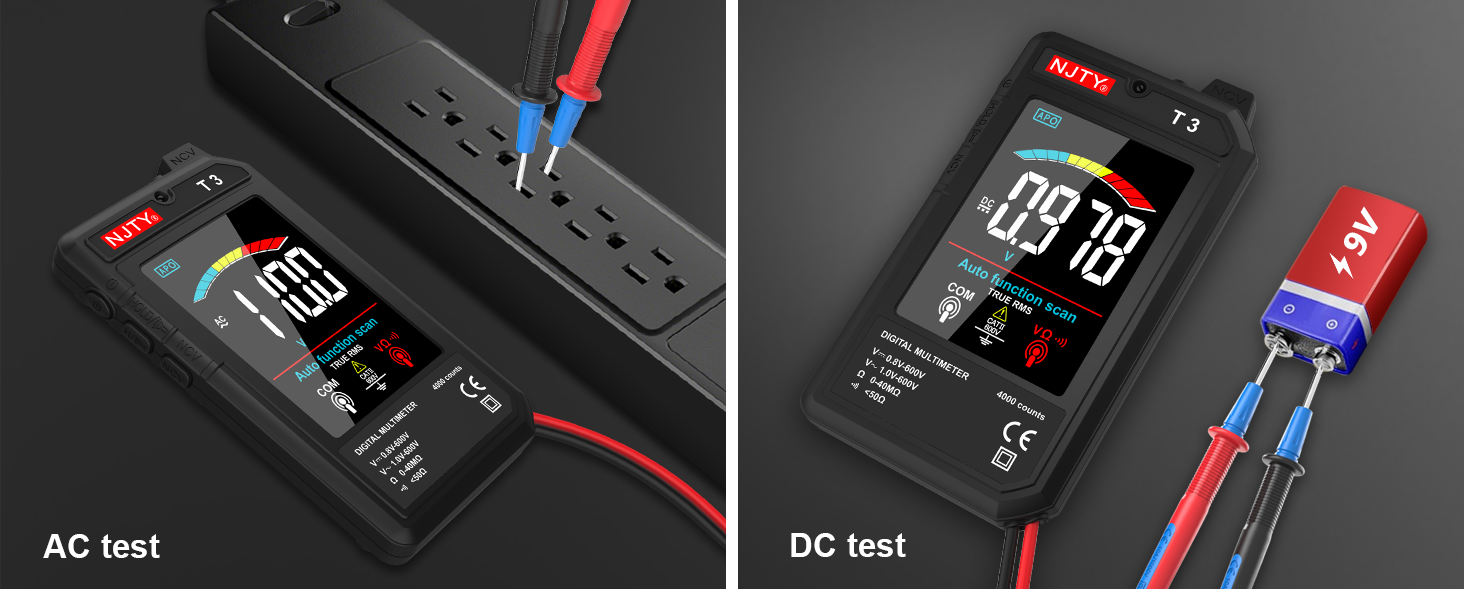
Image: Two separate images showing the NJTY T3 Multimeter measuring AC voltage from a power strip and DC voltage from a 9V battery.
4. Direnç Ölçümü
- Önemli: Direnci ölçmeden önce devrenin enerjisinin kesildiğinden emin olun.
- Connect the test leads across the component or circuit section where resistance is to be measured.
- The multimeter will display the resistance value in Ohms (Ω), Kilo-Ohms (KΩ), or Mega-Ohms (MΩ).

Image: Two separate images showing the NJTY T3 Multimeter measuring resistance of a resistor and performing a continuity test on a wire.
5. Temassız Hacimtage (NCV) Tespiti
The NCV function allows for safe detection of live wires without direct contact.
- Press the NCV button (if available, or ensure NCV mode is active).
- Bring the NCV sensor at the top of the multimeter close to the wire or outlet.
- The multimeter will emit an audible beep and the display will indicate the presence of AC voltage, with increasing intensity as it gets closer to the source.

Image: The NJTY T3 Multimeter detecting non-contact voltage near an electrical wall outlet, with the screen showing "EF" and a signal strength indicator.
6. Live Wire Testing
Bu fonksiyon, alternatif akım devresindeki canlı telleri belirlemeye yardımcı olur.
- Insert the red test probe into the socket or touch it to the wire you want to test.
- If the multimeter emits an alarm sound and the screen changes to indicate "LIVE", it signifies a live wire.

Image: The NJTY T3 Multimeter's red probe inserted into an electrical outlet for live wire testing, with the screen displaying "LIVE".
7. Süreklilik Testi
- Önemli: Süreklilik testi yapmadan önce devrenin enerjisinin kesildiğinden emin olun.
- Connect the test leads across the component or wire to be tested.
- If continuity exists (resistance is low, typically below 50Ω), the multimeter will emit an audible beep.
8. Veri Tutma
Ekrandaki mevcut değeri dondurmak için "HOLD" düğmesine basın. Dondurma işlevini kaldırmak için tekrar basın.
9. Flashlight and Backlight
The multimeter includes a built-in flashlight for illuminating the test area and a backlight for the display, enhancing visibility in low-light conditions. Refer to the device buttons for activation (typically a short press of the power button or a dedicated light button).
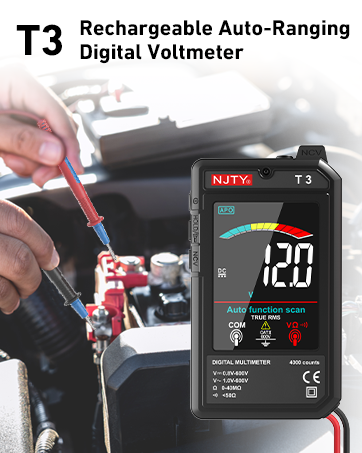
Image: The NJTY T3 Multimeter with its integrated flashlight active, illuminating a dark electrical panel.
Bakım
1. Temizlik
Wipe the multimeter's case with a damp Bez ve hafif deterjan kullanın. Aşındırıcı veya çözücü maddeler kullanmayın. Temizlemeden önce cihazın kapalı ve herhangi bir güç kaynağından bağlantısının kesilmiş olduğundan emin olun.
2. Pil Bakımı
The built-in Lithium Ion battery should be charged regularly, especially if the device is not used for extended periods. The automatic shut-off feature helps prolong battery life. A low battery indicator will appear on the display when charging is required.
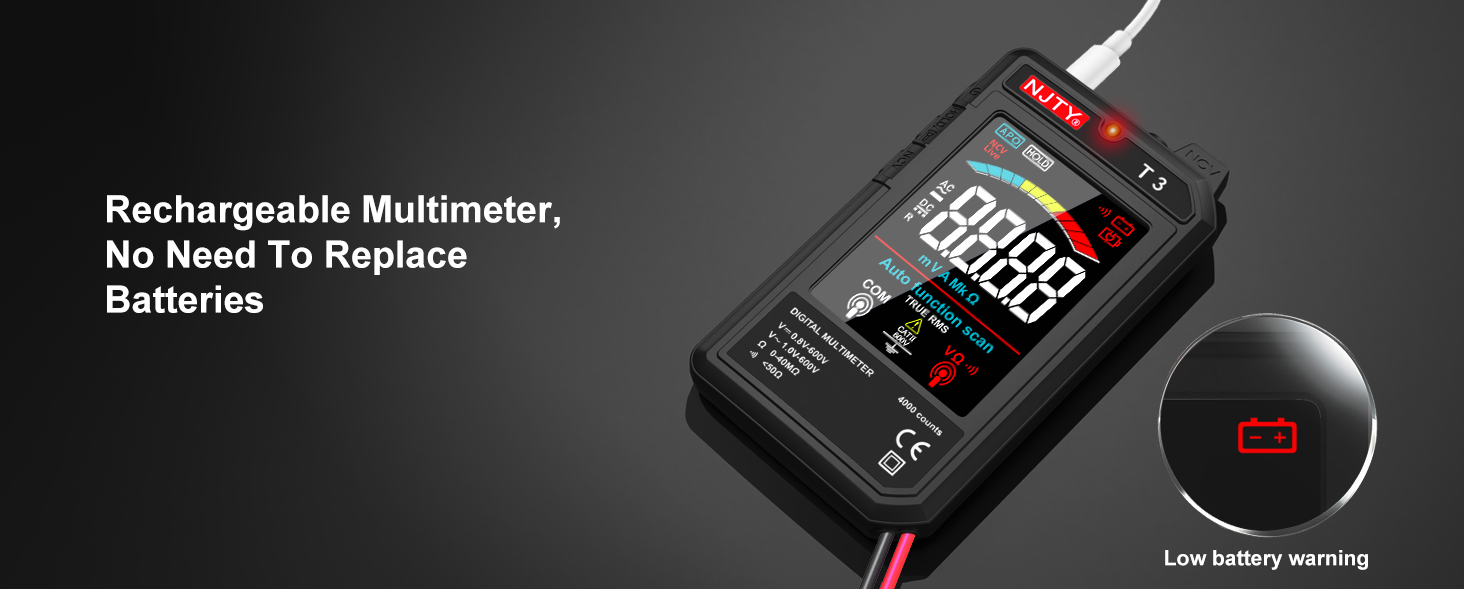
Image: The NJTY T3 Multimeter screen showing a low battery warning icon, indicating the need for recharging.
3. Depolama
Store the multimeter in a cool, dry place, away from direct sunlight and extreme temperatures. Disconnect test leads when storing.
Sorun giderme
| Sorun | Olası Neden | Çözüm |
|---|---|---|
| Ekran veya cihaz açılmıyor. | Pil seviyesi düşük veya cihaz kapalı. | Charge the battery using the Type-C cable. Press and hold the power button to turn on. |
| Hatalı okumalar. | Poor test lead connection, incorrect measurement technique, or exceeding input limits. | Ensure test leads are firmly connected. Review operating instructions for correct measurement procedures. Do not exceed specified input ranges. |
| Multimeter automatically shuts off. | Automatic power-off feature activated due to inactivity. | This is normal behavior to conserve battery. Press the power button to turn it back on. |
| NCV detection not working or inconsistent. | Distance to voltage source too far, or interference. | Bring the NCV sensor closer to the suspected live wire. Ensure no other strong electromagnetic fields are present. |
Özellikler
| Özellik | Detay |
|---|---|
| Görüntülemek | 4000 Counts, 3.19-inch Color LCD |
| DC Hacmitage Aralık | 0.8V - 600V (Accuracy: ±(0.8%+5)) |
| AC Hacmitage Aralık | 1V - 600V (Accuracy: ±(1.0%+5)) |
| Direnç Aralığı | 0 - 40MΩ (Accuracy: ±(1.0%+10)) |
| Minimum Resolution (DCV/ACV) | 0.001V |
| Minimum Resolution (Resistance) | 1Ω |
| Güç Kaynağı | Şarj Edilebilir Lityum İyon Pil (dahil) |
| Şarj Portu | Tip-C |
| Otomatik Kapanma | Yaklaşık 15 dakika hareketsizlik |
| El feneri | Yes (1 minute auto shut-off) |
| Arka ışık | Evet |
| Buzzer | Yes (for continuity, internal resistance less than 50Ω) |
| NCV Algılama | Evet |
| Gerçek RMS | Yes (45Hz-2KHz) |
| Düşük Pil Göstergesi | Evet |
| Canlı Tel Tanımlama | Evet |
| Ürün Boyutları | 5.51 x 1.18 x 0.79 inç |
| Ürün Ağırlığı | 150 Gram (5.29 ons) |
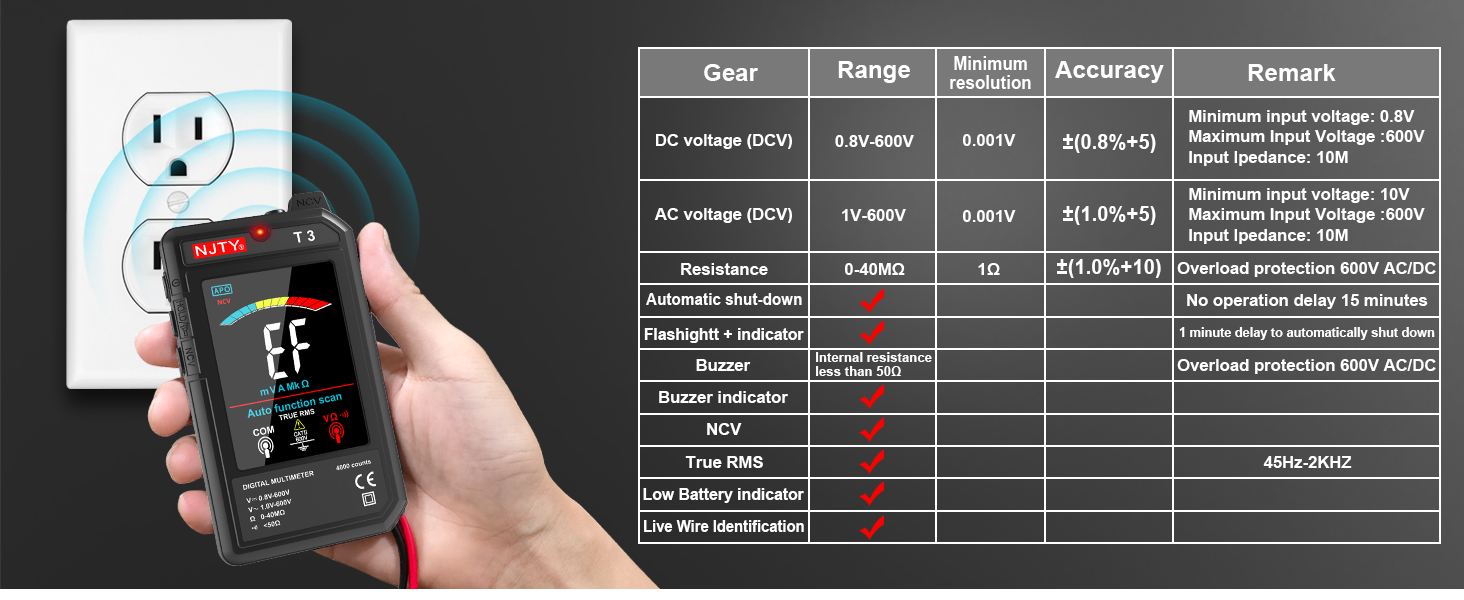
Image: The NJTY T3 Multimeter demonstrating NCV detection alongside a table detailing its technical specifications.
Garanti ve Destek
Garanti Bilgileri
For specific warranty terms and conditions, please refer to the warranty card included with your product or contact the seller directly. Warranty coverage typically addresses manufacturing defects under normal use.
Müşteri Desteği
If you encounter any issues or have questions regarding the NJTY T3 Multimeter, please contact your retailer or the manufacturer's customer support channel. Refer to the "after-sales channel" information provided in your product packaging for contact details.
İlgili Belgeler - T3
 |
NJTY T21L LCR Metre: TRUE RMS Özellikli Otomatik Aralıklı Dijital Multimetre - Kullanım Kılavuzu User manual for the NJTY T21L LCR Meter, an auto-ranging digital multimeter with TRUE RMS. Covers features, safety, technical specifications, and operation for accurate electrical measurements. |
 |
NJTY C1 Smart Digital Multimeter User Manual Comprehensive user guide for the NJTY C1 Smart Digital Multimeter, covering operation, safety instructions, and technical specifications for 4000 counts auto-ranging measurements. |
 |
NJTY T21L LCR Metre: TRUE RMS Özellikli Otomatik Aralıklı Dijital Multimetre - Kullanım Kılavuzu TRUE RMS'li otomatik aralıklı dijital multimetre NJTY T21L LCR Metre için kapsamlı kullanıcı kılavuzu. Hacim için teknik özellikler, güvenlik, çalışma ve ölçüm fonksiyonlarını kapsar.tage, akım, direnç, kapasitans, endüktans, frekans ve sıcaklık. |
 |
NJTY S18D Digital Multimeter User Manual User manual for the NJTY S18D Digital Multimeter, detailing safety instructions, panel indications, operational guidelines, and technical specifications for accurate electrical measurements. Features include IEC-61010 compliance, backlit LCD, True RMS, and auto-ranging. |
 |
NJTY 88 Serisi Analog Multimetre: Kullanım Kılavuzu ve Teknik Kılavuz NJTY 88 serisi analog multimetreler için kapsamlı kullanıcı kılavuzu, DC/AC vol için özellikleri, teknik özellikleri, güvenlik önlemlerini ve ölçüm talimatlarını kapsartage ve akım, direnç, kapasitans, frekans ve daha fazlası. |
 |
NCV Series Clamp Metre Kullanım Kılavuzu Comprehensive user manual for NJTY NCV Series Clamp Meters (Models A, B, C, and D). Includes operating instructions, safety precautions, technical specifications, and maintenance guides for True RMS measurements. |
Ask a question about this manual
Ask about setup, troubleshooting, compatibility, parts, safety, or missing instructions. Manuals+ will review the question and use this page’s manual context to help answer it.