
giriiş
Thank you for choosing the AWEI T95 Wireless Earbuds. This manual provides essential information for setting up, operating, maintaining, and troubleshooting your new earbuds. Please read it carefully to ensure optimal performance and longevity of your device.
The AWEI T95 earbuds are designed for a secure fit and deliver high-fidelity audio with advanced Bluetooth 5.3 technology. They feature IPX6 waterproofing, making them suitable for various activities, including workouts.
Paket İçeriği
Paketinizde tüm öğelerin mevcut olduğundan emin olun:
- AWEI T95 Wireless Bluetooth Headset (Left and Right Earbuds)
- Şarj Kutusu
- USB-C Şarj Kablosu
- User Instructions (This Manual)
Kurmak
1. Kulaklıkları ve Kutuyu Şarj Etme
İlk kullanımdan önce kulaklıklarınızı ve şarj kutusunu tamamen şarj edin.
- Connect the provided USB-C charging cable to the charging port on the case and to a USB power source.
- Şarj kutusundaki gösterge ışıkları şarj durumunu gösterecektir.
- Kulaklıklarınızı şarj kutusuna yerleştirin. Kulaklıklarınız otomatik olarak şarj olmaya başlayacaktır.
A 5-minute quick charge provides approximately 1 hour of usage.
2. İlk Eşleştirme
AWEI T95 kulaklıklar, kullanım kolaylığı için otomatik eşleştirme özelliğine sahiptir.
- Şarj kutusunu açın. Kulaklıklar otomatik olarak açılacak ve eşleştirme moduna girecektir.
- Cihazınızda (akıllı telefon, tablet, dizüstü bilgisayar) Bluetooth'u etkinleştirin.
- Arama Bluetooth özellikli cihazları bulun ve listeden "AWEI T95"i seçin.
- Bağlantı sağlandıktan sonra onay sesini duyacaksınız ve kulaklıklarınız kullanıma hazır hale gelecektir.
3. Otomatik Yeniden Bağlantı
After initial pairing, the earbuds will automatically connect to the last paired device when removed from the charging case, provided Bluetooth is enabled on the device and it is within range (up to 33 feet).
4. Kulaklıkların Takılması
The AWEI T95 earbuds are designed with ergonomic ear hooks for a secure and comfortable fit, especially during physical activities.
- Kulaklığı yavaşça kulak kanalınıza yerleştirin.
- Adjust the ear hook over your ear until it feels snug and stable.
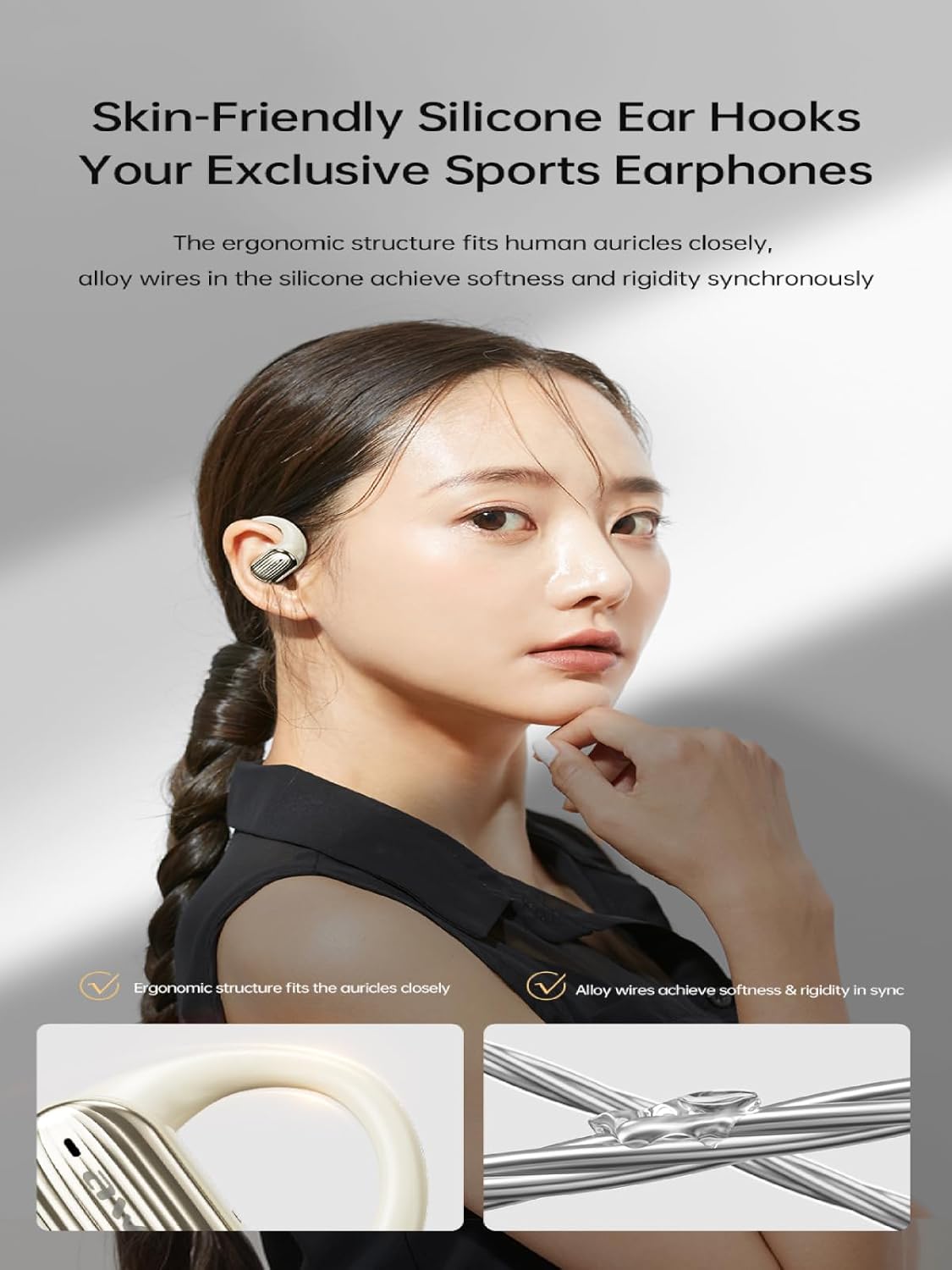
Image: The AWEI T95 earbud with its skin-friendly silicone ear hook, designed for a secure and comfortable fit. The image highlights the ergonomic structure and the alloy wires that provide both softness and rigidity.
Kullanım Talimatları
1. Güç Açma/Kapatma
- Güç Açık: Şarj kutusunu açın veya her iki kulaklığın dokunmatik alanına birkaç saniye basılı tutun.
- Kapat: Place the earbuds back into the charging case and close the lid, or press and hold the touch area on both earbuds for a few seconds until they power off.
2. Dokunmatik Kontroller
The AWEI T95 earbuds feature intuitive touch controls. Specific functions may vary slightly depending on your device and operating system.
- Oynat/Duraklat: Her iki kulaklığa da bir kez dokunun.
- Sonraki Parça: Sağ kulaklığa iki kez dokunun.
- Önceki parça: Sol kulaklığa iki kez dokunun.
- Çağrıyı Cevapla/Sonlandır: Gelen arama sırasında kulaklığınızın herhangi birine tek dokunuş.
- Çağrıyı Reddet: Gelen bir arama sırasında kulaklıklardan birini 2 saniye basılı tutun.
- Voice Assistant'ı etkinleştirin: Her iki kulaklığa da üç kez dokunun.
3. Ses Özellikleri
The AWEI T95 earbuds are equipped with 14.2mm drivers and ULF Enhancement Algorithm for a rich audio experience.

Image: An illustration of the AWEI T95 earbud's internal structure, emphasizing the ULF Enhancement Algorithm designed to enhance low-frequency sounds for deep bass. A graph indicates an 83% increase in bass details.
Enjoy crisp trebles, full midranges, and deep bass across various music genres. The earbuds also offer dynamic spatial sound effects for an immersive listening experience.

Image: A visual representation of the AWEI T95 earbuds' dynamic spatial sound effects, showing sound waves creating an immersive 3D surround stereo experience around a listener.
4. Directional Propagation
The earbuds feature directional sound propagation, allowing you to stay aware of your surroundings while listening to audio, and maintaining privacy during calls in crowded environments.

Image: An AWEI T95 earbud in an ear, demonstrating directional sound propagation. This technology helps users remain aware of their environment and ensures privacy during calls by directing sound efficiently.
Bakım
1. Temizlik
- Kulaklıklarınızı ve şarj kutusunu yumuşak, kuru ve tiftiksiz bir bezle düzenli olarak temizleyin.
- Aşındırıcı temizleyiciler, alkol veya kimyasal çözücüler kullanmayın.
- Küçük, yumuşak bir fırça veya pamuklu çubuk kullanarak kulaklık uçlarındaki ve hoparlör ağındaki kulak kirini veya kalıntıları nazikçe temizleyin.
2. Suya Dayanıklılık (IPX6)
The AWEI T95 earbuds are IPX6 waterproof, meaning they are protected against powerful water jets. This makes them resistant to sweat and rain.
- Kulaklıklarınızı suya batırmayın.
- After exposure to sweat or rain, wipe the earbuds dry with a clean cloth before placing them back in the charging case to prevent damage to the charging contacts.
- The charging case is not waterproof. Keep it dry.
3. Depolama
- Kulakiçi kulaklıkları, kullanılmadığında onları korumak ve şarjlı halde tutmak için şarj kutusunda saklayın.
- Kulaklıkları aşırı sıcaklık veya yüksek nemde saklamaktan kaçının.
Sorun giderme
If you encounter issues with your AWEI T95 earbuds, try the following solutions:
1. Kulaklıklar Eşleşmiyor veya Bağlanmıyor
- Kulaklıkların şarj edildiğinden emin olun.
- Cihazınızda Bluetooth'un etkin olduğundan emin olun.
- Kulaklıkları şarj kutusuna geri yerleştirin, kapağı kapatın, birkaç saniye bekleyin, ardından tekrar açarak eşleştirme moduna yeniden girin.
- On your device, forget or delete "AWEI T95" from your Bluetooth device list, then attempt to pair again.
- Ensure the earbuds are within the 33-foot operating range of your device.
2. Ses Yok veya Düşük Ses
- Hem kulaklığınızın hem de bağlı cihazınızın ses seviyelerini kontrol edin.
- Kulaklıkların cihazınıza düzgün şekilde bağlandığından emin olun.
- Clean any debris from the earbud speaker mesh that might be obstructing sound.
- Farklı bir uygulamadan veya kaynaktan ses çalmayı deneyin.
3. Kulaklıklar Şarj Olmuyor
- Şarj kablosunun hem kasaya hem de güç kaynağına güvenli bir şekilde bağlandığından emin olun.
- Güç kaynağının aktif olduğunu doğrulayın.
- Hem kulaklıkların hem de şarj kutusunun içindeki şarj temas noktalarını temizleyin.
- Farklı bir USB-C şarj kablosu veya güç adaptörü kullanmayı deneyin.
4. Kesintili Bağlantı
- Kulaklıklar ile cihazınız arasındaki mesafeyi azaltın.
- Avoid obstacles between the earbuds and your device, such as walls or large electronic equipment.
- Minimize interference from other 2.4GHz wireless devices (e.g., Wi-Fi routers, microwaves).
Özellikler

Image: The AWEI T95 TWS Sports Earphones, showcasing the earbuds and their charging case. This image highlights their open wearable stereo design, heavy bass capabilities, Bluetooth 5.3 connectivity, and snug fit.
| Özellik | Detay |
|---|---|
| Örnek | T95 |
| Marka | Awei |
| Bağlantı Teknolojisi | Kablosuz (Bluetooth 5.3) |
| Kablosuz İletişim Teknolojileri | Bluetooth |
| Kulak Yerleşimi | Açık Kulak |
| Form Faktörü | Gerçek Kablosuz |
| Su Direnç Seviyesi | IPX6 (Su Geçirmez) |
| Maksimum Çalışma Mesafesi | 33 Ayak (10 metre) |
| Pil Ömrü | 28 saate kadar (şarj kutusu ile) |
| Sürücü Boyutu | 14.2 mm |
| Dahil Bileşenler | USB-C Charging Cable, Wireless Bluetooth Headset, User Instructions, Wireless Bluetooth Headset Charging Case |

Resim: Dahili view of the AWEI T95 earbud, emphasizing the Bluetooth 5.3 technology. This image illustrates how Bluetooth 5.3 ensures stable audio and video synchronization, reduces interference, and offers high-speed transmission with lower power consumption.
Garanti ve Destek
1. Garanti Bilgileri
The AWEI T95 Wireless Earbuds come with a 1 yıllık garanti Satın alma tarihinden itibaren geçerlidir. Bu garanti, üretim hatalarını kapsar. Yanlış kullanım, kazalar, yetkisiz değişiklikler veya normal aşınma ve yıpranmadan kaynaklanan hasarları kapsamaz.
Garanti talepleri için lütfen satın alma belgenizi saklayın.
2. Müşteri Desteği
For technical assistance, warranty claims, or any other inquiries, please contact Awei customer support through their official webÜrünü satın aldığınız site veya perakendeci.
When contacting support, please provide your product model (T95) and a detailed description of the issue.