
giriiş
This manual provides detailed instructions for the GOBOULT Mirage Smart Watch. Please read this guide thoroughly to ensure proper setup, operation, and maintenance of your device. This smartwatch features a 1.39-inch HD display, Bluetooth calling, comprehensive health monitoring, and various sports modes.
Kutuda Neler Var?
- GOBOULT Mirage Smart Watch
- Şarj kablosu
- Kullanıcı Kılavuzu
- Garanti Kartı
Kurmak
1. Cihazın Şarj Edilmesi
Before initial use, fully charge your GOBOULT Mirage Smart Watch. Connect the provided charging cable to the charging port on the back of the watch and to a standard USB power adapter (not included). The watch typically charges within 120 minutes.

Image: GOBOULT Mirage Smart Watch displaying its features, including charging capability.
2. Akıllı Telefonunuzla Eşleştirme
- Download the official GOBOULT companion app from your smartphone's app store (available for iOS and Android).
- Akıllı telefonunuzda Bluetooth'un etkinleştirildiğinden emin olun.
- Open the app and follow the on-screen instructions to search for and connect to your GOBOULT Mirage Smart Watch.
- Eşleştirme isteğini hem saatinizde hem de akıllı telefonunuzda onaylayın.
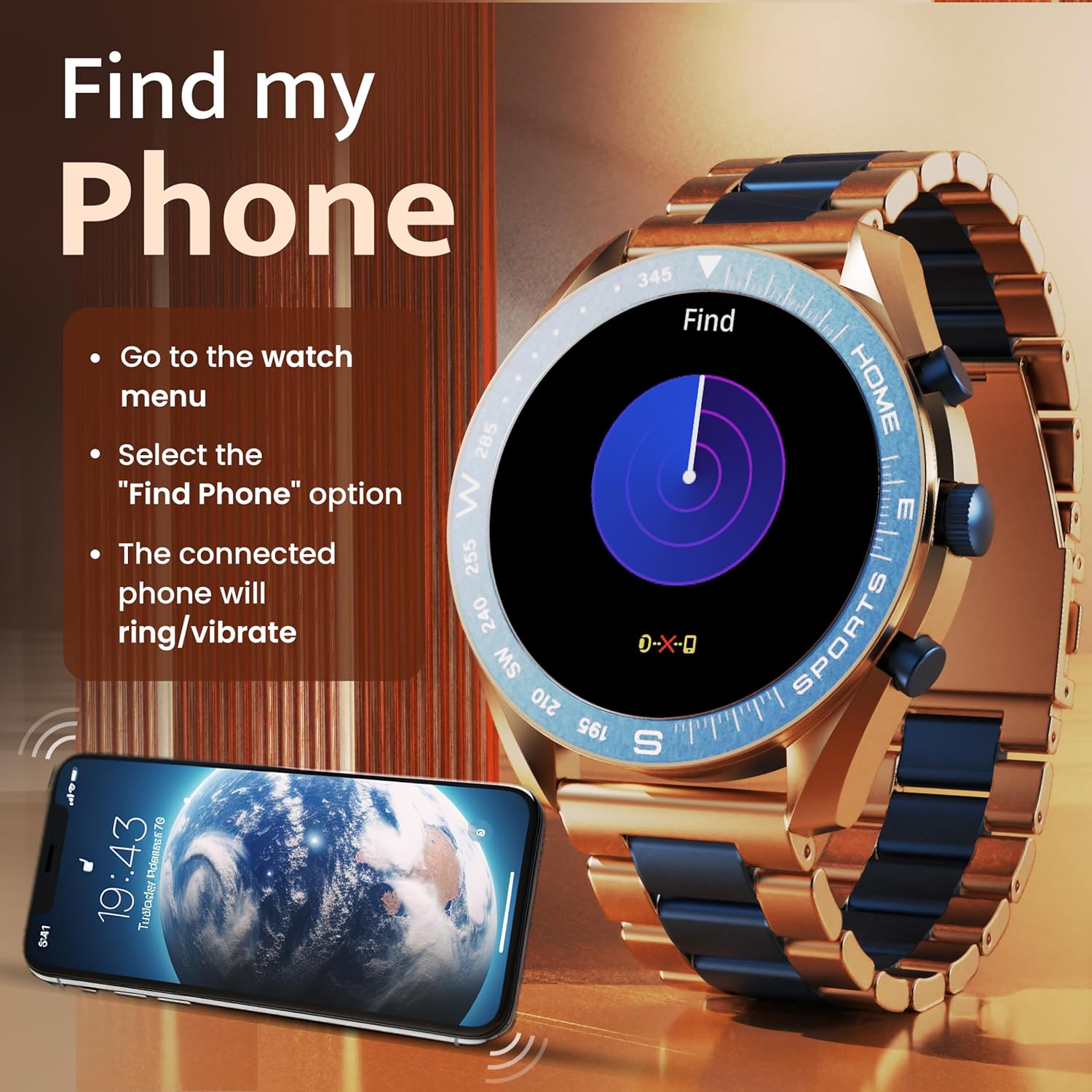
Image: The GOBOULT Mirage Smart Watch connected to a smartphone, illustrating connectivity.
Kullanım Talimatları
1. Görüntüleme ve Gezinme
The GOBOULT Mirage features a 1.39-inch HD display with 360x360 pixels resolution and 500 nits peak brightness for clear visibility. Navigate the watch interface using touch gestures and the digital crown.
- Dijital Taç: Press to power on/off, switch UIs, and navigate menus. Rotate to scroll through options.
- Yan Düğmeler: Use for quick access to specific functions, such as launching sports modes.

Image: GOBOULT Mirage Smart Watch highlighting the digital crown and its various functions.
2. Bluetooth Arama
With the built-in speaker and microphone, you can make and receive calls directly from your wrist once paired with your smartphone via Bluetooth 5.3.
- To answer a call, tap the green icon on the watch screen.
- To reject a call, tap the red icon.
- To make a call, access the dial pad or contacts through the watch menu.
Image: GOBOULT Mirage Smart Watch showing an incoming call notification.
3. Sağlık İzleme
The GOBOULT Mirage provides comprehensive health tracking features:
- SpO2 Blood Oxygen Monitor: Kan oksijen seviyesini ölçer.
- Kalp Atış Hızı Monitörü: 7/24 kalp atışı takibi.
- Uyku Monitörü: Uyku düzenini ve kalitesini takip eder.
- Breath Training Mode: Nefes egzersizleri konusunda size rehberlik eder.
- Su İçme Hatırlatması: Susuz kalmamaya dikkat etmenizi hatırlatır.
- Hareketsizliğe Dikkat: Alerts you after periods of inactivity.
- Etkinlik Takibi: Adım sayısını, kat edilen mesafeyi ve yakılan kalorileri kaydeder.
- Adet Döngüsü Takibi: Helps monitor menstrual cycles.

Image: GOBOULT Mirage Smart Watch showcasing its complete health suite on the display.
4. Spor Modları
Track your performance across over 120 sports modes. Access these modes quickly using the shortcut buttons.
- Examples include Running, Cycling, Yoga, Cricket, Badminton, and Basketball.

Image: GOBOULT Mirage Smart Watch showing the selection of over 120 sports modes.
5. Saat Kadranları
Personalize your watch with over 300 cloud-based watch faces. You can also customize the dial to match your style.

Image: GOBOULT Mirage Smart Watch illustrating the variety of 300+ cloud watch faces.
6. Akıllı Bildirimler
Receive SMS and other smart notifications directly on your watch. Ensure your watch is connected to your phone via Bluetooth for this feature to function.

Image: GOBOULT Mirage Smart Watch showing a push notification from a messaging app.
7. Yapay Zeka Sesli Asistanı
Access an intelligent AI voice assistant for hands-free control. Long press the designated button or use the voice assistant icon on the screen to activate.
8. Telefonumu Bul
If you misplace your connected smartphone, use the 'Find My Phone' feature on your watch:
- Go to the watch menu.
- Select the "Find Phone" option.
- The connected phone will ring or vibrate, helping you locate it.
Image: GOBOULT Mirage Smart Watch showing the 'Find My Phone' interface.
9. Suya Dayanıklılık
The GOBOULT Mirage Smart Watch is IP67 water-resistant, offering protection against dust and temporary immersion in water. It is suitable for daily wear and activities like hand washing or light rain.

Image: GOBOULT Mirage Smart Watch demonstrating its IP67 water resistance.
10. Mini Oyunlar
The watch includes several mini-games for entertainment during leisure time.
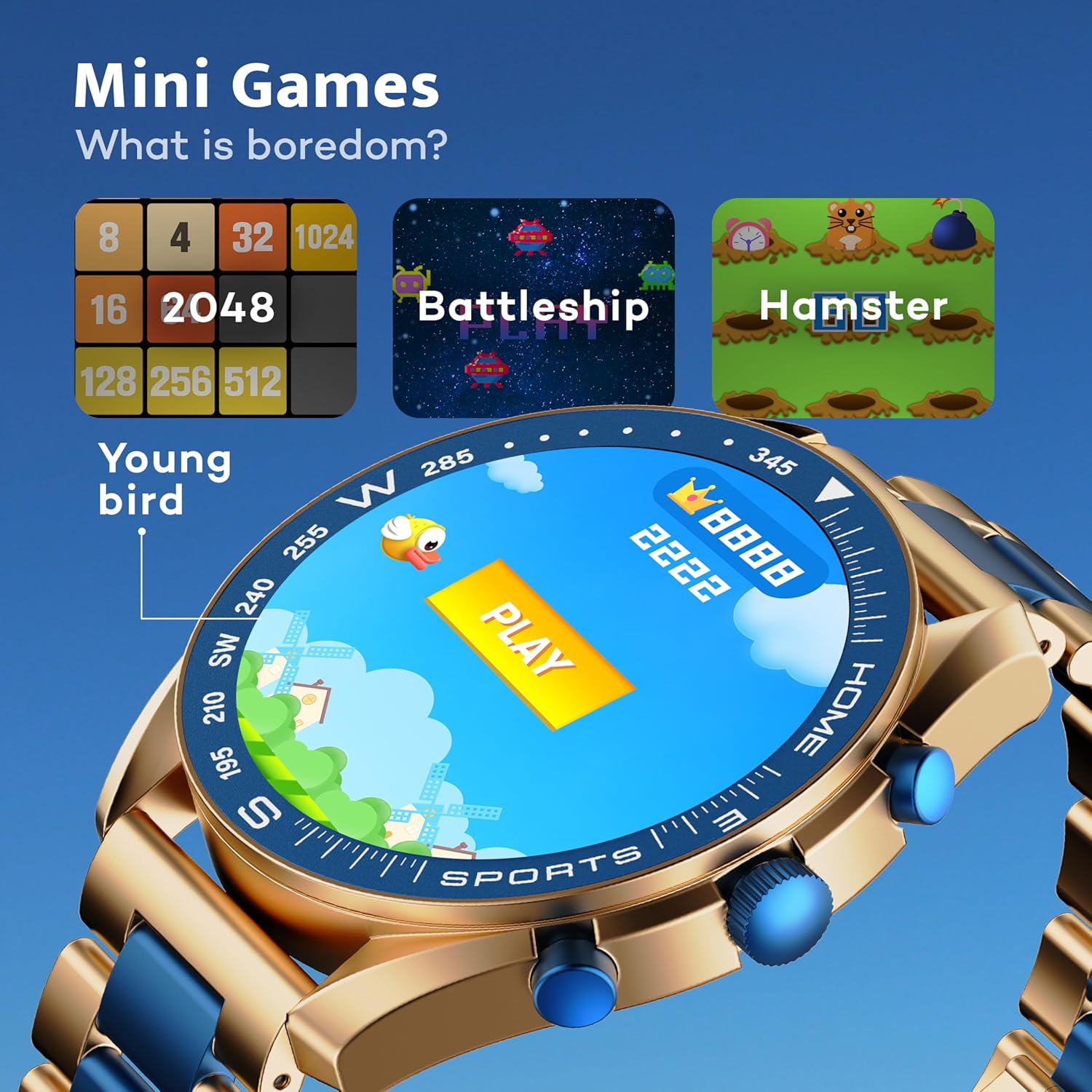
Image: GOBOULT Mirage Smart Watch showing the selection of mini-games.
Bakım
1. Temizlik
- Wipe the watch screen and body with a soft, dry cloth.
- İnatçı kirler için hafif bir d kullanın.amp cloth and immediately dry the watch.
- Cilaya zarar verebilecek sert kimyasallar veya aşındırıcı malzemeler kullanmaktan kaçının.
2. Suya Dayanıklılık Yönergeleri
- The IP67 rating means the watch is protected from dust and can withstand immersion in water up to 1 meter for 30 minutes.
- Do not use the watch for swimming, showering with hot water, or diving.
- Saati yüksek basınçlı suya veya buhara maruz bırakmaktan kaçının.
- If the watch gets wet, dry it thoroughly before charging or using any buttons.
Sorun giderme
- Saat açılmıyor: Saatinizin tam şarjlı olduğundan emin olun. Saatinizi en az 30 dakika şarj cihazına takın.
- Telefonla eşleştirilemiyor: Telefonunuzda Bluetooth'un etkinleştirildiğinden ve saatin menzil içinde olduğundan emin olun. Her iki cihazı da yeniden başlatın ve tekrar eşleştirmeyi deneyin.
- Yanlış sağlık verileri: Saatin bileğinize tam oturduğundan, çok sıkı veya çok gevşek olmadığından emin olun. Sensörleri düzenli olarak temizleyin.
- Kısa pil ömrü: Gerekmiyorsa ekran parlaklığını azaltın, gereksiz bildirimleri devre dışı bırakın ve sürekli kalp atışı izlemeyi sınırlandırın.
- Görüntüleme sorunları: Restart the watch. If the problem persists, contact customer support.
Özellikler
| Özellik | Detay |
|---|---|
| Marka | GOBOULT |
| Model Numarası | 8906133853464 |
| Ekran Boyutu | 1.39 inç |
| Parlaklık | 500 Nit |
| Çerçeve Malzemesi | Çinko Alaşımı |
| Kablosuz Tip | Bluetooth 5.3 |
| İşletim Sistemi | iOS, Android |
| Suya Dayanıklılık | IP67 |
| Pil Şarj Süresi | 120 Dakika |
| Pil Türü | Lityum Polimer |
| Ürün Ağırlığı | 106 gr |
Garanti ve Destek
Your GOBOULT Mirage Smart Watch comes with a warranty card included in the box. Please refer to this card for details regarding warranty coverage and terms.
For technical support, troubleshooting assistance, or warranty claims, please contact GOBOULT customer service through their official webLütfen web sitemizi veya garanti kartınızda belirtilen iletişim bilgilerini kullanın.