
giriiş
Thank you for choosing the TECKNET TK-MS017 Ergonomic Wireless Vertical Mouse. This manual provides detailed instructions for setting up, operating, maintaining, and troubleshooting your new mouse. Designed for comfort and efficiency, this vertical mouse helps reduce wrist strain during prolonged use.

The TECKNET Ergonomic Vertical Mouse, designed for comfortable use.
Ürün Özellikleri
- Ergonomik Dikey Tasarım: Mimics a natural handshake posture to reduce wrist and arm pressure, preventing discomfort from prolonged use.
- Ayarlanabilir DPI: 5 levels of DPI (800/1600/2400/3200/4800) for precise tracking and adaptable sensitivity.
- Sessiz Tıklamalar: 99% noise reduction for a quiet working environment. (Forward/Backward buttons are not silent).
- 6 Düğme: Includes standard left/right click, scroll wheel, DPI switch, and convenient forward/backward buttons for web navigasyon.
- Kararlı 2.4G Kablosuz Bağlantı: Provides a reliable connection up to 10 meters with a plug-and-play USB receiver.
- Uzun Pil Ömrü: Features an independent power switch and automatic sleep function to conserve battery, offering up to 24 months of use.
- Geniş Uyumluluk: Supports Windows 11/10/8/7/XP, Mac OS X10.4, Chrome OS, and Linux.

Comparison of vertical ergonomic grip and traditional mouse grip, highlighting reduced wrist tension with the vertical design.
Kurulum Talimatları
- Pilleri Takın:
Locate the battery compartment on the underside of the mouse. Open the cover and insert two AA batteries (not included), ensuring correct polarity. Close the battery cover securely.

The underside of the mouse, illustrating the battery compartment and the storage slot for the USB receiver.
- USB Alıcısını Bağlayın:
Remove the USB receiver from its storage slot next to the battery compartment. Plug the receiver into an available USB port on your computer (PC, laptop, Mac, Chromebook, or tablet).
- Güç Açık:
Flip the ON/OFF switch on the bottom of the mouse to the "ON" position. The mouse should automatically connect to your device. No additional drivers are typically required for most operating systems.
Kullanım Talimatları
Düğme Fonksiyonları
- Sol tık: Standart seçim ve aktivasyon.
- Sağ tık: Bağlam menülerini açar.
- Kaydırma tekerleği: Parşömen belgeleri ve web pages vertically. Can also be pressed for middle-click functionality.
- DPI Değiştirme Düğmesi: Located near the scroll wheel. Press to cycle through DPI settings (800/1600/2400/3200/4800). The red indicator light will flash to confirm the change.
- İleri Düğmesi: İleriye doğru gezinir web tarayıcılar veya file explorers. (Not supported on Mac OS).
- Geri Düğmesi: Geriye doğru gezinir web tarayıcılar veya file explorers. (Not supported on Mac OS).
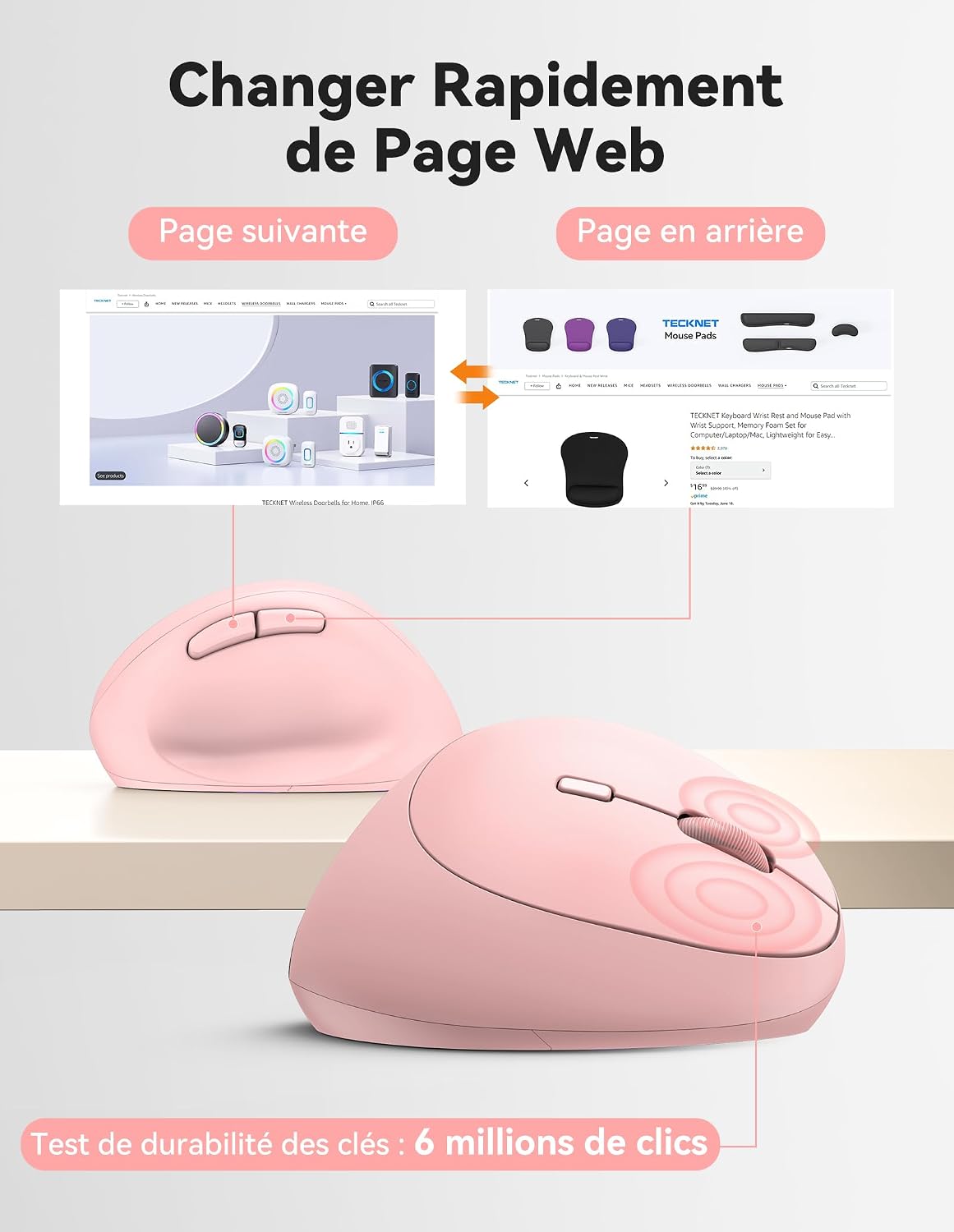
Diagram illustrating the location and function of each button on the TECKNET vertical mouse.
DPI Ayarlaması
The mouse offers 5 adjustable DPI levels to suit various tasks and preferences. Press the DPI switch button to change the cursor speed. The red indicator light will flash a corresponding number of times to indicate the current DPI setting:
- Flash X1: 800 DPI (Web Navigation)
- Flash X2: 1600 DPI (Excel Editing)
- Flash X3: 2400 DPI (Video Editing)
- Flash X4: 3200 DPI (Photoshop)
- Flash X5: 4800 DPI (Gaming Track)

Visual representation of the 5 adjustable DPI levels for different usage scenarios.
Güç Tasarrufu Modu
To conserve battery life, the mouse will automatically enter sleep mode after 8 minutes of inactivity. To wake it up, simply move the mouse or click any button.
Bakım
- Temizlik: Fareyi temizlemek için yumuşak, kuru bir bez kullanın. Sert kimyasallar veya aşındırıcı malzemeler kullanmaktan kaçının.
- Pil Değişimi: When the mouse performance degrades or the cursor becomes erratic, it's time to replace the batteries. Ensure you use fresh AA batteries and dispose of old batteries responsibly.
- Depolamak: When not in use for extended periods, turn off the mouse using the ON/OFF switch to further conserve battery life. Store the USB receiver inside the mouse's battery compartment to prevent loss.
Sorun giderme
- Fare yanıt vermiyor:
- Farenin açık olduğundan emin olun.
- Pillerin doğru şekilde takılıp takılmadığını ve yeterli şarja sahip olup olmadığını kontrol edin. Gerekirse değiştirin.
- USB alıcısının çalışan bir USB portuna güvenli bir şekilde takıldığından emin olun. Farklı bir USB portu deneyin.
- Menzil sorunlarını elemek için fareyi USB alıcısına daha yakın bir yere taşıyın.
- Bilgisayarınızı yeniden başlatın.
- İmlecin düzensiz hareketi:
- Farenin alt kısmındaki optik sensörü temizleyin.
- Ensure you are using the mouse on a suitable surface. The mouse is designed to track on various surfaces like resin, wood, fabric, paper, and metal. Avoid highly reflective or transparent surfaces.
- Adjust the DPI setting to a lower level if the cursor is too sensitive.
- Forward/Backward buttons not working on Mac:
These side buttons are not supported by Mac OS. This is a system limitation, not a mouse malfunction.
Özellikler
| Marka | TECKNET |
| Model Numarası | TK-MS017 |
| Bağlantı Teknolojisi | 2.4G Wireless (Radio-frequency) |
| Hareket Algılama Teknolojisi | Optik |
| DPI Seviyeleri | 800, 1600, 2400, 3200, 4800 |
| Düğme Sayısı | 6 |
| El Yönelimi | Sağ |
| Ürün Boyutları | 10.5U x 6.5G santimetre |
| kablosuz Menzil | 10 metreye kadar |
| Güç Kaynağı | 2 x AA Pil (dahil değildir) |
| Ortalama Pil Ömrü | 24 aya kadar |
| Uyumlu İşletim Sistemleri | Windows 11/10/8/7/XP, macOS X10.4+, Chrome OS, Linux |
Garanti ve Destek
TECKNET provides a 36-month support period for registered products. If you encounter any issues during the use of this product, please contact the professional TECKNET customer service team for assistance.
For more information and support, please visit the official TECKNET websiteye gidin veya doğrudan müşteri hizmetleriyle iletişime geçin.
Webalan: TECKNET Mağazası Amazon'da