
1. Giriş
Satın aldığınız için teşekkür ederizasing the Jazmm Model 213 Portable Multi-Band Radio. This device is designed to provide versatile audio entertainment and essential weather information. It features AM, FM, Shortwave (SW), and NOAA Weather Band (WB) reception, Bluetooth 5.4 connectivity, TF card playback, a powerful 5W speaker, and a built-in rechargeable battery with flashlight functionality. This manual provides detailed instructions for the proper use and maintenance of your radio.
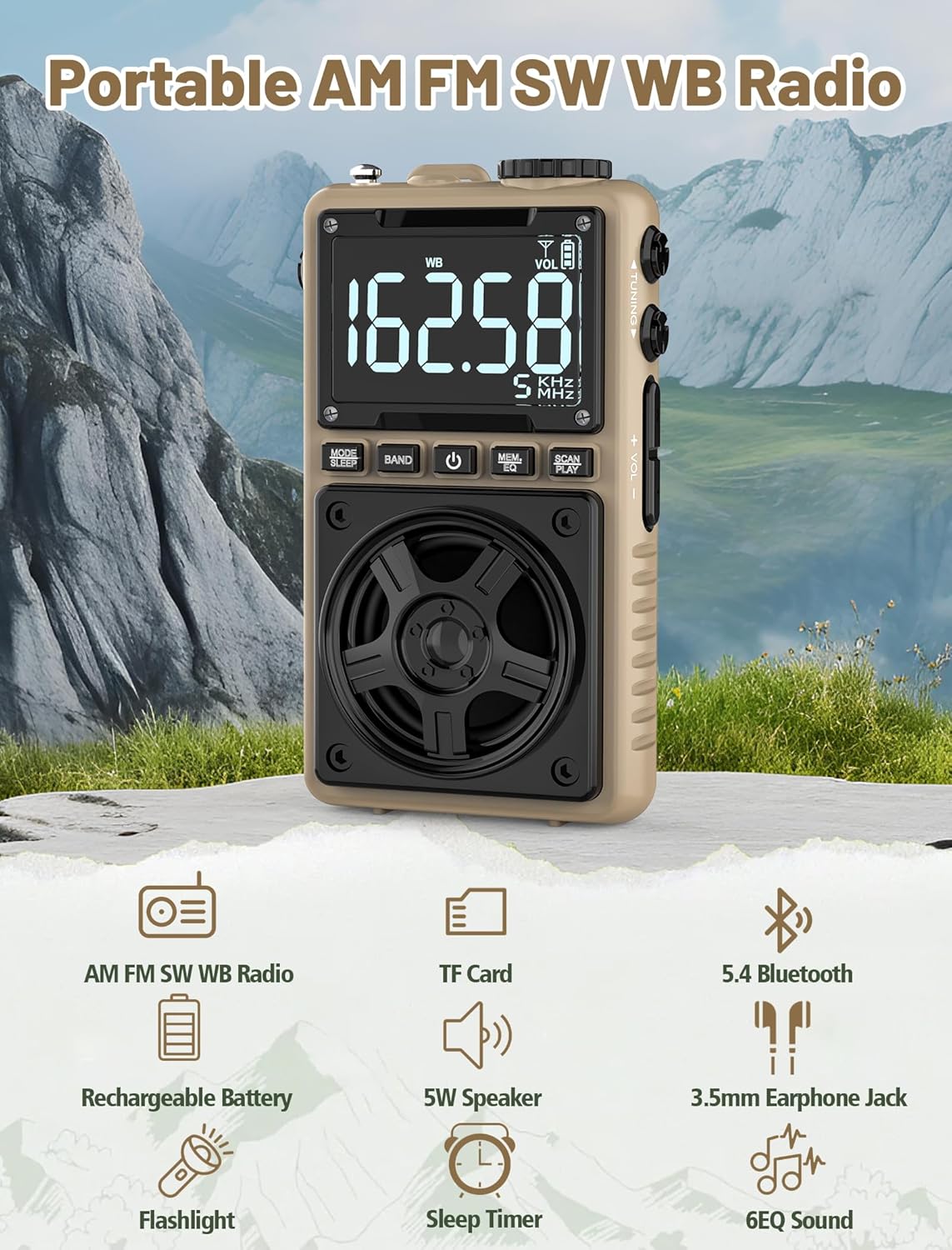
Image 1.1: The Jazmm Model 213 Portable Multi-Band Radio highlighting its key features including AM/FM/SW/WB radio, TF card support, Bluetooth 5.4, 5W speaker, rechargeable battery, flashlight, sleep timer, and 6 EQ sound effects.
2. Güvenlik Bilgileri
Lütfen bu ürünü kullanmadan önce tüm güvenlik talimatlarını okuyun ve anlayın. Bu talimatları ileride başvurmak üzere saklayın.
- Cihazı aşırı sıcaklıklara, doğrudan güneş ışığına veya yüksek neme maruz bırakmayın.
- Cihazı düşürmekten veya güçlü darbelere maruz bırakmaktan kaçının.
- Cihazı kendiniz sökmeyin, tamir etmeyin veya üzerinde değişiklik yapmayın. Tüm servis işlemlerini yetkili personele yaptırın.
- Cihazınızı su ve diğer sıvılardan uzak tutunuz.
- Şarj için yalnızca verilen şarj kablosunu veya sertifikalı bir Type-C kablosunu kullanın.
- Pili yerel yönetmeliklere uygun şekilde imha edin. Yakmayın.
- Uzun süre yüksek ses seviyesinde dinlemek işitme hasarına neden olabilir. Ses seviyesini orta bir düzeye ayarlayın.
3. Paket İçeriği
Paketin içinde tüm öğelerin mevcut olduğundan emin olun:
- Jazmm Model 213 AM FM SW WB Radio
- Kullanım Kılavuzu (bu belge)
- USB Tip-C Güç Kablosu
4. Ürün Bittiview
Radyonun bileşenlerini ve kontrollerini iyice öğrenin.

Resim 4.1: Ön ve yan görünüm view of the Jazmm Model 213 radio. The front features a large digital display, speaker, and control buttons (MODE/SLEEP, BAND, Power, MEM/EQ, SCAN/PLAY). The side shows the LOCK/LIGHT switch, TF card slot, DC 5V Type-C charging port, and a 1250mAh battery indicator.
Kontroller ve Bağlantı Noktaları:
- Dijital gösterge: Shows frequency, band, volume, battery level, and other indicators.
- Konuşmacı: Net ses için 5W çıkış gücü.
- MODE/SLEEP Button: Switches between modes (Radio, Bluetooth, TF Card) and activates sleep timer.
- BAND Düğmesi: Selects radio bands (FM, AM, SW, WB).
- Güç Düğmesi: Radyoyu açar/kapatır.
- MEM/EQ Button: Accesses memory functions and cycles through EQ sound effects.
- SCAN/PLAY Button: Initiates auto-scan for radio stations or plays/pauses in Bluetooth/TF card mode.
- Ayar Düğmesi: Adjusts frequency.
- Ses +/- Düğmeleri: Ses seviyesini ayarlar.
- LOCK/LIGHT Switch: Locks buttons or activates the flashlight.
- TF Kart Girişi: For Micro SD card playback (up to 128GB).
- DC 5V Tip-C Şarj Bağlantı Noktası: Dahili bataryayı şarj etmek için.
- 3.5 mm Kulaklık Girişi: Özel dinleme için.
- Teleskopik Anten: Daha iyi radyo alımı için.
- Back Clip & Wrist Strap: For portability and secure carrying.
5. Kurulum
5.1 İlk Şarj
Before first use, fully charge the radio's internal 1250mAh lithium polymer battery. Connect the provided USB Type-C power cord to the DC 5V charging port on the side of the radio and plug the other end into a compatible USB power adapter (not included) or a computer USB port. The charging indicator on the display will show charging status. A full charge typically takes approximately 1.5 hours and provides 10-12 hours of usage.

Image 5.1: The Jazmm Model 213 radio connected to a power adapter via its Type-C charging port, illustrating the charging process for its 1250mAh rechargeable battery.
5.2 Anten Ayarı
For optimal radio reception, extend the telescopic antenna fully when listening to FM, SW, or WB bands. For AM reception, the internal antenna is generally sufficient, but adjusting the radio's orientation may improve signal strength.
6. Kullanım Talimatları
6.1 Güç Açma/Kapatma
Basılı tutun Güç Düğmesi ( ) for approximately 2 seconds to turn the radio on or off.
6.2 Mod Seçimi
Basın MODE/SLEEP Button to cycle through available modes: Radio (FM/AM/SW/WB), Bluetooth, and TF Card (if a card is inserted).
6.3 Radio Band Selection and Tuning
Radyo modunda, tuşuna basın BANT Düğmesi to switch between FM, AM, Shortwave (SW), and NOAA Weather Band (WB).
- Dışişleri Bakanı: 87-108 MHz
- AM: 520-1710 KHz
- Türkçe: 4.75-21.85 MHz
- DB: 162.400-162.550 MHz

Image 6.1: The radio displaying different frequencies across FM, AM, SW, and WB bands, illustrating its multi-band reception capability with an extended antenna.
Manuel Ayarlama:
Döndür Ayar Düğmesi on the side of the radio to manually adjust the frequency.
Otomatik Tarama:
Basın SCAN/PLAY Button to automatically scan for and save available stations. The radio can store up to 100 preset stations.
6.4 Ön Ayarlı İstasyon
Otomatik taramadan sonra şunu kullanın: Ayar Düğmesi veya MEM/EQ Button to navigate through saved preset stations. Refer to the display for preset numbers (e.g., P01, P02).

Image 6.2: The radio positioned on a nightstand, illustrating the sleep timer function and the display of preset station numbers (P01, P05, P19, etc.).
6.5 Ses Kontrolü
Kullanın Ses +/- Düğmeleri on the side of the radio to increase or decrease the audio output.
6.6 Bluetooth Modu
Bluetooth moduna geçmek için şunu kullanın: MODE/SLEEP Button. The radio will enter pairing mode, indicated by a blinking Bluetooth icon on the display. On your smartphone, tablet, or laptop, search for Bluetooth devices and select "Jazmm 213" to connect. The radio acts as a Bluetooth speaker. Note: This radio does not support connection to Bluetooth earphones.
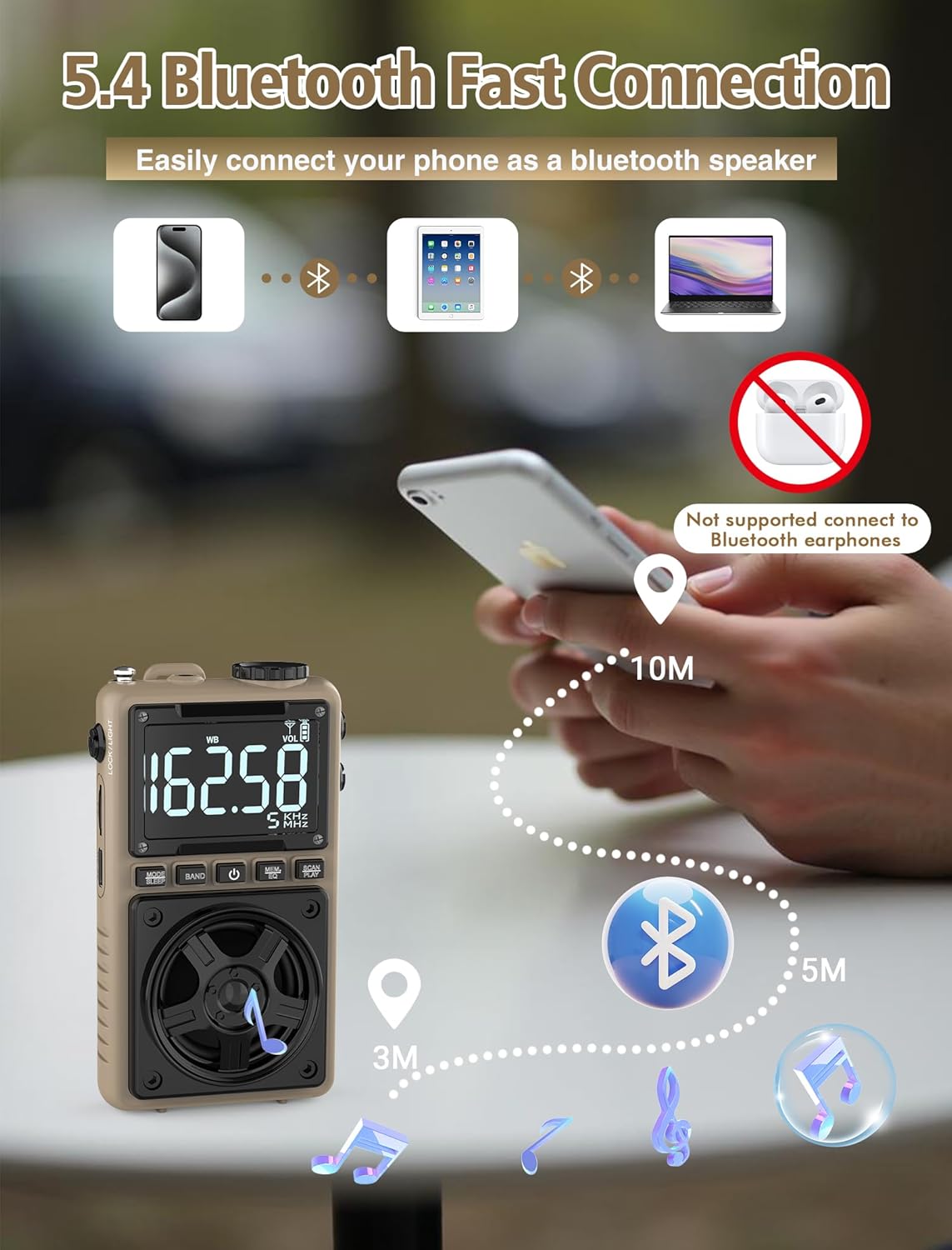
Image 6.3: A visual representation of the Jazmm Model 213 radio establishing a Bluetooth connection with various devices like smartphones, tablets, and laptops, functioning as a Bluetooth speaker.
6.7 TF Card Playback (MP3 Player)
Insert a Micro SD card (up to 128GB) with MP3 audio files içine TF Kart Yuvası. Switch to TF Card mode using the MODE/SLEEP Button. The radio will automatically begin playing music from the card. Use the SCAN/PLAY Button to play/pause and the Ayar Düğmesi Parçaları atlamak için.

Image 6.4: A user enjoying music through headphones connected to the Jazmm Model 213 radio, with an inset showing the TF card slot for Micro SD card insertion.
6.8 Kulaklık Kullanımı
Plug standard 3.5mm headphones into the 3.5 mm Kulaklık Girişi for private listening. The radio's speaker will automatically mute when headphones are connected.
6.9 NOAA Hava Durumu Uyarısı
In WB (Weather Band) mode, the radio is capable of receiving real-time weather alerts and updates from the National Oceanic and Atmospheric Administration. This feature helps you prepare for potential weather hazards. Ensure the antenna is extended for best reception.

Image 6.5: The radio displaying a NOAA weather alert, with a flashlight beam illuminating the foreground and a stormy sky in the background, emphasizing its emergency preparedness features.
6.10 El Feneri Fonksiyonu
Kaydırın LOCK/LIGHT Switch to activate the built-in LED flashlight. This can be useful in low-light conditions or emergencies.
6.11 Uyku Zamanlayıcısı
Basılı tutun MODE/SLEEP Button to activate the sleep timer. Repeated presses will cycle through available durations (e.g., 10, 60, 90, 120 minutes). The radio will automatically turn off after the selected time.
6.12 Kilit Anahtarı
Kaydırın LOCK/LIGHT Switch to the 'LOCK' position to prevent accidental button presses. This is useful when carrying the radio in a pocket or bag.
6.13 EQ Ses Efektleri
Basın MEM/EQ Button (short press) to cycle through 6 preset EQ sound effects: Normal, Rock, Pop, Jazz, Class, and Village. Select the effect that best suits your audio preference.

Image 6.6: The radio's 5W speaker is highlighted, surrounded by icons representing the six available EQ stereo sound effects: Normal, Rock, Pop, Jazz, Class, and Village.
7. Özellikler
| Özellik | Detay |
|---|---|
| Model Numarası | 213 |
| Ürün Boyutları | 2.3 x 4 x 1.3 inç (5.84 x 10.16 x 3.3 cm) |
| Ürün Ağırlığı | 4.6 ons (130 gram) |
| Desteklenen Radyo Bantları | FM (87-108MHz), AM (520-1710KHz), SW (4.75-21.85MHz), WB (162.400-162.550MHz) |
| Bağlantı Teknolojisi | Bluetooth 5.4 |
| Hoparlör Çıkışı | 5W |
| Pil | 1250mAh Lithium Polymer (Rechargeable, included) |
| Şarj Portu | USB Tip-C (DC 5V) |
| Şarj Süresi | Yaklaşık 1.5 saat |
| Kullanım Süresi | Approx. 10-12 hours (depending on usage) |
| Hafıza Kartı Desteği | Micro SD (TF Card) up to 128GB |
| Özel Özellikler | NOAA Weather Alert, Built-In Flashlight, SOS Alarm, Sleep Timer, 100 Preset Stations, Digital Backlight Screen, Back Clip, Wrist Strap |
8. Sorun Giderme
| Sorun | Olası Neden / Çözüm |
|---|---|
| Radyo açılmıyor. |
|
| Zayıf radyo alımı. |
|
| Bluetooth bağlanmıyor. |
|
| TF kartı çalışmıyor. |
|
| Hoparlörden/kulaklıktan ses gelmiyor. |
|
9. Bakım
- Temizlik: Radyonun dışını temizlemek için yumuşak ve kuru bir bez kullanın. Aşındırıcı temizleyiciler veya çözücüler kullanmayın.
- Depolamak: Uzun süre kullanılmayacaksa radyoyu serin ve kuru bir yerde saklayın.
- Pil Bakım: To prolong battery life, avoid fully discharging the battery frequently. Recharge the radio periodically even if not in use.
- Anten: Bükülmesini veya kırılmasını önlemek için teleskopik anteni nazikçe tutun. Kullanılmadığı zaman geri çekin.
10. Garanti ve Destek
Jazmm products are designed for reliability and performance. For warranty information, please refer to the documentation provided at the time of purchase or contact your retailer. If you encounter any issues or require technical assistance, please contact Jazmm customer support through the retailer's platform or the official Jazmm webalan.
Destek ile iletişime geçtiğinizde lütfen ürün model numaranızı (213) ve satın alma bilgilerinizi hazır bulundurun.