
SÜPVAN E11
SUPVAN E11 Bluetooth Etiket Yazıcı Kullanım Kılavuzu
giriiş
This manual provides detailed instructions for the setup, operation, maintenance, and troubleshooting of your SUPVAN E11 Bluetooth Label Maker Machine. Please read this manual thoroughly before using the device to ensure proper function and longevity.
Güvenlik Bilgileri
- Cihazı sudan ve yüksek nemden uzak tutun.
- Cihazı aşırı sıcaklıklara veya doğrudan güneş ışığına maruz bırakmayın.
- Use only SUPVAN approved label tapes to prevent damage to the print head.
- Cihazı kendiniz sökmeye veya onarmaya çalışmayın. Yardım için müşteri desteğine başvurun.
- Çocukların erişemeyeceği yerde saklayınız.
Paket İçeriği
Paketinizde tüm öğelerin mevcut olduğundan emin olun:
- E11 Etiketleme Makinesi
- Kullanıcı Kılavuzu
- USB-C Kablosu
- 2 Rolls White Continuous Label Tape (15 mm x 6 m)
- 2 Rolls White Die-cut Label Tape (12 mm x 40 mm)

Image: Contents of the SUPVAN E11 Label Maker package, including the label maker, USB-C cable, user manual, and four rolls of label tape.
Ürün Bittiview
The SUPVAN E11 is a portable thermal label maker designed for various labeling needs. It features a QWERTY keyboard for direct input and Bluetooth connectivity for app-based design and printing.
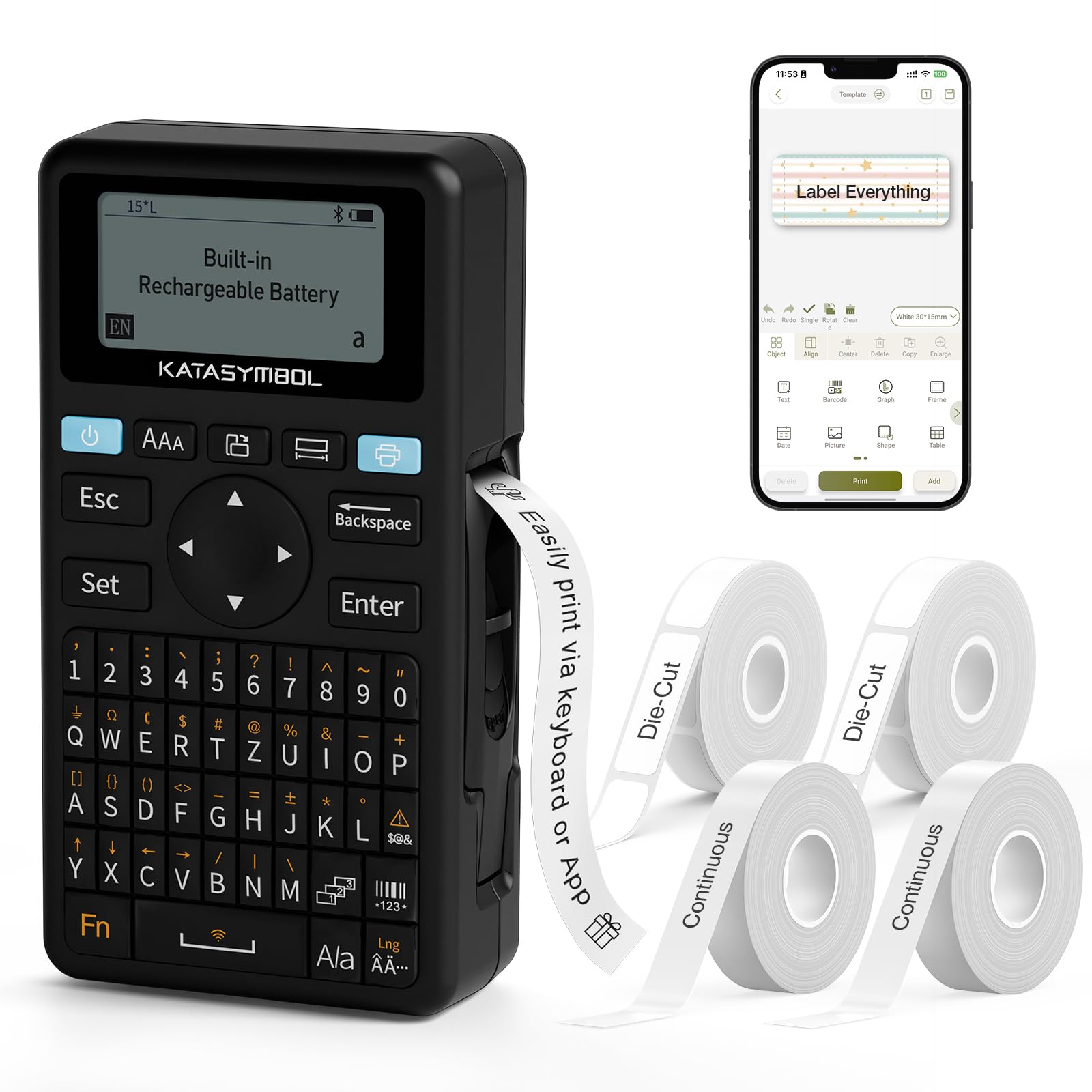
Resim: Ön view of the SUPVAN E11 Label Maker, showing the QWERTY keyboard and display screen.
Kurmak
1. Cihazın Şarj Edilmesi
The SUPVAN E11 features a built-in 1200 mAh rechargeable battery. Before initial use, fully charge the device using the provided USB-C cable.
- Connect the USB-C cable to the charging port on the label maker.
- Kablo ucunu bir USB güç adaptörüne (dahil değildir) veya bilgisayarın USB portuna bağlayın.
- Cihaz üzerindeki şarj göstergesi şarj durumunu gösterecektir.

Image: The SUPVAN E11 Label Maker demonstrating that it uses thermal paper and requires no ink or toner.
2. Etiket Bandının Takılması
The E11 label maker uses thermal label rolls. Follow these steps to install a new roll:
- Cihazın yan tarafındaki etiket bölmesi kapağını açın.
- Insert the label roll into the compartment, ensuring the label tape feeds out from the bottom and through the guide slot.
- Bölme kapağını güvenli bir şekilde kapatın.

Image: A hand demonstrating how to install a label tape roll into the SUPVAN E11 Label Maker.
3. Connecting via Bluetooth (App)
For advanced customization and printing, connect your label maker to the companion app:
- Download the official SUPVAN app from your device's app store.
- Turn on the label maker and ensure Bluetooth is enabled on your smartphone.
- Open the SUPVAN app and follow the on-screen instructions to pair with your E11 device.

Image: A visual guide showing the step-by-step process of connecting the label maker to the mobile app via Bluetooth.
Operasyon
1. Keyboard Printing
For quick and frequent labeling, use the integrated QWERTY keyboard:
- Etiket yazıcısını açın.
- Type your desired text using the keyboard. The text will appear on the LCD display.
- Press the 'Print' button to print the label.
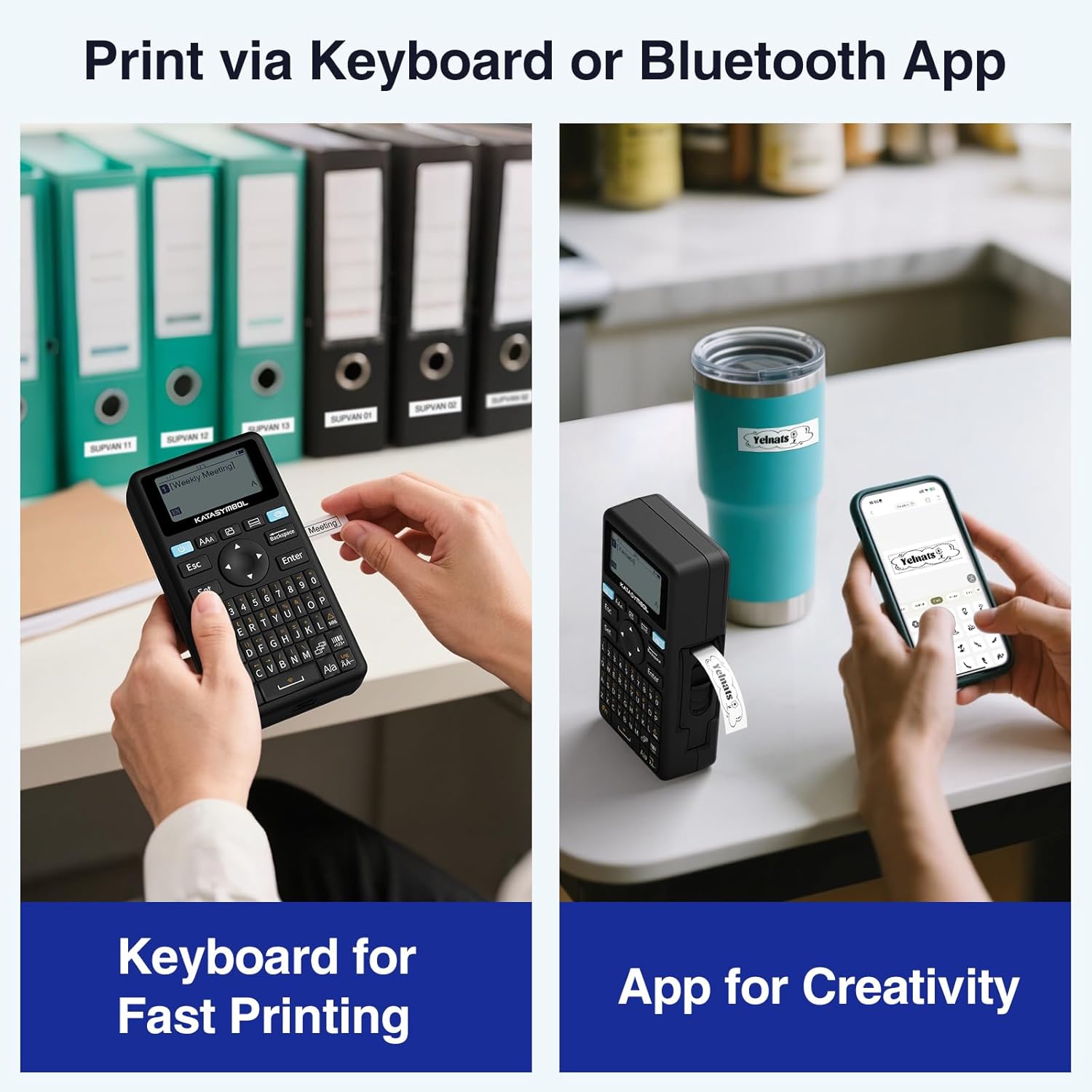
Image: A person using the SUPVAN E11 Label Maker's keyboard to type and print a label.
2. App Printing and Customization
The SUPVAN app offers extensive customization options:
- Ensure your device is connected to the app via Bluetooth.
- Open the app and select your label design.
- Utilize the app's features to customize your label:
- Yazı tipleri: Choose from over 30 fonts.
- Çerçeveler: Apply from over 50 frames.
- Simgeler: Select from over 660 icons.
- QR Kodları ve Barkodlar: Generate and print QR codes and various barcode types.
- Şablonlar: Create and save your own label templates.
- Once your design is complete, tap the 'Print' button in the app.
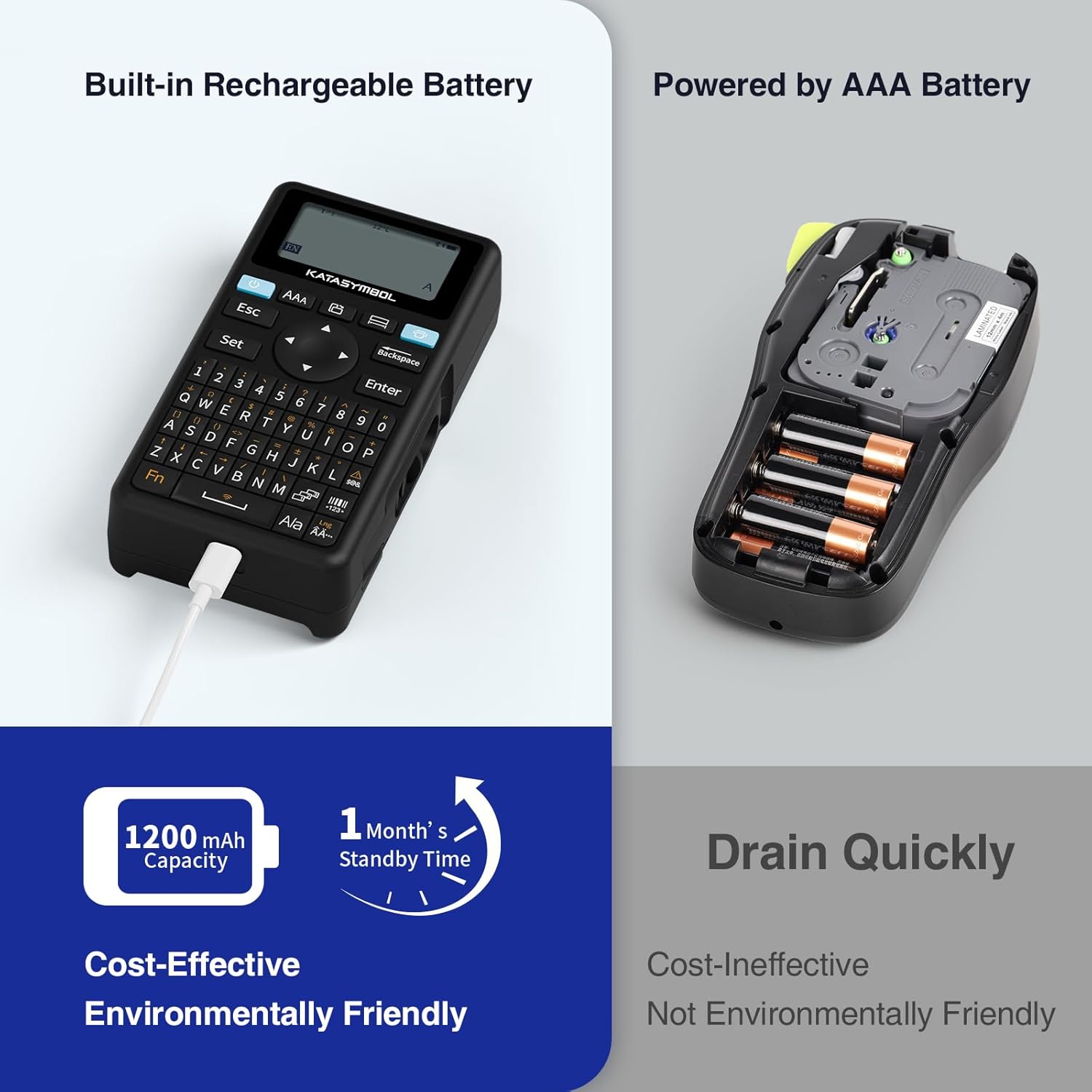
Image: A person using the SUPVAN E11 Label Maker in conjunction with the mobile app to design and print a customized label.

Image: A visual representation of the SUPVAN Label App's features, including a wide selection of fonts, frames, icons, and options for QR codes and barcodes.
Adjusting Label Font Size in the App
Video: This video demonstrates how to adjust the font size of your label text within the SUPVAN mobile application.
Adjusting Font Styles in the App
Video: This video illustrates the process of changing font styles and applying various formatting options to your labels using the SUPVAN mobile application.
3. Label Types and Minimal Margin Printing
The E11 supports both continuous and die-cut labels, offering flexibility for different applications. It also features minimal margin printing, reducing label waste.
- Sürekli Etiketler: Ideal for long text or custom lengths.
- Kalıp Kesim Etiketler: Pre-sized labels for specific items or standard applications.
- Minimal Margin: The E11 prints with only a 0.2-inch margin, significantly less than many other label makers, saving tape.

Resim: Eskiamples of die-cut and continuous labels printed by the SUPVAN E11, showcasing its versatility for different label types.
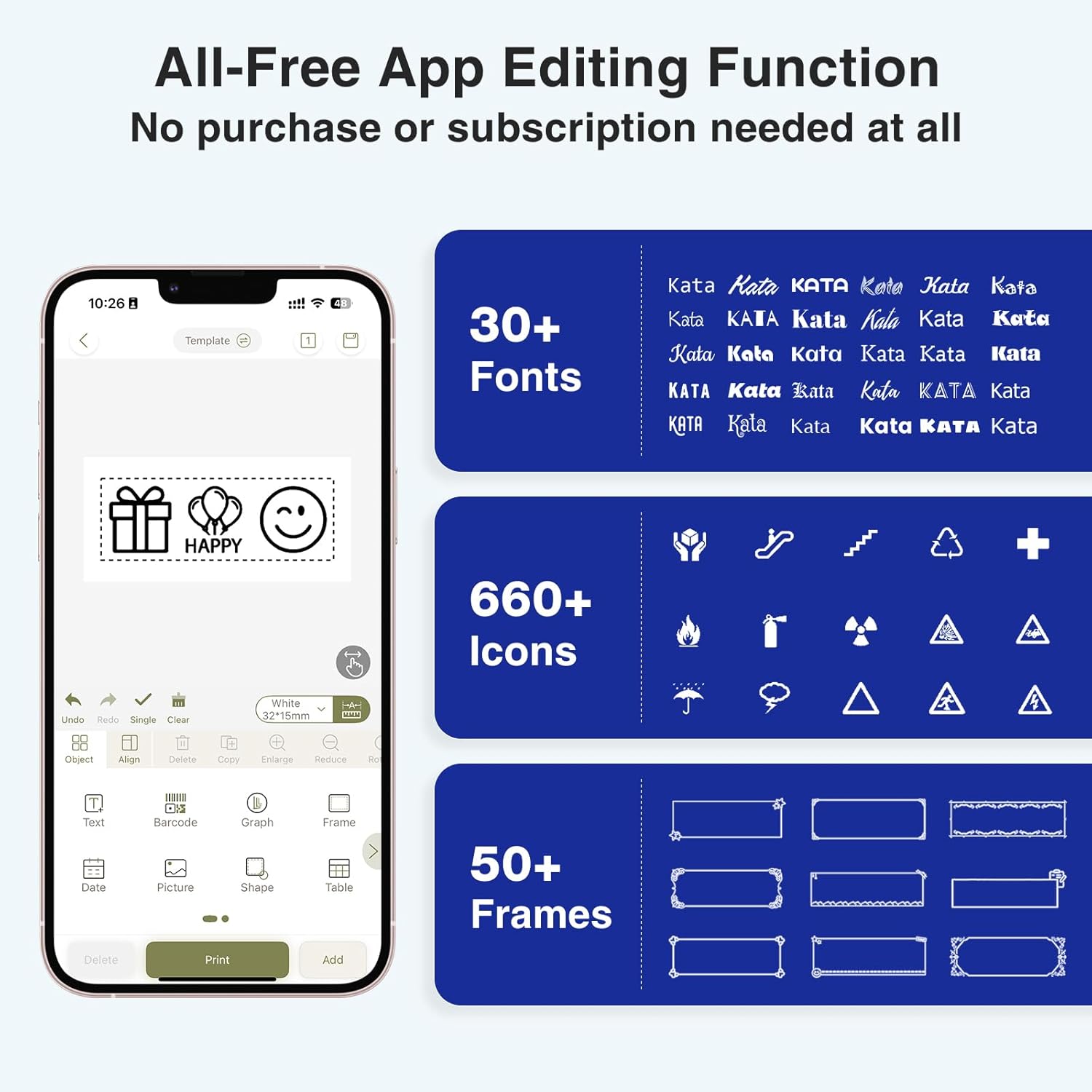
Image: A visual comparison highlighting the minimal 0.2-inch margin of SUPVAN labels versus the larger 1-inch margin of other label makers, demonstrating material efficiency.
4. Geniş Uygulama Alanları
The SUPVAN E11 is suitable for various organizational tasks in different environments:
- Ev: Organizing pantry items, storage bins, and personal belongings.
- Mutfak: Labeling food containers, spices, and expiry dates.
- Ofis: Categorizing fileDosyalar, klasörler ve ofis malzemeleri.
- Okul: Labeling school supplies, books, and projects.
- Garage/Workshop: Organizing tools and parts.

Image: A collage showing various applications of labels created with the SUPVAN E11, including labeling bottles, file folders, and storage containers.
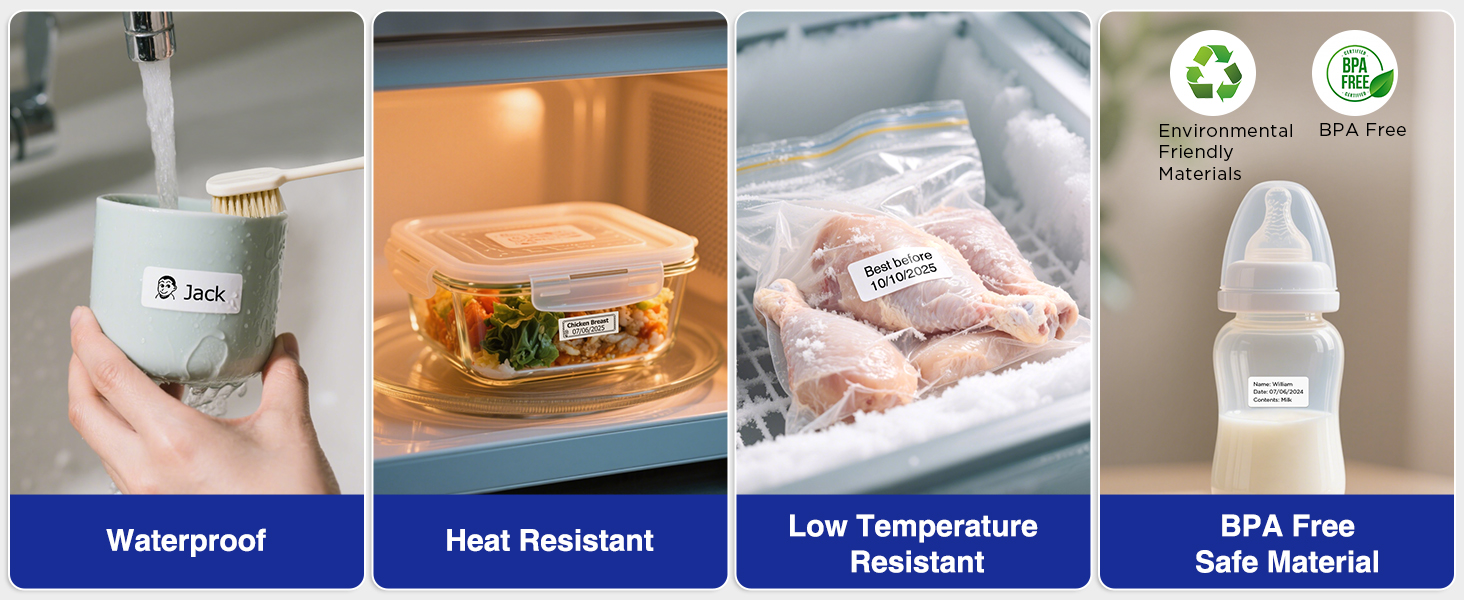
Image: A display illustrating the durability of SUPVAN laminated labels, highlighting their waterproof, heat-resistant, low-temperature resistant, and BPA-free characteristics.
Bakım
1. Baskı Kafasını Temizleme
En iyi baskı kalitesini sağlamak için baskı kafasını düzenli olarak temizleyin:
- Turn off the label maker and open the label compartment.
- Yazıcı kafasını yumuşak, tüy bırakmayan bir bezle nazikçe silin.ampİzopropil alkol ile yıkandı.
- Yazıcı kafasının tamamen kurumasını bekleyin, ardından bölmeyi kapatın ve cihazı kullanın.
2. Pil Bakımı
Pil ömrünü uzatmak için:
- Pilin sık sık tamamen boşaltılmasından kaçının.
- Pil ömrünü korumak için, cihaz kullanılmadığı zamanlarda bile düzenli olarak şarj edin.
- Uzun süre kullanılmayacaksa cihazı serin ve kuru bir yerde saklayın.
Sorun giderme
| Sorun | Olası Neden | Çözüm |
|---|---|---|
| Device does not turn on or turns off unexpectedly. | Low battery; device overload during long prints. | Ensure the device is fully charged. For long prints, try breaking the text into shorter segments. |
| Poor print quality (faint, streaky, or blank labels). | Print head is dirty; incorrect label tape installation; faulty label tape. | Clean the print head as described in the Maintenance section. Reinstall the label tape correctly. Try a new roll of label tape. |
| Bluetooth bağlantı sorunları. | Bluetooth is off; device not paired; app issues. | Ensure Bluetooth is enabled on both devices. Re-pair the label maker through the app. Restart the app and the label maker. |
| Labels are not feeding correctly or jamming. | Improper tape installation; foreign object in the feed path. | Open the compartment and re-install the tape, ensuring it is aligned. Check for any obstructions and carefully remove them. |
Özellikler
| Özellik | Detay |
|---|---|
| Marka | SÜPVAN |
| Model Adı | E11 |
| Bağlantı Teknolojisi | Bluetooth |
| Baskı Teknolojisi | Termal |
| Yazıcı Çıktısı | Tek renkli |
| Maksimum Baskı Hızı Tek Renkli | 40 mm/s |
| Çözünürlük | 203 dpi |
| Ürün Ağırlığı | 0.5 Pound (yaklaşık 227g) |
| Ürün Boyutları (D x G x Y) | 5.8" x 3.1" x 1.5" (yaklaşık 14.7 cm x 7.9 cm x 3.8 cm) |
| Pil Kapasitesi | 1200 mAh |
| Şarj Arayüzü | USB Tip C |
| Görüntü Türü | LCD |
| Kontrol Yöntemi | Uygulama, Basmalı Düğme |
| Maksimum Medya Boyutu | 15 mm x 6 m |
Garanti Bilgileri
SUPVAN E11 Etiket Yazıcısı şunlarla birlikte gelir: 2 Yıllık Üretici GarantisiBu garanti, normal kullanım koşullarındaki malzeme ve işçilik kusurlarını kapsar. Garanti talepleriniz için lütfen satın alma belgenizi saklayın.
For detailed warranty terms and conditions, please refer to the official SUPVAN website veya müşteri desteği ile iletişime geçin.
Müşteri Desteği
If you encounter any issues or have questions not covered in this manual, please contact SUPVAN customer support:
- Webalan: Visit the official SUPVAN webSSS ve destek kaynakları için site.
- E-posta: Ürün ambalajınıza veya resmi bilgilere bakın webMüşteri hizmetleri e-posta adresleri için site.
Ask a question about this manual
Ask about setup, troubleshooting, compatibility, parts, safety, or missing instructions. Manuals+ will review the question and use this page’s manual context to help answer it.