
Topwise G2-B
Topwise G2-B 1D 2D Bluetooth Barcode Scanner
Kullanıcı Kılavuzu
Model: G2-B | Brand: Topwise
1. Giriş
This manual provides detailed instructions for the Topwise G2-B 1D 2D Bluetooth Barcode Scanner. Designed for efficiency and versatility, this scanner offers high-speed and accurate barcode reading for various applications. Its ergonomic design ensures comfortable use over extended periods, and its long-lasting battery supports multiple work shifts. The G2-B is compatible with a wide range of devices and barcode types, including 1D, 2D, and QR codes.

Figure 1.1: Topwise G2-B Barcode Scanner with its adjustable stand.
2. Kurulum Kılavuzu
2.1 Kutudan Çıkarma ve Bileşenler
Paketi açtığınızda tüm bileşenlerin mevcut olduğundan emin olun:
- Topwise G2-B Barcode Scanner
- Adjustable Holder/Stand
- USB Şarj Kablosu
- 2.4G Kablosuz USB Dongle
- Kullanım Kılavuzu (bu belge)
Video 2.1: Unboxing the Topwise G2-B Barcode Scanner and its contents.
2.2 Tarayıcının Şarj Edilmesi
Before first use, fully charge the scanner using the provided USB cable. Connect the small end of the USB cable to the scanner's charging port and the other end to a USB power adapter (not included) or a computer's USB port. The charging indicator light will show the charging status.

Figure 2.2: The scanner features a 2000mAh Lithium-Ion battery, providing approximately 24 hours of working time, 3-4 hours for a full charge, and up to 150 days of standby time.
2.3 Bağlantı Yöntemleri
The Topwise G2-B scanner supports three primary connection methods:
- Bluetooth Kablosuz Bağlantısı: Ideal for mobile devices like smartphones and tablets, offering flexibility and portability.
- 2.4G Kablosuz Bağlantı: Utilizes the included USB dongle for a stable wireless connection to computers and POS systems.
- USB Kablolu Bağlantı: Connects directly via USB cable for reliable data transmission and simultaneous charging.

Figure 2.3: The scanner offers versatile 3-in-1 connection options, supporting various operating systems including Windows, Linux, Mac OS, Android, and iOS.
2.4 Yükleme Modları
Tarayıcı iki veri yükleme modunu destekler:
- Anında Yükleme Modu: Data is synchronously uploaded to your computer immediately after scanning a barcode.
- Çevrimdışı Depolama Modu: Barcodes are stored internally within the scanner's memory. You can then upload the stored data to your computer when needed.


Figure 2.4: Visual representation of Instant Upload Mode and Offline Storage Mode.
3. Kullanım Talimatları
3.1 Tarama Modları
The G2-B scanner offers three distinct scanning modes to suit different operational needs:
- Manuel Tetikleme Modu: Press the trigger button once for each scan.
- Sürekli Tarama Modu: The scanner remains in scanning mode continuously, eliminating the need to press the trigger for each scan.
- Otomatik Algılama Tarama Modu: The scanner automatically detects and scans barcodes when they are presented within its scanning range, optimizing power usage.

Figure 3.1: Choose the scanning mode that best fits your workflow for optimal efficiency.
3.2 Barcode Compatibility and Performance
The Topwise G2-B is engineered for superior performance, capable of reading a wide variety of barcode types, including 1D, 2D, and QR codes. It can even accurately scan barcodes that are damaged, fuzzy, dirty, or long, expanding its utility by 20% compared to standard scanners.
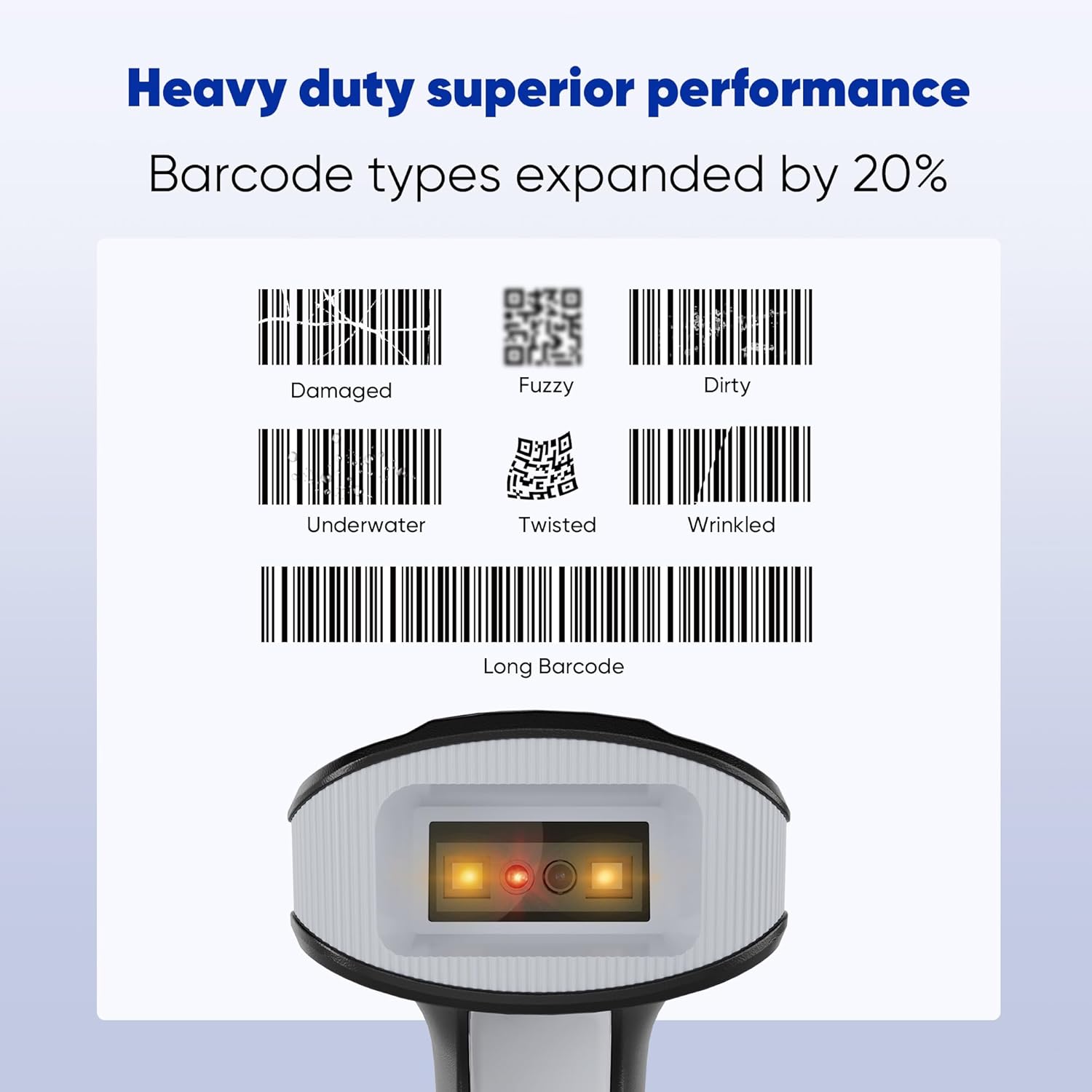
Figure 3.2: The scanner's robust performance ensures reliable reading even under challenging conditions.
3.3 Advanced Function Settings
The scanner offers customizable settings to enhance data output and user experience:
- Support Prefix & Suffix: Taranan verilerin önüne veya arkasına özel karakterler ekleyin.
- Turn on/off the Buzzer: Control the audible feedback for scans.
- Turn on/off the Vibration: Control the haptic feedback for scans.

Figure 3.3: Customize data output with prefix/suffix options and manage feedback settings.
3.4 Multiple Scanner Configuration
The G2-B supports both one-to-one and multiple-to-one receiver configurations, allowing for flexible deployment in various environments.

Figure 3.4: Flexible configurations for single or multiple scanner setups.
Video 3.5: Demonstration of the Topwise G2-B Barcode Scanner in operation, showcasing its scanning capabilities.
4. Bakım
To ensure the longevity and optimal performance of your Topwise G2-B Barcode Scanner, follow these maintenance guidelines:
- Temizlik: Tarayıcının dış yüzeyini düzenli olarak yumuşak bir bezle silin.amp Tarama penceresi için tüy bırakmayan bir bez ve hafif, aşındırıcı olmayan bir temizleyici kullanın. Lensi çizebilecek sert kimyasallardan veya aşındırıcı malzemelerden kaçının.
- Depolamak: Store the scanner in a cool, dry place away from direct sunlight, extreme temperatures, and high humidity. When not in use, place it in its stand or a protective case to prevent damage.
- Pil Bakım: To prolong battery life, avoid fully discharging the battery frequently. If storing for an extended period, ensure the battery is partially charged (around 50%) and recharge it every few months.
- Donanım Yazılımı Güncellemeleri: Üreticinin kontrol edin website periodically for any available firmware updates. Updates can improve performance, add new features, or fix bugs.
5. Sorun Giderme
If you encounter issues with your Topwise G2-B Barcode Scanner, refer to the following common problems and solutions:
| Sorun | Olası Neden | Çözüm |
|---|---|---|
| Tarayıcı Bluetooth/2.4G üzerinden bağlanmıyor | Out of range, low battery, incorrect pairing mode, dongle not properly inserted. | Ensure scanner is charged and within range. Re-pair the scanner according to the manual's instructions. Verify the USB dongle is securely connected. |
| Tarayıcı barkodları okumuyor | Barcode damaged/unreadable, incorrect scanning mode, dirty scanning window, insufficient lighting. | Try scanning a different, known-good barcode. Adjust scanning mode (e.g., Manual Trigger). Clean the scanning window. Ensure adequate lighting. |
| Data not transmitting to computer | Incorrect upload mode, software/driver issue (rare for plug-and-play), application not in focus. | Verify the scanner is in Instant Upload Mode if real-time transmission is desired. Ensure the cursor is in the correct text field of your application. Restart the computer/application. |
| Scanner beeps excessively or unexpectedly | Default beep settings, power on/off notification. | Refer to the manual's advanced function settings (Section 3.3) to adjust or disable the buzzer and vibration feedback. |
| Kısa pil ömrü | Frequent use, aging battery, continuous scanning mode. | Ensure full charge before use. Consider using Auto-sensing mode for power saving. If battery performance significantly degrades, contact support. |
6. Özellikler
| Özellik | Detay |
|---|---|
| Model Numarası | G2-B |
| Marka | Topwise |
| Bağlantı Teknolojisi | Bluetooth, 2.4G Kablosuz, USB Kablolu |
| Uyumlu Cihazlar | Dizüstü bilgisayar, Masaüstü bilgisayar, POS cihazı, Tablet, Akıllı telefon |
| Güç Kaynağı | Pil ile çalışır |
| Pil Türü | 1 Lityum İyon pil (dahil) |
| Ürün Ağırlığı | 1.01 pound |
| Paket Boyutları | 7.44 x 4.33 x 3.7 inç |
| Üretici | Topwise |
| Menşei ülke | Çin |
7. Garanti ve Destek
For warranty information and technical support, please contact Topwise US directly. Details regarding specific warranty periods and service procedures are typically provided with your purchase documentation or can be found on the official Topwise webalan.
For additional protection, third-party protection plans may be available through your retailer at the time of purchase.
Ask a question about this manual
Ask about setup, troubleshooting, compatibility, parts, safety, or missing instructions. Manuals+ will review the question and use this page’s manual context to help answer it.