
1. Giriş
Thank you for choosing the ELUSH 100A MPPT Solar Charge Controller. This device is designed to efficiently manage power from your solar panels to charge various battery types, ensuring optimal performance and longevity of your solar system. It automatically recognizes 12V, 24V, 36V, and 48V systems and features dual USB 5V charging ports for added convenience.
This manual provides essential information for the safe and effective installation, operation, and maintenance of your solar charge controller. Please read it thoroughly before use.

Resim 1: Ön view of the ELUSH 100A MPPT Solar Charge Controller, showing the LCD display and control buttons.
2. Ürün Bittiview ve Özellikler
2.1 Superior MPPT Technology
This controller incorporates an advanced Maximum Power Point Tracking (MPPT) algorithm to swiftly track the maximum power point of your photovoltaic (PV) array. This ensures a tracking efficiency of no less than 99.5%, significantly enhancing energy utilization within your solar system. It's important to note that this controller integrates both MPPT and PWM charging technologies, offering high charging efficiency and consistent performance.
2.2 Versatile Design and User Interface
The controller features a multi-function LCD with a backlight display and an integrated clock. It offers seven distinct operating modes to suit various application needs:
- Şarj Modu
- Işık Kontrol Modu
- Light Control + Time Delay Control Mode
- Universal Control Mode
- Manuel Kontrol Modu
- Timing Control Mode
The upgraded version supports precise time control, allowing connected devices to be automatically powered on and off according to user-defined schedules. The screen can also maintain a continuous bright state without entering hibernation or lock mode.
2.3 User-Centric Display and Controls
The LCD dynamically displays operational data and the working status of the equipment. Key parameters visible include:
- Çalışma Modu
- Pil Hacmitage
- PV Şarj Akımı
- Pil Deşarj Akımı
- Ürün Çalışma Sıcaklığı
- Gecikme Süresi
For configuration adjustments or restoring default settings, a 'reset to factory settings' feature is available, providing a quick and effective solution.

Image 2: Diagram illustrating the four major upgrades: accurate time control, screen stays lit, quick restore factory settings, and solar panel voltage ekran.
3. Kurulum ve Kurulum
3.1 Important Startup Sequence
WARNING: Incorrect connection order can damage the controller or battery. Always follow these steps:
- First, connect the rechargeable battery to the controller. Ensure the battery has sufficient power.
- After the controller successfully starts up and displays battery information, then connect the solar panel(s) to the controller.
- Finally, connect any DC loads to the controller's load terminals.
3.2 Bağlantı Terminali
The controller features clearly labeled terminals for solar panel input, battery connection, and DC load output. Additionally, it includes a DC output port and dual USB output ports for charging external devices.

Resim 3: Alt view of the controller, highlighting the aluminum base plate for heat dissipation and the DC output and dual USB output ports.

Image 4: Diagram illustrating the connection of solar panels, battery, and load to the charge controller, along with the LCD display and USB outputs.
4. Kullanım Talimatları
4.1 LCD Ekran Navigasyonu
The LCD provides real-time data. Use the 'MENU' button to cycle through different display screens and parameters. The 'RESET' button can be used to restore factory settings when needed.
4.2 Çalışma Modlarının Ayarlanması
The controller offers seven operating modes. Refer to the detailed instructions in the full product manual (if available) for specific configuration of each mode, including light control, time delay, and timing control. The 'ON/OFF' button typically controls the load output.
4.3 Time Control Function
The upgraded time control feature allows users to set precise schedules for powering devices on and off. This can be configured through the controller's menu interface. The screen can be set to remain continuously bright for constant monitoring.
5. Battery Charging Options
The ELUSH 100A MPPT Solar Charge Controller is compatible with a diverse range of battery types, ensuring flexibility for various solar power systems. Supported battery types include:
- Seal (Sealed Lead-Acid)
- JEL
- Flooded (Open Lead-Acid)
- LifePO4 (Lithium Iron Phosphate)
Ensure you select the correct battery type in the controller's settings for optimal charging and battery health.
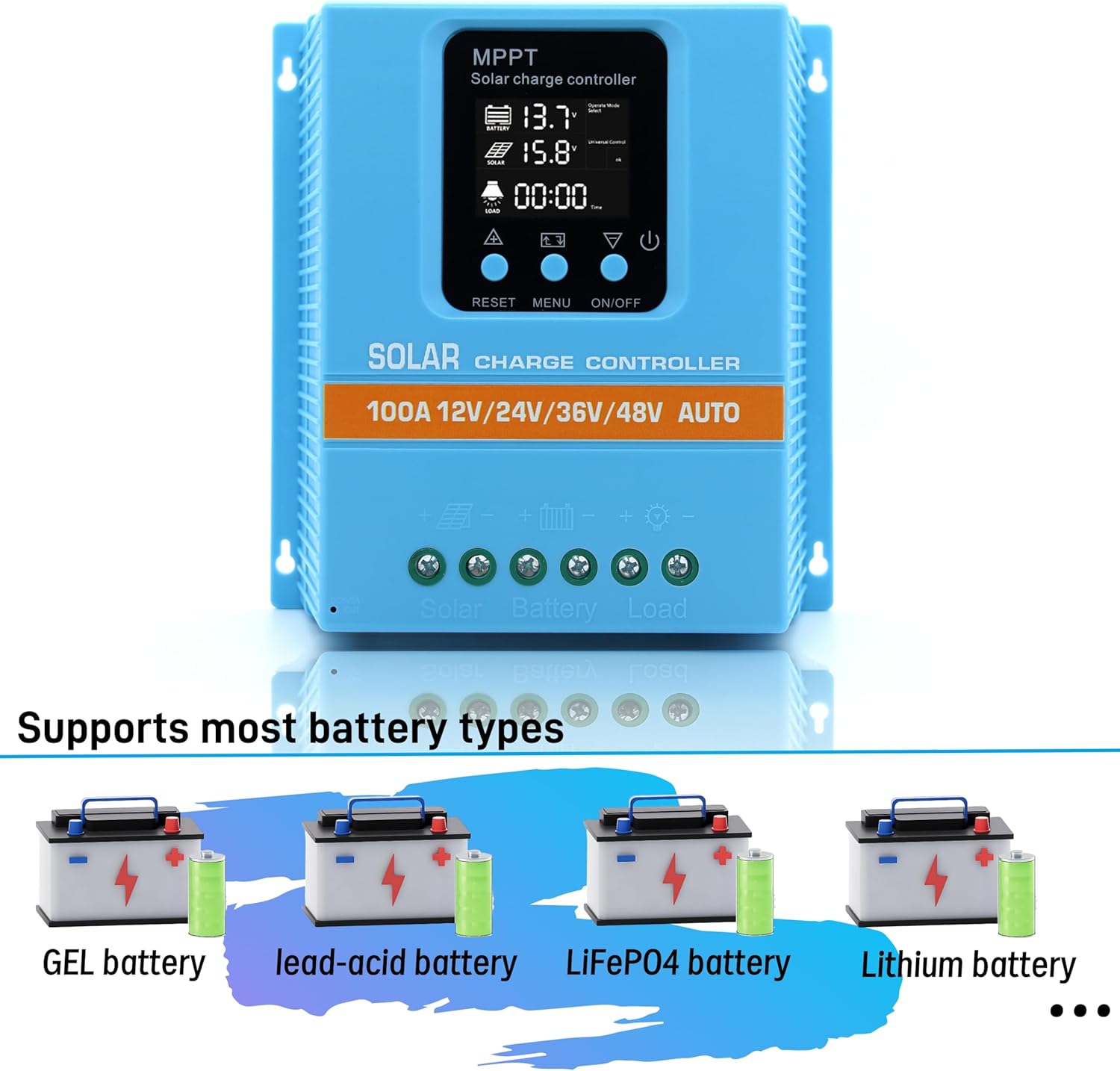
Image 5: Visual representation of the controller's compatibility with GEL, lead-acid, LiFePO4, and Lithium battery types.
6. Safety and Protection Features
The MPPT solar controller is equipped with comprehensive voltage protection mechanisms to safeguard your system and ensure reliable operation. These include:
- Pil Aşırı Hacmitage Koruma
- Aşırı Akım Koruması
- Elektrik Kesintisi Koruması
- Aşırı Yük Koruması
- Derin Deşarj Koruması
- Ters Bağlantı Koruması
- Aşırı Isınma Koruması
The device also displays the real-time voltage of the solar panel, allowing users to monitor energy input and assist in troubleshooting any potential issues.
7. Bakım
To ensure the long-term performance and reliability of your ELUSH 100A MPPT Solar Charge Controller, consider the following maintenance guidelines:
- Düzenli Muayene: Tüm kablo bağlantılarının güvenli ve korozyondan arınmış olduğundan emin olmak için düzenli olarak kontrol edin.
- Temizlik: Kontrol cihazını temiz ve toz ve kalıntılardan uzak tutun. Temizlik için kuru bir bez kullanın.
- Havalandırma: Ensure the installation location provides adequate ventilation to prevent overheating, especially given the aluminum base plate designed for heat dissipation.
- Çevresel Koşullar: Protect the controller from direct sunlight, moisture, and extreme temperatures outside its operating range.
8. Sorun Giderme
If you encounter issues with your solar charge controller, consider the following common troubleshooting steps:
8.1 Device Not Starting or Displaying Data
- Pil Bağlantısını Kontrol Edin: Ensure the rechargeable battery is connected first and has sufficient power to activate the controller. The controller requires battery power to operate.
- Verify Solar Panel Connection: Confirm that solar panels are connected correctly sonrasında Pil.
- Kablolamayı Kontrol Edin: Check all wiring for loose connections, breaks, or incorrect polarity.
8.2 Low Charging Efficiency
- Güneş Paneli Çıkışı: Ensure solar panels are clean, unobstructed, and receiving adequate sunlight.
- Pil Tipi Ayarı: Verify that the correct battery type is selected in the controller's settings.
- Sistem Hacmitage: Confirm that the system voltage (12V/24V/36V/48V) is correctly recognized by the controller.
- Hibrit Teknoloji: Remember that this controller integrates both MPPT and PWM technologies. While efficient, its performance characteristics may differ from pure MPPT controllers.
8.3 Load Not Functioning
- Check Load Connection: Ensure the load is correctly connected to the load terminals.
- Yükleme Modu: Verify the operating mode (e.g., light control, timing control) is correctly configured and enabled.
- Pil Hacmitage: Eğer pil hacmitage is too low, the controller may disconnect the load to protect the battery from deep discharge.
9. Özellikler
The following table outlines the technical specifications for the ELUSH 100A MPPT Solar Charge Controller:
| Özellik | Şartname |
|---|---|
| Pil Hacmitage | 12V/24V/36V/48V Otomatik |
| Şarj Akımı | 100A |
| Max Solar Input (Voc) | 15-25V (12V Battery); 30-50V (24V Battery); 45-75V (36V Battery); 60-100V (48V Battery) |
| Maksimum PV Giriş Gücü | 1200W (12V Battery); 2400W (24V Battery); 3600W (36V Battery); 4800W (48V Battery) |
| USB Bağlantı Noktası | DC 5V/1.5A x 2 USB |
| Çalışma Sıcaklığı | -25°C ila 55°C |
| Görüntü Türü | LCD |
| Üretici | ELUSH |
| Paket Boyutları | 8.5 x 8.23 x 2.83 inç |
| Ürün Ağırlığı | 2.09 pound (0.95 Kilogram) |
| Renk | Mavi |
| Malzeme | Plastik |

Image 6: Dimensions of the ELUSH 100A MPPT Solar Charge Controller (7.6in x 7.3in x 2.6in).
10. Garanti ve Destek
The ELUSH 100A MPPT Solar Charge Controller comes with a 1 yıllık garanti and lifetime technical support. Should you require assistance, have questions, or encounter any issues, please do not hesitate to contact the ELUSH support team. Our engineers are available to provide advice and solutions.