
giriiş
Thank you for choosing the EZVALO 16.5-inch Under Cabinet Lighting. This product combines smart motion sensing with a sleek design to provide versatile illumination for various indoor spaces. Featuring adjustable color temperatures, dimmable brightness, and a rechargeable battery, it offers a convenient and energy-efficient lighting solution.
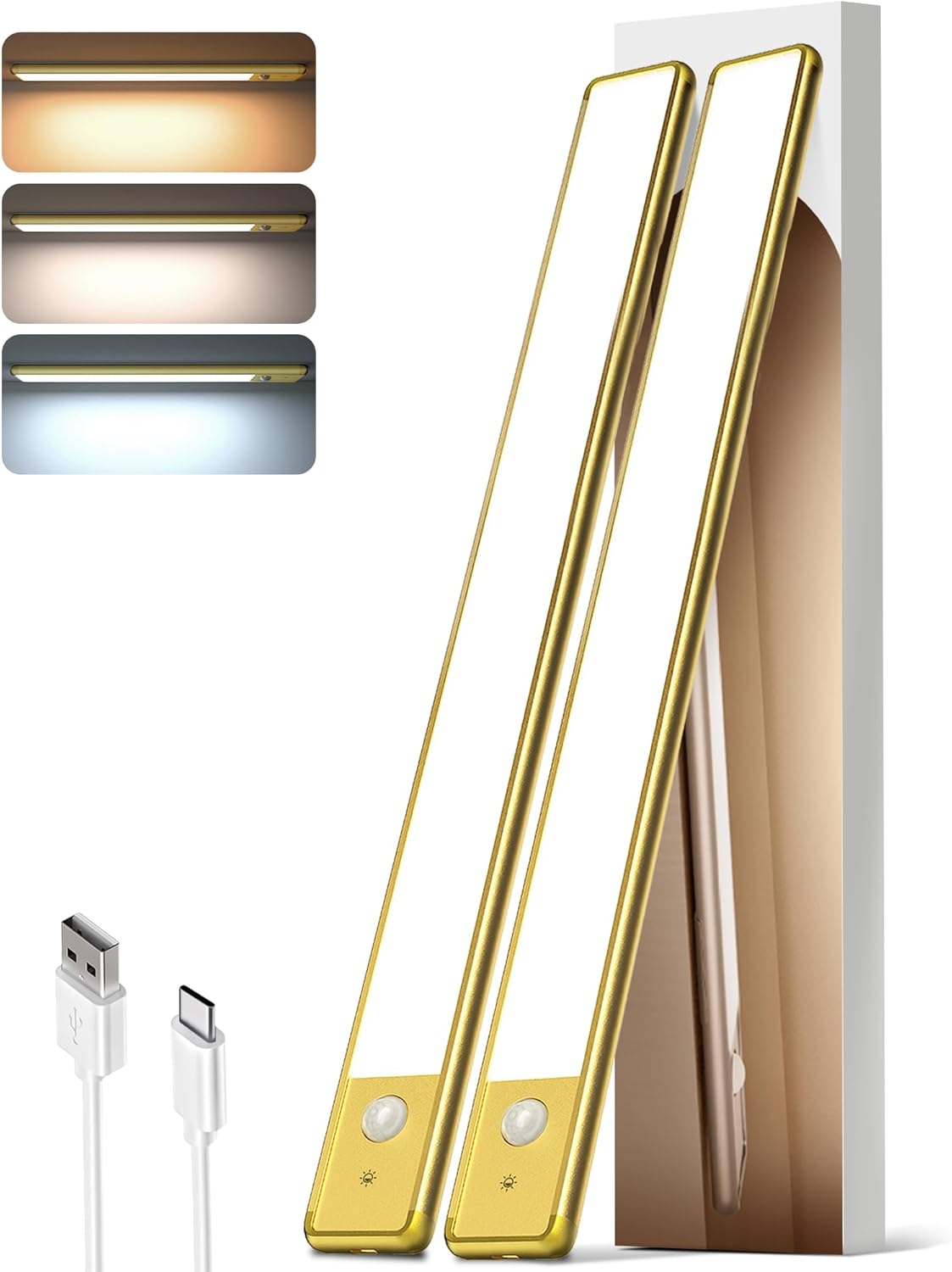
Image: The EZVALO 16.5-inch Under Cabinet Lighting unit, showcasing its slim profile and integrated motion sensor.
Paket İçeriği
- 2 x EZVALO 16.5-inch Cabinet Lights
- 1 x USB-C Charging Cord
- 4 x Yapışkanlı Demir Plaka
- 1 x Kullanım Kılavuzu (bu belge)
Ürün Özellikleri
- Akıllı Hareket Sensörü: Detects motion within 120° and 10 ft.
- 3 Renk Sıcaklıkları: Warm White (3500K), Natural (4200K), Cool White (5700K).
- Kısılabilir Parlaklık: %10 ile %100 arasında ayarlanabilir.
- Şarj Edilebilir Pil: 4000mAh capacity, offering extended use.
- Kolay Kurulum: Magnetic mount or 3M adhesive tape.
- Çok Yönlü Kullanım: Suitable for kitchens, closets, pantries, stairs, bedrooms, and more.
- Enerji Verimliliği: 74pcs energy-saving LEDs with a non-glare frosted cover.
Kurulum ve Yükleme
The EZVALO Under Cabinet Lighting offers two convenient installation methods:
Method 1: Magnetic Attachment (for metal surfaces)
- Ensure the metal surface is clean and dry.
- Simply place the light directly onto the metal surface. The built-in strong magnet will secure it.
Method 2: Adhesive Iron Plates (for non-metal surfaces)
- Identify the desired installation location. Ensure the surface is clean, dry, and smooth.
- Peel off the protective film from one side of the adhesive iron plate.
- Attach the adhesive side of the iron plate to the back of the light unit, aligning it with the magnetic strips.
- Peel off the protective film from the other side of the adhesive iron plate.
- Firmly press the light (with the attached iron plates) onto the desired surface for at least 30 seconds.

Image: Visual guide demonstrating the magnetic and adhesive installation process for the under cabinet light.
Not: The magnetic design allows for easy removal of the light unit for charging or repositioning without damaging surfaces.
Recommended Placement ExampŞunlar:
- Mutfak: Under cabinets for task lighting.
- Closet/Wardrobe: Inside for improved visibility.
- Kiler: To illuminate shelves.
- Merdiven: Along the wall for safety and ambiance.
- Desk/Workbench: For focused lighting.

Resim: Eskiamples of EZVALO lights installed in a kitchen, wardrobe, drawer, and staircase.
Kullanım Talimatları
The EZVALO light features a touch button for easy control of modes, color temperature, and brightness.
Touch Button Guide:
- Tek Dokunuş: Cycles through AUTO Mode and switches Color Temperature (Warm White, Natural, Cool White).
- Çift Dokunma: Activates "Always ON Mode".
- Üçlü Dokunma: Activates "Always OFF Mode".
- Uzun basma: Parlaklığı %10 ile %100 arasında ayarlar.

Image: Detailed diagram illustrating the touch button functions for mode selection, color temperature, and brightness adjustment.
Çalışma Modları:
- Night Mode (Motion Sensor): The light will only activate in darkness when motion is detected within 120° and 10 ft. It will turn OFF automatically after 20 seconds of no activity.
- Sürekli Açık Modu: The light remains continuously lit. Double-tap to activate for a continuous 30-minute lighting period.
- Always OFF Mode: The light remains off. Triple-tap to activate.

Image: Illustration of the motion sensor's detection range, covering a 120-degree wide angle and up to 10 feet.
Renk Sıcaklığı Seçimi:
Single tap the touch button to cycle through the three available color temperatures:
- Sıcak Beyaz (3500K): Provides a cozy and inviting atmosphere.
- Natural (4200K): Ideal for everyday lighting and general tasks.
- Soğuk Beyaz (5700K): Offers bright, clear light for focus and clarity.
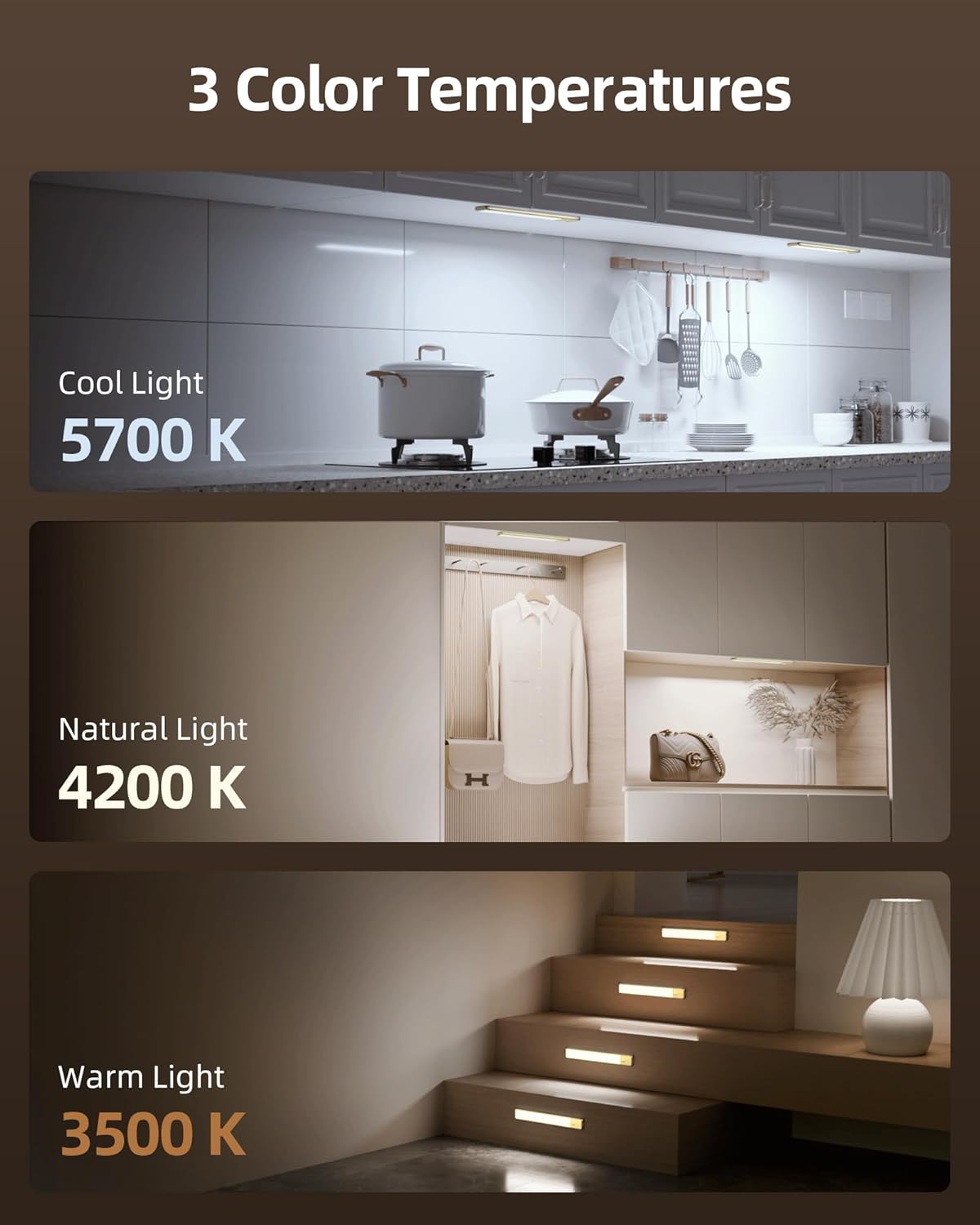
Image: Visual representation of the three color temperatures: Cool Light (5700K), Natural Light (4200K), and Warm Light (3500K).
Parlaklık Ayarı:
Long press the touch button to seamlessly adjust the brightness level from 10% (dimmest) to 100% (brightest). Release the button when the desired brightness is achieved.
Şarj etme
The EZVALO light is equipped with a 4000mAh rechargeable battery. Use the provided USB-C charging cord to recharge the unit.
- Locate the USB-C charging port on the side of the light unit.
- Connect the USB-C end of the charging cable to the light and the USB-A end to a compatible power source (e.g., USB wall adapter, computer USB port).
- Gösterge ışığı şarj durumunu gösterecektir.
- A full charge typically provides up to 30 days of use in AUTO Mode or 9.5 hours at 100% brightness in Always-On Mode.

Resim: Ayrıntılı view of the light's charging port and battery, with text indicating battery life in different modes.
Uç: Please fully charge the light before first use.
Bakım
- Temizlik: Wipe the light surface with a soft, dry cloth. Avoid using abrasive cleaners or solvents.
- Depolamak: Uzun süre saklayacaksanız, pili yaklaşık %50'ye kadar şarj edin ve serin, kuru bir yerde saklayın. Pilin sağlığını korumak için 3-6 ayda bir şarj edin.
- Pil Bakım: Do not expose the battery to extreme temperatures or attempt to disassemble it.
Sorun giderme
| Sorun | Olası Neden | Çözüm |
|---|---|---|
| Işık açılmıyor. | Pil bitmiş. | Verilen USB-C kablosunu kullanarak ışığı şarj edin. |
| Hareket sensörü çalışmıyor. | Light is not in AUTO Mode. | Single tap the touch button until AUTO Mode is active. |
| Motion sensor activates too frequently or not at all. | Incorrect placement or ambient light conditions. | Ensure the sensor is not obstructed. Adjust placement to avoid false triggers from pets or drafts. In Night Mode, the sensor only works in darkness. |
| Parlaklık veya renk sıcaklığı ayarlanamaz. | Yanlış işlem. | Refer to the "Operating Instructions" section for correct touch button usage (single tap for color, long press for brightness). |
Özellikler
| Marka | EZVALO |
| Model Numarası | LYB-42 |
| Boyutlar (U x G x Y) | 16.5"U x 1.56"G x 0.52"Y |
| Malzeme | Alüminyum |
| Güç Kaynağı | Pil ile Çalışır (4000mAh) |
| Işık kaynağı | LED (74pcs) |
| Renk Sıcaklıkları | 3500K (Warm White), 4200K (Natural), 5700K (Cool White) |
| Parlaklık | 10%-100% Dimmable, 120 Lumen Max |
| Hareket Sensörü Aralığı | 120° wide angle, up to 10 ft |
| Kontrol Yöntemi | Dokunmak |
| Kurulum Türü | Manyetik Dağı |
| Su Direnç Seviyesi | Suya dayanıklı değildir (Sadece iç mekan kullanımı için) |
Garanti ve Destek
For warranty information or technical support, please refer to the contact details provided on the product packaging or visit the official EZVALO webalan. Garanti talepleri için satın alma makbuzunuzu saklayın.
Relevant Product Videos
The following videos provide additional visual guidance and demonstrations of the EZVALO Under Cabinet Lighting:
Motion Activated Wireless Lighting For Small Closets
Video: A demonstration of the EZVALO motion-activated light being used in a small closet, highlighting its ease of installation and automatic functionality.
No Drill Under Cabinet Lighting
Video: This video illustrates the simple, no-drill installation process of the under cabinet lighting, showing how it can be easily attached to surfaces.
Motion Sensing Re-chargeable LED. WHY?
Video: Bir fazlaview discussing the benefits and features of the motion-sensing rechargeable LED light, including its versatility and energy efficiency.