
1. Giriş
This manual provides detailed instructions for the installation, operation, and maintenance of the Axis M3126-LVE Network Surveillance System. Please read this manual thoroughly before using the product to ensure proper functionality and safety. The Axis M3126-LVE is an outdoor-rated, vandal-proof, and weather-resistant network camera designed for reliable surveillance.
2. Güvenlik Bilgileri
Ürünün hasar görmesini önlemek ve kullanıcı güvenliğini sağlamak için aşağıdaki güvenlik önlemlerine uyun:
- Kurulum: Kurulum, tüm yerel yönetmelik ve kurallara uygun olarak, yetkili personel tarafından gerçekleştirilmelidir.
- Güç Kaynağı: Use only the specified Power over Ethernet (PoE) source. Do not use unauthorized power adapters.
- Çevre: Although the camera is weather-resistant, avoid direct exposure to extreme conditions beyond its operating specifications.
- Temizlik: Temizlemeden önce elektriği kesin. Yumuşak, kuru bir bez kullanın. Sıvı veya aerosol temizleyiciler kullanmayın.
- Servis: Bu ürüne kendiniz servis vermeye çalışmayın. Tüm servis işlemleri için kalifiye servis personeline başvurun.
3. Paket İçeriği
Paketin içinde tüm öğelerin mevcut olduğundan emin olun:
- Axis M3126-LVE Ağ Gözetim Kamerası
- Kurulum Kılavuzu
- Montaj Aksesuarları
- Matkap Şablonu
- Resistorx T20 tool
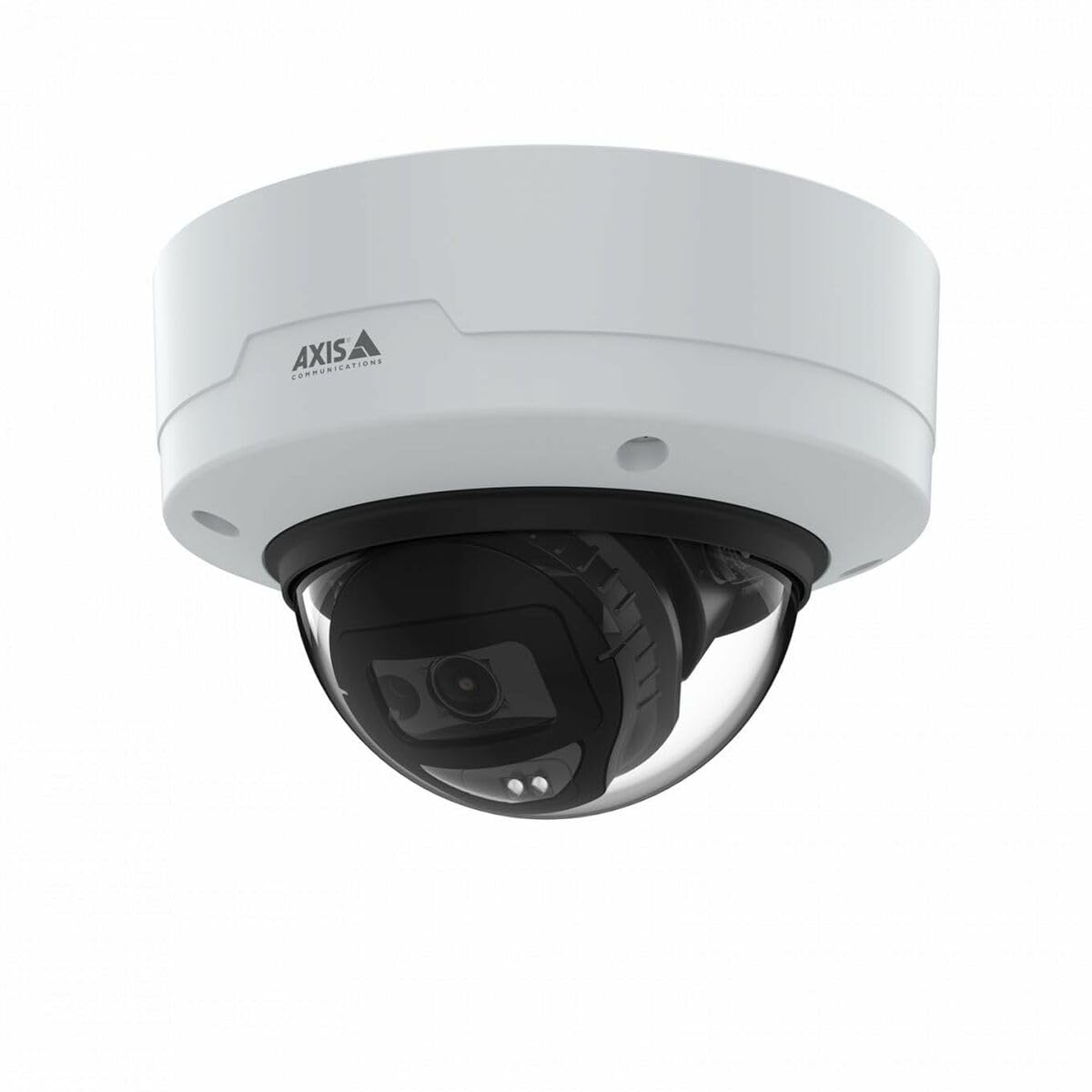
Image: The Axis M3126-LVE Network Surveillance System, a white dome camera, shown with its included mounting accessories.
4. Kurulum ve Kurulum
4.1 Kamerayı Monte Etme
The Axis M3126-LVE is designed for ceiling mount installation in outdoor environments. Ensure the mounting surface is strong enough to support the camera's weight (approximately 1.1 kg / 2.42 lbs).
- Konum Seçin: Choose a suitable outdoor location for optimal surveillance coverage, considering power and network cable access.
- Yüzeyi Hazırlayın: Use the provided drill template to mark and drill holes for mounting screws and cable routing.
- Güvenli Montaj: Attach the camera's mounting base securely to the ceiling using appropriate screws and anchors.
- Kabloları Bağlayın: Route the Ethernet cable through the designated opening. Connect the Ethernet cable to the camera's M12 connection port. This camera supports Power over Ethernet (PoE) for both power and data transmission.
- Fotoğraf makinesi gövdesini takın: Secure the camera body to the mounting base. Ensure all seals are properly seated to maintain weather resistance.
4.2 Ağ Bağlantısı ve İlk Yapılandırma
The camera connects to your network via a wired PoE Ethernet connection.
- Güç Açık: Once connected to a PoE-enabled network switch or injector, the camera will power on automatically.
- Kamerayı Keşfedin: Use the Axis IP Utility or Axis Device Manager software (available on the Axis Communications website) to discover the camera on your network.
- IP Adresi Ata: Assign a static IP address or configure DHCP settings as required by your network infrastructure.
- Erişim Web Arayüz: Bir tane aç web Tarayıcınıza girin ve kameranın IP adresini girerek erişim sağlayın. web arayüz.
- İlk Giriş: Follow the on-screen prompts to set a strong password for the administrator account.
- Temel Ayarlar: Configure essential settings such as date, time, and video resolution (up to 4 MP, 2688 x 1512).
5. Kameranın Çalıştırılması
The Axis M3126-LVE offers advanced surveillance capabilities. Access the camera's web interface for full control and configuration.
5.1 Canlı View ve Kayıt
- Canlı View: Şuradan: web Arayüzde, "Canlı" bölümüne gidin. View" section to see real-time video feed.
- Video Kalitesi: Adjust video stream settings (resolution, frame rate, compression using MJPEG, H.264, H.265, Zipstream) to optimize for network bandwidth and storage.
- Kayıt: Configure recording schedules, motion detection triggers, and storage locations (e.g., network-attached storage, SD card if supported).
5.2 Gelişmiş Özellik
- IR Gece Görüşü: The camera automatically switches to infrared (IR) night vision in low-light conditions, providing clear black and white video.
- Geniş Dinamik Aralık (WDR): WDR technology ensures clear images even in scenes with both very bright and very dark areas.
- Ses: The camera supports audio input for surveillance with sound. Configure audio settings in the web arayüz.
- Etkinlik Yönetimi: Olay tetikleyicilerini ayarlayın (örneğin, hareket algılama, tampering alarm) and corresponding actions (e.g., send email, start recording, upload video).
6. Bakım
Düzenli bakım, gözetim sisteminizin optimum performans göstermesini ve uzun ömürlü olmasını sağlar.
- Lensin Temizlenmesi: Periodically clean the camera lens with a soft, lint-free cloth. For stubborn dirt, use a mild lens cleaning solution. Do not use abrasive materials.
- Donanım Yazılımı Güncellemeleri: Axis Communications'ı düzenli olarak kontrol edin. webYazılım güncellemeleri için site. Yazılımın güncel tutulması, en yeni özelliklere, güvenlik yamalarına ve performans iyileştirmelerine erişim sağlar.
- Kablo Denetimi: Özellikle dış mekan kurulumlarında, tüm kabloları periyodik olarak aşınma veya hasar belirtileri açısından kontrol edin.
- Montaj Güvenliği: Verify that the camera remains securely mounted and that all screws are tight.
7. Sorun Giderme
This section addresses common issues you might encounter with the Axis M3126-LVE.
| Sorun | Olası Neden | Çözüm |
|---|---|---|
| Video yayını yok | Elektrik yok; Ağ kablosu bağlantısı kesilmiş; Yanlış IP adresi. | Check PoE connection; Verify network cable is securely connected; Confirm IP address and network settings. |
| Kötü görüntü kalitesi | Dirty lens; Incorrect video settings; Insufficient lighting. | Clean the camera lens; Adjust resolution, compression, and WDR settings; Ensure IR night vision is active in low light. |
| Erişilemiyor web arayüz | Yanlış IP adresi; Ağ bağlantı sorunu; Güvenlik duvarı erişimi engelliyor. | Verify IP address; Check network cable and switch; Temporarily disable firewall for testing; Use Axis IP Utility to find camera. |
| Camera offline intermittently | Unstable network connection; Faulty PoE injector/switch; Loose cable connection. | Check network infrastructure; Test PoE equipment; Secure all cable connections. |
8. Özellikler
Key technical specifications for the Axis M3126-LVE Network Surveillance System:
- Model Adı: AXIS M3126-LVE
- Parça Numarası: 02918-001
- İç/Dış Mekan Kullanımı: Dış mekan
- Bağlantı Protokolü: Ethernet
- Montaj Tipi: Tavan Montajı
- Renk: Beyaz
- Ürün Ağırlığı: 1.1 Kilogram (2.42 pound)
- Video Yakalama Formatı: MPEG-4, H.264, H.265, MJPEG
- Üretici: Eksen İletişimleri
- Özel Özellikler: 4 MP HD, IR night vision, WDR (Wide Dynamic Range), Zipstream, rugged weather/vandal resistance
- Bağlantı Teknolojisi: Wired PoE Ethernet, extensive network protocol support
- Çözünürlük: Up to 2688 x 1512 (4 MP)
- Dahil Bileşenler: Camera, Mounting Accessories
- Gerekli Piller: HAYIR
- Önerilen Kullanımlar: Outdoor/indoor security, wide-area monitoring, day/night surveillance, smart detection
9. Garanti ve Destek
Ayrıntılı garanti bilgileri için lütfen resmi Axis Communications web sitesine bakın. website or the warranty card included with your product. Axis Communications provides technical support and resources for their products.
Çevrimiçi destek: Visit the official Axis Communications support portal for FAQs, documentation, and software downloads.
Destek Ekibiyle İletişime Geçin: For direct assistance, contact Axis Communications customer support through their website veya ürün dokümantasyonunuzda sağlanan iletişim bilgileri.
Not: Protection plans may be available from third-party providers. These are separate from the manufacturer's warranty.
