
1. Giriş
The Awei H15 Smartwatch is designed to integrate seamlessly into your daily life, offering health monitoring, communication features, and smart notifications. This manual provides essential information for setting up, operating, and maintaining your device.
2. Kutuda Neler Var?
- 1 x Awei H15 Smartwatch
- 1 x Şarj Kablosu
- 1 x Kullanım Kılavuzu (bu belge)
3. Ürün Bittiview
Familiarize yourself with the key components of your Awei H15 Smartwatch.
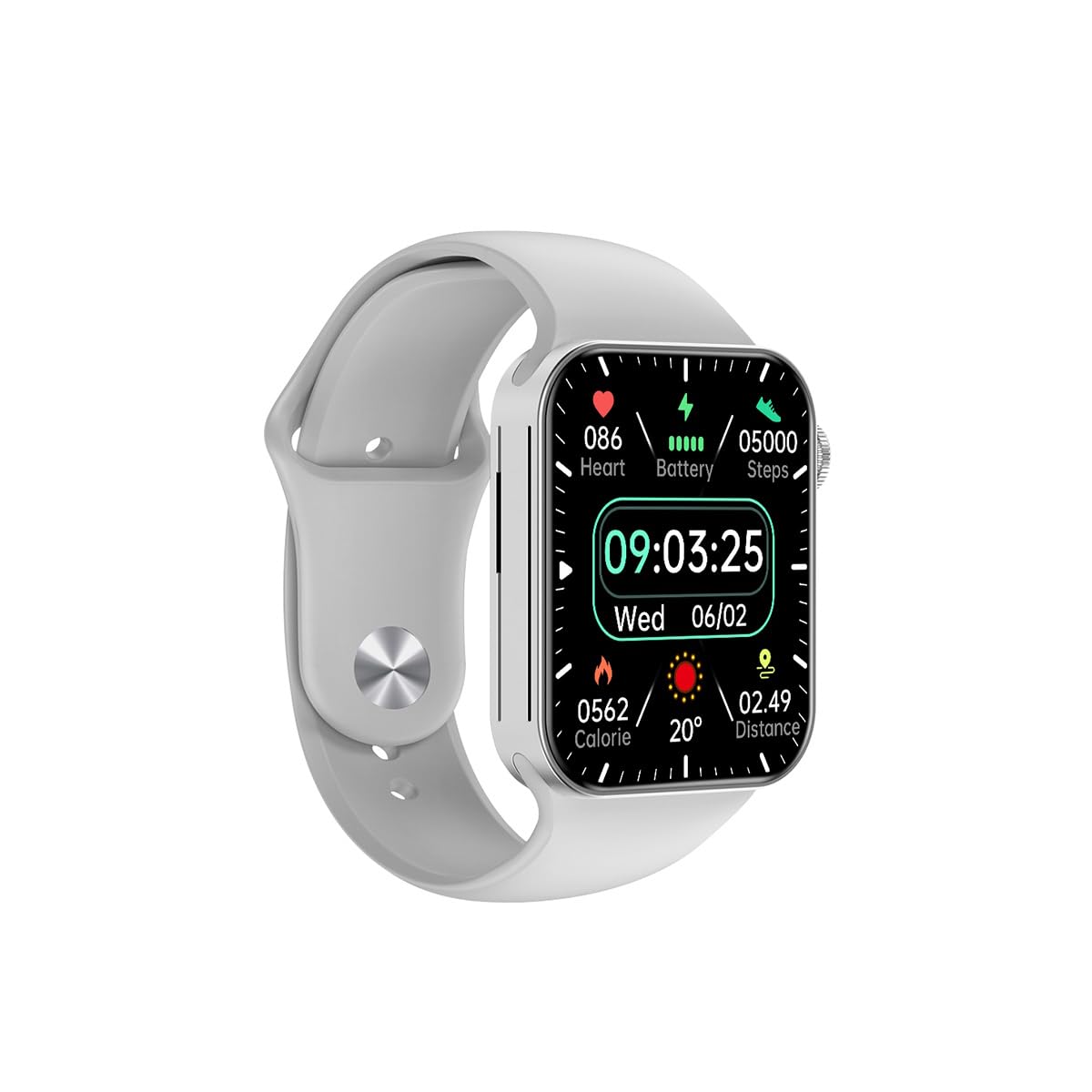
Şekil 3.1: Ön view of the Awei H15 Smartwatch display, illustrating various health metrics and time.

Şekil 3.2: Taraf view of the smartwatch, highlighting the rotary crown for navigation and an additional button.
4. Kurulum
4.1 Akıllı Saati Şarj Etme
Before first use, fully charge your Awei H15 Smartwatch. Connect the provided charging cable to the charging port on the back of the watch and to a standard USB power adapter (not included).
- Şarj Süresi: Tam şarj için yaklaşık 2-3 saat.
- Battery Life: Up to 7 days with calls, up to 15 days without calls.
4.2 Güç Açma/Kapatma
- Açmak İçin: Press and hold the side button until the Awei logo appears.
- Kapatmak İçin: Yan düğmeye basılı tutun, ardından ekranda 'Kapat' seçeneğini seçin.
4.3 Akıllı Telefonunuzla Eşleştirme
The Awei H15 Smartwatch uses Dual Bluetooth 3.0/5.0 for stable connectivity. To unlock full features, download the companion app (refer to the packaging or quick start guide for app name) from your smartphone's app store.
- Ensure your smartwatch is powered on and fully charged.
- Akıllı telefonunuzda Bluetooth’u etkinleştirin.
- Open the companion app and follow the on-screen instructions to search for and connect to your Awei H15 Smartwatch.
- Hem akıllı telefonunuzda hem de akıllı saatinizde eşleştirme isteğini onaylayın.
5. Kullanım Talimatları
5.1 Temel Gezinme
- Dokunmatik Ekran: Menüler ve ekranlar arasında gezinmek için sola, sağa, yukarı veya aşağı kaydırın. Öğeleri seçmek için dokunun.
- Döner Taç: Rotate the crown to scroll through lists or zoom in/out (where applicable). Press the crown to return to the home screen or confirm selections.
5.2 Multi-Dial Switching
Customize your smartwatch's appearance by switching between various watch faces.

Şekil 5.1: Examples of different watch faces available on the Awei H15 Smartwatch.
Saat yüzünü değiştirmek için:
- Ana ekrandan ekrana basılı tutun.
- Kullanılabilir saat yüzlerine göz atmak için sola veya sağa kaydırın.
- Tap on a watch face to select it.
5.3 Sağlık İzleme
The Awei H15 Smartwatch tracks various health metrics to support your active lifestyle.
- Kalp Atış Hızı: Gün boyunca kalp atış hızınızı takip edin.
- Etkinlik Takibi: The built-in G-Sensor (MSA311) accurately tracks steps, distance, and calories burned.
- Uyku İzleme: Track your sleep patterns (light sleep, deep sleep, wake-up times).
Access detailed health data through the companion app on your smartphone.
5.4 Akıllı Özellikler
- Çağrılar: Make and receive calls directly from your smartwatch when connected to your phone via Bluetooth.
- Bildirimler: Receive alerts for messages, emails, and app notifications.
- Hava Durumu Güncellemeleri: Gerçek zamanlı hava durumu bilgilerini alın.
- Müzik Kontrolü: Akıllı telefonunuzda müzik çalmayı kontrol edin.
6. Bakım
6.1 Temizlik
Akıllı saatinizin optimum performans ve hijyenini sağlamak için onu düzenli olarak temizleyin.
- Ekranı ve gövdeyi yumuşak, tiftiksiz bir bezle silin.
- İnatçı kirler için hafifçeampBezi suyla yıkayın. Sert kimyasallardan kaçının.
- İyi bir bağlantı sağlamak için şarj kontaklarını düzenli olarak temizleyin.
6.2 Suya Dayanıklılık (IP67)
The Awei H15 Smartwatch is IP67 water-resistant, meaning it is protected against dust and can withstand immersion in water up to 1 meter for 30 minutes.
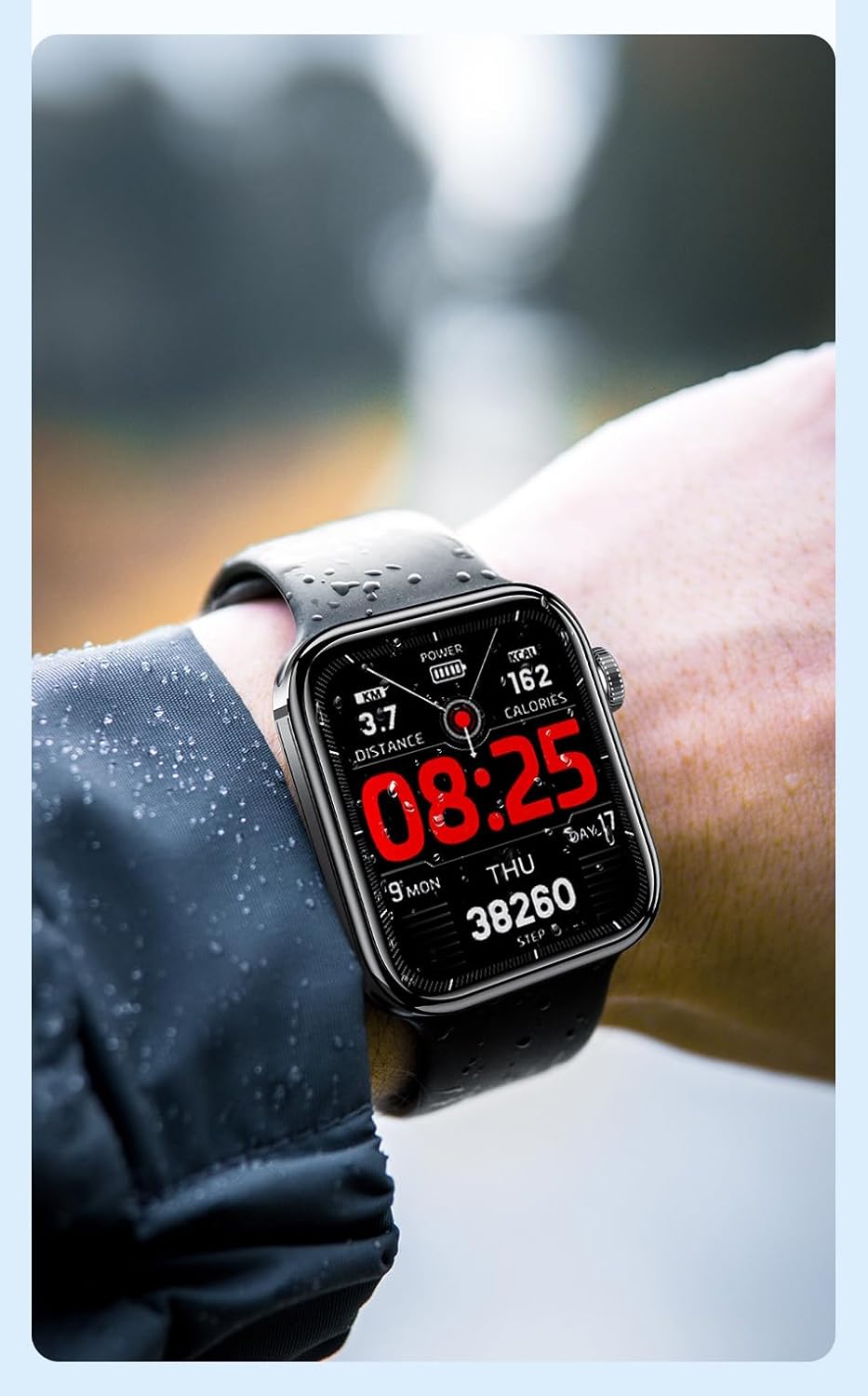
Şekil 6.1: The Awei H15 Smartwatch is designed to withstand splashes and dust.
Important: IP67 rating does not mean the watch is suitable for swimming, showering, or diving. Avoid exposing the watch to hot water, steam, or high-velocity water.
7. Sorun Giderme
- Saat açılmıyor: Saatinizin tam şarjlı olduğundan emin olun. Saatinizi en az 30 dakika şarj cihazına takın.
- Akıllı telefonla eşleştirilemiyor:
- Telefonunuzda ve saatinizde Bluetooth'un etkin olduğundan emin olun.
- Saatinizin telefonunuzun kapsama alanında olduğundan emin olun.
- Hem saati hem de telefonunuzu yeniden başlatın.
- Yardımcı uygulamanın en son sürüme güncellenip güncellenmediğini kontrol edin.
- Yanlış sağlık verileri: Saatin bileğinize tam oturduğundan, çok sıkı veya çok gevşek olmadığından emin olun. Saatin arkasındaki sensörü temizleyin.
- Kısa pil ömrü: Reduce screen brightness, disable unnecessary notifications, and limit continuous heart rate monitoring.
8. Özellikler
| Özellik | Şartname |
|---|---|
| Örnek | H15 |
| Bağlantı Teknolojisi | Bluetooth 3.0/5.0 |
| Suya Dayanıklılık | IP67 |
| Pil Kapasitesi | 260mAh |
| Şarj Süresi | 2-3 saat |
| Kullanım Süresi | Up to 7 days (with calls), 15 days (without calls) |
| G-Sensörü | MSA311 |
| Boyutlar | 36.8×42.5×13.2mm |
| Bileklik Uzunluğu | 270mm |
| Üretici | Awei |
9. Garanti ve Destek
Your Awei H15 Smartwatch comes with a 6 ay garanti Satın alma tarihinden itibaren geçerlidir. Bu garanti, normal kullanım koşullarındaki üretim hatalarını kapsar.
For warranty claims or technical support, please contact your retailer or the official Awei customer service. Keep your proof of purchase for warranty validation.