
giriiş
Thank you for choosing the SUNITEC BH880 Wireless Headset. This manual provides detailed instructions for setting up, operating, and maintaining your headset to ensure optimal performance and longevity. The BH880 headset is designed for clear communication and comfortable use in various environments, featuring advanced noise-cancelling technology and multiple connectivity options.

Image: SUNITEC BH880 Wireless Headset, showcasing its design with an adjustable microphone boom.
Kutuda Neler Var?
Paketin içinde tüm öğelerin mevcut olduğundan emin olun:
- 1 x SUNITEC BH880 Bluetooth Computer Headset with Microphone
- 1 x Type-C Şarj Kablosu
- 1 x Bluetooth Audio USB-A Dongle Adapter
- 1 x 3.5 mm Ses Kablosu
- 1 x Kullanım Kılavuzu (bu belge)

Image: The SUNITEC BH880 headset, USB-C charging cable, USB-A dongle, and 3.5mm audio cable, illustrating the package contents.
Ürün Bittiview
Familiarize yourself with the components and controls of your SUNITEC BH880 headset.
Temel Özellikler:
- Yapay Zeka Destekli Gürültü Engelleme Mikrofonu: Blocks 99% of ambient noise for clear voice transmission.
- Qualcomm QCC3034 Chipset: Provides stable and fast Bluetooth transmission with aptX HD and aptX LL support.
- Rahat Tasarım: Soft dual ear pads and an adjustable headband for extended wear.
- 270° Rotatable Boom Microphone: Can be positioned on either the left or right side.
- Uzun Pil Ömrü: Tek şarjla 45 saate kadar konuşma süresi.
- Çoklu Bağlantı: Bluetooth, USB Dongle, and 3.5mm wired connection.

Image: Close-up of the memory foam earpads, highlighting the comfort feature of the headset.

Image: Detail of the individual mute button located on the microphone boom.

Resim: Dahili view highlighting the Qualcomm QCC3034 chipset, responsible for stable and fast connections.
Kurmak
1. Kulaklığı Şarj Etme
Before first use, fully charge the headset. Connect the Type-C charging cable to the headset's charging port and the other end to a USB power source (e.g., computer USB port, wall adapter). The LED indicator will show charging status. A full charge takes approximately 2 hours and provides up to 45 hours of talk time or 400 hours of standby time.
2. Güç Açma/Kapatma
- Güç Açık: LED göstergesi yanana kadar Güç düğmesini birkaç saniye basılı tutun.
- Kapat: LED göstergesi kapanana kadar Güç düğmesini birkaç saniye basılı tutun.
3. Bağlantı Seçenekleri
The SUNITEC BH880 offers three ways to connect to your devices:
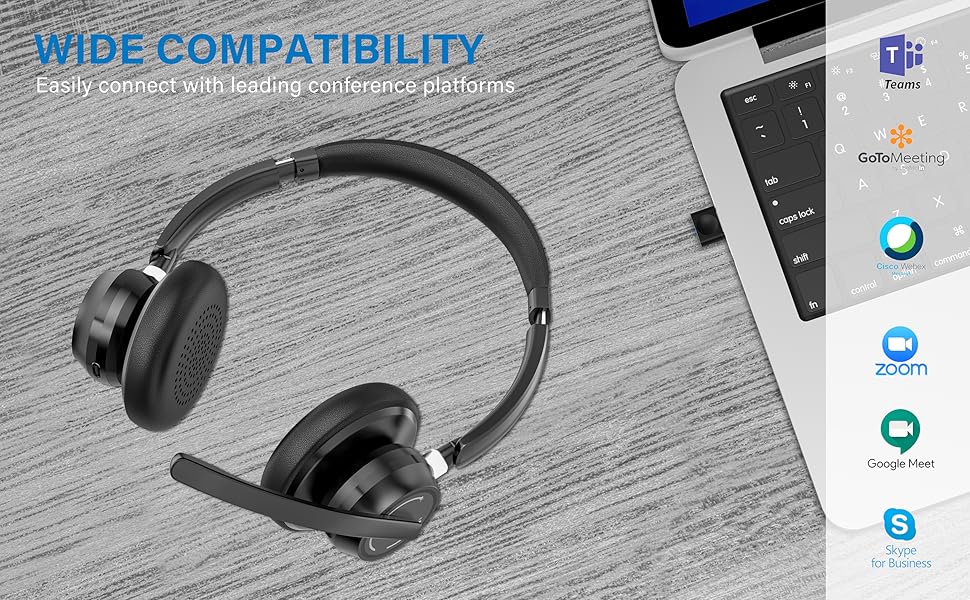
Image: Visual representation of Bluetooth, USB Dongle, and Wired connection methods for the headset.
Bluetooth Bağlantısı:
- Kulaklığın kapalı olduğundan emin olun.
- Eşleştirme modunu gösteren LED göstergesi sırayla mavi ve kırmızı renkte yanıp sönene kadar Güç düğmesini basılı tutun.
- Cihazınızda (akıllı telefon, tablet, bilgisayar) Bluetooth'u etkinleştirin ve yeni cihazları arayın.
- Select "SUNITEC BH880" from the list of available devices.
- Bağlandıktan sonra LED göstergesi yavaşça mavi renkte yanıp sönecektir.
USB Dongle Bağlantısı:
This method is ideal for computers without built-in Bluetooth or for a more stable connection.
- Plug the USB-A Dongle Adapter into an available USB port on your computer.
- Power on the SUNITEC BH880 headset. It will automatically attempt to connect to the dongle.
- The LED indicator on the dongle and headset will show a solid blue light once connected.
- You may need to select the "SUNITEC BH880" as the audio input/output device in your computer's sound settings.

Image: A USB dongle being inserted into a laptop's USB port, demonstrating the dongle connection method.
Kablolu Bağlantı:
Use the included 3.5mm audio cable to connect the headset directly to devices with a 3.5mm audio jack. Note that the microphone function is not available when using the 3.5mm wired connection; the headset will function as headphones only.

Image: The headset shown with logos of popular communication platforms like Teams, Zoom, Google Meet, and Skype, indicating wide compatibility.
Kullanım Talimatları
Temel Fonksiyonlar:
- Sesi Aç/Kapat: Use the dedicated volume buttons on the earcup.
- Oynat/Duraklat: Çok işlevli düğmeye bir kez basın.
- Sonraki Parça: Sesi Açma tuşuna basılı tutun.
- Önceki parça: Sesi Azaltma düğmesini basılı tutun.
Çağrı İşlevleri:
- Çağrıyı Cevapla/Sonlandır: Çok işlevli düğmeye bir kez basın.
- Çağrıyı Reddet: Çok işlevli düğmeyi 2 saniye basılı tutun.
- Son Numarayı Tekrar Ara: Çok işlevli düğmeye iki kez basın.
Mikrofon Sessiz İşlevi:
The headset features an individual mute button on the microphone boom for quick privacy control.
- Sessiz/Sesi Aç: Press the mute button on the microphone boom. The LED indicator on the microphone will show red when muted.
- Not: For PC platforms, microphone mute functionality may also be controlled via the software application (e.g., Zoom, Teams).
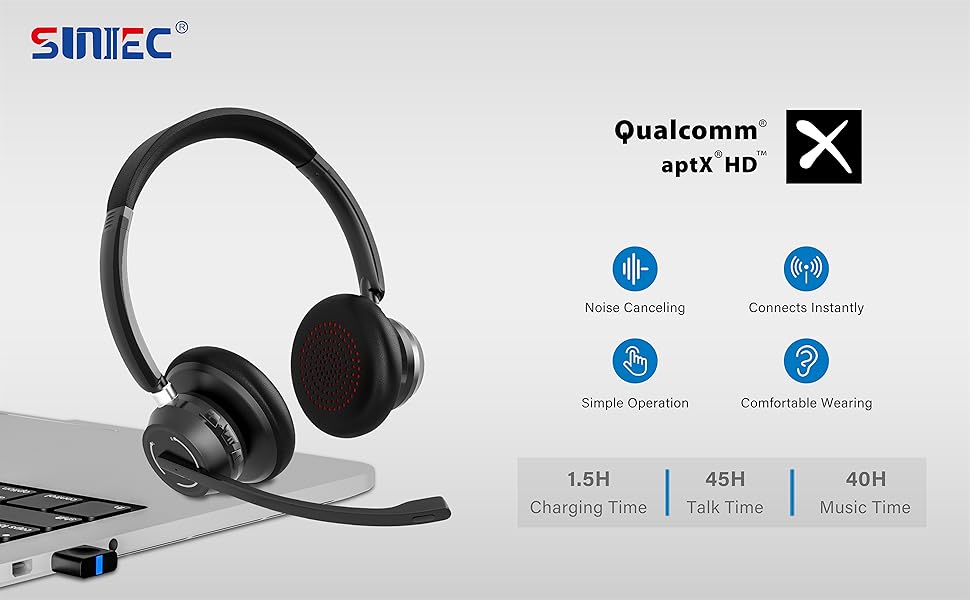
Image: A graphic demonstrating how the noise-cancelling microphone filters out background noise for clearer audio output.
Bakım
Proper care ensures the longevity of your SUNITEC BH880 headset.
- Temizlik: Kulaklığı temizlemek için yumuşak ve kuru bir bez kullanın. Aşındırıcı temizleyiciler veya çözücüler kullanmayın.
- Depolamak: Kulaklığınızı serin, kuru ve doğrudan güneş ışığından ve aşırı sıcaklıklardan uzak bir yerde saklayın.
- Pil Bakım: Pil ömrünü korumak için kulaklığı sık sık tamamen boşaltmaktan kaçının. Uzun süre kullanılmasa bile düzenli olarak şarj edin.
- Nemden Kaçının: The headset is not water-resistant. Keep it away from liquids and high humidity.
Sorun giderme
If you encounter issues with your SUNITEC BH880 headset, refer to the following common solutions:
| Sorun | Çözüm |
|---|---|
| Kulaklık açılmıyor. | Ensure the headset is charged. Connect it to a power source using the Type-C cable. |
| Bluetooth üzerinden eşleştirme yapılamıyor. |
|
| Ses yok veya ses kalitesi düşük. |
|
| Mikrofon çalışmıyor. |
|
| USB Dongle not connecting. |
|
Özellikler
| Özellik | Detay |
|---|---|
| Model Adı | BH880 |
| Bağlantı Teknolojisi | Wireless (Bluetooth), Wired (3.5mm), USB Dongle |
| Kablosuz İletişim Teknolojisi | Bluetooth 5.1 |
| Bluetooth Menzili | 15 metreye (49 feet) kadar |
| Gürültü Kontrolü | Uyarlanabilir Gürültü Engelleme (Mikrofon) |
| Ses Sürücüsü Boyutu | 40 Milimetre |
| Ses Sürücüsü Türü | Dinamik Sürücü |
| Empedans | 32 Ohm |
| Kulaklık Şekli | Kulak Üstü |
| Pil Ömrü (Konuşma Süresi) | 45 Saate Kadar |
| Şarj Süresi | Approximately 2 Hours (Type-C) |
| Ürün Ağırlığı | 280 Gram (9.9 ons) |
| Ürün Boyutları | 5.91 x 3.94 x 1.96 inç |
| Malzeme | Plastik |
| Uyumlu Cihazlar | Computers, Communication Software (Skype, Zoom, MS Teams, Google Meet) |
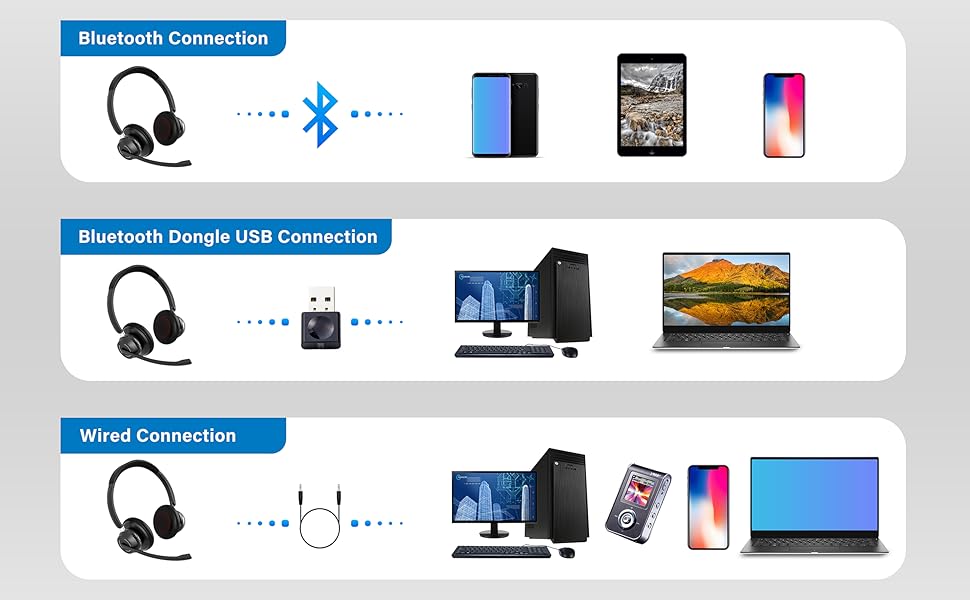
Image: An illustration highlighting the headset's battery performance, indicating up to 45 hours of wireless talk time.
Garanti ve Destek
SUNITEC products are designed for reliability and performance. For warranty information or technical support, please refer to the contact details provided with your purchase or visit the official SUNITEC webSite. Satın alma fişinizi, garanti talepleriniz için satın alma belgeniz olarak saklayın.
For further assistance, you may contact SUNITEC customer service through their official channels.