
giriiş
Thank you for choosing the AWEI T16 Wireless Earbuds. These earbuds are designed to provide a high-quality audio experience with advanced features such as Bluetooth 5.3 connectivity, IPX6 waterproof rating, and intuitive touch controls. This manual will guide you through the setup, operation, and maintenance of your new earbuds to ensure optimal performance and longevity.

Image: The AWEI T16 Wireless Earbuds, showing one earbud removed from its open charging case, highlighting the compact design.
Kutuda Neler Var?
Lütfen paket içeriğini kontrol ederek tüm öğelerin mevcut olduğundan emin olun:
- Kablosuz Kulaklıklar (Sol ve Sağ)
- Şarj Kutusu
- USB Şarj Kablosu (Tip-C)
- Kullanıcı Kılavuzu
- Kulak uçları (çeşitli boyutlarda)
Ürün Bittiview
AWEI T16 kablosuz kulaklıklarınızın bileşenlerini yakından tanıyın.
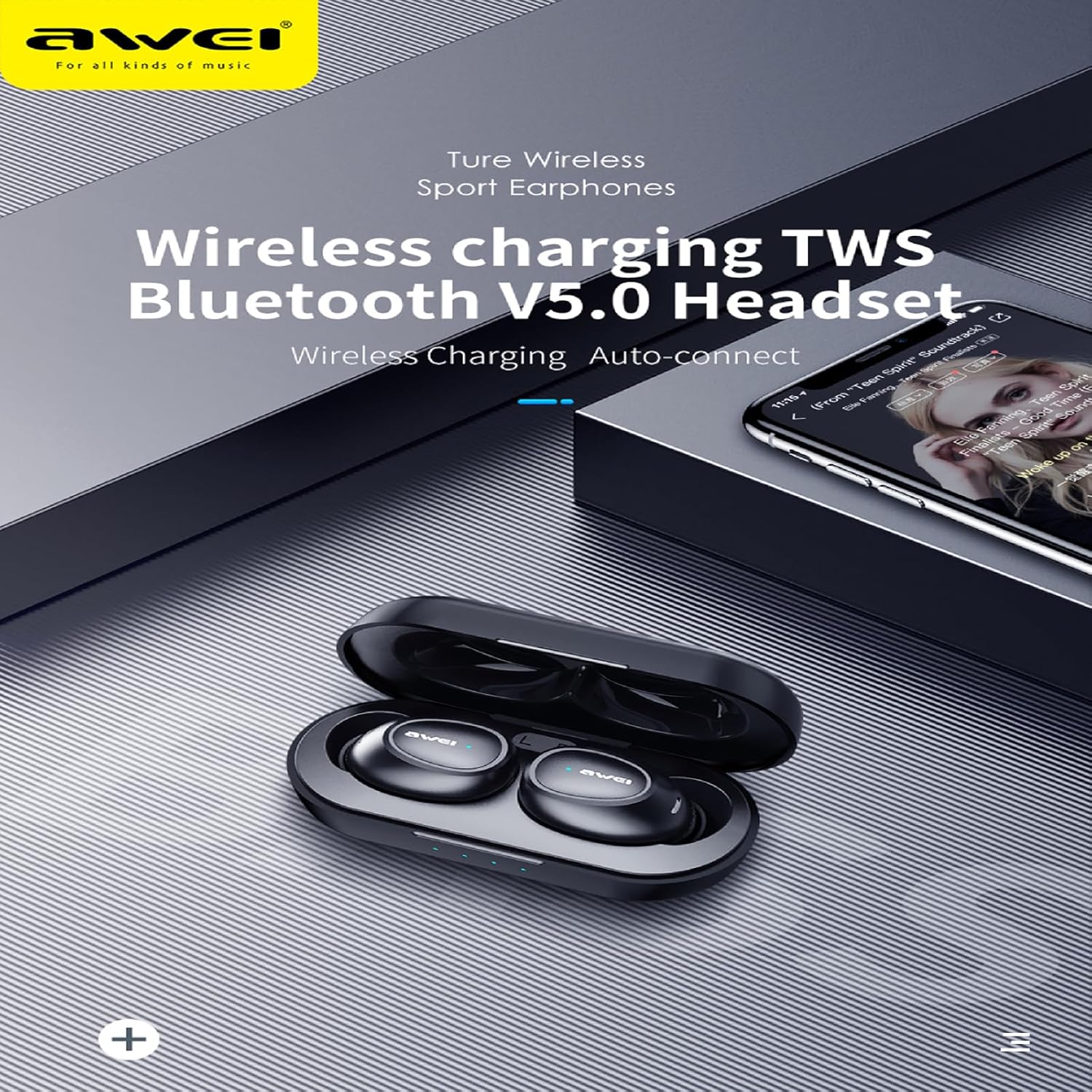
Resim: Ayrıntılı view of the AWEI T16 Wireless Earbuds, one earbud placed outside the open charging case, showcasing the sleek black design and charging contacts.
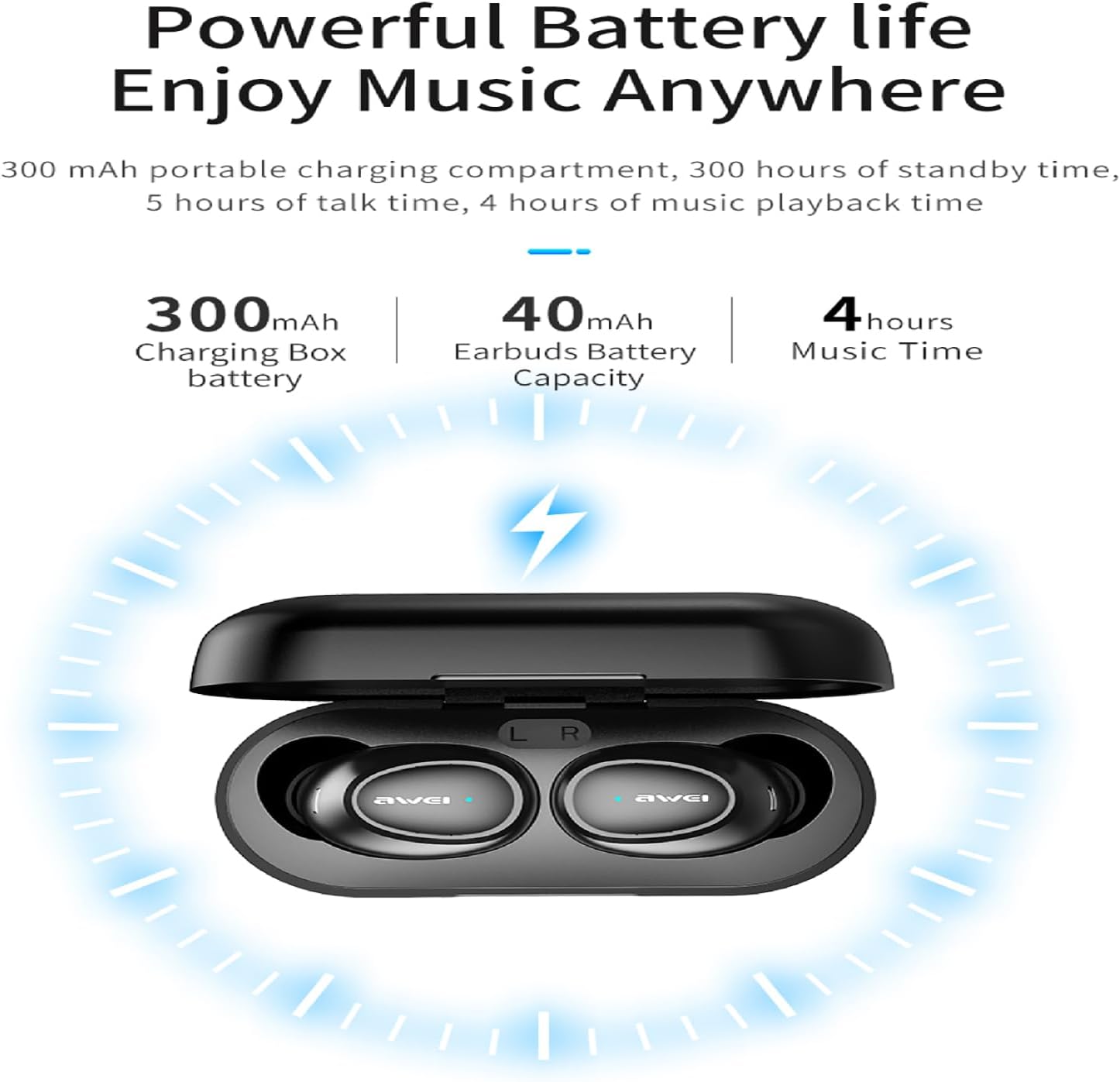
Image: The AWEI T16 Wireless Earbuds nestled within their charging case, with visible LED indicator lights on the front of the case, indicating charging status.
The earbuds are designed for a comfortable in-ear fit, while the compact charging case provides portable power and protection. The case features LED indicators to show battery status.
Kurmak
1. Kulaklıkları ve Kutuyu Şarj Etme
İlk kullanımdan önce şarj kutusunu ve kulaklıkları tamamen şarj edin.
- Place the earbuds into the charging case. Ensure they are correctly seated and the charging contacts align.
- USB Type-C şarj kablosunun bir ucunu kasanın üzerindeki şarj portuna, diğer ucunu ise bir USB güç kaynağına (örneğin bilgisayar, duvar adaptörü) bağlayın.
- The LED indicators on the charging case will illuminate to show charging status. A full charge for the case takes approximately 1.5 hours.
- The earbuds provide approximately 7 hours of continuous playback on a single charge. The 300mAh charging case offers multiple recharges, extending total playback time to about 37 hours in dual-ear mode, or up to 60 hours in single-ear mode by alternating earbuds.

Image: A diagram illustrating the battery capacities and playback times: 300mAh for the charging box, 40mAh for earbuds, and 4 hours of music time.
Note: While the image indicates 4 hours of music time, the product specifications confirm 7 hours of continuous use per charge for the earbuds.
2. Bluetooth Eşleştirme
The AWEI T16 earbuds utilize Bluetooth 5.3 technology for a fast and stable connection.
- Şarj kutusunu açın. Kulaklıklar otomatik olarak açılacak ve eşleştirme moduna girecektir.
- Cihazınızda (akıllı telefon, tablet, dizüstü bilgisayar) Bluetooth'u etkinleştirin.
- Arama available Bluetooth devices. You should see "AWEI T16" in the list.
- Select "AWEI T16" to connect. Once connected, you will hear a confirmation tone, and the earbud indicator lights will turn off or flash slowly.
- Kulaklıklar, cihazda Bluetooth etkinse, kutudan çıkarıldığında son eşleştirilen cihaza otomatik olarak yeniden bağlanacaktır.
Kullanım Talimatları
Kulaklık Takma
The earbuds are designed for an ergonomic and comfortable fit.
- Identify the 'L' (left) and 'R' (right) markings on each earbud.
- Gently insert the earbuds into your ear canals and rotate them slightly until they fit snugly and comfortably.
- Experiment with the different sized eartips included to find the best seal for optimal sound quality and comfort.
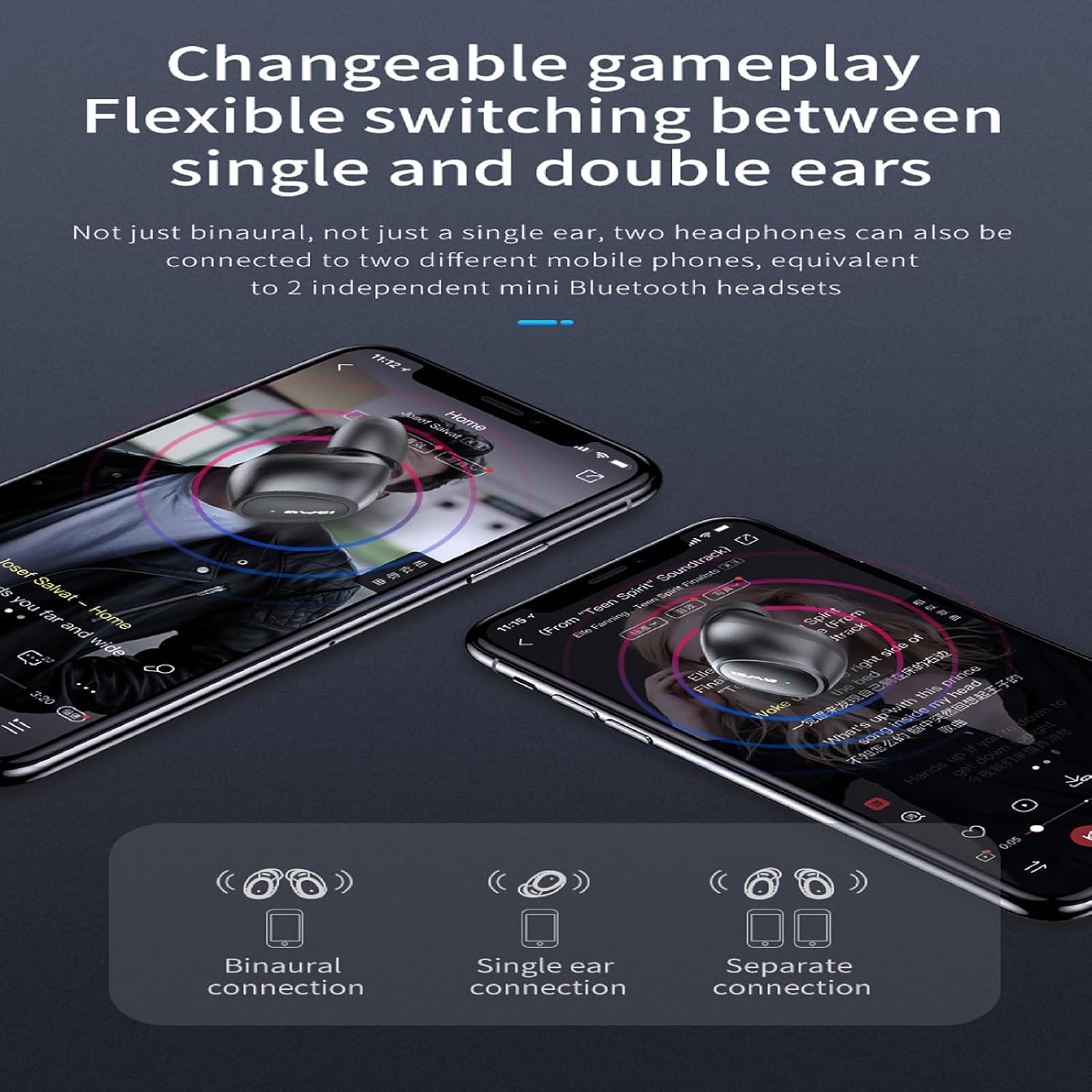
Image: A person wearing one AWEI T16 earbud, demonstrating its discreet and comfortable fit within the ear.
Dokunmatik Kontroller
The AWEI T16 earbuds feature smart touch controls for easy management of music and calls.
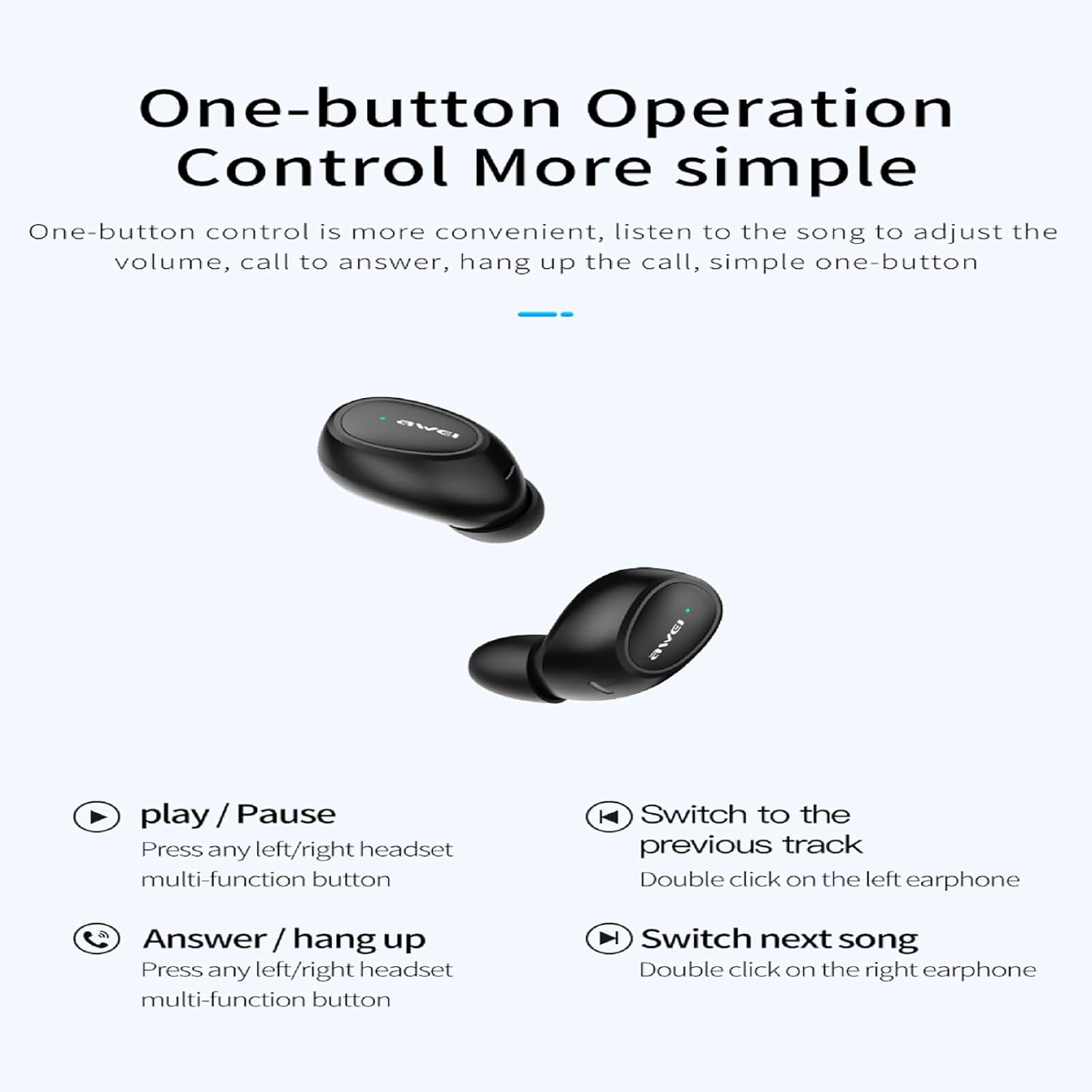
Image: A visual guide to the one-button touch operations for the AWEI T16 earbuds, showing icons for play/pause, answer/hang up, previous song, and next song.
| Aksiyon | Kontrol |
|---|---|
| Müzik Çal/Duraklat | Press any left/right earbud multi-function button once. |
| Sonraki Şarkı | Double click the right earbud. |
| Önceki Şarkı | Double click the left earbud. |
| Aramayı Cevaplama/Kapatma | Press any left/right earbud multi-function button once. |
| Çağrıyı Reddet | Press and hold any left/right earbud multi-function button for 2 seconds. |
| Sesli Asistanı Etkinleştir | Triple click any earbud (functionality may vary by device). |
Single and Dual Earbud Mode
The AWEI T16 earbuds support flexible switching between single and dual earbud use.
- Çift Kulaklık Modu: Both earbuds connect simultaneously for stereo sound. This is the default mode when both are removed from the case.
- Tek Kulaklık Modu: İster sol ister sağ kulaklığı bağımsız olarak kullanabilirsiniz. Kulaklıklardan birini kutusundan çıkarmanız yeterlidir; cihazınıza bağlanacaktır. Diğer kulaklık kutusunda kalabilir veya daha sonra kullanılabilir.

Image: A visual representation of the AWEI T16 earbuds' connection flexibility, showing options for binaural (both ears), single ear, and separate connections to different devices.
Bakım
Doğru bakım, kulaklığınızın uzun ömürlü olmasını ve optimum performans göstermesini sağlar.
- Temizlik: Regularly clean the earbuds and charging case with a soft, dry, lint-free cloth. Do not use harsh chemicals or abrasive materials. Gently clean the charging contacts on both the earbuds and the case to ensure proper charging.
- Depolamak: Kullanmadığınız zamanlarda, kulaklıklarınızı toz ve hasardan korumak için şarj kutusunda saklayın. Serin, kuru ve aşırı sıcaklıklardan uzak bir yerde saklayın.
- Suya Dayanıklılık: The AWEI T16 earbuds are rated IPX6 waterproof. This means they are protected against powerful water jets and are suitable for use during exercise or in light rain. However, they are not designed for submersion in water. Do not swim or shower with the earbuds. Ensure the earbuds are dry before placing them back into the charging case to prevent damage.
Image: A person playing basketball in the rain, demonstrating the AWEI T16 earbuds' IPX6 waterproof capability, protecting them from sweat and splashes.
Sorun giderme
If you encounter any issues with your AWEI T16 earbuds, refer to the following common solutions:
| Sorun | Olası Çözüm |
|---|---|
| Kulaklıklar şarj olmuyor |
|
| Kulaklıklar cihazla eşleşmiyor |
|
| Sadece tek kulaklık çalışıyor |
|
| Düşük ses seviyesi veya zayıf ses kalitesi |
|
Özellikler
Key technical specifications for the AWEI T16 Wireless Earbuds:
| Özellik | Detay |
|---|---|
| Model Adı | T16 |
| Marka | AHAHAHA |
| Bağlantı Teknolojisi | Kablosuz (Bluetooth) |
| Kablosuz İletişim Teknolojisi | Bluetooth 5.3 |
| Bluetooth Menzili | 10 metreye (33 feet) kadar |
| Kulak Yerleşimi | Kulakta |
| Gürültü Kontrolü | Ses Yalıtımı |
| Kontrol Türü | Dokunmatik Kontrol |
| Su Direnç Seviyesi | IPX6 Su Geçirmez |
| Şarj Kutusu Bataryası | 300mAh |
| Kulaklık Pil Ömrü | Yaklaşık 7 saat (tek şarj) |
| Toplam Oynatma Süresi | 37 saate kadar (şarj kutusu ile) |
| Şarj Süresi (Kılıf) | Yaklaşık 1.5 saat (C Tipi) |
| Hoparlör Boyutu | 6mm |
| Empedans | 16 Ohm |
| Renk | Siyah |
| Uyumlu Cihazlar | Dizüstü bilgisayarlar, Tabletler, Cep Telefonları |
Garanti Bilgileri
AWEI products are manufactured to the highest quality standards. For specific warranty terms and conditions, please refer to the warranty card included with your product or visit the official AWEI website. Herhangi bir garanti talebi için satın alma belgeniz olarak satın alma makbuzunuzu saklayın.
Müşteri Desteği
If you have any questions or require further assistance with your AWEI T16 Wireless Earbuds, please contact AWEI customer support. You can typically find contact information on the official AWEI webÜrünü satın aldığınız site veya perakendeci aracılığıyla.