
Ourlife AF-E88-BK
Ourlife Mini Drone User Manual
Model: AF-E88-BK
giriiş
Thank you for choosing the Ourlife Mini Drone. This drone is equipped with dual 4K cameras, offering high-quality photo and video capture, and can be controlled via a smartphone app for real-time viewing. Designed for ease of use, it features one-button takeoff/landing, altitude hold, headless mode, and gesture control, making it suitable for beginners and enthusiasts alike. Its compact, foldable design ensures portability for all your adventures. Please read this manual carefully before operation to ensure safe and optimal performance.
Güvenlik Yönergeleri
Always prioritize safety when operating your drone. Failure to follow these guidelines may result in injury, damage to property, or legal issues.
- Kılavuzu okuyun: Fully understand all instructions and warnings before first flight.
- Açık Alan: Always fly in open, unobstructed areas, away from people, animals, buildings, and power lines. Avoid flying in strong winds.
- Görüş Hattı: Her zaman drone ile görsel görüş hattınızı koruyun.
- Pil Güvenliği: Use only original batteries and charging cables. Do not overcharge or short-circuit batteries. Discontinue use if batteries are damaged or swollen.
- Pervane Güvenliği: Keep fingers, hair, and loose clothing away from rotating propellers. Always turn off the drone before handling propellers.
- Yaş Sınırlaması: Bu ürün 14 yaş ve üzeri kullanıcılar için önerilmektedir.
- Yasal Uyumluluk: Be aware of and comply with local laws and regulations regarding drone operation.
Paket İçeriği
Paketinizde tüm öğelerin mevcut olduğundan emin olun:

Resim: O'nun içeriğiurlife Mini Drone package, showing the drone, remote control, two rechargeable batteries, a screwdriver, four protective frames, four main propellers, a USB charging cable, and an instruction manual.
- Ourlife Mini Drone x 1
- Uzaktan Kumanda x 1
- Rechargeable Drone Battery x 2
- Tornavida x 1
- Protective Frame x 4
- Main Propeller x 4 (spare)
- USB Şarj Kablosu x 1
- Kullanım Kılavuzu x 1
Note: The remote control requires 3 AAA batteries, which are not included.
Ürün Bittiview
Familiarize yourself with the drone and remote control components.

Resim: Ourlife Mini Drone in its unfolded state, alongside its remote control, two drone batteries, and the drone in its folded, compact form.
Drone Bileşenleri
- Katlanabilir Kollar: Kompakt depolama ve taşınabilirlik için.
- Pervaneler: Four main propellers for flight.
- Çift Kamera: Front 4K camera (120° adjustable) and bottom optical flow lens for stable flight and diverse shooting angles.
- Pil Bölmesi: Located at the rear of the drone.
- LED Işıklar: İHA'nın durumunu ve yönünü belirtin.

Resim: Yakın çekim view O'nunurlife Mini Drone's dual camera system, highlighting the adjustable front camera and the lower lens for stable flight. The front camera can be adjusted by 120 degrees.
Uzaktan Kumanda Düzeni
- Sol Joystick: Yükseklik (yukarı/aşağı) ve dönüş (sola/sağa) kontrolü.
- Sağ Joystick: İleri/geri ve sağ/sol hareketlerini kontrol eder.
- Tek Tuşla Kalkış/İniş Düğmesi: Otomatik kalkış veya inişi başlatır.
- Başsız Mod Düğmesi: Başsız modu etkinleştirir/devre dışı bırakır.
- Hız Anahtarı Düğmesi: Toggles between different flight speeds (low, medium, high).
- 360° Döndürme Düğmesi: Executes a 360-degree flip.
- Telefon Tutucu: For mounting your smartphone to view FPV feed.
Kurmak
1. Drone Pilinin Şarj Edilmesi
- USB şarj kablosunu drone bataryasına bağlayın.
- USB ucunu 5V/1A USB adaptörüne (dahil değildir) veya bilgisayarın USB portuna takın.
- The indicator light on the cable will show charging status. It will turn off or change color when fully charged.
2. Drone Pilinin Takılması
- Drone'un kapalı olduğundan emin olun.
- Insert the charged battery into the battery compartment at the rear of the drone until it clicks into place.
3. Uzaktan Kumanda Pillerinin Takılması
- Uzaktan kumandanın arkasındaki pil yuvasını açın.
- 3 adet AAA pili (dahil değildir) kutup işaretlerine göre takın.
- Pil bölmesi kapağını sıkıca kapatın.
4. Attaching Propeller Guards
- Carefully attach the four protective frames to each motor arm of the drone.
- Ensure they are securely fastened to prevent detachment during flight.
5. App Installation (KY UFO)
- Scan the QR code provided in the manual or search for "KY UFO" in your smartphone's app store (App Store for iOS, Google Play for Android).
- Uygulamayı indirin ve yükleyin.
- Turn on the drone, then go to your phone's Wi-Fi settings and connect to the drone's Wi-Fi network (usually named "KY-UFO-XXXXXX").
- Open the KY UFO app to access the real-time FPV feed and advanced controls.
Kullanım Talimatları
1. İHA ve Uzaktan Kumandanın Eşleştirilmesi
- Uçağı düz, düz bir yüzeye yerleştirin.
- Drone'un güç düğmesini açın. Drone'un gösterge ışıkları yanıp sönmeye başlayacaktır.
- Uzaktan kumandayı açın.
- Push the left joystick all the way up, then pull it all the way down. The drone's lights will stop flashing and remain solid, indicating successful pairing.
2. Temel Uçuş Kontrolleri
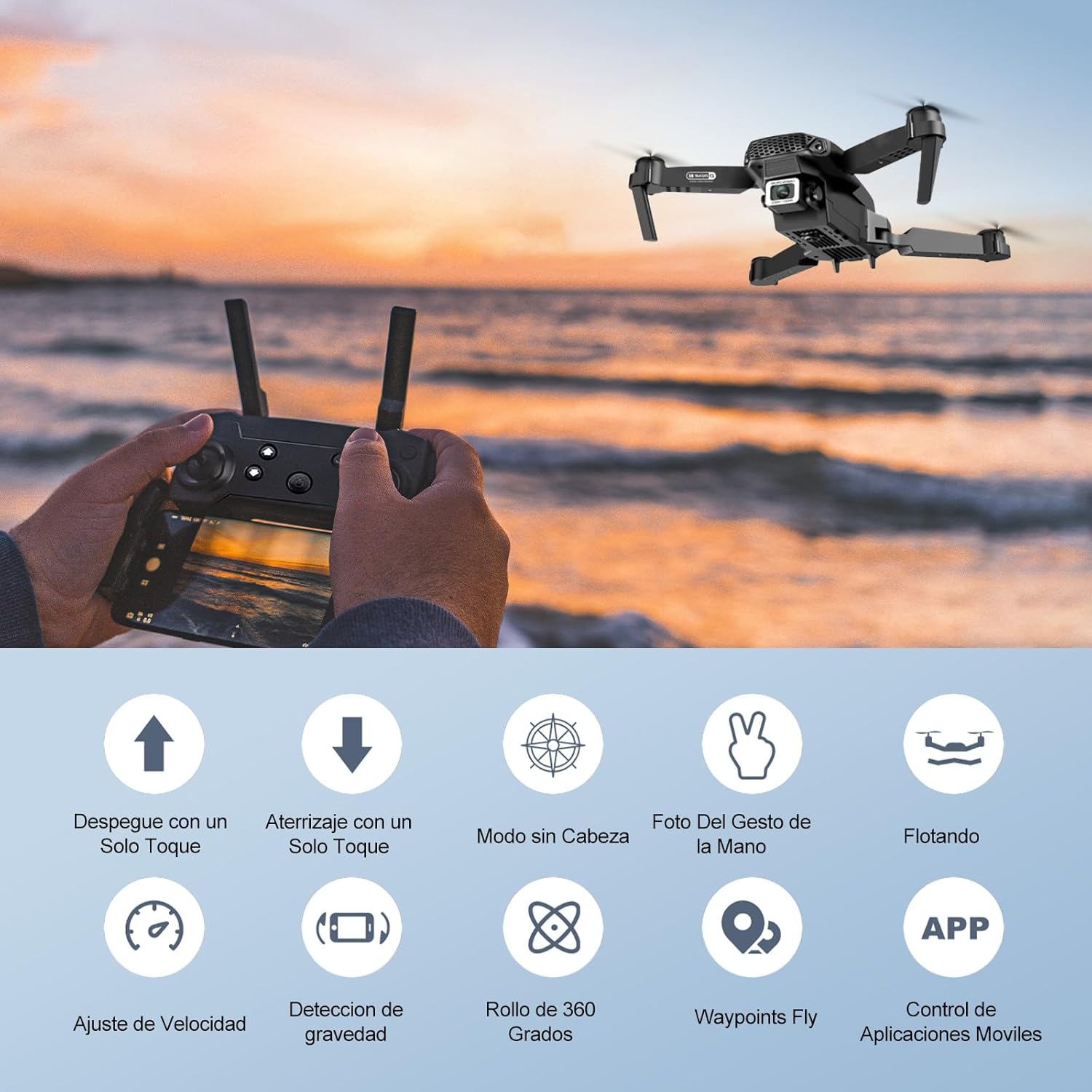
Image: Icons representing various flight features: One-touch takeoff, One-touch landing, Headless Mode, Hand Gesture Photo, Floating (Altitude Hold), Speed Adjustment, Gravity Detection, 360 Degree Roll, Waypoints Fly, and APP Control.
- Tek Tuşla Kalkış: Basın Tek Tuşla Kalkış/İniş button. The drone will automatically ascend and hover at a certain altitude.
- Tek Tuşla İniş: Basın Tek Tuşla Kalkış/İniş button again. The drone will automatically descend and land.
- Yükseklik Tutma: Drone, mevcut irtifasını otomatik olarak koruyarak istikrarlı bir şekilde havada kalmasını sağlar.
- Sol Kumanda Kolu (Gaz/Yönlendirme):
- Yukarı/aşağı itme: Yüksekliği artırma/azaltma.
- Push left/right: Rotate drone left/right.
- Right Joystick (Forward/Backward/Sideways):
- Push up/down: Fly forward/backward.
- Push left/right: Fly left/right (strafe).

Resim: Ourlife Mini Drone taking off or landing with a single button press, illustrating the ease of use for beginners.
3. Gelişmiş Uçuş Özellikleri
- Başsız Mod: Basın Başsız Mod button. In this mode, the drone's orientation is relative to the pilot, regardless of the drone's actual front. This simplifies control, especially for beginners.
- 360° Çevirme: Fly the drone to a height of at least 2 meters. Press the 360 ° Çevirme button, then push the right joystick in any direction to perform a flip in that direction.
- Gesture Control (Photos/Videos): With the KY UFO app open, make specific hand gestures in front of the drone's camera to trigger photo or video recording.
- "V" Gesture: Triggers photo capture.
- Avuç İçi Hareketi: Triggers video recording.
- Yol Noktası Uçuşu: In the KY UFO app, draw a desired flight path on your smartphone screen. The drone will automatically follow this path.
- Hız Ayarı: Basın Hız Anahtarı button to cycle through low, medium, and high-speed modes. Adjust according to your skill level and environmental conditions.
- FPV Gerçek Zamanlı İletim: Connect your smartphone to the drone's Wi-Fi. Open the KY UFO app to view live video feed from the drone's camera on your phone screen.
- Yerçekimi İndüksiyonu: In the KY UFO app, activate gravity induction mode. You can then control the drone's movement by tilting your smartphone.

Resim: Ourlife Mini Drone performing a 360-degree flip in the air and demonstrating the Waypoints Fly feature, where the drone follows a pre-drawn path.

Image: Demonstrates 1080P FPV Real-Time Transmission, showing a live view from the drone. Also illustrates gesture control for taking photos (V-sign) and recording videos (palm gesture), and the 120-degree adjustable camera angle.
Bakım
- Temizlik: Drone ve uzaktan kumandayı temizlemek için yumuşak, kuru bir bez kullanın. Sert kimyasallar veya çözücüler kullanmayın.
- Pervanenin Değiştirilmesi: If propellers are damaged, replace them with spare ones provided. Ensure correct propeller (A or B) is installed on the corresponding motor.
- Pil Bakım: Pilleri serin ve kuru bir yerde saklayın. Tamamen dolu veya tamamen boşalmış pilleri uzun süre saklamayın. Uzun süreli saklama için yaklaşık %50 oranında şarj edin.
- Depolamak: When not in use, store the drone and its accessories in a safe, dry place, away from direct sunlight and extreme temperatures.
Sorun giderme
| Sorun | Olası Neden | Çözüm |
|---|---|---|
| İHA kumandaya cevap vermiyor. | Eşleştirilmemiş; düşük pil seviyesi (drone/uzaktan kumanda); parazit. | Drone ve uzaktan kumandayı yeniden eşleştirin. Pilleri şarj edin. Daha az parazit olan bir alana geçin. |
| Drone uçuş sırasında savruluyor. | Kalibre edilmemiş; kalkışta yüzey düzensiz; rüzgar. | Calibrate the gyroscope (refer to app instructions). Take off from a flat surface. Avoid flying in windy conditions. |
| Camera feed is not showing in app. | Drone Wi-Fi'ına bağlı değil; uygulama sorunu. | Ensure phone is connected to the drone's Wi-Fi network. Restart the app and drone. |
| Kısa uçuş süresi. | Pil tam şarjlı değil; eski pil. | Uçuş öncesinde bataryanın tamamen dolu olduğundan emin olun. Eski bataryaları değiştirmeyi düşünün. |
| Drone kolayca düşüyor. | Lack of experience; strong wind; damaged propellers. | Practice in open areas. Avoid strong winds. Replace damaged propellers. |
Özellikler

Image: Diagram showing the dimensions of the Ourlife Mini Drone (unfolded and folded) and its remote control in inches.
| Özellik | Detay |
|---|---|
| Marka | Ourleğer |
| Model Numarası | AF-E88-BK |
| Ürün Ağırlığı | 430 g (yaklaşık 0.95 lbs) |
| Ürün Boyutları (Genişletilmiş) | 28 x 22 x 5 cm (yaklaşık 11 x 8.7 x 2 inç) |
| Ürün Ölçüleri (Katlanmış) | 12.5 x 8.1 x 5.3 cm (yaklaşık 4.9 x 3.2 x 2.1 inç) |
| Pil Türü | Lityum İyon (2 dahil) |
| Video Yakalama Çözünürlüğü | 4K (Dual Cameras) |
| Bağlantı Teknolojisi | Wifi |
| Kontrol Yöntemi | Uzaktan Kumanda, Akıllı Telefon Uygulaması |
| Renk | Siyah |
Garanti ve Destek
Ourlife provides post-sale warranty support for this product. If you encounter any issues with the drone, remote control, or the KY UFO application during flight or operation, please do not hesitate to contact the seller directly for assistance.
For optimal performance and to minimize potential issues, it is recommended to conduct initial flight tests in an open space, especially when using the propeller protectors. Please note that wind interference may occur when operating outdoors.