
1. Giriş
The Losfom WD10 2K Body Worn Camera is a versatile recording device designed for various applications, including law enforcement, daily recording, and outdoor activities. It captures crystal-clear 2K footage, features built-in GPS for route tracking, and offers a dual-screen display for convenient monitoring and playback. Equipped with night vision and a long-lasting 3000mAh battery, it ensures reliable performance in diverse conditions.

Image: Losfom WD10 2K GPS Body Camera/Dash Camera highlighting key features.
2. Paket İçeriği
Aşağıda listelenen tüm öğelerin paketinizde bulunduğunu doğrulayın:
- Losfom WD10 Body Camera
- Araba Montajı
- Araba Şarj Cihazı
- Long Clip for body mounting
- Short Clip for body mounting
- USB kablosu
- Kullanıcı Kılavuzu
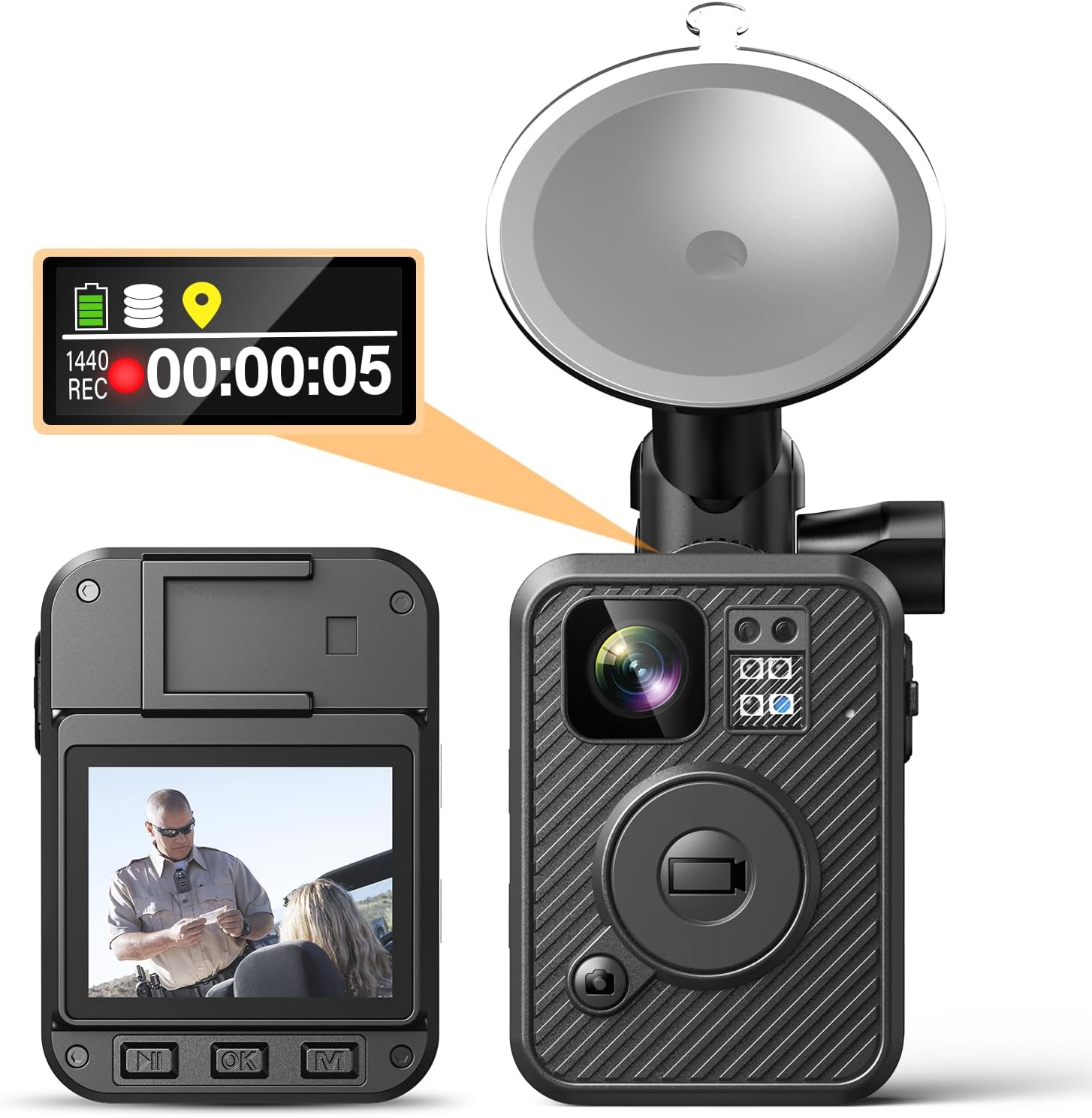
Image: All components included in the Losfom WD10 package.
3. Ürün Bittiview
The WD10 camera features a compact design with intuitive controls and a dual-screen display for enhanced usability.

Resim: Ön ve arka view of the Losfom WD10 camera, showing the main lens, dual screens, and car mount.
Temel Bileşenler:
- Main Camera Lens: Captures 2K video and photos.
- Üst Ekran: Shows recording status and essential information.
- Arka Ekran: Allows direct video playback and menu navigation.
- Large Button: For instant recording activation.
- USB Bağlantı Noktası: Şarj ve veri aktarımı için.
- Kontrol Düğmeleri: Side buttons for various functions like photo, audio, night vision, and menu access.

Image: Close-up of the Losfom WD10 highlighting its dual-screen feature.
4. Kurulum
4.1 İlk Şarj
Before first use, fully charge the camera's 3000mAh battery. Connect the camera to the car charger or a standard USB power source using the provided USB cable. Charging typically takes 3-4 hours.

Image: The Losfom WD10 camera connected to a power source for charging.
4.2 Attaching Clips/Mounts
The WD10 comes with various clips and mounts for flexible usage:
- Body Clips (Long & Short): Attach the appropriate clip to the back of the camera. These clips allow you to securely wear the camera on clothing or gear for personal recording.
- Araç Montajı: Use the suction cup car mount to attach the camera to your vehicle's windshield for dash cam functionality.

Image: Losfom WD10 camera with car mount and body clips for different usage scenarios.
5. Kullanım Talimatları
5.1 Güç Açma/Kapatma
Press and hold the Power button on the side of the camera to turn it on or off. The top display will show the current status.
5.2 Video Kaydetme
To start video recording, press the dedicated Video button. The camera will capture 2K (1440p) resolution footage. Press the Video button again to stop recording. The camera can record 8-10 hours of video at 1080P resolution with IR and screen off.

Image: The Losfom WD10 camera capturing 2K footage as a dashcam.
5.3 Fotoğraf Çekme
To take a photo, press the Photo button on the side of the camera. The camera supports various photo resolutions up to 26M.
5.4 Ses Kaydı
To record audio only, press the Audio button. The camera records audio in MP3 format.
5.5 Gece Görüşü
The camera is equipped with night vision capabilities to record clear video even in low-light conditions. Activate night vision via the dedicated button or menu settings.

Image: The Losfom WD10 camera demonstrating clear night vision recording on a road.
5.6 GPS İzleme
The built-in GPS tracks your journey. You can review routes directly on the camera or by connecting it to a computer (compatible with Windows and Mac).
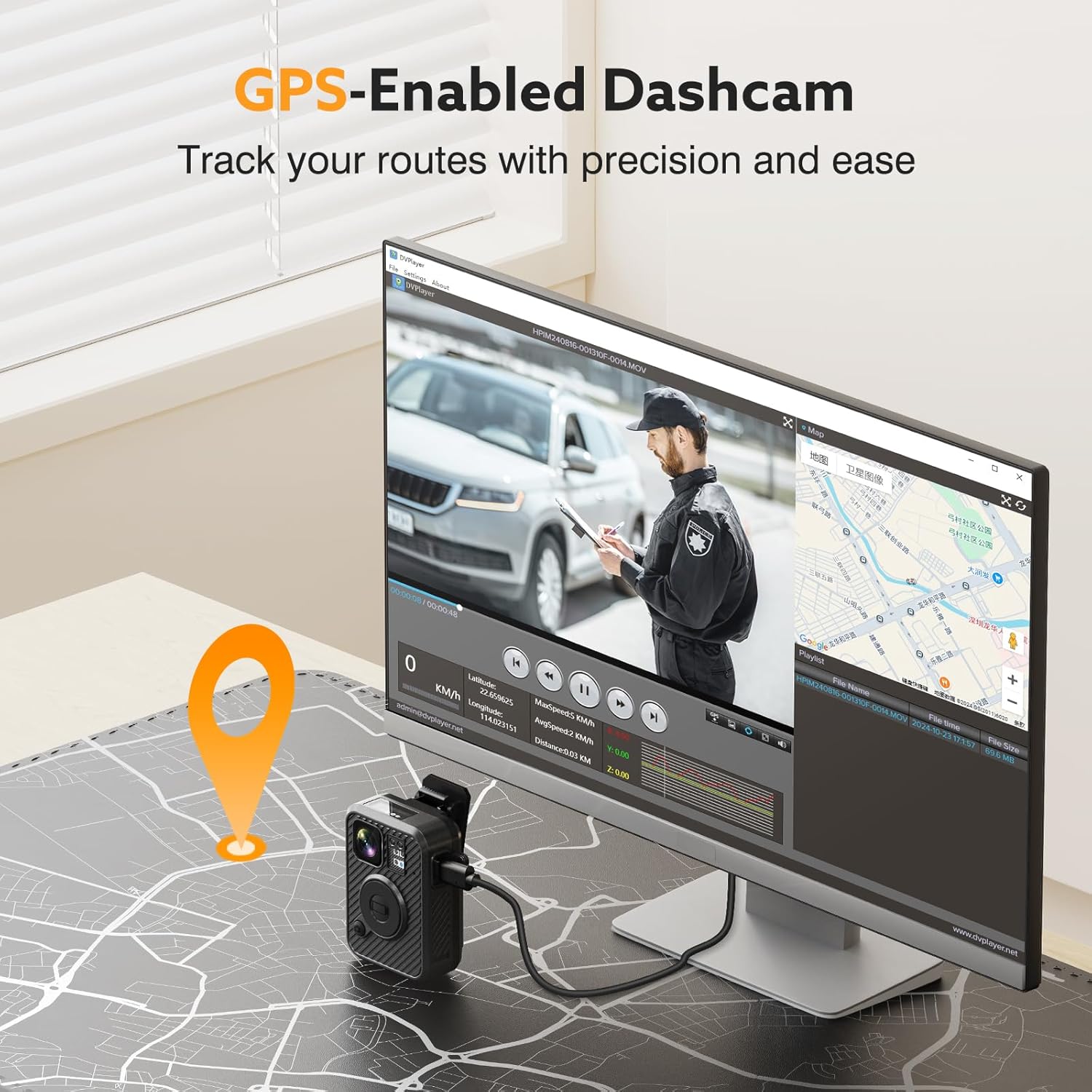
Image: The Losfom WD10 camera connected to a computer, showing GPS tracking on a map interface.
5.7 Dual-Screen Display
Utilize the top display for quick status checks and the rear screen for detailed video playback and menu navigation.
5.8 Dash Cam Mode
The WD10 can function as a dash cam, recording even when the car is off, thanks to its power-on recording feature. This provides surveillance for your vehicle in parking lots or driveways.

Image: The Losfom WD10 camera mounted in a car, demonstrating its use as a dashcam.
5.9 Playback & Data Transfer
Review kaydedilmiş footage directly on the camera's rear screen or connect the camera to a computer via the USB cable to transfer files. The camera is compatible with Windows and Mac operating systems.
5.10 Menü Navigasyonu
Use the navigation buttons below the rear screen to access and adjust various settings, including video resolution, photo size, motion detection, and more.
6. Bakım
6.1 Pil Bakımı
To prolong battery life, avoid extreme temperatures and fully charge the device before extended storage. The 3000mAh battery provides 8-10 hours of recording time at 1080P with IR and screen off.
6.2 Temizlik
Wipe the camera lens and body with a soft, dry cloth. Avoid using harsh chemicals or abrasive materials.
6.3 Depolama
Store the camera in a cool, dry place away from direct sunlight and moisture.
7. Sorun Giderme
If you encounter any issues with your Losfom WD10 camera, please refer to the following common solutions:
- Kamera açılmıyor: Pilin tamamen şarj olduğundan emin olun.
- Kayıt sorunları: Check available memory. Ensure the camera is not in a paused state.
- GPS takibi yapmıyor: Kameranın net olduğundan emin olun view Gökyüzünün uydu alımı için uygun ortamı.
- Playback problems: Doğrulamak file compatibility with your computer's media player.
For further assistance, please contact Losfom customer support.
8. Özellikler
| Ürün Boyutları | 5 x 4 x 5 inç |
| Ürün Ağırlığı | 1.37 pound |
| Ürün Model Numarası | WD10 |
| Piller | 3 Lityum Polimer pil gerekli (dahil) |
| Üretici | Losfom |
| Marka | Losfom |
| Model Adı | WD10 |
| Araç Servis Tipi | Araba |
| Bağlantı Teknolojisi | USB |
| Özel Özellik | Built-In GPS, Night Vision |
| Video Yakalama Çözünürlüğü | 1440p |
| Dahil Bileşenler | Body Camera, Car Charger, Car Mount, User Manual |
| Montaj Tipi | Clip, Suction Cup |
| Renk | Siyah |
| Kontrol Yöntemi | Düğme |
9. Garanti ve Destek
The Losfom WD10 2K Body Worn Camera comes with a standard manufacturer's warranty. For detailed warranty information, product support, or technical assistance, please contact Losfom customer service through their official website veya ürün ambalajınızda yer alan iletişim bilgileri.
10. Resmi Ürün Videosu
Video: Losfom WD1 Body Camera showcasing its 10-hour recording capability.