
1. Ürün Bittiview
The ProtoArc Foldable Bluetooth Keyboard (XK01) and Ergonomic Vertical Mouse (EM11) combo offers a portable and comfortable solution for your computing needs. The keyboard features a full-size layout with a numeric keypad and multi-device Bluetooth connectivity, while the ergonomic mouse promotes a natural wrist position to reduce fatigue.

Image 1.1: ProtoArc Foldable Bluetooth Keyboard and Ergonomic Mouse setup, illustrating multi-device capability.
Temel Özellikler:
- Folding Full-size Wireless Keyboard (XK01): 105-key layout with numeric keypad (Dimensions: 15.19 x 4.68 inch). Features non-slip pads for stability.
- Wireless Ergonomic Mouse (EM11): Designed with an extended wrist rest for a natural, relaxed hand position, reducing fatigue compared to standard mice.
- Çoklu Cihaz Bağlantısı: Both devices can sync with up to 3 devices simultaneously via Bluetooth channels, allowing easy switching between Windows, Mac OS, iOS, or Android devices.
- Şarj Edilebilir ve Taşınabilir: The keyboard has a built-in 210 mAh battery with 5 months standby time. The mouse has a built-in 500mAh Li-Ion battery. Both are rechargeable via Type-C.
- Dayanıklı Tasarım: Keyboard features aluminum hinges tested for 100,000 folding actions.
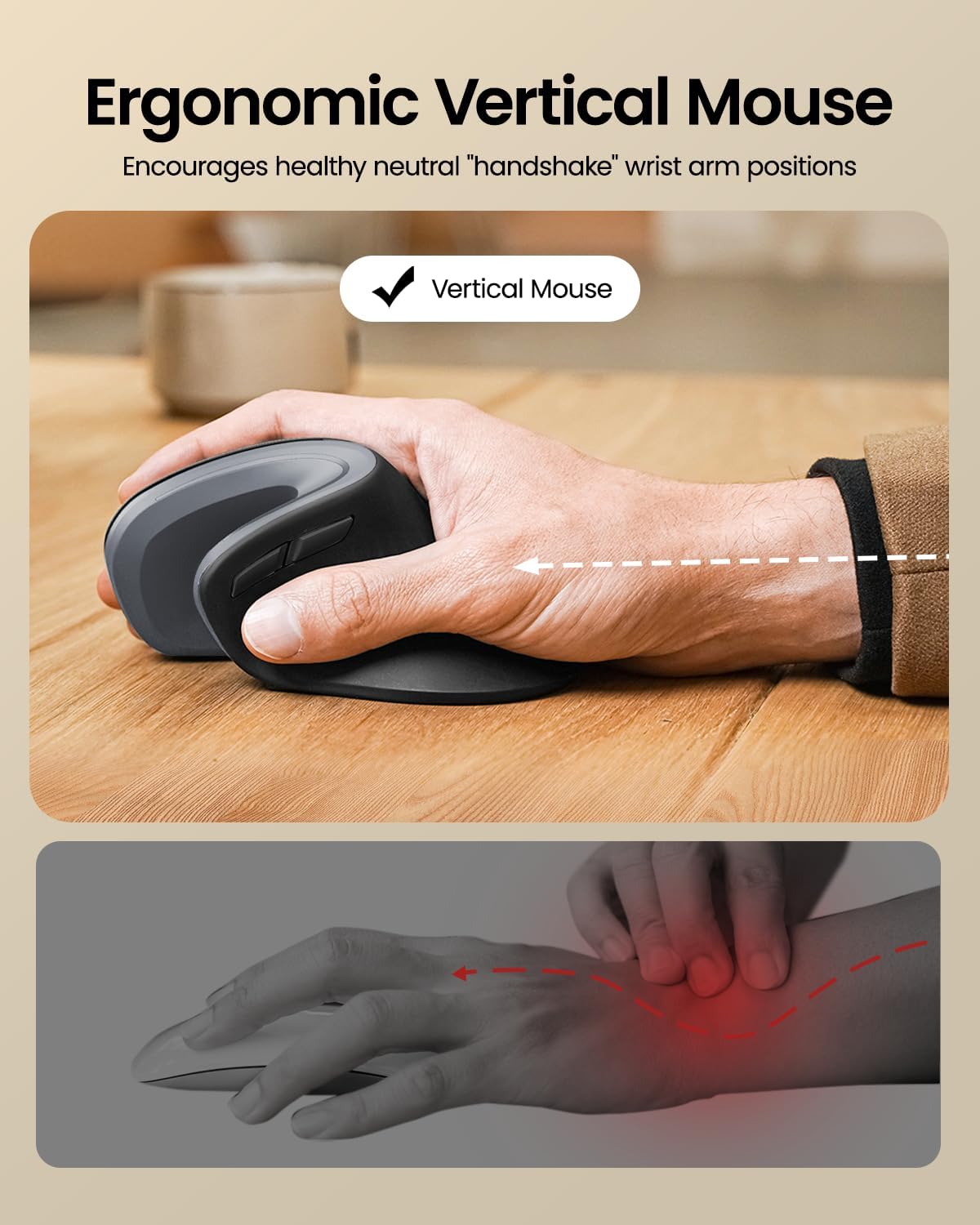
Image 1.2: Ergonomic design of the ProtoArc Vertical Mouse, promoting a healthy wrist position.

Image 1.3: The 58° angle of the ergonomic mouse for a natural handshake position.
2. Kurulum ve Eşleştirme
Follow these steps to set up and pair your ProtoArc Foldable Bluetooth Keyboard and Ergonomic Mouse with your devices.
2.1. Keyboard Setup (XK01)
- Klavyeyi açın: Gently unfold the keyboard until it lies flat. The magnetic hinges will secure it in place.
- Güç Açık: Locate the power switch (usually on the side or back) and slide it to the 'ON' position. An indicator light will illuminate.
- Eşleştirme Moduna Girin: Press and hold one of the Bluetooth channel keys (e.g., BT1, BT2, or BT3) for a few seconds until the corresponding indicator light flashes rapidly. This indicates the keyboard is in pairing mode.
- Cihazınızda bağlantı kurun: On your computer, tablet, or smartphone, go to Bluetooth settings. Select "ProtoArc Keyboard" (or similar name) from the list of available devices. Follow any on-screen prompts to complete pairing.
- Cihazları Değiştir: To switch between paired devices, simply press the corresponding Bluetooth channel key (BT1, BT2, or BT3).

Image 2.1: The keyboard's durable folding mechanism.
2.2. Mouse Setup (EM11)
- Güç Açık: Locate the power switch on the bottom of the mouse and slide it to the 'ON' position.
- Eşleştirme Moduna Girin: Press the Bluetooth pairing button (usually on the bottom) for a few seconds until the indicator light flashes.
- Cihazınızda bağlantı kurun: On your computer, tablet, or smartphone, go to Bluetooth settings. Select "ProtoArc Mouse" (or similar name) from the list of available devices. Follow any on-screen prompts to complete pairing.
- Çoklu Cihaz Eşleştirme: The mouse also supports multi-device pairing. Refer to the specific instructions in the included user manual for detailed steps on pairing with multiple devices.
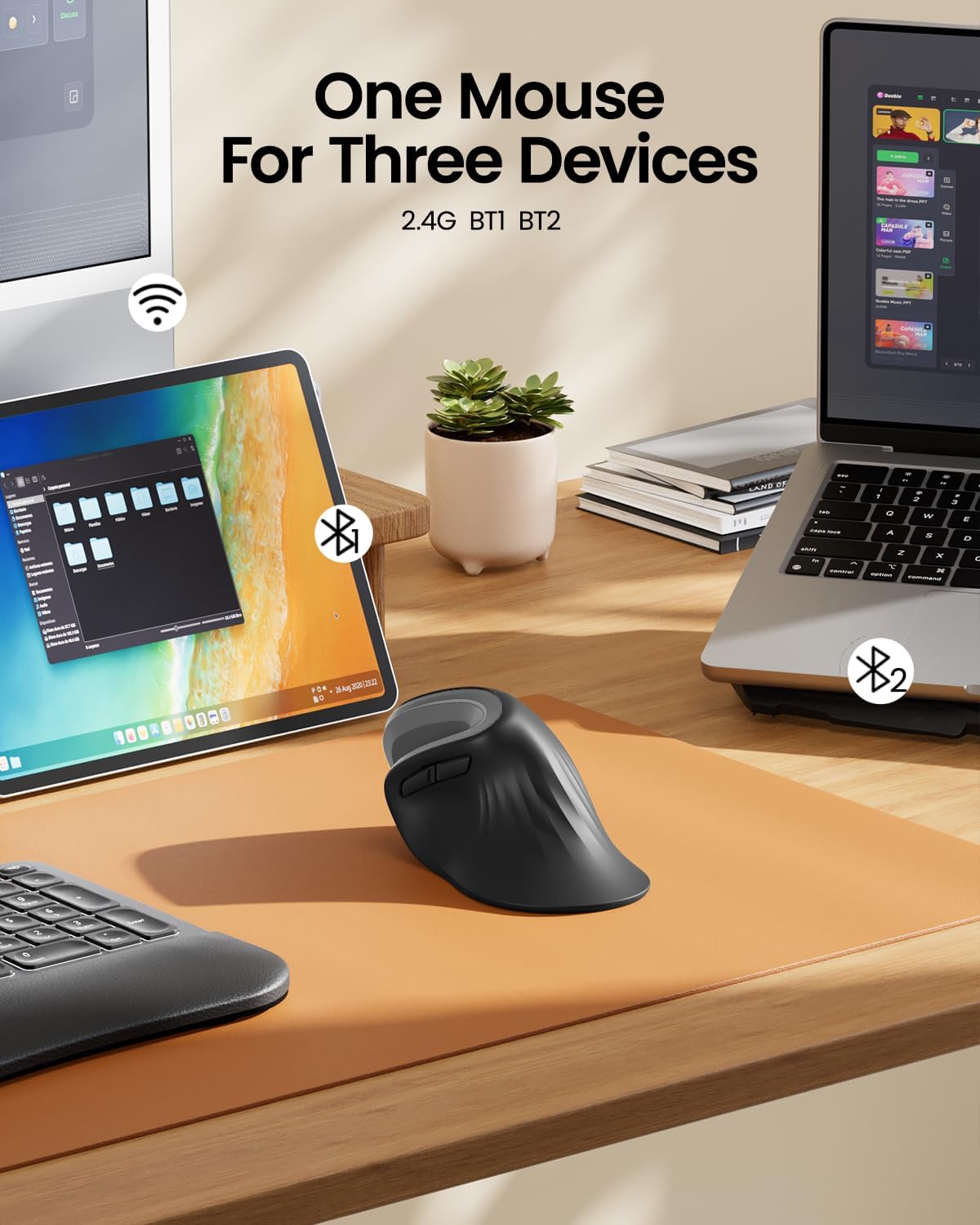
Image 2.2: The ergonomic mouse's ability to connect to three devices.
3. Kullanım Talimatları
3.1. Keyboard Usage (XK01)
- Yazma: The full-size QWERTY layout with scissor-switch keys provides a comfortable and responsive typing experience.
- Sayısal tuş takımı: Utilize the integrated numeric keypad for efficient data entry.
- Fonksiyon Tuşları: Use the Fn key in combination with other keys for various shortcuts and media controls. Refer to the keyboard's key legends for specific functions.
- Backlight (if applicable): If your keyboard model includes backlighting, use the designated key combination (often Fn + a specific key) to adjust brightness or toggle the backlight on/off.

Image 3.1: Scissor switch keys for comfortable typing.
3.2. Mouse Usage (EM11)
- Ergonomik Tutuş: Hold the mouse with your hand in a natural "handshake" position, allowing your forearm and wrist to remain relaxed.
- Düğmeler: The mouse features standard left/right click buttons, a scroll wheel, and additional programmable buttons for enhanced productivity.
- DPI Ayarı: Adjust the mouse sensitivity (DPI) using the dedicated DPI button, typically located near the scroll wheel, to suit your preference.
4. Bakım ve Şarj
4.1. Şarj Etme
- Klavye: Connect the provided Type-C charging cable to the keyboard's charging port (Image 4.1) and a USB power source. The charging indicator light will show charging status. A full charge provides approximately 5 months of standby time.
- Fare: Connect the provided Type-C charging cable to the mouse's charging port (Image 4.2) and a USB power source. The mouse has a 500mAh Li-Ion battery.

Image 4.1: Keyboard charging port and stable hinge.

Image 4.2: Ergonomic mouse charging via Type-C.
4.2. Temizlik
To clean your devices, power them off and use a soft, dry, lint-free cloth. For stubborn dirt, slightly dampBezi suyla yıkayın. Sert kimyasallar veya aşındırıcı malzemeler kullanmaktan kaçının.
5. Sorun Giderme
- Cihaz Bağlanmıyor: Ensure both the keyboard and mouse are powered on and in pairing mode. Check your device's Bluetooth settings to ensure Bluetooth is enabled and the correct device is selected. Try restarting both the peripheral and your host device.
- Gecikme veya Bağlantı Kesilmesi: Ensure there are no obstructions between the peripheral and your device. Move closer to your device. Check battery levels and recharge if necessary.
- Tuşlar Yanıt Vermiyor: Check if the keyboard is powered on and connected. If specific keys are not working, try cleaning around them.
- Fare imleci hareket etmiyor: Ensure the mouse is powered on and connected. Check the surface you are using the mouse on; a non-reflective, even surface is ideal.
If you encounter persistent issues, please refer to the "Warranty and Support" section for contact information.
6. Özellikler
| Özellik | Şartname |
|---|---|
| Marka | Protoarc |
| Renk | Gri |
| Bağlantı Teknolojisi | Bluetooth |
| Uyumlu Cihazlar | Tablet, Smartphone, Laptop (Windows, macOS, iOS, Android) |
| Klavye Türü | Folding Full-size Wireless Keyboard (XK01) with 105 keys, numeric keypad |
| Klavye Düzeni | Q klavye |
| Fare Türü | Ergonomic Vertical Mouse (EM11) |
| El Yönelimi | İki elini de kullanabilen |
| Güç Kaynağı | Pille Çalışır (Type-C ile Şarj Edilebilir) |
| Klavye Pili | 210 mAh (5 months standby) |
| Fare pili | 500mAh Li-İyon |
7. Garanti ve Destek
ProtoArc products come with a standard manufacturer's warranty. For detailed warranty information, product support, or troubleshooting assistance, please contact ProtoArc customer service.
- E-posta Desteği: destek@protoarc.com
- Webalan: www.protoarc.com