
1. Giriş
The myCharge Power + Plug Max 20K is a compact portable power bank designed to provide extended battery life for your electronic devices. It features a built-in USB-C cable and a folding wall plug for convenient recharging. This device is capable of charging two devices simultaneously, offering up to 120 hours of additional battery life.
Temel Özellikler:
- 20,000mAh Internal Battery: Provides substantial power for multiple charges.
- Dahili USB-C Kablosu: Integrated cable for direct device charging.
- Foldable Wall Plug: Allows for direct wall charging of the power bank without extra adapters.
- Ek USB-C bağlantı noktası: Enables simultaneous charging of a second device.
- Kompakt ve Hafif Tasarım: Easy to carry for travel.
- Çevre Dostu: Built-in features reduce the need for extra adapters and cables, minimizing e-waste.
2. Ürün Bittiview
Familiarize yourself with the components of your myCharge Power + Plug portable charger.

Şekil 2.1: Ön view of the myCharge Power + Plug portable charger, showing the sleek black design and the integrated USB-C charging cable.

Şekil 2.2: The portable charger demonstrating its built-in foldable wall plug, shown both extended and plugged into a wall outlet for convenient recharging.

Şekil 2.3: The power bank actively charging an iPhone via its built-in cable, illustrating its compatibility with various Apple and Android devices including smartphones, tablets, earbuds, headphones, and speakers.
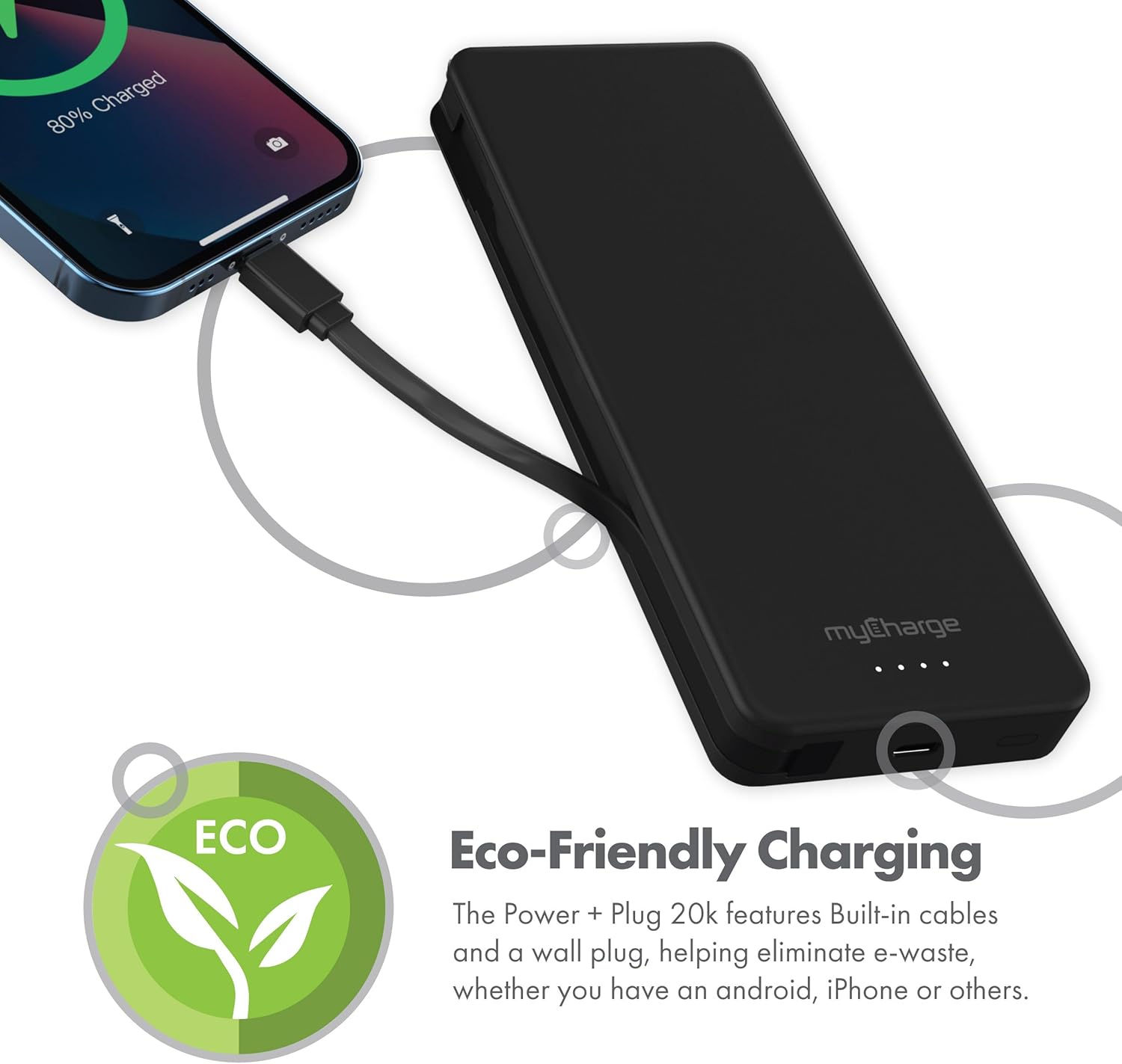
Şekil 2.4: The device charging an iPhone, highlighting its eco-friendly design with built-in cables and wall plug to reduce electronic waste.
3. Kurulum
3.1 Power Bank'ın İlk Şarjı
- Locate the foldable wall plug on the back of the power bank.
- Flip down the prongs of the wall plug.
- Power bank'i doğrudan standart bir duvar prizine takın.
- The LED indicator lights on the front of the power bank will illuminate to show the charging status. All four lights will be solid when fully charged.
3.2 LED Göstergelerini Anlama
The myCharge Power + Plug features four LED lights on its front surface to indicate the remaining battery life and charging status:
- Four Solid Lights: %75-100 şarj edilmiş.
- Three Solid Lights: %50-75 şarj edilmiş.
- Two Solid Lights: %25-50 şarj edilmiş.
- One Solid Light: %0-25 şarj edilmiş.
- Yanıp sönen ışıklar: Indicates the power bank is actively charging.
4. Kullanım Talimatları
4.1 Charging a Single Device
- For devices with a USB-C port, extend the built-in USB-C cable from the side of the power bank.
- Connect the USB-C cable directly to your device's charging port.
- Powerbank cihazınızı otomatik olarak şarj etmeye başlayacaktır.
4.2 Charging Two Devices Simultaneously
- Connect your first device using the built-in USB-C cable as described above.
- For your second device, use your own USB-C to USB-C or USB-C to Lightning cable.
- Plug one end of your cable into the additional USB-C port on the power bank.
- Connect the other end of your cable to your second device.
- Both devices will charge simultaneously.
4.3 Resmi Ürün Videosu
Watch this official video from myCharge for a visual guide on using the Power + Plug 20K:
Video 4.1: An official product video from myCharge demonstrating the features and usage of the myCharge Power + Plug 20K portable charger, including its built-in cables and wall plug.
5. Bakım
- Temizlik: Powerbank'in dış yüzeyini temizlemek için yumuşak ve kuru bir bez kullanın. Sert kimyasallar veya aşındırıcı malzemeler kullanmaktan kaçının.
- Depolamak: Powerbank cihazınızı serin, kuru ve doğrudan güneş ışığından ve aşırı sıcaklıklardan uzak bir yerde saklayın.
- Pil Bakım: Pil ömrünü uzatmak için, düzenli kullanımda olmasa bile, taşınabilir şarj cihazını en az üç ayda bir tamamen şarj edin.
- Hasarı Önleyin: Do not drop, puncture, or disassemble the device. Keep it away from water and high humidity.
6. Sorun Giderme
| Sorun | Olası Neden | Çözüm |
|---|---|---|
| Güç bankası şarj olmuyor | Wall plug not fully extended or not properly seated in outlet. Outlet is not active. | Ensure the wall plug is fully extended and securely plugged into a working wall outlet. Try a different outlet. |
| Cihaz güç bankasından şarj olmuyor | Power bank battery is depleted. Cable is not properly connected. Device is not compatible. | Recharge the power bank. Ensure cables are securely connected to both the power bank and the device. Verify device compatibility with USB-C charging. |
| Yavaş şarj oluyor | Using a non-optimal cable or adapter. Device drawing high power. | Ensure you are using the built-in USB-C cable or a high-quality USB-C cable. Close unnecessary applications on your device. |
| LED göstergeler çalışmıyor | Powerbank'in şarjı tamamen bitmiş. | Plug the power bank into a wall outlet and allow it to charge for a few minutes. The lights should eventually illuminate. |
7. Özellikler
| Model Numarası | AP20K |
| Pil Kapasitesi | 20,000 mAh |
| Pil Türü | Lityum Polimer (2 adet dahil) |
| Ürün Boyutları | 5.9 x 2.84 x 1 inç |
| Ürün Ağırlığı | 1.06 pound |
| Bağlayıcı Türü | Built-in USB-C cable & additional USB-C port |
| Renk | 20000 mAh - Black |
| Üretici | benimŞarjım |
| Menşei ülke | Çin |
8. Garanti ve Destek
The myCharge Power + Plug portable charger is covered by a 1 yıllık garanti satın alma tarihinden itibaren. Bu garanti, normal kullanımda malzeme ve işçilikteki kusurları kapsar.
For warranty claims, technical support, or any inquiries regarding your product, please visit the official myCharge webSiteyi ziyaret edin veya müşteri hizmetleri departmanıyla iletişime geçin. Garanti geçerliliği için satın alma belgenizi saklayın.
Note: Warranty terms may vary. Please refer to the official myCharge website or product packaging for the most current and detailed warranty information.