
1. Giriş
The BoxWave SlimKeys Bluetooth Keyboard is designed for portable use, offering a comfortable typing experience with its chiclet-style keys. This manual provides instructions for setting up, operating, maintaining, and troubleshooting your keyboard.
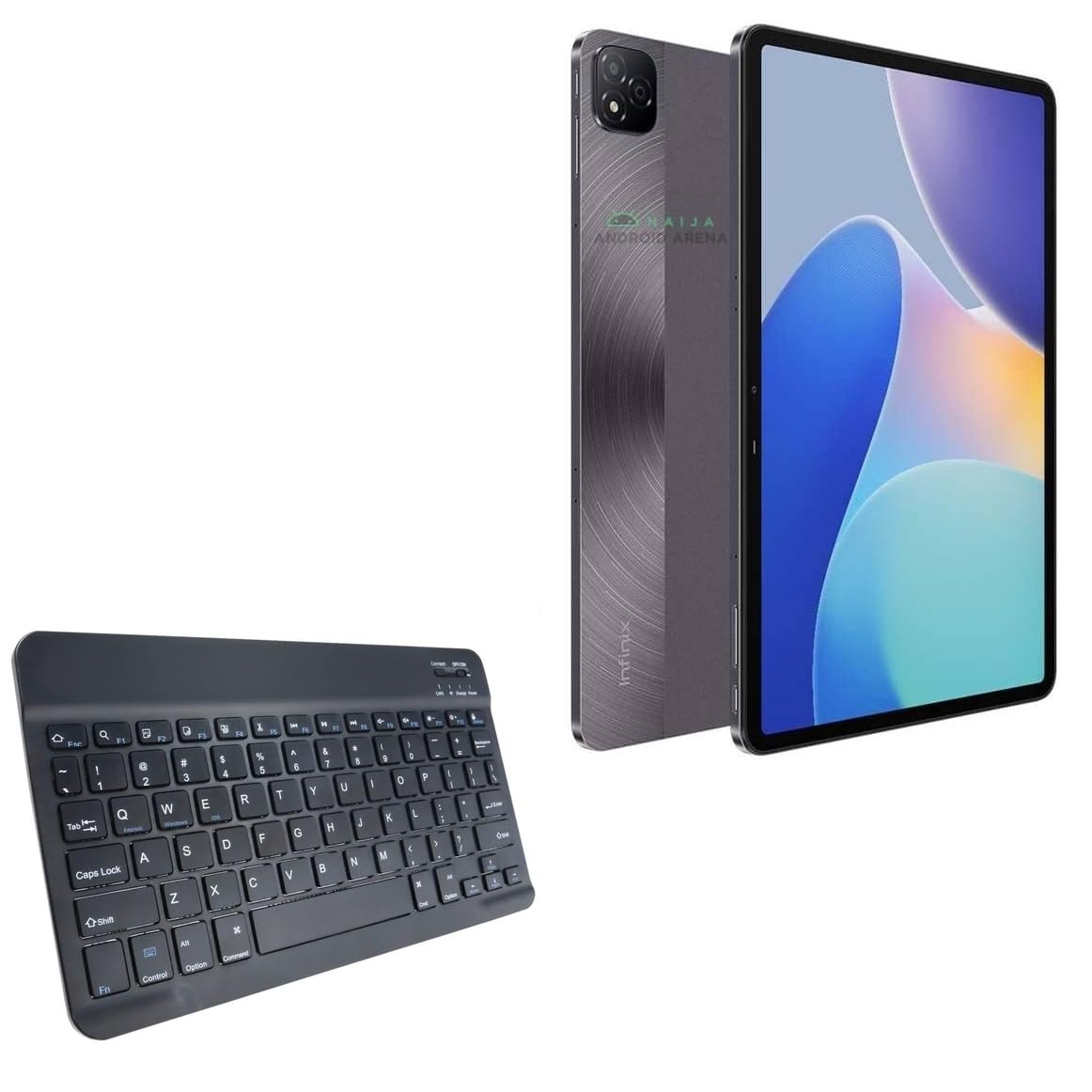
Resim 1.1: Yukarıdan aşağıya view of the BoxWave SlimKeys Bluetooth Keyboard.
2. Paket İçeriği
Lütfen paketi aşağıdaki öğeler açısından kontrol edin:
- BoxWave SlimKeys Bluetooth Keyboard
- Şarj Kablosu (USB)
- Kullanım Kılavuzu (bu belge)
3. Kurulum
3.1 Klavyeyi Şarj Etme
Before initial use, fully charge the keyboard. Connect the provided USB charging cable to the keyboard's charging port and to a USB power source. The charging indicator light will illuminate during charging and turn off when fully charged.

Image 3.1: The keyboard connected to its charging cable.
To conserve battery life, use the built-in ON/OFF switch when the keyboard is not in use. The keyboard features an energy-efficient Bluetooth 3.0 design to reduce power drain.
3.2 Cihazınızla Eşleştirme
- Ensure the keyboard is charged and powered on using the ON/OFF switch located on the top right.
- Basın Bağlamak Klavyedeki düğmeye basın. Bluetooth gösterge ışığı yanıp sönmeye başlayacak ve eşleştirme modunda olduğunu gösterecektir.
- On your device (e.g., Infinix Xpad, tablet, smartphone, computer), navigate to the Bluetooth settings.
- Cihazınızda Bluetooth'u etkinleştirin ve kullanılabilir cihazları arayın.
- Seçme "SlimKeys Keyboard" veya bulunan cihazlar listesinden benzer bir isim.
- Follow any on-screen prompts to complete the pairing process. A successful connection will be indicated by the Bluetooth light on the keyboard turning solid or off, depending on the model.
The SlimKeys keyboard utilizes Bluetooth 3.0 for quick and reliable pairing across various operating systems, including Android, Windows, and iOS.
4. Operasyon
4.1 Genel Kullanım
The SlimKeys Bluetooth Keyboard provides a full QWERTY layout with chiclet-style keys for comfortable and efficient typing. Its compact and lightweight design makes it suitable for travel and on-the-go productivity.

Image 4.1: User typing on the SlimKeys Bluetooth Keyboard.
4.2 Specialized Function Keys
The keyboard includes specialized function keys (F1-F12) that provide quick access to common commands. These functions may vary slightly depending on your device's operating system.

Resim 4.2: Üzeriview of specialized function keys.
- Esc (Home): Returns to home screen.
- F1 (Search): Opens search function.
- F2 (Select All): Selects all content.
- F3 (Copy): Copies selected content.
- F4 (Paste): Pastes copied content.
- F5 (Cut): Cuts selected content.
- F6 (Skip Back): Skips to previous track.
- F7 (Play/Pause)Medya dosyalarını oynatır veya duraklatır.
- F8 (Skip Forward): Skips to next track.
- F9 (Volume Down)Hacmi azaltır.
- F10 (Volume Up)Hacmi artırır.
- F11 (Brightness Down): Decreases screen brightness.
- F12 (Brightness Up): Increases screen brightness.
- Delete (Lock): Locks the device.
To activate these functions, press the corresponding F-key. Some functions may require pressing the Fn key simultaneously, depending on your device's operating system and settings.
5. Bakım
- Temizlik: Klavyeyi temizlemek için yumuşak, kuru ve tüy bırakmayan bir bez kullanın. İnatçı kirler için hafifçe kurulayın.ampBezi su veya hafif bir elektronik temizleyici ile nemlendirin. Aşırı nemden kaçının.
- Depolamak: When not in use for extended periods, store the keyboard in a cool, dry place. Ensure the keyboard is powered off to preserve battery life.
- Pil Bakım: Pilini sık sık tamamen boşaltmaktan kaçının. Pilin ömrünü uzatmak için, sürekli kullanılmasa bile klavyeyi düzenli olarak şarj edin.
- Sıvılardan Kaçının: Dahili bileşenlerin zarar görmesini önlemek için klavyeyi sıvılardan uzak tutun.
- Aşırı Sıcaklıklardan Kaçının: Do not expose the keyboard to extreme heat or cold, as this can affect battery performance and overall functionality.
6. Sorun Giderme
6.1 Klavye Bağlanmıyor/Eşleşmiyor
- Gücü Kontrol Edin: Ensure the keyboard is powered on and has sufficient battery charge.
- Re-enable Bluetooth: Cihazınızın Bluetooth özelliğini kapatıp tekrar açın.
- Tamirat: Go to your device's Bluetooth settings, forget or unpair the "SlimKeys Keyboard" if it's listed, then repeat the pairing steps (Section 3.2).
- Mesafe: Ensure the keyboard is within the effective range of your device (typically up to 10 meters or 33 feet).
- Parazit yapmak: Parazite neden olabilecek diğer kablosuz cihazlardan uzaklaşın.
- Cihazları Yeniden Başlatın: Restart both your device and the keyboard.
6.2 Tuşlar Yanıt Vermiyor
- Pil Seviyesi: Check if the keyboard battery is low. Charge the keyboard if necessary.
- Bağlantı: Verify that the keyboard is still connected via Bluetooth to your device.
- Temiz Anahtarlar: Tuşların altında herhangi bir kalıntının kalmadığından emin olun.
- Tekrar başlat: Klavyeyi kapatıp tekrar açın.
6.3 Lag or Delayed Input
- Pil Seviyesi: Düşük pil bazen performansı etkileyebilir.
- Mesafe/Girişim: Reduce distance to the device and minimize potential interference sources.
- Cihaz Performansı: Ensure your connected device is not under heavy load, which could affect Bluetooth responsiveness.
7. Özellikler
| Model Adı | SlimKeys Bluetooth Keyboard |
| Bağlantı | Bluetooth 3.0 |
| Uyumluluk | Android, Windows, iOS devices (e.g., Infinix Xpad) |
| Boyutlar (Yaklaşık) | 9.5 inç (Genişlik) x 5.75 inç (Derinlik) x 0.2 inç (Yükseklik) |
| Ağırlık | 8.6 ons (yaklaşık 244 gram) |
| Pil Türü | Ürüne Özel (dahil) |
| Pil Ömrü | Up to 30 days (active use), 6 months (standby) |
| Üretici | Kutu dalgası |
| ASIN | B0DFZ2S7C4 |

Image 7.1: Approximate dimensions of the SlimKeys Bluetooth Keyboard.
8. Garanti ve Destek
For warranty information and technical support, please refer to the documentation included with your purchase or visit the official BoxWave website. You may also contact BoxWave customer service directly for assistance.
Manufacturer: BoxWave
Daha fazla yardım için lütfen şu adresi ziyaret edin: www.boxwave.com