
1. Güvenlik Bilgileri
Always prioritize safety when operating the Genmitsu 4040-PRO MAX CNC Router Machine. Failure to follow safety guidelines can result in injury or damage to the equipment.
1.1 Genel Güvenlik
- Çalıştırmadan önce kılavuzun tamamını okuyun ve anlayın.
- Çalışma alanınızı temiz ve iyi aydınlatılmış tutun. Dağınık veya karanlık alanlar kazalara davetiye çıkarır.
- Yanıcı sıvılar, gazlar veya tozlar gibi patlayıcı ortamlarda makineyi çalıştırmayın.
- Makineyi çalıştırırken çocukları ve çevredekileri uzak tutun. Dikkatinizin dağılması kontrolünüzü kaybetmenize neden olabilir.
- Wear appropriate personal protective equipment (PPE), including safety glasses, hearing protection, and dust masks.
1.2 Elektrik Güvenliği
- Ensure the power source matches the machine's voltage gereksinimleri (230 Volt).
- Do not abuse the power cord. Never use the cord for carrying, pulling, or unplugging the machine.
- Güç kablosunu ısıdan, yağdan, keskin kenarlardan veya hareketli parçalardan uzak tutun.
- Always unplug the machine before performing any maintenance, adjustments, or when changing accessories.
1.3 Operasyonel Güvenlik
- güvenli bir şekilde clamp all workpieces to prevent movement during operation.
- Ensure the cutting tool is correctly installed and tightened before starting.
- Makineyi çalışırken asla gözetimsiz bırakmayın.
- Avoid reaching into the machine's working area while it is in operation.
- Use the emergency stop button immediately if any abnormal operation or hazard occurs.
2. Paket İçeriği
Verify that all components are present and undamaged upon opening the package. If any items are missing or damaged, contact customer support.
- Genmitsu 4040-PRO MAX CNC Router Machine (1 unit)
- 710W Trimmer/Spindle
- Kontrol Paneli
- Power Supply (Corded Electric)
- Veri Kablosu
- Auxiliary Tools (e.g., wrenches, screwdrivers)
- Spindle Line
- Acil Durdurma Anahtarı
- Limit Anahtarları
- Kullanıcı Kılavuzu
3. Kurulum ve Montaj
Follow these steps carefully to assemble and set up your CNC router machine.
3.1 Kutudan Çıkarma ve Bileşen Tanımlama
Carefully remove all components from the packaging. Refer to the package contents list to ensure all parts are present.

Resim: Üzeriview of the Genmitsu 4040-PRO MAX CNC Router Machine.
3.2 Makine Montajı
The 4040-PRO MAX features an easy assembly design. Align the X&Y-axis with support blocks as shown in the diagram.

Image: Diagram illustrating the easy assembly process, showing how to align the X and Y axes with support blocks.
The X-axis is composed of SBR16 linear rails and a lead screw, designed for high precision and stability. The Z-axis also utilizes a lead screw and linear rail structure for stable vertical movement.

Resim: Ayrıntılı view of the X and Z axes, highlighting the linear rails and lead screws.
3.3 Spoilboard Installation
The machine includes an upgraded spoilboard with a rigid aluminum spine, secure T-track grip, and lasting flatness. Ensure it is properly installed for stable workpiece mounting.

Image: The upgraded spoilboard featuring a rigid aluminum spine and T-track grip.
3.4 Kablolama ve Bağlantılar
Connect the stepper motors, limit switches, spindle, and power supply to the control board. Ensure all connections are secure and follow the wiring diagrams provided in the full manual.
Video: Installation tutorial for a similar Genmitsu Pro Max CNC machine, demonstrating unboxing, assembly, and wiring steps. This video provides a visual guide for the assembly process.
4. Kullanım Talimatları
The Genmitsu 4040-PRO MAX is controlled via GRBL. It supports wireless control through an upgraded motherboard and an optional Wi-Fi module (ASIN: B0D1BZW5LY) for seamless integration with the official Genmitsu app.
4.1 Temel İşlemler
- Power on the machine and connect it to your computer or use the optional offline controller.
- G kodunuzu yükleyin file using compatible software (e.g., Candle, UGS) or the Genmitsu app.
- Set the workpiece origin (X, Y, Z zero points).
- Start the carving or cutting process. Monitor the machine during operation.
4.2 Malzeme Uyumluluğu
The 710W compact router provides powerful performance for carving and cutting various materials, including wood, metal, and acrylic.
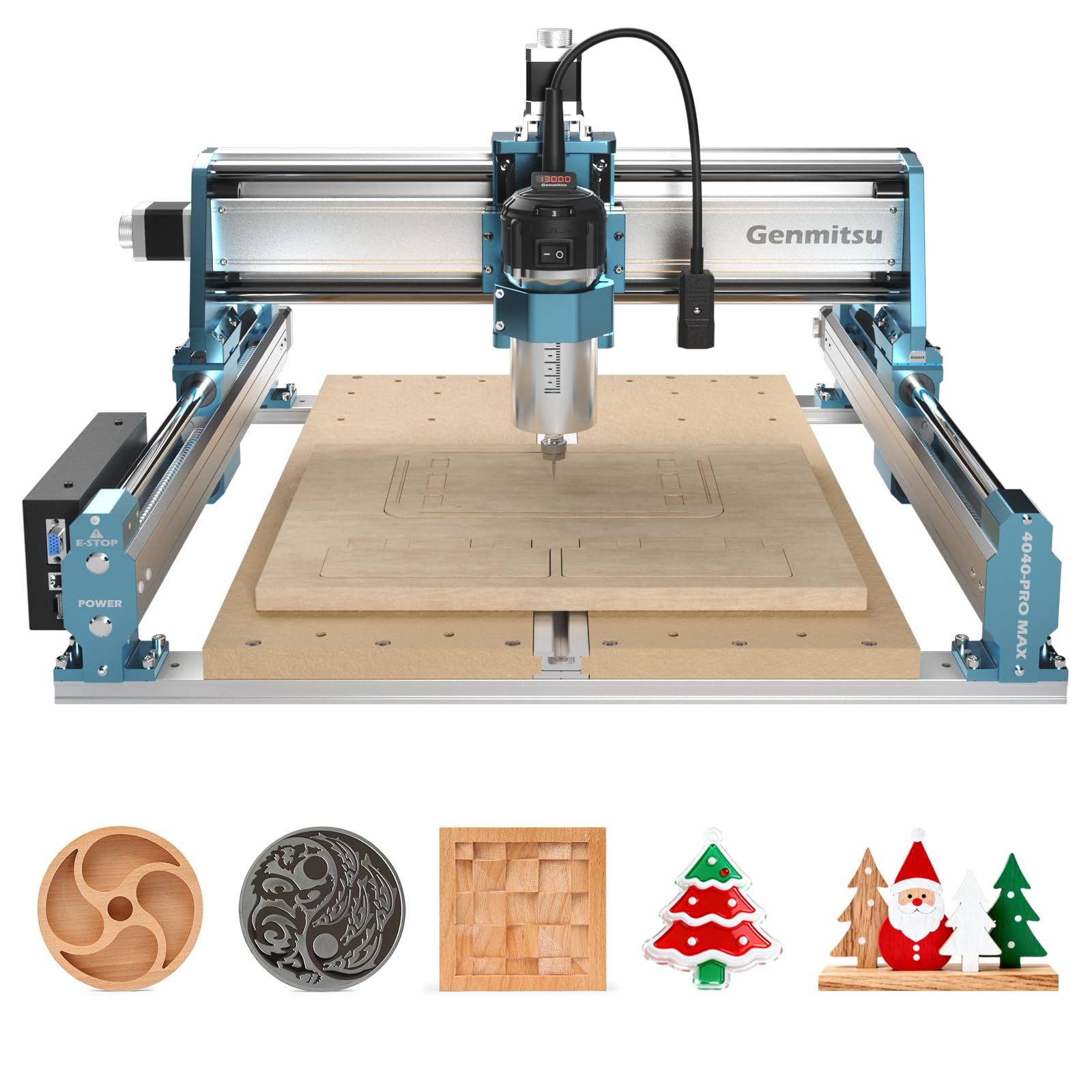
Image: The 710W spindle carving intricate designs into a metal plate.
4.3 Increased Pass Height
The machine features an increased step height of 100mm, allowing for the engraving of taller materials compared to previous PRO versions.

Image: Comparison showing the increased pass height of 100mm on the upgraded model.
4.4 Accessories and Upgrades
The 4040-PRO MAX is designed for expandability. It is compatible with various accessories such as the 4040-PRO Y-axis extension kit, 4th axis rotary module, and dust shoe.

Image: The Genmitsu CNC router shown with various compatible accessories like an extension kit, Wi-Fi module, dust shoe, relay module, Z-probe, and 4th axis.
Video: Demonstration of Genmitsu end mills with 3.175mm shanks, showcasing their use in CNC carving.
5. Bakım
Düzenli bakım, makinenizin optimum performans göstermesini ve uzun ömürlü olmasını sağlar.
- Yağlama: Regularly lubricate the lead screws and linear rails to ensure smooth movement and prevent wear.
- Temizlik: Keep the machine free from dust and debris, especially around the moving parts and electronics. Use a soft brush or compressed air.
- Denetleme: Periodically check all screws and connections for tightness. Ensure the cutting tools are sharp and free from damage.
6. Sorun Giderme
This section provides solutions to common issues. For more complex problems, refer to the full online manual or contact customer support.
6.1 Ortak Sorunlar
- Makine açılmıyor: Check all power connections, ensure the power supply is correctly installed, and verify the voltage switch on the power supply is set correctly (110V or 220V).
- Motors not moving: Check motor wiring connections to the control board. Ensure the emergency stop button is disengaged.
- Inaccurate carving: İş parçasının güvenli bir şekilde kapatıldığını doğrulayınamped. Check for loose components or worn cutting tools. Ensure correct G-code and software settings.
- Yazılım bağlantı sorunları: Ensure correct drivers are installed and the USB cable is properly connected. If using wireless, verify Wi-Fi module installation and app connection.
7. Özellikler
| Özellik | Şartname |
|---|---|
| Marka | Genmitsu |
| Model Numarası | 4040-PRO MAX |
| Malzeme | Metal |
| Güç Kaynağı | Kablolu Elektrik |
| Cilttage | 230 Volt |
| Beygir gücü | 0.95 HP (approx. 710W) |
| Work Area (X, Y, Z) | 15.75 x 15.75 x 3.15 inç (yaklaşık 40 x 40 x 8 cm) |
| Ürün Ağırlığı | 16.4 Kilogram |
| Kontrol Sistemi | GRBL Kontrolü |
| X ekseni | SBR16 Linear Rails, Lead Screw |
| Z ekseni | Lead Screw, Linear Rail Structure |
| Pass Height | 100mm Maksimum |
| Kablosuz İşlevsellik | Supported (with optional Wi-Fi module) |
8. Garanti ve Destek
For warranty information, technical support, or to purchase additional accessories, please visit the official Genmitsu websiteye gidin veya doğrudan müşteri hizmetleriyle iletişime geçin.
Daha fazla bilgi ve destek kaynaklarına şu adresten ulaşabilirsiniz: Amazon'da Genmitsu Mağazası.