
giriiş
Thank you for choosing the Raddy RF320 Shortwave Radio. This manual provides essential information for the safe and efficient operation of your device. Please read it thoroughly before use and retain it for future reference. The RF320 is a versatile portable radio offering comprehensive reception across AIR, FM, VHF, MW, SW, and WB bands, along with Bluetooth 5.0 connectivity, TF card playback, and emergency features like a flashlight and SOS function.
Güvenlik Bilgileri
- Radyoyu aşırı sıcaklıklara, doğrudan güneş ışığına veya yüksek neme maruz bırakmayın.
- Cihazı düşürmekten veya güçlü darbelere maruz bırakmaktan kaçının.
- Keep the radio away from water and other liquids. It is not waterproof.
- Hasar oluşmasını önlemek için yalnızca belirtilen şarj kablosunu ve güç adaptörünü kullanın.
- Do not attempt to disassemble or modify the radio. This will void the warranty and may cause harm.
- Pilleri yerel düzenlemelere göre atın.
Paket İçeriği
Paketin içinde tüm öğelerin mevcut olduğundan emin olun:
- Raddy RF320 Shortwave Radio
- USB Şarj Kablosu
- 3m Cable Antenna
- Kulaklıklar
- Kullanım Kılavuzu
Ürün Bittiview
Radyonun bileşenlerini ve kontrollerini iyice öğrenin.
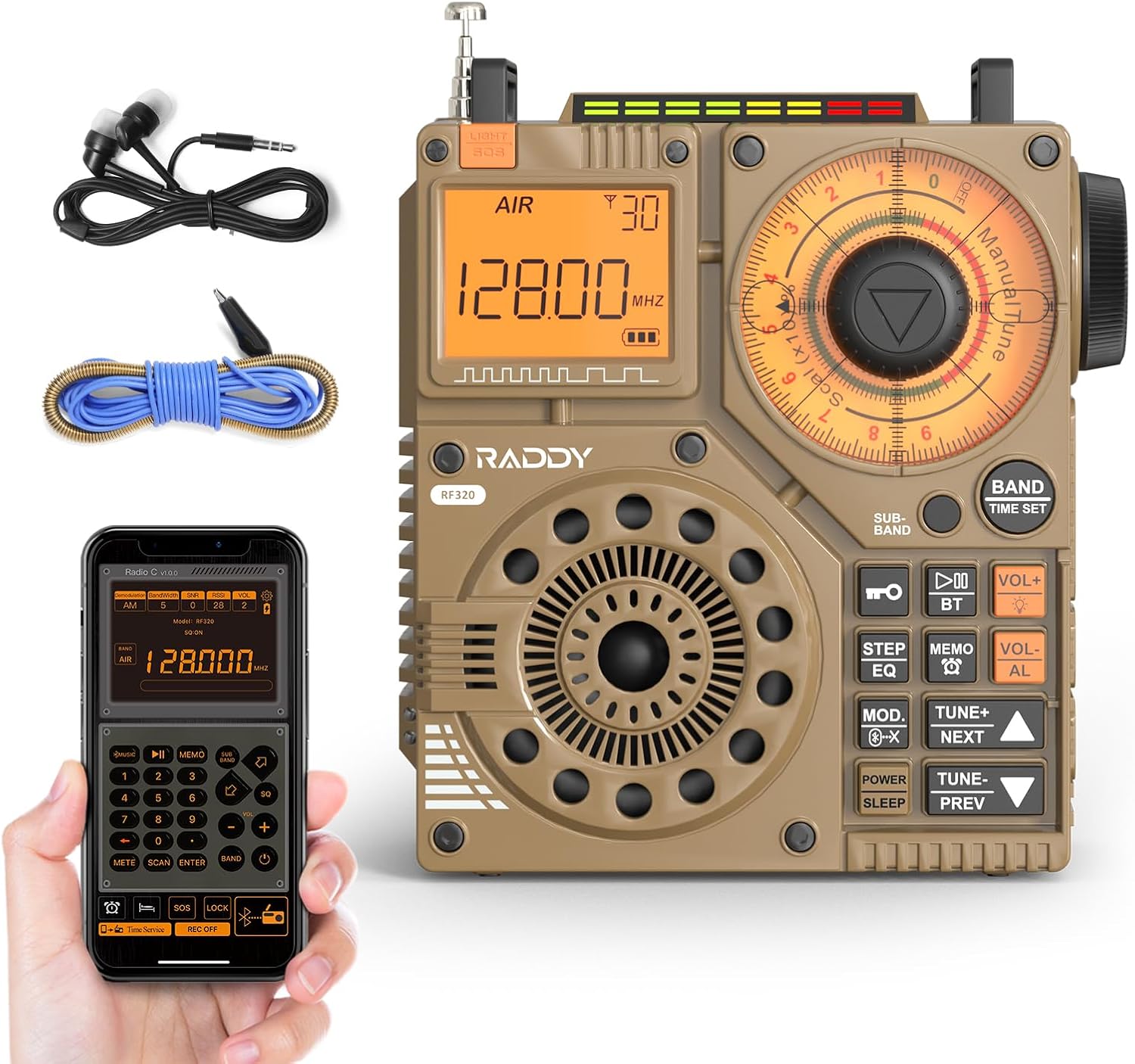
Şekil 1: Ön view of the Raddy RF320 Shortwave Radio, showing the display, speaker, and control buttons.

Şekil 2: Yan view of the Raddy RF320, illustrating the fine-tuning knobs and their function for precise frequency adjustment.
Temel Özellikler:
- Dijital gösterge: Shows frequency, band, and other operational information.
- Tuning Knobs: For manual and fine-tuning adjustments.
- Band Selection Buttons: To switch between AIR, FM, VHF, MW, SW bands.
- Ses Kontrolü: Ses çıkış seviyesini ayarlar.
- Entegre El Feneri: Düşük ışık koşullarında aydınlatma için.
- SOS İşlevi: Acil durum sinyalini etkinleştirir.
- Bluetooth 5.0: Kablosuz ses akışı için.
- TF Kart Girişi: For direct playback of stored audio files.
- 3.5 mm Ses Jakı: For earphone connection.
Kurmak
1. Pilin Şarj Edilmesi
The RF320 is powered by a built-in Lithium-ion battery. Before first use, fully charge the radio.
- USB şarj kablosunu radyonun şarj portuna bağlayın.
- USB kablosunun diğer ucunu uyumlu bir USB güç adaptörüne (dahil değildir) veya bilgisayarın USB portuna bağlayın.
- The charging indicator on the display will show the charging status. It will typically turn off or change color when fully charged.
2. Antenin Takılması
For optimal reception, especially on SW and AIR bands, extend the telescopic antenna or connect the included 3m cable antenna.
- Teleskopik Anten: Extend it fully and adjust its direction for best signal.
- Cable Antenna: Plug the cable antenna into the designated antenna jack on the radio. Extend the cable antenna as much as possible, ideally outdoors or near a window, for improved shortwave reception.
Kullanım Talimatları
1. Güç Açma/Kapatma
Basılı tutun GÜÇ Radyoyu açıp kapatmak için kullanılan düğme.
2. Bant Seçimi
Basın BANT button repeatedly to cycle through the available frequency bands: FM, AM (MW), SW, VHF, AIR, WB.
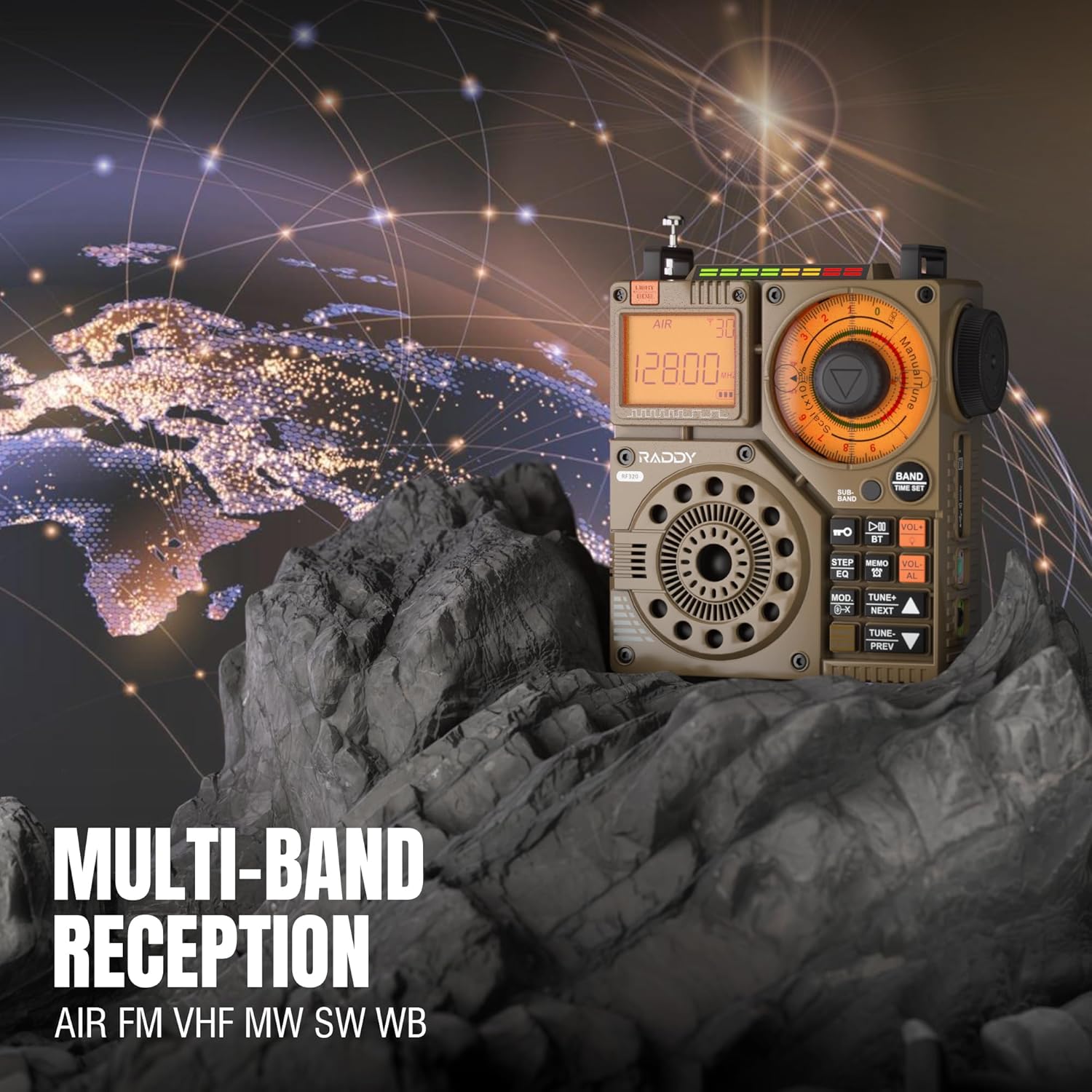
Figure 3: The Raddy RF320 radio on a rocky surface, symbolizing its multi-band reception capabilities across AIR, FM, VHF, MW, SW, and WB bands.
3. Akort Yöntemleri
The RF320 offers multiple tuning options:
- Manuel Ayarlama: Use the main tuning knob to adjust the frequency incrementally. The precise tuning knobs offer a minimum step value of 0.005 MHz for accurate frequency selection.
- Dijital Ayarlama: Use the numeric keypad (if available on the device or via app) to directly enter a frequency.
- Otomatik Arama: Basın OTOMATİK TARAMA Mevcut istasyonları otomatik olarak tarayıp kaydetmek için düğme.
- Yarı Otomatik Arama: This function allows for scanning within a specific range or with user intervention. Refer to the on-screen prompts or app interface for details.
4. Station Storage
The radio can store up to 955 stations (199 for each of AIR, FM, VHF, MW, and SW bands).
- İstediğiniz istasyonu ayarlayın.
- Basılı tutun HAFIZA button (or equivalent) to save the station.
- Kullanın SONRAKİ/ÖNCEKİ Kaydedilmiş istasyonlar arasında gezinmek için kullanılan düğmeler.
5. Bluetooth (BT) Modu
Akıllı telefonunuzu veya Bluetooth özellikli diğer cihazınızı bağlayarak sesi kablosuz olarak aktarabilirsiniz.
- Basın MOD button until 'BT' or 'Bluetooth' is displayed.
- On your device, search for Bluetooth devices and select 'Raddy RF320'.
- Once paired, you can play audio from your device through the radio's speaker.
6. TF Kart Oynatma
Sesi çal files directly from a TF (MicroSD) card.
- Insert a TF card (up to 32GB, FAT32 format) with audio fileTF kart yuvasına takın.
- Basın MOD button until 'TF' or 'Card' is displayed.
- Kullanın SONRAKİ/ÖNCEKİ Parçalar arasında gezinmek için düğmeler.

Figure 4: The Raddy RF320 radio next to a smartphone displaying music, highlighting its three operational modes: Bluetooth, TF Card, and Radio Receiver.
7. Flashlight and SOS Function
The RF320 includes an integrated flashlight and an SOS emergency signal.
- El feneri: Basın IŞIK button to turn the flashlight on/off.
- S.O.S: Basılı tutun s.o.s. button to activate the emergency alarm and flashing light. Press again to deactivate.

Figure 5: Close-up of the Raddy RF320 radio with its integrated flashlight active, demonstrating its outdoor lighting capability.
8. Uygulama Kontrolü
The Raddy RF320 can be controlled via a dedicated application on iOS, Android, and HarmonyOS systems.
- Download the 'Radio C' application from your device's app store.
- Ensure Bluetooth is enabled on your smartphone and the RF320 radio.
- Open the app and follow the on-screen instructions to connect to your RF320.
- The app allows for digital tuning, channel naming, recording broadcasts, and other advanced controls.

Figure 6: The Raddy RF320 radio displayed alongside a smartphone running its control application, illustrating the ease of use with app integration.
Bakım
- Radyoyu yumuşak, kuru bir bezle temizleyin. Aşındırıcı temizleyiciler veya çözücüler kullanmayın.
- Uzun süre kullanılmayacaksa radyoyu serin ve kuru bir yerde saklayın.
- Periodically charge the battery to maintain its lifespan, even if the radio is not being used.
- Ensure the telescopic antenna is retracted when not in use to prevent damage.
Sorun giderme
| Sorun | Olası Neden | Çözüm |
|---|---|---|
| Radyo açılmıyor. | Pil bitmiş. | Charge the radio fully. |
| Zayıf radyo alımı. | Sinyal zayıf; anten uzatılmamış. | Extend the telescopic antenna or connect the 3m cable antenna. Adjust antenna position. Move to an area with better signal. |
| Bluetooth bağlantısı başarısız oluyor. | Radio not in BT mode; device too far; pairing issue. | Ensure radio is in BT mode. Bring devices closer. Delete 'Raddy RF320' from your device's BT list and re-pair. |
| TF kartı çalışmıyor. | Card not inserted correctly; unsupported format; corrupted files. | Reinsert TF card. Ensure card is FAT32 format. Check if audio files desteklenmektedir. |
| Uygulama kontrolü çalışmıyor. | Bluetooth not connected; app not updated. | Ensure radio is paired via Bluetooth. Update the 'Radio C' app to the latest version. |
Özellikler
| Özellik | Şartname |
|---|---|
| Marka | Raddy |
| Model Numarası | RF320 |
| Desteklenen Radyo Bantları | AIR, FM, VHF, MW (AM), SW |
| Ayarlama Teknolojisi | FM, AM, VHF, SW, AIR |
| Bağlantı Teknolojisi | Bluetooth 5.0 |
| Özel Özellikler | Digital Display, Integrated Flashlight, Rechargeable, Automatic Squelch, Keypad Lock, TF Card Playback, App Control, SOS Function |
| Ürün Boyutları (U x G x Y) | 15U x 9G x 15Y santimetre |
| Güç Kaynağı | Pille Çalışır (1 adet Lityum iyon pil dahildir) |
| Görüntü Türü | Digital Display (LCD/LED) |
| Donanım Arayüzü | 3.5mm Ses Jakı |
| Su Direnç Seviyesi | Su geçirmez değil |
| İç Malzeme | Metal |
| Menşei ülke | Çin |
Garanti ve Destek
Garanti Bilgileri
Raddy products typically come with a standard manufacturer's warranty. Please refer to the warranty card included in your package or visit the official Raddy website for detailed warranty terms and conditions specific to the RF320 model. Keep your purchase receipt as proof of purchase for warranty claims.
Müşteri Desteği
For technical assistance, troubleshooting beyond this manual, or warranty inquiries, please contact Raddy customer support through their official website or the contact information provided with your product packaging. When contacting support, please have your product model (RF320) and purchase details ready.