
1. Giriş
The TIMBOOTECH Wireless HDMI Transmitter and Receiver system provides a solution for wireless video and audio transmission. This system features built-in screens and control buttons for real-time monitoring of pairing status, connected receivers, and channel selection, ensuring optimal signal quality. It supports up to four receivers simultaneously and offers an extended transmission range of up to 1000 feet (300 meters). Additional features include an HDMI loop-out port and an integrated cooling fan for enhanced performance and reliability.
This device is suitable for various applications, including home entertainment, business presentations, indoor and outdoor filming, live broadcasts, concerts, and gaming setups. It operates on dual-band 2.4GHz and 5.8GHz frequencies, providing stable, interference-free performance with an ultra-low latency of 0.06 seconds.
2. Paket İçeriği
Lütfen aşağıda listelenen tüm öğelerin paketinizde yer aldığından emin olun:
- 1 x Kablosuz HDMI Vericisi (TX)
- 2 x Kablosuz HDMI Alıcı (RX)
- 2 x HDMI Kablosu
- 2 x USB-C Güç Kablosu
- 1 x Mini HDMI Adaptör
- 1 x Mikro HDMI Adaptörü
- 2 x Soğuk Ayakkabı Montajı
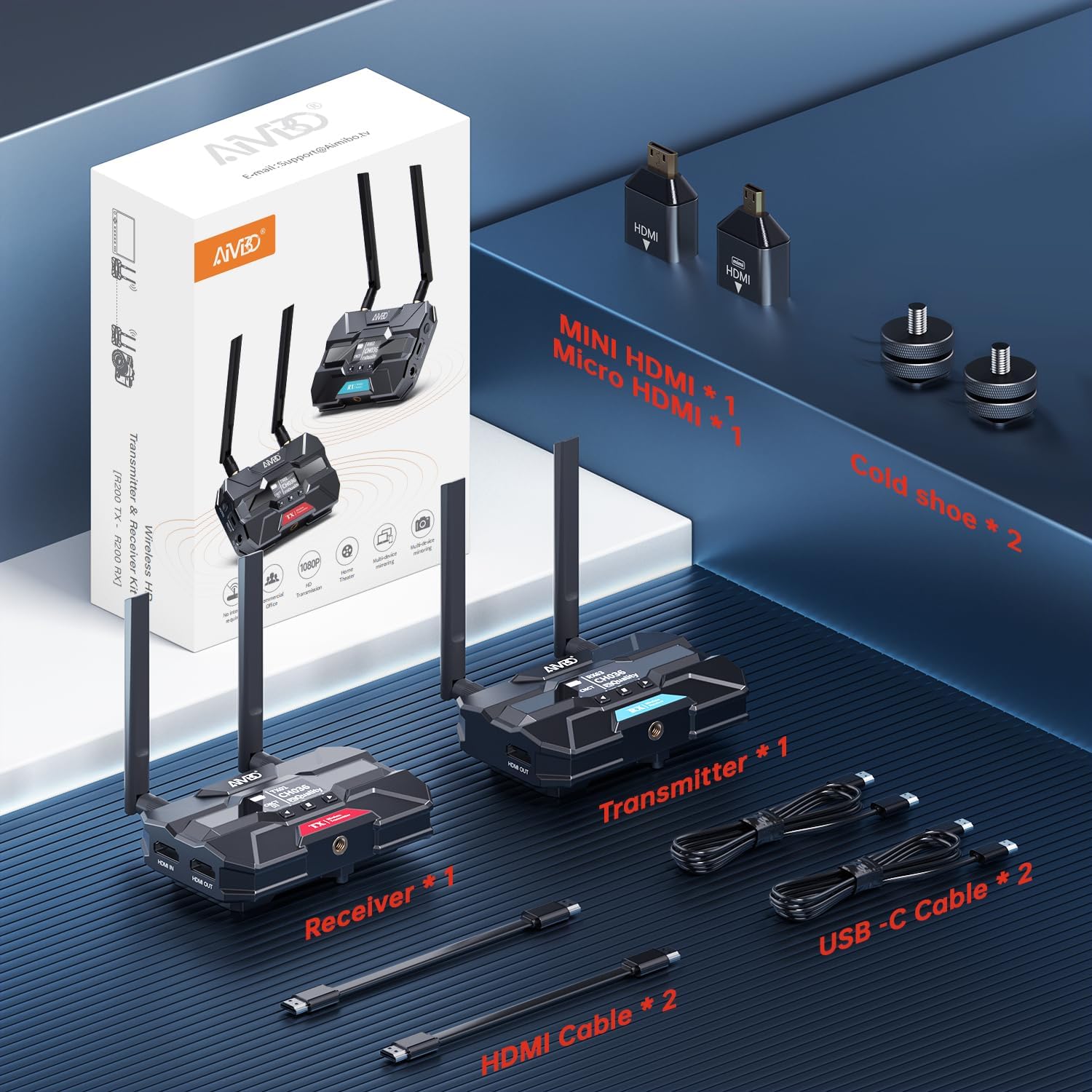
Image: Contents of the TIMBOOTECH Wireless HDMI system package, showing the transmitter, receiver, various cables (HDMI, USB-C), and adapters (Mini HDMI, Micro HDMI), along with cold shoe mounts.
3. Ürün Bittiview
The TIMBOOTECH Wireless HDMI system consists of a Transmitter (TX) and Receiver (RX) units, each equipped with essential features for reliable operation.
Verici (TX) Ünitesi
- OLED Ekran: Shows current status, channel, and signal quality.
- Kontrol Düğmeleri: Navigasyon ve ayar düzenlemeleri için.
- HDMI GİRİŞ Bağlantı Noktası: Connects to your video source (e.g., camera, laptop).
- HDMI OUT (Loop-Out) Port: Connects to a local monitor for simultaneous viewIng.
- DC 12V Güç Girişi: Primary power connection.
- USB-C Güç Girişi: Alternative power connection.
- Soğutma Fanı: Prevents overheating during extended use.
- Antenler: Kablosuz sinyal iletimi için.
Alıcı (RX) Ünitesi
- OLED Ekran: Shows current status, channel, and signal quality.
- Kontrol Düğmeleri: Navigasyon ve ayar düzenlemeleri için.
- HDMI ÇIKIŞ Bağlantı Noktası: Connects to your display device (e.g., TV, projector).
- DC 12V Güç Girişi: Primary power connection.
- USB-C Güç Girişi: Alternative power connection.
- Soğutma Fanı: Prevents overheating during extended use.
- Antenler: Kablosuz sinyal alımı için.

Resim: Yakın çekim view of the TIMBOOTECH Wireless HDMI Transmitter (red label) and Receiver (blue label) units, highlighting their OLED screens, control buttons, and antennas.

Image: A collage illustrating key features of the TIMBOOTECH Wireless HDMI system, including its triple power options, integrated OLED screen, 5.8G chip, cooling fan, and camera mount compatibility.
4. Kurulum Talimatları
Follow these steps to set up your TIMBOOTECH Wireless HDMI system:
- Vericiyi (TX) bağlayın:
- Connect your HDMI video source (e.g., camera, laptop, Blu-ray player) to the HDMI IN port on the Transmitter using an HDMI cable.
- (İsteğe bağlı) Eğer isterseniz view the source on a local display, connect an HDMI cable from the HDMI OUT (Loop-Out) port on the Transmitter to your local TV or monitor.
- Alıcıyı (RX) bağlayın:
- HDMI kablosunu şuradan bağlayın: HDMI ÇIKIŞI port on each Receiver to your desired display device (e.g., TV, monitor, projector).
- Power On the Devices:
- Connect the provided DC 12V power adapters to the Doğru Akım 12V input ports on both the Transmitter and all Receiver units, then plug them into a power outlet. Alternatively, you can use the USB-C power cables for power. (Note: For optimal performance, especially over long distances, using the DC 12V power adapter is recommended.)
- Press the power button on each unit to turn them on.
- Bağlantıyı Doğrulayın:
- Once powered on, the OLED screens on both the Transmitter and Receiver(s) will display their status. They should automatically pair. Look for indicators like "CNCT" (Connected) and matching channel numbers (e.g., TX CH036, RX CH036).
- If pairing does not occur automatically, refer to the "Operating Instructions" section for manual channel selection.

Image: A visual representation of the wireless HDMI setup, demonstrating how the Transmitter (TX) connects to a primary TV and TV Stick via loop-out, while a Receiver (RX) transmits the signal to a second TV in another room.
5. Kullanım Talimatları
5.1 Güç Açma/Kapatma
- Açmak için, düğmesine basın. GÜÇ button on each unit.
- Kapatmak için tuşunu basılı tutun. GÜÇ Ünite kapanana kadar düğmesine basın.
5.2 Monitoring Status via OLED Screen
The built-in OLED screen provides real-time information:
- TX/RX Göstergesi: Identifies the unit as Transmitter or Receiver.
- Channel Number (CH): Displays the current operating channel. Ensure TX and RX units are on the same channel for connection.
- Connection Status (CNCT): Indicates if the unit is connected to its counterpart.
- Sinyal Kalitesi: Shows the strength and quality of the wireless signal.
5.3 Kanal Seçimi
If you experience interference or connection issues, you can manually change the operating channel:
- On both the Transmitter and Receiver units, use the control buttons (usually up/down or menu buttons) to navigate to the channel selection option.
- Select a new channel. Ensure both the TX and all RX units are set to the same channel for proper communication.
- The system will attempt to re-establish connection on the new channel.
5.4 Using HDMI Loop-Out
The Transmitter's HDMI OUT (Loop-Out) port allows you to connect a local display while simultaneously transmitting the signal wirelessly to one or more Receivers. This is useful for monitoring the source content directly at the transmission point.
5.5 Çoklu Alıcı Kurulumu
The system supports connecting a single Transmitter to up to four Receivers simultaneously. To add more Receivers:
- Ensure the additional Receiver(s) are powered on.
- Verify that the channel displayed on the new Receiver matches the channel of the active Transmitter. If not, adjust the channel on the Receiver.
- The new Receiver should automatically connect to the Transmitter.

Image: A stadium setting with multiple screens, illustrating the capability of the TIMBOOTECH system to transmit to up to four receivers over a range of 1000 feet, ideal for large-scale events.
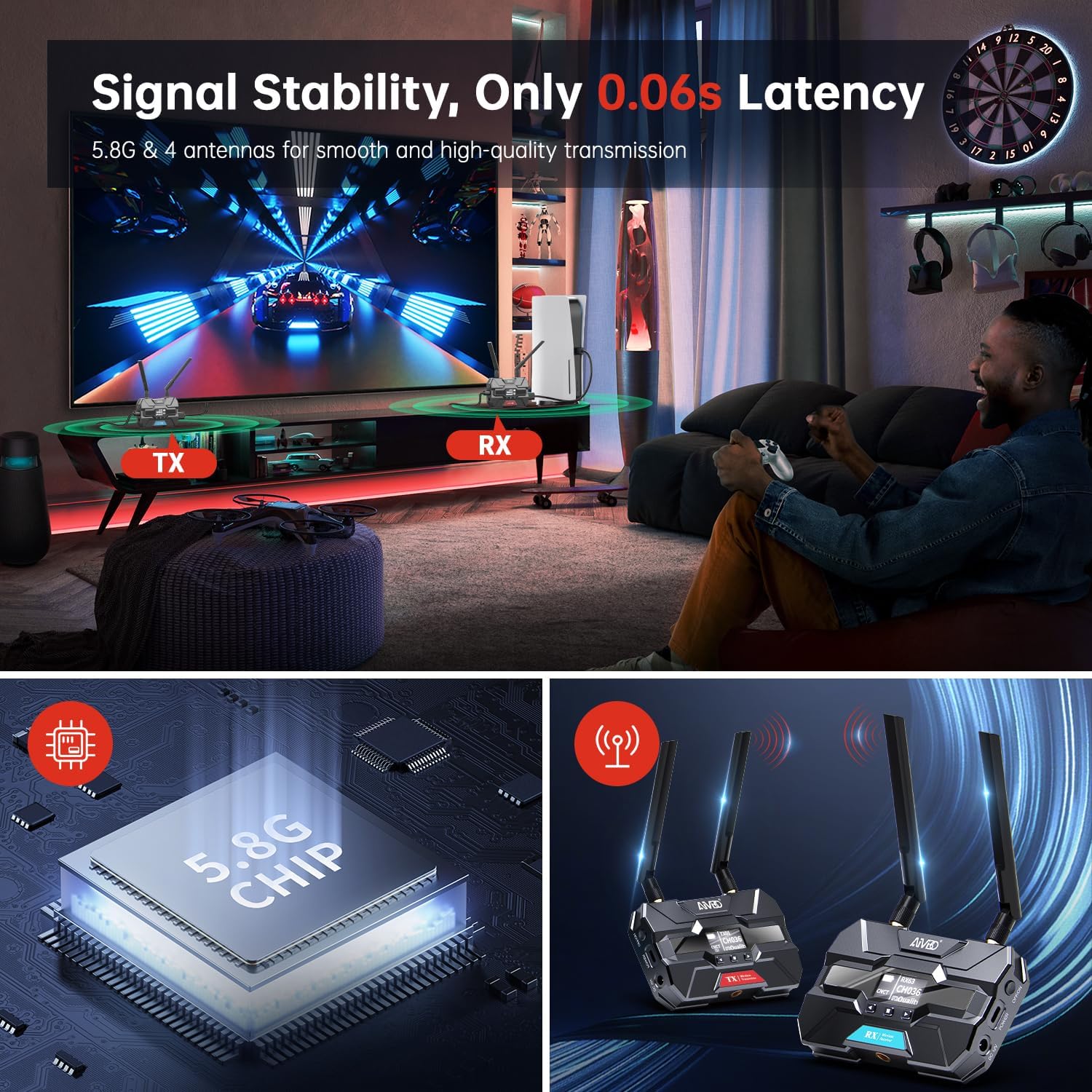
Image: A gaming environment demonstrating the TIMBOOTECH Wireless HDMI system's stable signal and ultra-low latency (0.06s), crucial for responsive gaming experiences.
6. Bakım
- Temizlik: Cihazların dış yüzeyini temizlemek için yumuşak, kuru bir bez kullanın. Sıvı temizleyiciler veya çözücüler kullanmayın.
- Soğutma Fanı: The built-in cooling fan helps maintain optimal operating temperature. Ensure the fan vents are not obstructed to allow proper airflow.
- Depolamak: Uzun süre kullanılmayacaksa, cihazları serin ve kuru bir yerde, doğrudan güneş ışığından ve aşırı sıcaklıklardan uzakta saklayın.
7. Sorun Giderme
If you encounter issues with your TIMBOOTECH Wireless HDMI system, please refer to the following troubleshooting tips:
| Sorun | Olası Neden | Çözüm |
|---|---|---|
| Ekranda sinyal yok |
|
|
| Poor signal quality, flickering, or dropped connection |
|
|
| Birimler eşleşmiyor |
|
|
| Aşırı ısınma |
|
|
8. Özellikler
- Model Numarası: c6e2f051-b1a5-4eb1-920e-7e082da52f8c
- İletim Aralığı: 1000 ft'ye (300 m) kadar
- Gecikme: 0.06 saniye
- Kablosuz Frekansı: Dual-band 2.4GHz and 5.8GHz
- Maximum Receivers: 4 (one Transmitter to four Receivers)
- Bağlantı Teknolojisi: HDMI
- Bağlantı Tipi: HDMI
- Özellik: Built-in Cooling Fan, OLED Display, HDMI Loop-Out
- Uyumlu Cihazlar: Televisions, Monitors, Projectors, Cameras, Laptops, Blu-ray players, Set-top boxes, PCs, DSLRs, Satellites, DVDs
- Güç Girişi: DC 12V (recommended), USB-C
- Üretici: TIMBOOTECH
9. Garanti ve Destek
For warranty information and technical support, please refer to the documentation provided with your purchase or contact TIMBOOTECH customer service through their official channels. Keep your purchase receipt for warranty claims.