
PrimeCables Cab-PC-08486-BK
PrimeCables 47x24 Electric Standing Desk (Model: Cab-PC-08486-BK) User Manual
Comprehensive instruction manual for the PrimeCables 47x24 Electric Standing Desk, covering assembly, operation, features, and specifications.
1. Giriş
This manual provides detailed instructions for the assembly, operation, and maintenance of your PrimeCables 47x24 Electric Standing Desk. Please read this manual thoroughly before use to ensure proper function and safety. Keep this manual for future reference.
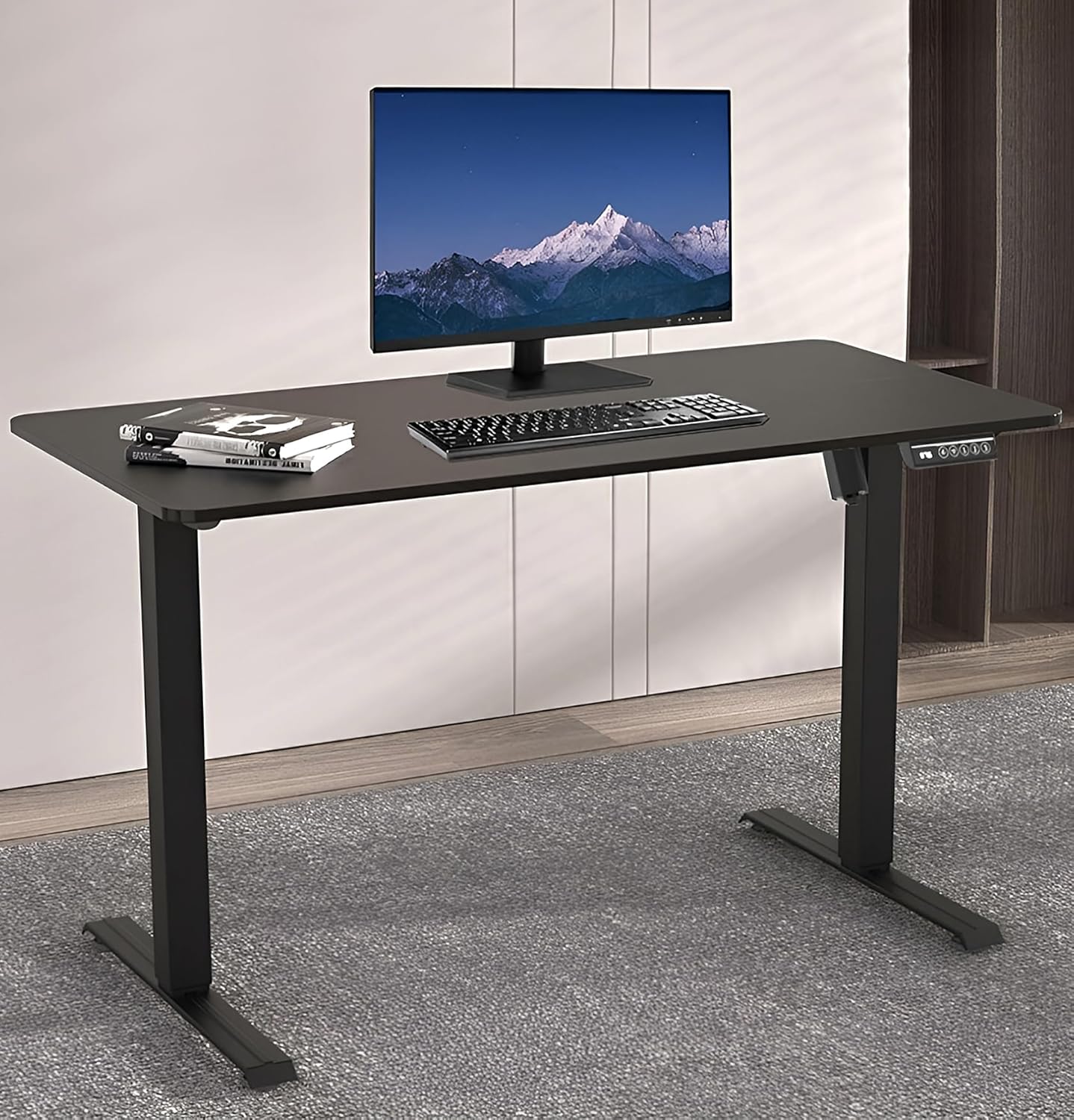
Image 1: PrimeCables 47x24 Electric Standing Desk in a home office setting, showcasing its sleek black design with a monitor, keyboard, and mouse.
2. Güvenlik Bilgileri
Yaralanmayı veya ürüne zarar gelmesini önlemek için lütfen aşağıdaki güvenlik talimatlarına uyun:
- Ağırlık sınırı: Do not exceed the maximum weight limit of 50 kg (110 lbs). Exceeding this limit can damage the desk and pose a safety risk.
- Elektriksel Çalışma: Use caution when operating the electrical features of the desk. Ensure all cables are properly connected and not pinched.
- Obstruction Detection: The desk is equipped with obstruction detection. However, always ensure the path of movement is clear during height adjustments to prevent damage or injury.
- Çocuklar ve Evcil Hayvanlar: Çalışma sırasında çocukları ve evcil hayvanları masadan uzak tutun.
- Kararlı Yüzey: Ensure the desk is placed on a stable and level surface. Adjustable foot pads can be used to compensate for uneven floors.
3. Ürün Özellikleri
- Rock-Solid Stability System: Adjustable foot pads ensure wobble-free performance on uneven floors. Heavy-duty metal frame supports up to 110lbs for dual monitors and office equipment.
- Smart 3-Memory Control Panel: LED height display + 3 customizable memory presets for instant adjustments. Obstruction detection retracts tabletop automatically to prevent damage.
- Rapid Height Adjustment: 72-117cm (28.3-46.1in) range with 18mm/s speed - switch from sitting to standing in seconds. Quiet operation under 50dB for shared spaces.
- Çift-Stage Column Technology: Smooth lifting mechanism with low friction for precise height control. Ideal for ergonomic posture correction and productivity boost.
- Splice Board Design: 120x60x1.5cm (47x23.6x0.6in) premium wood splice board - modern aesthetic with easy assembly.
4. Özellikler
| Marka | PrimeKablolar |
| Model Numarası | Cab-PC-08486-BK |
| Renk | Siyah |
| Ürün Boyutları | 120 x 60 x 117 cm (47 x 23.6 x 46.1 inç) |
| Malzeme | Alloy Steel, Wood (Splice Board) |
| Ürün Ağırlığı | 23.5 kg (51.8 lbs) |
| Yükseklik Ayar Aralığı | 72-117 cm (28.3-46.1 inç) |
| Hız | 18mm/s |
| Gürültü Seviyesi | 50 dB'nin altında |
| Ağırlık Kapasitesi | 50 kg (110 lbs) |
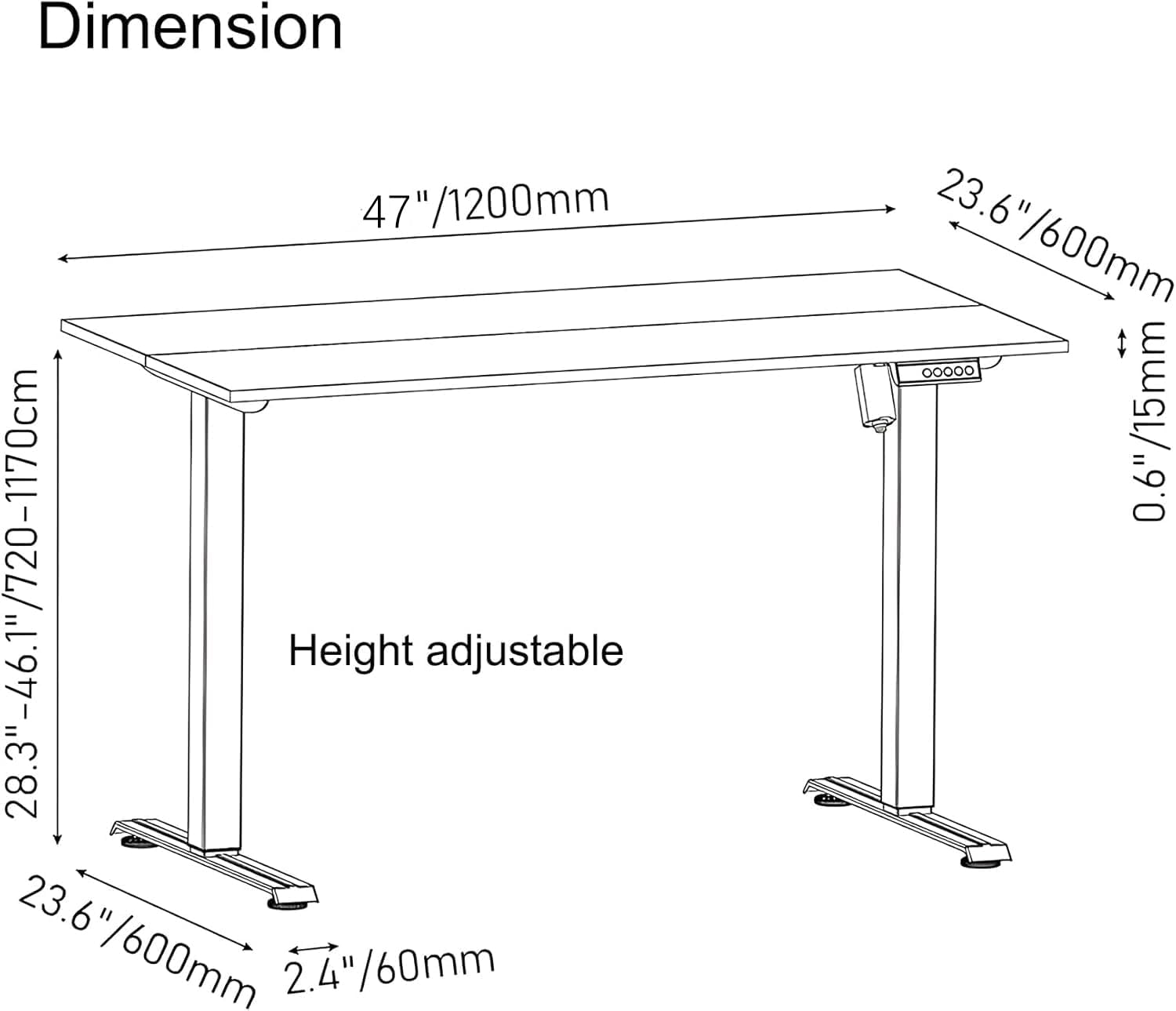
Image 2: Detailed dimension diagram of the PrimeCables Electric Standing Desk, showing height adjustment range and tabletop measurements.
5. Kurulum ve Montaj
Follow these steps to assemble your PrimeCables Electric Standing Desk. It is recommended to have two people for assembly.
5.1 Paketin Açılması ve Bileşen Kontrolü
Carefully unpack all components and compare them with the parts list in your packaging. Ensure all parts are present and undamaged before proceeding.
5.2 Assembling the Desk Frame
Begin by assembling the main frame components. Refer to the video below for a step-by-step visual guide.
Video 1: Step-by-Step Installation Guide for ErGear Standing Desk. This video demonstrates the assembly process for a similar electric standing desk frame, including attaching legs and crossbars.
Another helpful video for assembly:
Video 2: ERGOMAKER Electric Height Adjustable Standing Desk Installation Guide. This video provides a visual walkthrough of assembling an electric standing desk, focusing on frame construction and component connections.
5.3 Attaching the Splice Board Desktop
The desk features a splice board design. Carefully align and attach the two desktop pieces, then secure them to the assembled frame using the provided screws. Ensure all connections are tight and secure.
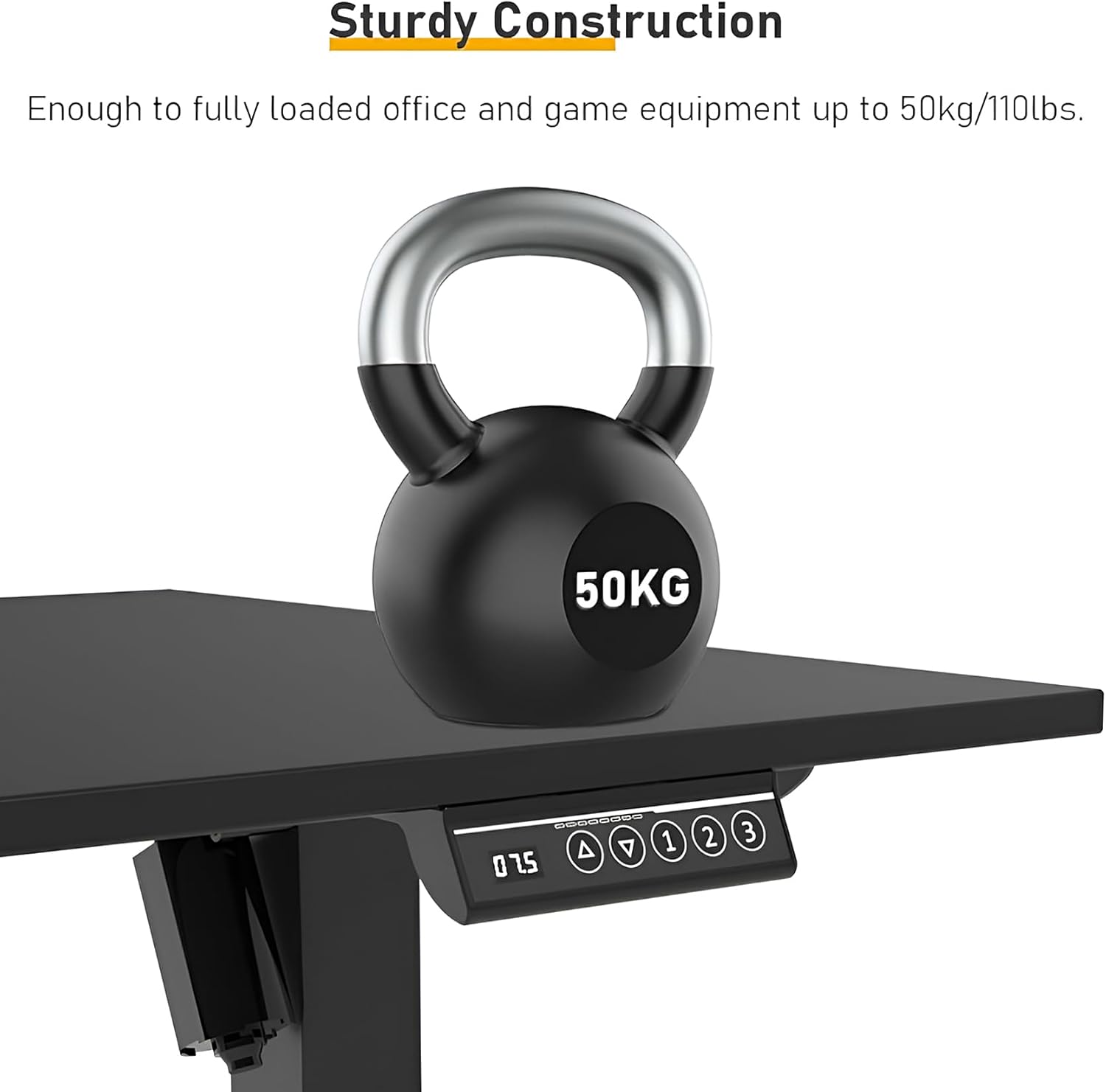
Image 3: The desk's sturdy construction, capable of supporting up to 50kg (110lbs), as demonstrated by a kettlebell placed on the desktop.
5.4 Connecting the Control Panel and Cables
Connect the control panel and motor cables according to the instructions. Use the provided cable management accessories to keep wires tidy and prevent entanglement.

Resim 4: Yakın çekim view of the Smart 3-Memory Control Panel, featuring an LED height display and buttons for up/down adjustment and three memory presets.

Image 5: Visual details highlighting the digital LCD panel, the adjustable level feet design for stability, and the aesthetic of the two-splice tabletop.
6. Kullanım Talimatları
6.1 Temel Yükseklik Ayarı
- Yükseltmek için: Basılı tutun Yukarı (▲) button on the control panel. The desk will move upwards. Release the button at your desired height.
- Daha düşük: Basılı tutun Aşağı (▼) button on the control panel. The desk will move downwards. Release the button at your desired height.
- The current height is displayed on the LED screen.
Video 6: Adjustable Sit Stand Desk with USB Ports for Home Office. This video demonstrates the smooth electric height adjustment of a standing desk, showcasing the control panel and its responsiveness.
6.2 Hafıza Ön Ayarlarını Belirleme
Bu masa, hızlı ayarlamalar için en fazla üç tercih edilen yükseklik ayarını kaydetmenize olanak tanır.
- Yukarı/Aşağı tuşlarını kullanarak masayı istediğiniz yüksekliğe ayarlayın.
- Basın "S" button (Set/Save). The LED display will flash.
- Within 3 seconds, press one of the numbered memory buttons ("1", "2", veya "3"Mevcut yüksekliği o ön ayara kaydetmek için.
- Kaydedilmiş bir yüksekliği geri çağırmak için, ilgili numaralı hafıza düğmesine basmanız yeterlidir. Masa otomatik olarak kaydedilmiş konuma hareket edecektir.
6.3 Engel Algılama
The desk is equipped with an anti-collision feature. If the desktop encounters an obstruction during movement, it will automatically stop and retract slightly to prevent damage. Always ensure the area around the desk is clear before adjusting the height.
7. Bakım
- Temizlik: Masaüstünü ve çerçeveyi yumuşak bir bezle silin.amp bez. Sert kimyasallar veya aşındırıcı temizleyiciler kullanmaktan kaçının.
- Kablo yönetimi: Regularly check that all cables are securely fastened and not tangled or pinched.
- Vida Sıkılığı: Periodically check and tighten all screws to ensure the desk remains stable.
- Yağlama: The lifting columns are designed for maintenance-free operation. Do not attempt to lubricate them.
8. Sorun Giderme
| Sorun | Olası Neden | Çözüm |
|---|---|---|
| Masa hareket etmiyor. | Power cable disconnected; control panel cable loose; overload. | Check all cable connections. Reduce weight on the desk. Unplug and replug the power for 10 seconds to reset. |
| Masa dengesiz hareket ediyor veya alışılmadık sesler çıkarıyor. | Uneven load; loose screws; obstruction. | Ensure weight is evenly distributed. Check and tighten all screws. Clear any obstructions. |
| Yükseklik ön ayarları çalışmıyor. | Ön ayarlar doğru şekilde kaydedilmedi. | Re-save your desired height settings following the "Setting Memory Presets" instructions. |
9. Garanti ve Destek
For warranty information or technical support, please refer to the official PrimeCables webSite üzerinden satın alabilir veya doğrudan müşteri hizmetleriyle iletişime geçebilirsiniz. Satın alma belgenizi saklayın.
Ziyaret edin PrimeCables Store Daha fazla ürün ve bilgi için.
Ask a question about this manual
Ask about setup, troubleshooting, compatibility, parts, safety, or missing instructions. Manuals+ will review the question and use this page’s manual context to help answer it.