
1. Giriş
The XTOOL D6 is a portable and powerful OBD2 scanner and vehicle maintenance solution designed for professionals, DIY enthusiasts, and home mechanics. It offers comprehensive diagnostic capabilities across all vehicle systems, along to 15 essential reset functions, ensuring your vehicle remains in optimal condition. This manual provides detailed instructions for its effective use.
2. Kutuda Neler Var?
- XTOOL D6 Scan Tool
- OBD2 Kablosu
- Type C Cable for Charging
- Hızlı rehber
- Teknik Destek Bilgileri
3. Temel Özellikler
- Comprehensive All System Diagnostics: Full access to vehicle systems including engine, transmission, ABS, airbag, and more.
- 15 Temel Sıfırlama Fonksiyonu: Includes Oil Light Maintenance, Throttle Relearn, EPB (Parking Brake Reset), TPMS Reset, SAS Calibration, Injector Coding, ABS Bleeding, Gearbox Match, Suspension Adjustment, and Crank Sensor Relearn.
- CAN FD Protocol & FCA AutoAuth Support: Compatible with modern vehicles, including 2018 and newer FCA vehicles, without needing additional cables.
- Real-time Live Data Monitoring: Displays up to 4 dynamic data graphs simultaneously for accurate analysis.
- Kullanıcı Dostu Arayüz: 5.45-inch high-resolution touchscreen (1440x720) for clear visibility.
- Ömür Boyu Ücretsiz Güncellemeler: Access to the latest features via Wi-Fi updates with no subscription fees.
- Pil Hacmitage Ekran: Monitors the vehicle's electrical system in real-time.
- Smart AutoVIN: Automatically identifies vehicle VIN for faster diagnostics (may not work on all vehicles).
- Dahili DTC Kütüphanesi: Helps interpret fault codes easily.
- Dayanıklı Tasarım: Features silicone grips and reinforced cables for longevity.
- Geniş Araç Uyumluluğu: Works with OBDII-equipped vehicles made after 1996, covering over 90 brands.
4. Özellikler
| Özellik | Detay |
|---|---|
| Marka | XARAÇ |
| İşletim Sistemi | Linux |
| Ekran Çözünürlüğü | 1440x720 |
| Ürün Ağırlığı | 1.76 pound |
| Depolamak | 32GB (genişletilebilir) |
| Pil Kapasitesi | 3150mAh |
| Şarj Portu | C tipi |
| Bağlantı | Wi-Fi, OBD2 Cable |
| Desteklenen Protokoller | Most OBDII protocols, including CAN FD |
5. Kurulum Kılavuzu
5.1 İlk Çalıştırma ve Bağlantı
1. Ensure the XTOOL D6 is sufficiently charged using the provided Type C cable.
2. Locate your vehicle's OBD2 port, typically found under the dashboard on the driver's side.
3. Connect the OBD2 cable to the XTOOL D6 and then to your vehicle's OBD2 port.
4. Turn on the vehicle's ignition (do not start the engine unless instructed by a specific function).
5. The XTOOL D6 will power on automatically upon connection or can be manually powered on.
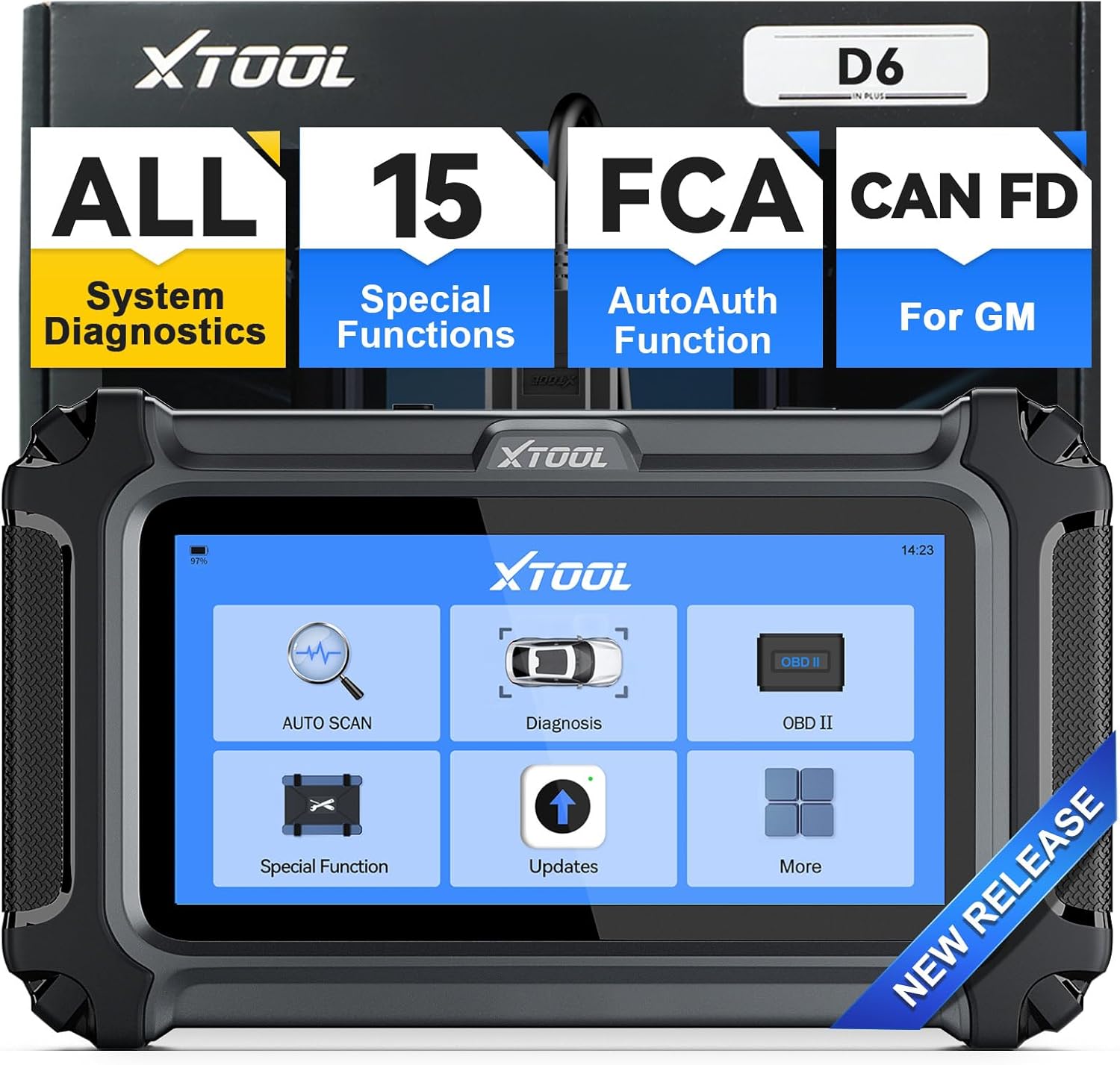 Image: The XTOOL D6 device displaying its main menu interface, ready for operation.
5.2 Yazılım Güncellemeleri
The XTOOL D6 offers free lifetime updates via Wi-Fi. It is recommended to regularly update the software to ensure access to the latest features and vehicle compatibility.
- From the main menu, select 'Updates'.
- Cihazı stabil bir Wi-Fi ağına bağlayın.
- Ekranda beliren yönergeleri izleyerek mevcut güncellemeleri indirin ve yükleyin.
 Image: The XTOOL D6 showing its update interface, highlighting the one-click online update feature.
5.3 Dil Ayarları
The device comes with a built-in English language option. For other languages, you may need to contact XTOOL customer service.
- Navigate to 'Settings' from the main menu.
- Tercih ettiğiniz dili seçmek için 'Dil'i seçin.
- If your desired language is not available, send your serial number (S/N) along with the desired language to xtoolofficial@hotmail.com to request a language change.
6. Kullanım Talimatları
6.1 Genel Navigasyon
The XTOOL D6 features a clear touchscreen interface. Use the touch screen to navigate through menus and select functions. The main menu provides quick access to core diagnostic features.
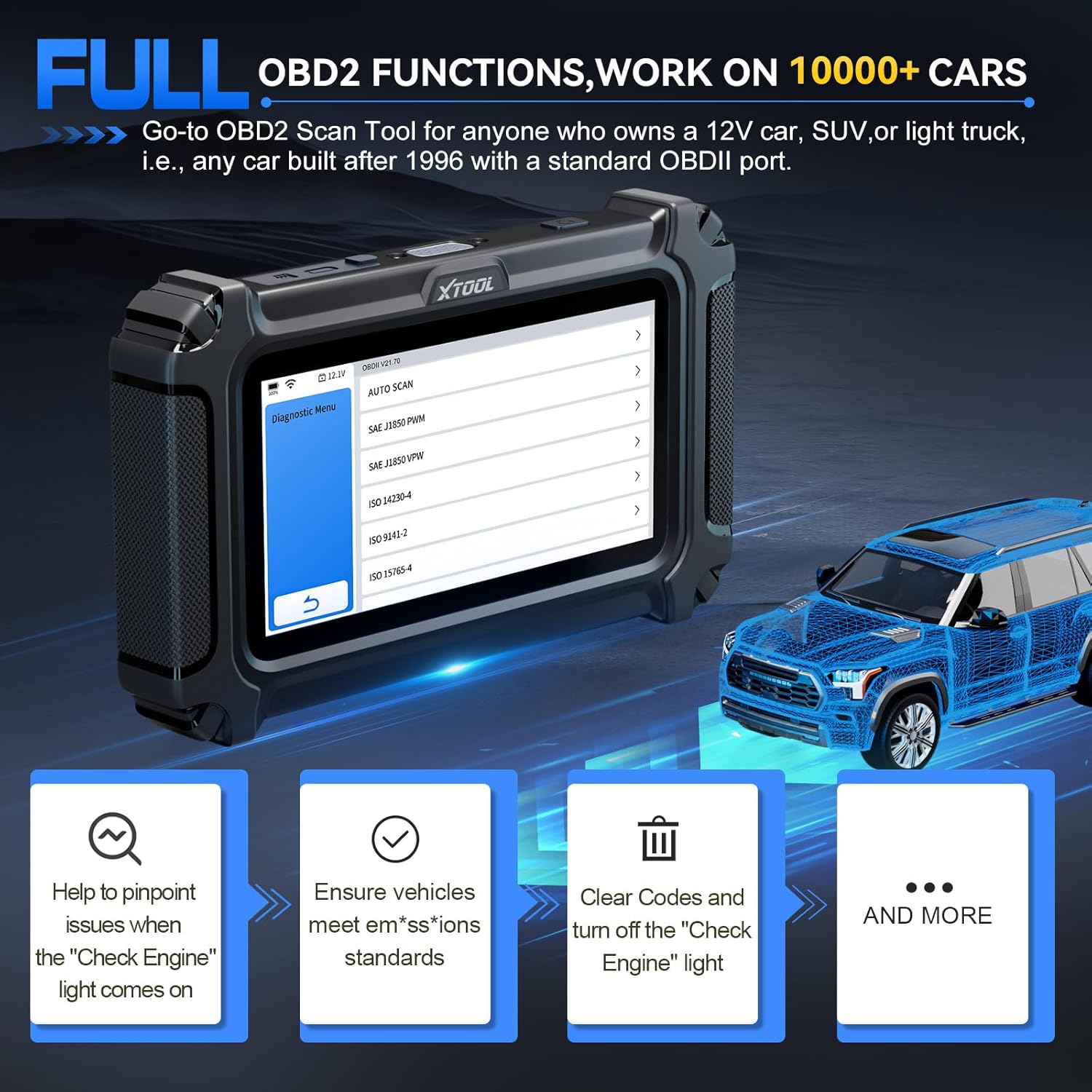 Image: The XTOOL D6 interface showing clear navigation options for various diagnostic tasks.
6.2 Tüm Sistem Tanılamaları
This function allows you to access and diagnose all available systems in your vehicle, including engine, transmission, ABS, airbag, and more.
- From the main menu, select 'Diagnosis' or 'Auto Scan'.
- The tool will automatically identify your vehicle (if AutoVIN is supported) or prompt for manual selection.
- Once connected, you can read and clear Diagnostic Trouble Codes (DTCs), view live data, and access vehicle information.
 Image: The XTOOL D6 performing an all-system diagnostic, illustrating its ability to read codes, view Canlı verilere ve ECU bilgilerine erişim.
6.3 Special Functions (15 Reset Services)
The D6 offers 15 essential reset functions for various vehicle maintenance tasks. Select 'Special Function' from the main menu to access these options.
- Yağ Lambası Sıfırlama: Yağ değişiminden sonra yağ servis uyarı ışığını sıfırlar.
- EPB (Elektronik Park Freni) Sıfırlama: Elektronik park freni sistemini sıfırlar.
- TPMS Sıfırlama: Lastik basıncı izleme sistemi sensörlerini sıfırlar.
- SAS (Direksiyon Açısı Sensörü) Kalibrasyonu: Direksiyon açısı sensörünü kalibre eder.
- Enjektör Kodlaması: ECU'ya yeni enjektör numaraları kodları gönderir.
- ABS Kanaması: ABS fren sisteminin havasını alarak fren hassasiyetini geri kazandırır.
- Gaz Kolu Yeniden Öğrenme: Adapts the throttle body to its new position after cleaning or replacement.
- Şanzıman Eşleşmesi: Adapts the transmission control unit.
- Süspansiyon Ayarı: Adjusts the vehicle's suspension system.
- Crank Sensor Relearn: Relearns crankshaft position sensor.
- Far Ayarı: Far ayarlarını düzenler.
- Window Initialization: Initializes power windows.
- And more, depending on vehicle compatibility.
 Image: The XTOOL D6 showing its array of 15 essential maintenance functions, such as throttle relearn and ABS bleeding.
6.4 Canlı Veri İzleme
Monitor real-time live data streams from various sensors. This helps in diagnosing intermittent issues and verifying repairs.
- After selecting 'Diagnosis' and connecting to the vehicle, choose 'Live Data'.
- You can select up to 4 data streams to display simultaneously for comparative analysis.
 Image: The XTOOL D6 displaying multiple live data streams graphically, allowing for real-time monitoring and analysis.
6.5 DTC Definition
The built-in DTC library provides definitions for diagnostic trouble codes, helping you understand vehicle issues without needing external resources.
- When DTCs are read, select the code to view its definition and potential causes.
6.6 Pil Hacmitage Ekran
The D6 includes a real-time battery voltage display to monitor your vehicle's electrical system, helping prevent unexpected module breakdowns.
- Pil hacmitage is typically displayed on the top bar of the device screen.
6.7 Tanı Raporu
Save and share diagnostic reports to keep track of your vehicle's performance and maintenance history.
- After completing a diagnostic scan, look for options to 'Save' or 'Share' the report.
7. Specific Operation: Throttle Body Relearn
This procedure is crucial after cleaning or replacing a throttle body to ensure proper engine idle and response. The XTOOL D6 simplifies this process.
7.1 Önkoşullar
- Ensure the XTOOL D6 is properly connected to the vehicle's OBD2 port.
- Turn on the vehicle's ignition (engine off).
- Araç aküsü hacmitage en az 11.5V olmalıdır.
- The engine should have no active fault codes. Clear any existing DTCs before proceeding.
- Do not press the accelerator pedal during the procedure.
- Turn off all electrical equipment and accessories (e.g., radio, lights, AC).
- The engine should be at operating temperature (warmed up).
7.2 Step-by-Step Procedure
- From the XTOOL D6 main menu, select 'Special Function'.
- Choose 'Throttle Matching' or 'Throttle Relearn'.
- Select your vehicle's manufacturer from the list. The tool will attempt to recognize the vehicle.
- Confirm the prerequisites displayed on the screen. Press 'OK' to proceed.
- The device will connect and initialize the diagnostic program.
- You may be prompted to select a specific channel for the throttle body reset. Refer to your vehicle's service manual or online resources to find the correct channel (e.g., for a Skoda Fabia, it might be Type 1, 060 channel).
- Once the correct channel is selected, the throttle body relearn process will begin. You may hear clicking or buzzing sounds from the throttle body as it performs the reset. This process typically takes less than a minute.
- Once the process is complete, exit all menus on the XTOOL D6.
- Start the vehicle's engine. If the reset was successful, the engine should start immediately and idle normally.
- Disconnect the XTOOL D6 from the OBD2 port.
- It is recommended to take the vehicle for a short test drive to confirm improved throttle response and engine performance.
8. Bakım
- Temiz tut: Cihazı yumuşak ve kuru bir bezle silin. Sert kimyasallar veya aşındırıcı temizleyiciler kullanmaktan kaçının.
- Uygun Şekilde Saklayın: Store the XTOOL D6 in its original packaging or a protective case when not in use to prevent damage.
- Yazılım Güncellemeleri: Regularly perform software updates as described in Section 5.2 to ensure optimal performance and compatibility.
- Pil Bakım: Pil sağlığını korumak için, sık kullanmasanız bile cihazınızı düzenli olarak şarj edin.
9. Sorun Giderme
- Cihaz Açılmıyor: Ensure the device is fully charged or connected to the vehicle's OBD2 port with the ignition on. Check the OBD2 cable for any damage.
- İletişim Hatası: Verify that the OBD2 cable is securely connected to both the device and the vehicle's port. Ensure the vehicle's ignition is on. Try a different vehicle if possible to rule out a vehicle-specific issue.
- Function Not Working: Ensure your vehicle model and year are compatible with the specific function you are trying to perform. Check for any pending software updates.
- Incorrect Readings/DTCs: Ensure the vehicle's VIN is correctly identified. Perform a full system scan to get a comprehensive overview.
- Fiziksel Dayanıklılık: The XTOOL D6 is designed to be robust. A drop test video demonstrates its ability to withstand impacts and continue functioning, indicating good physical durability.
10. Garanti ve Destek
XTOOL stands by its products with a 2-year warranty and continued technical support.
- Garanti: The XTOOL D6 comes with a 2-year warranty from the date of purchase. Please retain your proof of purchase for warranty claims.
- Teknik Destek: For any technical issues, questions, or assistance, you can contact XTOOL technical support at xtoolofficial@hotmail.com.
- Çevrimiçi Kaynaklar: Visit the official XTOOL webEk kaynaklar, sıkça sorulan sorular ve ürün bilgileri için siteyi ziyaret edin.


