
1. Giriş
This manual provides essential instructions for the safe and efficient use of your Hulkman Solva 100 Solar Panel. Please read this manual thoroughly before operating the device and retain it for future reference.
2. Ürün Bittiview
The Hulkman Solva 100 is a portable 100W solar panel designed to provide power for compatible devices, such as portable power stations. It features a foldable design for easy transport and storage.
2.1 Bileşenler
- Destek ayakları
- Accessory storage bag
- Güneş hücreleri
- Halletmek
- Kanca delikleri
2.2 Ürün Özellikleri
- 100W güç çıkışı.
- Multiple units can be connected for increased power output (up to 4 units for Mega Power Station).
- Integrated support legs for optimal angle adjustment.
- Durable and portable design.

Image: Hulkman Solva 100 Solar Panel in its folded, compact state.
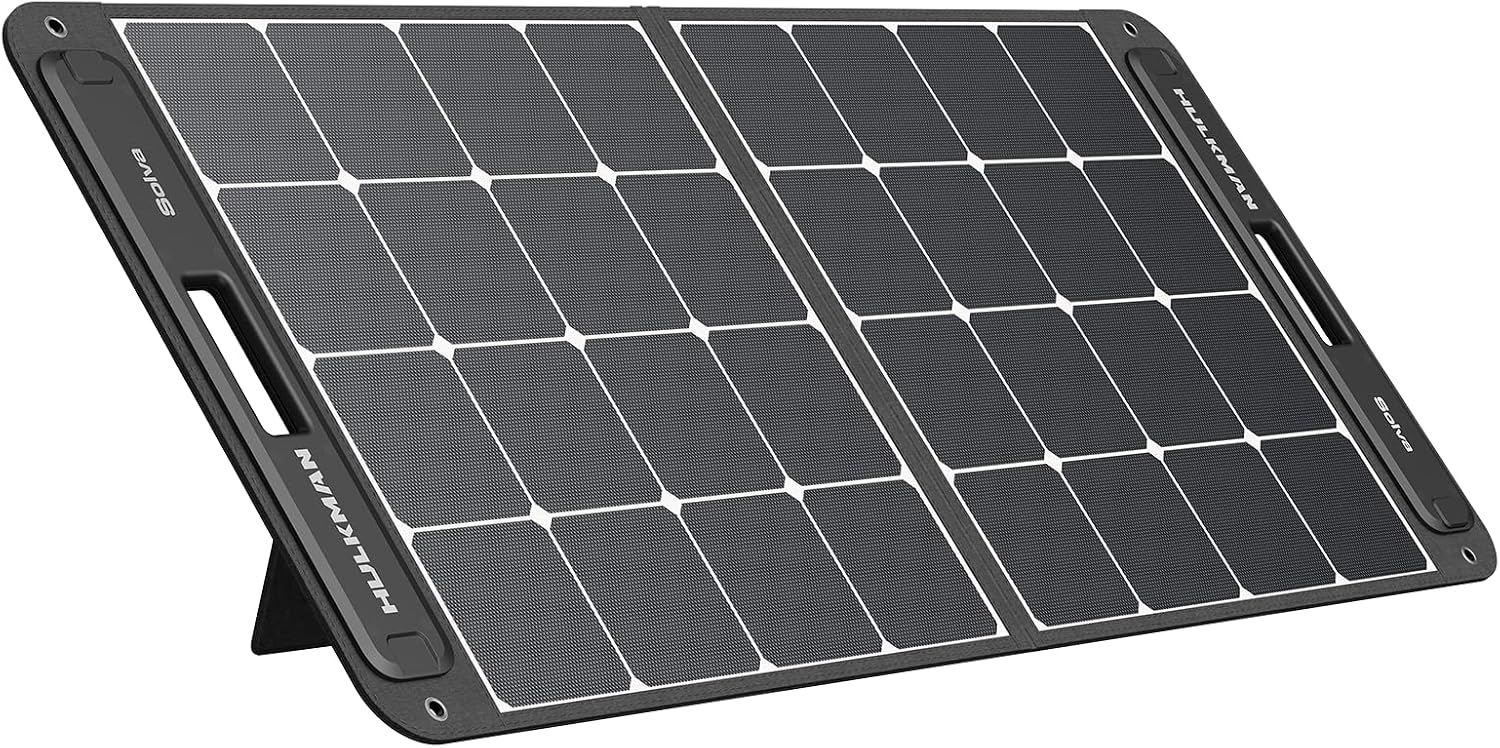
Image: Hulkman Solva 100 Solar Panel fully unfolded, showcasing the solar cells.
3. Kurulum Talimatları
Follow these steps to set up your Hulkman Solva 100 Solar Panel:
- Güneş Panelini Açın: Carefully unfold the solar panel completely on a flat, stable surface.
- Paneli Konumlandırın: Güneş panelini doğrudan güneş ışığına yerleştirin.
- Extend Support Legs: Locate the support legs on the back of the panel. Extend them to prop up the panel at an optimal angle towards the sun. This angle maximizes solar energy absorption.
- Retrieve Charging Cable: Open the accessory storage bag and take out the charging cable.
- Cihaza Bağlan: Plug the charging cable into the designated input port of your compatible Hulkman device (e.g., a portable power station).

Image: The solar panel with its integrated kickstands extended, ready for use.

Resim: Yan view of the solar panel showing the angle provided by the kickstands.

Resim: Arka view of the solar panel, illustrating the support leg mechanism.
Video: This video demonstrates the setup and use of a portable power station with a solar panel, similar to the Hulkman Solva 100. It shows how to unfold the panel and connect it for charging.
4. Kullanım Talimatları
Once the solar panel is set up and connected to your device, it will begin converting sunlight into electrical energy. Ensure the panel is continuously exposed to direct sunlight for optimal charging performance.
- Monitör Şarjı: Check your connected device's display to confirm that it is receiving a charge from the solar panel.
- Konumu Ayarla: Periodically adjust the panel's angle throughout the day to follow the sun's path, maximizing energy capture.
- Çoklu Paneller: If using multiple Solva 100 panels with a compatible power station, ensure they are connected correctly according to your power station's manual to achieve the desired combined wattage.
5. Bakım
Proper maintenance ensures the longevity and efficiency of your solar panel.
- Temizlik: Güneş paneli yüzeyini yumuşak bir bezle düzenli olarak temizleyin.amp cloth to remove dust, dirt, or debris that may obstruct sunlight. Do not use harsh chemicals or abrasive materials.
- Depolamak: When not in use, fold the solar panel and store it in a dry, cool place away from direct sunlight and extreme temperatures. Use the accessory storage bag to protect cables.
- Denetleme: Periodically inspect the panel and cables for any signs of damage, wear, or corrosion. If any damage is found, contact customer support.
6. Sorun Giderme
If you encounter issues with your Hulkman Solva 100 Solar Panel, refer to the following common problems and solutions:
| Sorun | Olası Neden | Çözüm |
|---|---|---|
| No power output / Device not charging | Not enough sunlight; Panel not angled correctly; Loose cable connection; Damaged cable/panel. | Ensure direct sunlight exposure. Adjust panel angle. Check all cable connections. Inspect cables and panel for damage. |
| Düşük şarj verimliliği | Kısmi gölgelenme; Kirli panel yüzeyi; Uygun olmayan açı; Kapalı hava. | Move panel to a fully unshaded area. Clean the solar panel surface. Re-adjust the panel angle towards the sun. Charging efficiency will naturally be lower in cloudy conditions. |
| Panel aşırı ısınması | Poor ventilation; Prolonged exposure to extreme heat. | Ensure adequate airflow around the panel. Avoid placing the panel on heat-absorbing surfaces. |
If the problem persists after trying these solutions, please contact Hulkman customer support.
7. Özellikler
| Özellik | Detay |
|---|---|
| Marka | Hulkman |
| Örnek | Solva 100 |
| Ürün Türü | Güneş paneli |
| Güç Çıkışı | 100W |
| Dahil Bileşenler | Solva Solar Panel, Accessory Storage Bag |
| Ürün Miktarı | 1 |
8. Garanti ve Destek
Hulkman products are designed for reliability and performance. For warranty information, please refer to the warranty card included with your product or visit the official Hulkman webalan.
For technical support, troubleshooting assistance, or to inquire about replacement parts, please contact Hulkman customer service through their official channels. Have your product model and purchase date ready when contacting support.
Resmi Webalan: Hulkman Store on Amazon