
giriiş
This manual provides essential information for the proper setup, operation, and maintenance of your ONN 24-inch FHD Gaming Monitor, model 100027813. Please read this manual thoroughly before using the product to ensure optimal performance and safety. This monitor is designed to deliver a high-quality gaming experience with its 1080p resolution, 165Hz refresh rate, 1ms response time, and FreeSync technology.
Güvenlik Bilgileri
Monitörün hasar görmesini önlemek ve kullanıcı güvenliğini sağlamak için her zaman aşağıdaki güvenlik önlemlerine uyun:
- Yangın veya elektrik çarpması tehlikesini önlemek için monitörü yağmura veya neme maruz bırakmayın.
- Monitörü açmayınasing. İçeride kullanıcı tarafından onarılabilecek hiçbir parça bulunmamaktadır. Tüm bakım ve onarım işlemlerini yetkili servis personeline yaptırın.
- Düşmesini önlemek için monitörü sabit ve düz bir yüzeye yerleştirin.
- Monitörün etrafında yeterli havalandırma olduğundan emin olun. Havalandırma açıklıklarını kapatmayın.
- Yalnızca monitörle birlikte verilen güç adaptörünü kullanın.
- Şimşekli fırtınalar sırasında veya uzun süre kullanılmadığında monitörü elektrik prizinden çıkarın.
Paket İçeriği
Paketin içinde tüm öğelerin mevcut olduğundan emin olun:
- ONN 24-inch FHD Gaming Monitor
- Monitör Standı (Taban ve Boyun)
- Güç Adaptörü
- DisplayPort Cable (6 ft)
- HDMI Cable (6 ft)
- Kullanım Kılavuzu (bu belge)

Image: Retail box of the ONN 24-inch Gaming Monitor, highlighting key features like 165Hz, 1ms response time, DisplayPort, HDMI, and Adaptive-Sync.
Kurmak
1. Standın Montajı
- Monitör ve stand bileşenlerini ambalajından dikkatlice çıkarın.
- Attach the stand neck to the stand base. Secure it with the provided screw, if applicable.
- Align the assembled stand with the mounting slot on the back of the monitor. Gently push until it clicks into place or secure with screws as per the design.
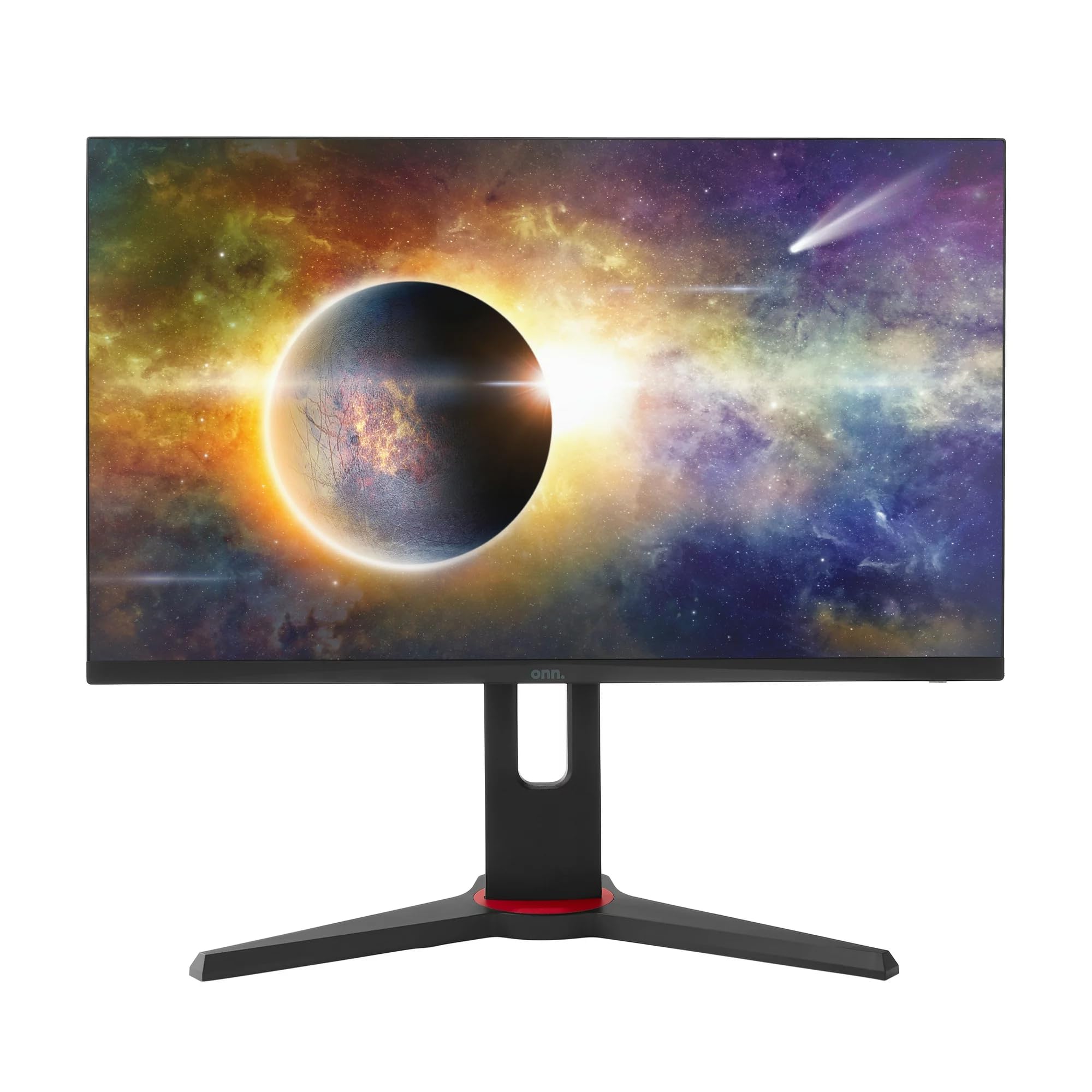
Resim: Ön view of the ONN 24-inch Gaming Monitor, fully assembled with its stand.

Resim: Arka view of the ONN 24-inch Gaming Monitor, illustrating the stand attachment and cable management area.
2. Bağlantı Kabloları
Locate the input ports on the back of your monitor:
- Güç: Güç adaptörünü monitörün güç girişine ve ardından bir elektrik prizine bağlayın.
- Video Girişi: Connect one end of the provided DisplayPort or HDMI cable to the corresponding port on your computer's graphics card and the other end to the monitor. The monitor supports 2 HDMI inputs and 1 DisplayPort input.
- Ses Çıkışı (İsteğe bağlı): If your monitor has a 3.5mm audio jack, you can connect external speakers or headphones.

Resim: Yakın çekim view of the monitor's rear ports, including HDMI 1, HDMI 2, DisplayPort (DP), and power input.
3. İlk Açılış
- Tüm kabloların güvenli bir şekilde bağlandığından emin olun.
- Press the power button on the monitor (usually located on the back or bottom right).
- The monitor should display the ONN logo and then search for an input signal.
- If no image appears, ensure your computer is powered on and the correct input source is selected on the monitor (see Operating section).
İşletim
1. Güç Açma/Kapatma
Press the power button to turn the monitor on or off. The power indicator light will show the monitor's status (e.g., blue for on, amber for standby).
2. Ekran Üstü (OSD) Menü Gezintisi
Your monitor features an OSD menu for adjusting various settings. Typically, buttons on the back or bottom of the monitor control the OSD:
- Menü Düğmesi: OSD menüsünü açar.
- Gezinme Düğmeleri (Yukarı/Aşağı/Sol/Sağ): Menü seçenekleri arasında gezinmek için kullanılır.
- Seç/Giriş Düğmesi: Bir seçimi onaylar veya bir alt menüye girer.
- Çıkış Düğmesi: Mevcut menüden veya OSD'den çıkar.
3. Ayarların Yapılması
OSD menüsü üzerinden ayarlayabileceğiniz temel ayarlar şunlardır:
- Parlaklık/Kontrast: Genel parlaklığı ve açık ile koyu alanlar arasındaki farkı ayarlayın.
- Renk ayarları: Renk sıcaklığını, gamayı ve bireysel RGB seviyelerini değiştirin.
- Giriş kaynağı: HDMI 1, HDMI 2 veya DisplayPort girişleri arasında manuel olarak seçim yapın.
- Yenileme Hızı: Ensure your graphics card and monitor are set to 165Hz for the smoothest experience. This is usually configured in your operating system's display settings.
- Yanıt Süresi: Adjust the monitor's response time setting (e.g., 1ms) for reduced motion blur in fast-paced games.
- FreeSync Teknolojisi: Enable FreeSync in the OSD menu and in your AMD graphics card settings to synchronize the monitor's refresh rate with your GPU's frame rate, eliminating screen tearing and stuttering.
- Resim Modları: Farklı içerik türleri için optimize edilmiş önceden ayarlanmış modlardan birini seçin (örneğin, Standart, Oyun, Film, Metin).

Image: The ONN 24-inch Gaming Monitor displayed in a typical desk setup, connected to a laptop with gaming peripherals.
Bakım
Monitörü Temizleme
- Temizlemeden önce mutlaka monitörün fişini çekin.
- Hafifçe yumuşak, tüy bırakmayan bir bez kullanın.ampSu veya yumuşak, aşındırıcı olmayan bir ekran temizleyicisi ile temizleyin.
- Temizleyiciyi doğrudan ekrana püskürtmeyin. Önce bir beze uygulayın.
- Sert kimyasallar, aşındırıcı pedler veya çözücüler kullanmaktan kaçının.
Depolamak
Monitörü uzun süre saklayacaksanız, tüm kabloları çıkarın, orijinal ambalajına (mümkünse) koyun ve doğrudan güneş ışığından ve aşırı sıcaklıklardan uzakta, serin ve kuru bir yerde saklayın.
Sorun giderme
Monitörünüzde sorunlarla karşılaşırsanız, aşağıdaki yaygın sorunlara ve çözümlere bakın:
| Sorun | Olası Çözüm |
|---|---|
| Ekranda görüntü yok |
|
| Image is flickering or distorted |
|
| No sound (if using monitor speakers/audio out) |
|
| Monitör 165Hz'e ulaşmıyor. |
|
Özellikler
Detailed technical specifications for the ONN 24-inch FHD Gaming Monitor (Model 100027813):
| Özellik | Şartname |
|---|---|
| Model Numarası | 100027813 |
| Ekran Boyutu | 24 inç |
| Çözünürlük | FHD 1080p (1920x1080) |
| Yenileme Hızı | 165 Hz |
| Tepki Süresi | 1 Milisaniye |
| Ekran Teknolojisi | IPS |
| Uyarlanabilir Senkronizasyon | Serbest Senkronizasyon |
| En Boy Oranı | 16:9 |
| Kontrast Oranı | 2000:1 |
| Ekran Yüzeyi | Matte, Anti-glare with low blue light setting |
| Bağlantı | 2 x HDMI, 1 x DisplayPort |
| Ürün Boyutları (D x G x Y) | 61.3x11.3x37.3 cm |
| Ürün Ağırlığı | 6.1 kilo |
| Renk | Siyah |
| Montaj Tipi | Masa Üstü |
| Belirli Kullanımlar | Entertainment, Gaming |
Garanti
This ONN 24-inch FHD Gaming Monitor is a renewed product. Warranty terms and conditions for renewed products may vary. Please refer to the specific warranty information provided by the seller or retailer at the time of purchase. It is recommended to retain your proof of purchase for any warranty claims.
Destek
For technical assistance, troubleshooting beyond this manual, or warranty inquiries, please contact the retailer or the Amazon Renewed support channel where the product was purchased. Have your model number (100027813) and proof of purchase ready when contacting support.