
1. Ürün Bittiview
The DBPOWER Smart WiFi Bluetooth Projector (Model: E2) offers a native 1080P Full HD resolution with 300 ANSI lumens brightness and a 10,000:1 contrast ratio. It features a 6-layer high-refractive lens for enhanced clarity and reduced eye strain. This projector is designed for versatile home and outdoor use, providing a large display experience with integrated smart features.
Temel Özellikler:
- Native 1080P Resolution & 300 ANSI Brightness: Delivers stunning visuals with true Full HD and vibrant clarity.
- Built-in Smart Apps: Stream content directly from Netflix, YouTube, Prime Video, and more without an external TV stick.
- Fast Dual-Band 5G WiFi & Bluetooth 5.2: Ensures stable streaming and wireless audio connectivity with soundbars, headphones, or speakers.
- Large Display & Easy Setup: Projects a 40-200 inch screen with ±15° keystone correction, manual focus, and 50% digital zoom for effortless alignment.
- Dolby Ses: Integrated dual speakers with Dolby Audio support provide immersive sound.
- Geniş Uyumluluk: Features HDMI, USB, AV, and audio ports for connecting various devices like phones, laptops, and gaming consoles.
2. Paket İçeriği
Your DBPOWER Smart WiFi Bluetooth Projector package includes the following items:
- DBPOWER Smart WiFi Bluetooth Projector (Model: E2)
- Uzaktan kumanda
- Güç Kablosu
- HDMI Kablosu
- AV Kablosu
- Lens kapağı
- Cleaning Kit (Q-tips)
- Kullanıcı Kılavuzu
- Taşıma Çantası

Image 2.1: The DBPOWER Smart WiFi Bluetooth Projector with its included carrying case and a smartphone displaying Bluetooth and WiFi icons.
3. Kurulum Kılavuzu
3.1 Physical Placement and Adjustments
Place the projector on a stable, flat surface. Ensure there is adequate ventilation around the device. The projector can be placed on a table, mounted on a tripod, or ceiling-mounted.
- Yüksekliği Ayarlama: Use the adjustable screw on the bottom of the projector to fine-tune the projection height.
- Keystone Düzeltmesi: Use the keystone adjustment ring/slider on the projector to correct trapezoidal distortion, ensuring a rectangular image. The projector supports ±15° keystone correction.
- Manuel Odaklama: Yansıtılan görüntü net ve berrak görünene kadar projektör merceğindeki odak halkasını döndürün.
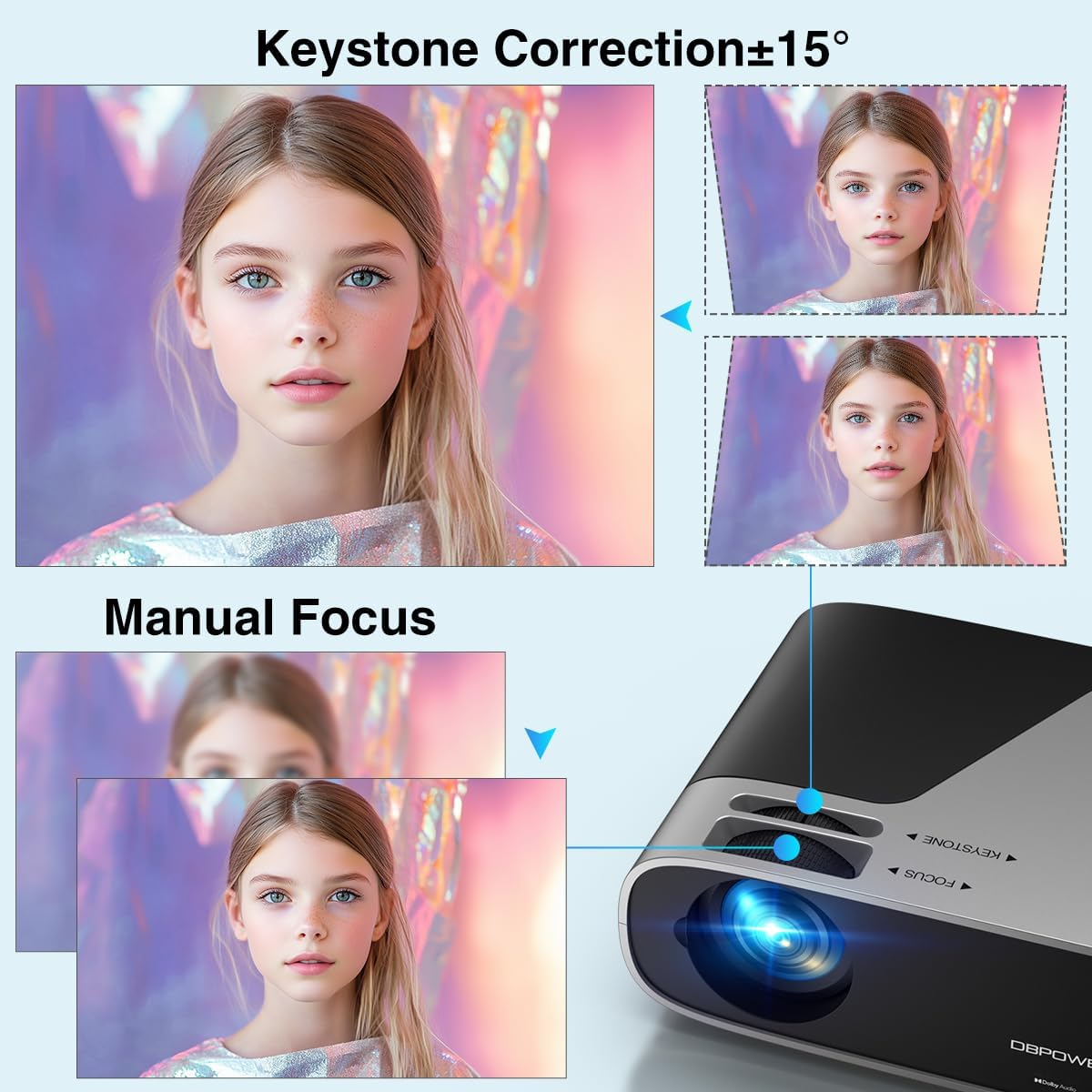
Image 3.1: Visual representation of keystone correction and manual focus adjustments on the projector.
3.2 Açma ve İlk Yapılandırma
- Projeksiyon cihazının güç kablosunu önce projektöre, ardından da elektrik prizine bağlayın.
- Cihazı açmak için projektördeki veya uzaktan kumandadaki güç düğmesine basın.
- Follow the on-screen prompts to select your preferred language and connect to your Wi-Fi network (2.4G/5G Dual-Band supported).
3.3 Harici Cihazların Bağlanması
Projeksiyon cihazı birden fazla bağlantı seçeneği sunuyor:
- HDMI: Connect devices like laptops, gaming consoles (PS5), or TV sticks using an HDMI cable.
- USB BAĞLANTI: Medya oynatmak için USB sürücüleri takın.
- AV: Eski cihazlar için AV bağlantı noktasını kullanın.
- Ses çıkışı: Connect external speakers or headphones via the 3.5mm audio jack or Bluetooth.

Resim 3.2: Üzeriview of the projector's input/output ports and various compatible devices.
3.4 Bluetooth Bağlantısı
To connect Bluetooth audio devices:
- Ensure your Bluetooth device (e.g., soundbar, headphones) is in pairing mode.
- On the projector's home screen, navigate to the Bluetooth settings.
- Eşleştirilecek kullanılabilir cihazlar listesinden cihazınızı seçin.

Image 3.3: The projector demonstrating Bluetooth 5.2 connectivity with various audio devices.
4. Kullanım Talimatları
4.1 Kullanıcı Arayüzünde Gezinme
Use the remote control or the physical buttons on top of the projector to navigate the user interface. The remote control provides direct access to apps like Netflix and YouTube.
4.2 Dahili Yayın Uygulamalarını Kullanma
The projector comes pre-licensed with popular streaming apps. Simply connect to Wi-Fi, log in to your accounts, and start streaming.

Image 4.1: The projector's smart interface showing various pre-installed streaming applications.
4.3 Ekran Yansıtma
Mirror your smartphone or tablet screen wirelessly:
- iOS Cihazlar: Use the ScreenSharer function. Ensure your iOS device and projector are on the same Wi-Fi network.
- Android Cihazlar: Use the ScreenCast function. Ensure your Android device and projector are on the same Wi-Fi network.
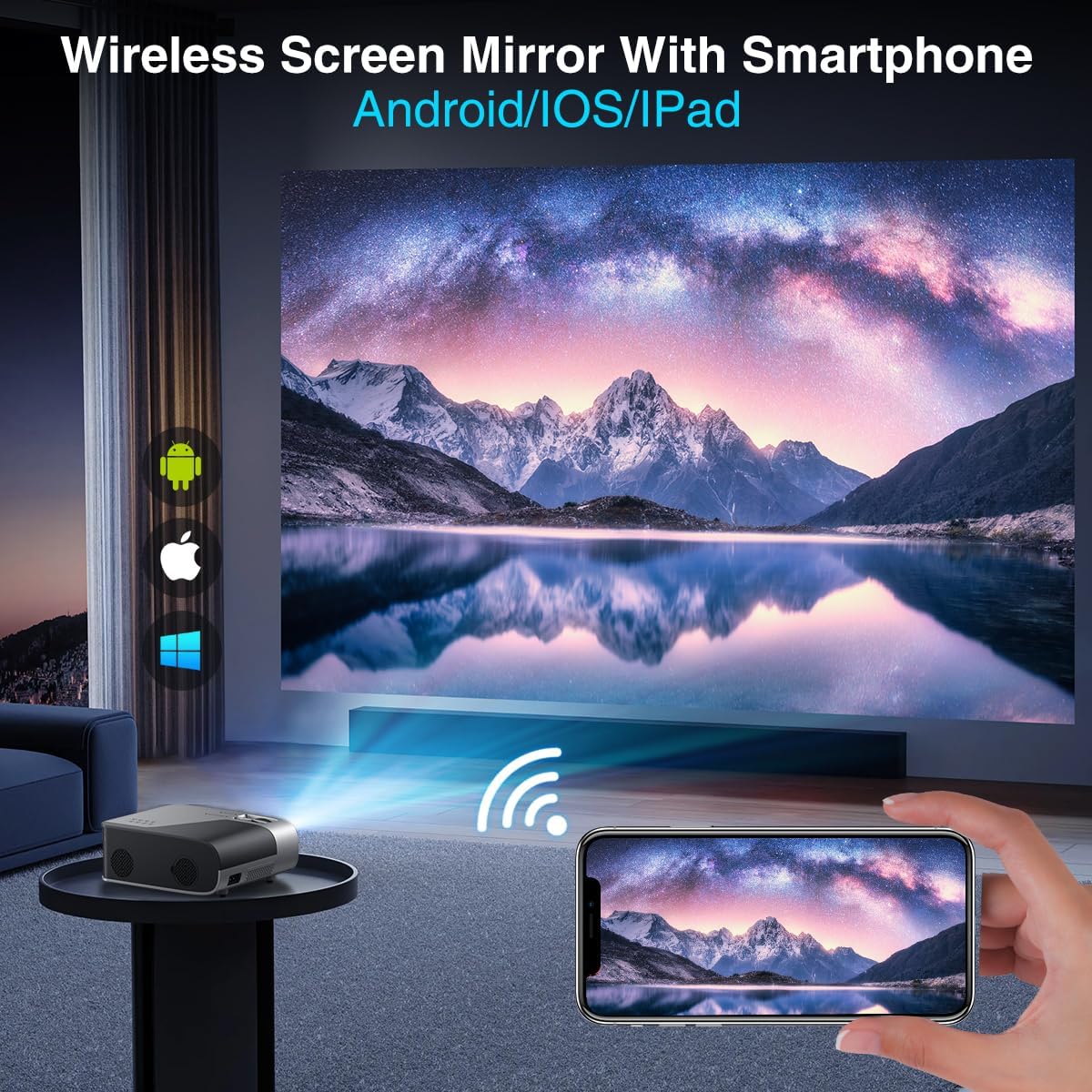
Image 4.2: A smartphone wirelessly mirroring its screen to the projector, compatible with Android and iOS devices.
4.4 Projection Modes
The projector supports multiple installation methods and projection modes:
- Ön Projeksiyon: Standard setup where the projector is in front of the screen.
- Arka Projeksiyon: Projector is behind a translucent screen.
- Ceiling Mount (Front/Rear): Projector is mounted upside down from the ceiling. Adjust settings in the Projection Settings menu to flip the image.
4.5 Yakınlaştırma İşlevi
The projector features a 50% digital zoom function, allowing you to adjust the screen size without physically moving the projector. This can be accessed via the remote control or projector settings.

Image 4.3: Illustration of the projector's 50% digital zoom feature, showing various screen sizes from 60 to 200 inches.
4.6 Kullanım Senaryoları
The DBPOWER projector is suitable for various entertainment and presentation needs:
- Ev Sineması: Filmlerin ve TV programlarının keyfini büyük ekranda çıkarın.
- Oyun: Oyun konsollarını bağlayarak daha sürükleyici bir deneyim yaşayın.
- Dış Mekan Eğlencesi: Perfect for backyard movie nights.
- Sunumlar: Can be used for displaying content from laptops or PCs.
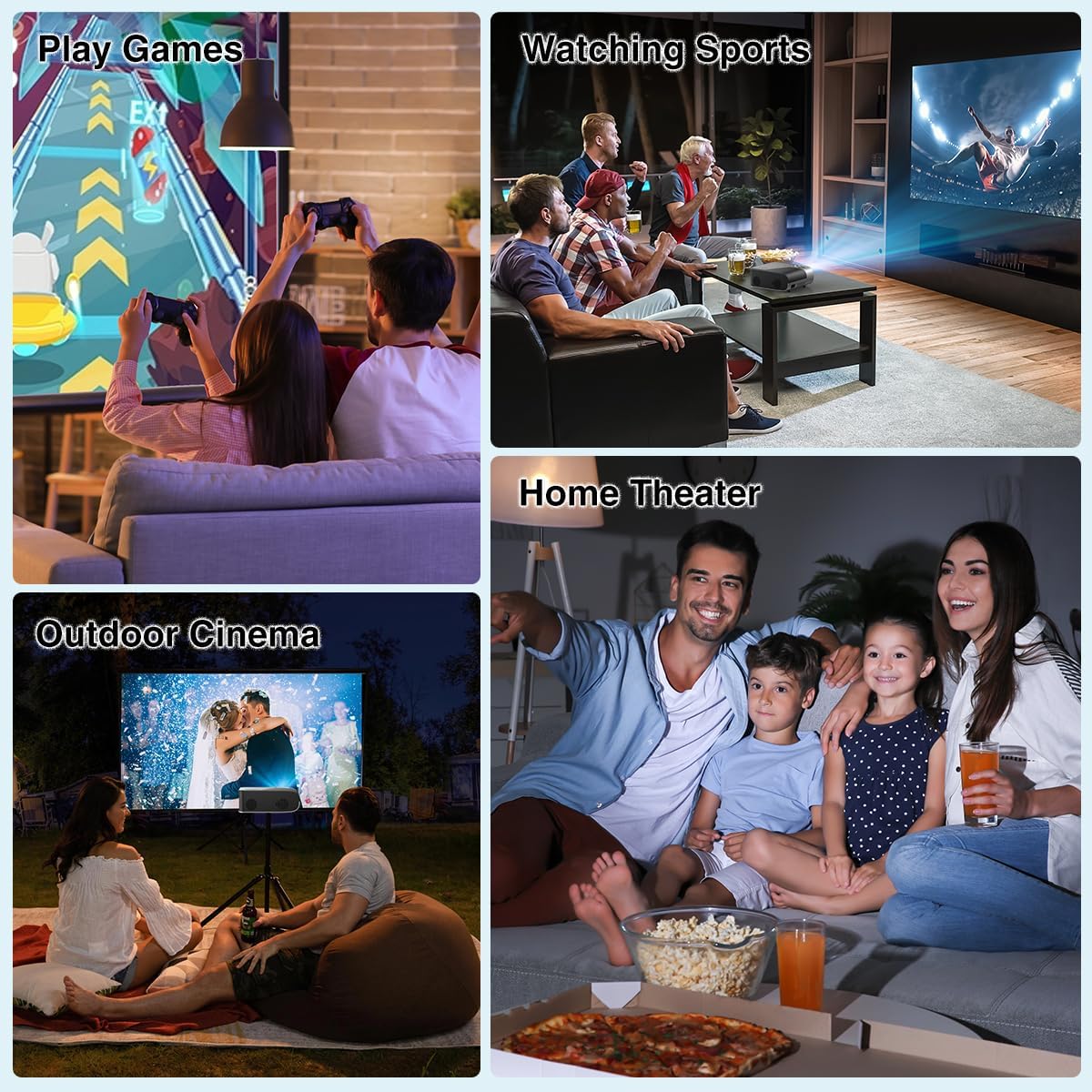
Resim 4.4: Örn.amples of the projector's use in different settings, such as gaming, sports viewing, home theater, and outdoor cinema.
5. Bakım
5.1 Lens Temizliği
Regularly clean the projector lens to ensure optimal image clarity. Use a soft, lint-free cloth or the provided cleaning kit. Avoid abrasive materials or harsh chemicals.
5.2 Toz Filtresi Temizliği
The projector has a removable dust filter to prevent dust buildup inside the device. Periodically remove and clean the filter to maintain proper airflow and prevent overheating. Refer to the detailed instructions in the included user manual for specific steps on removing and cleaning the filter.
6. Sorun Giderme
If you encounter issues with your projector, consider the following common solutions:
- Bulanık Görüntü: Adjust the manual focus ring until the image is sharp. Ensure the projector is placed at an appropriate distance from the screen.
- Yamuk Şeklindeki Görüntü: Use the keystone correction feature to adjust the image corners until it is rectangular.
- Sinyal yok: Tüm kablo bağlantılarını (HDMI, AV, USB) kontrol edin. Projektörde doğru giriş kaynağının seçili olduğundan emin olun.
- Wi-Fi/Bluetooth Bağlantı Sorunları: Ensure the projector is within range of your Wi-Fi router or Bluetooth device. Restart both the projector and the external device.
- Sound Sync Issues: If using external Bluetooth speakers, ensure a stable connection. Sometimes, restarting both devices can resolve minor sync issues.
- Black Spots on Screen: This may indicate dust on the lens or inside the projector. Refer to the maintenance section for cleaning instructions.
7. Özellikler
| Özellik | Şartname |
|---|---|
| Marka | DBPOWER |
| Ekran Çözünürlüğü | 1920 x 1080 (Orijinal 1080P) |
| Parlaklık | 300 ANSI Lümenleri |
| Kontrast Oranı | 10,000:1 |
| Bağlantı Teknolojisi | HDMI, USB, AV, Bluetooth 5.2, 5G/2.4G Wi-Fi |
| Özel Özellikler | Built-In Speaker, Built-In Wi-Fi, Dolby Audio, ±15° Keystone Correction, 50% Digital Zoom |
| Önerilen Kullanımlar | Ev Sineması |
| Ürün Ağırlığı | 5.17 pound |
| Paket Boyutları | 13.07 x 9.92 x 4.76 inç |
| Renk | Siyah |
8. Garanti ve Destek
Specific warranty details and support contact information are typically provided in the product packaging or on the manufacturer's official website. Please refer to these resources for the most accurate and up-to-date information regarding your DBPOWER Smart WiFi Bluetooth Projector.
9. Resmi Ürün Videosu
Video 9.1: Ayrıntılı bir incelemeview of the DBPOWER E2 Smart Projector, demonstrating its features, setup, and performance in various environments.