
giriiş
This manual provides detailed instructions for the safe and efficient operation of your Longer Ray5 20000mW Laser Engraver with Air Assist Kit. Please read this manual thoroughly before using the device to ensure proper setup, operation, and maintenance. Retain this manual for future reference.
Güvenlik Bilgileri
UYARI: Laser engravers are powerful tools that can cause serious injury if not used correctly. Always follow these safety guidelines:
- Cihazı çalıştırırken daima uygun lazer güvenlik gözlüklerini takın.
- Never look directly into the laser beam or at its reflection.
- Çalışma alanının duman ve gazların dağılması için iyi havalandırıldığından emin olun.
- Yanıcı maddeleri lazerin yolundan uzak tutun.
- Çalışma sırasında makineyi gözetimsiz bırakmayın.
- Makinenin sağlam ve düz bir yüzeye yerleştirildiğinden emin olun.
- Çocukları ve evcil hayvanları çalışma alanından uzak tutun.
- Herhangi bir bakım veya ayarlama yapmadan önce gücü kesin.
- Acil kapatma prosedürlerini öğrenin.
Paket İçeriği
Paketin tüm bileşenlerinin mevcut olduğunu doğrulayın:
- Longer Ray5 20000mW Laser Engraver Unit
- Hava Destek Pompası
- Air Assist Nozzle and Tubing
- Güç Adaptörü
- USB kablosu
- Güvenlik Gözlükleri
- Kullanım Kılavuzu (bu belge)
- Malzeme Samples (may vary)

Image: Air assist kit components including the pump, nozzle, and tubing.
Kurmak
- Paketin açılması: Tüm bileşenleri dikkatlice ambalajından çıkarın.
- Toplantı: Follow the included quick start guide for assembling the main laser engraver frame and attaching the laser module.
- Air Assist Installation:
- Connect the air assist pump to the designated port on the laser module using the provided tubing.
- Ensure the air assist nozzle is securely attached to direct airflow to the engraving/cutting point.
- Güç Bağlantısı: Güç adaptörünü gravür cihazına ve ardından uygun bir elektrik prizine bağlayın.
- Bilgisayar Bağlantısı: Connect the engraver to your computer via USB, or prepare for Wi-Fi/TF card connection.

Image: The Longer Ray5 laser engraver with the air assist pump connected and ready for operation.
Kullanım Talimatları
1. Yazılım ve Bağlantı
The Longer Ray5 supports various software and connection methods:
- Uyumlu Yazılım: LaserGRBL and LightBurn.
- İşletim Sistemleri: Supports Windows 7+, MacOS, and Linux.
- Bağlantı Yöntemleri: Wi-Fi, USB, App, and TF card.
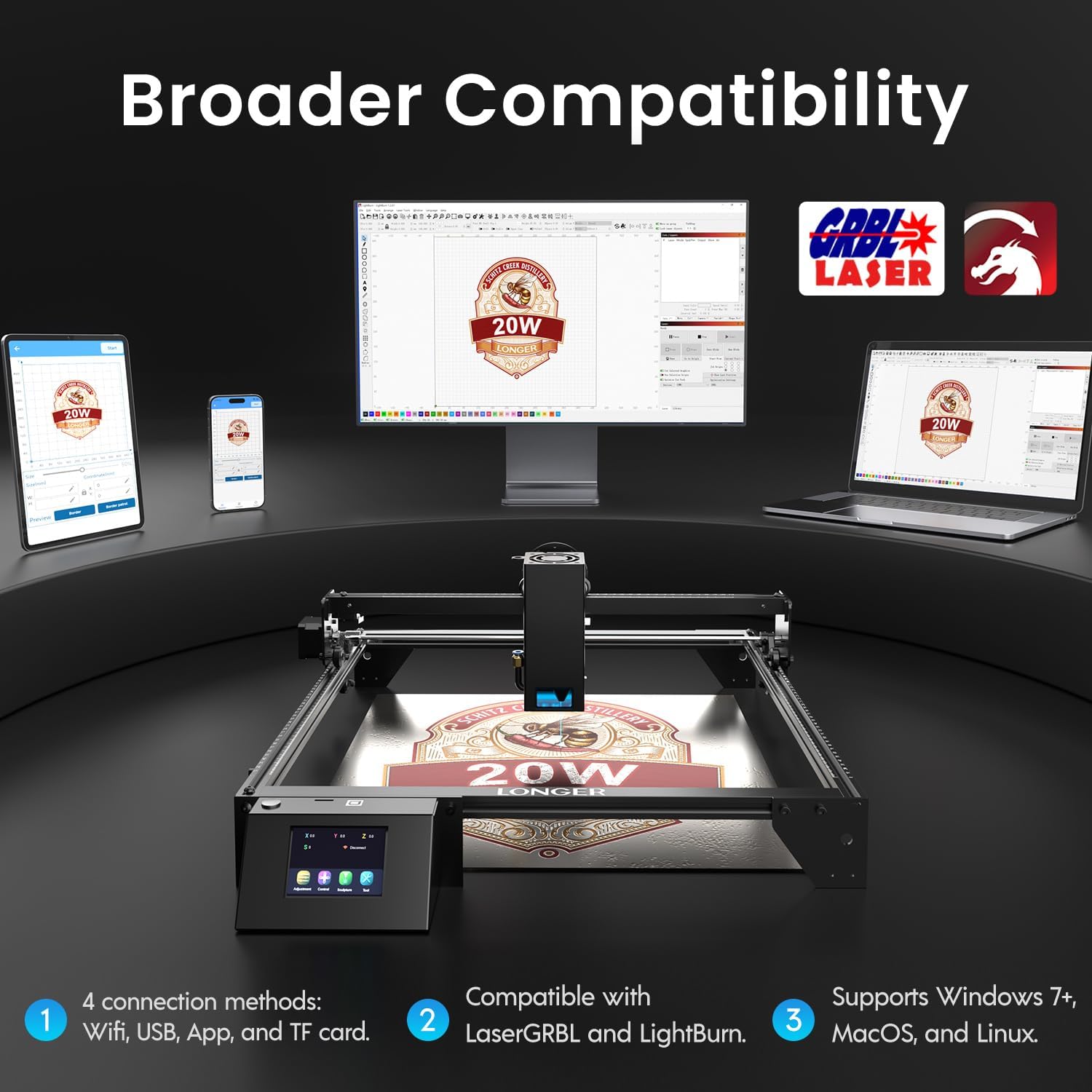
Image: Display showing the Longer Ray5's compatibility with LaserGRBL and LightBurn software, and various connection options including Wi-Fi, USB, App, and TF card across Windows, MacOS, and Linux operating systems.
2. Gravür ve Kesim Yetenekleri
The 20W diode laser offers high-efficiency performance for various materials.
- Kesme: Capable of cutting up to 25mm of wood and 35mm of acrylic. It can also cut 0.05mm metal.
- Oymak: Engrave hundreds of colors on metallic steel and a wide range of other materials.
- Malzemeler: Acrylic, metal, wood, stainless steel, and more.
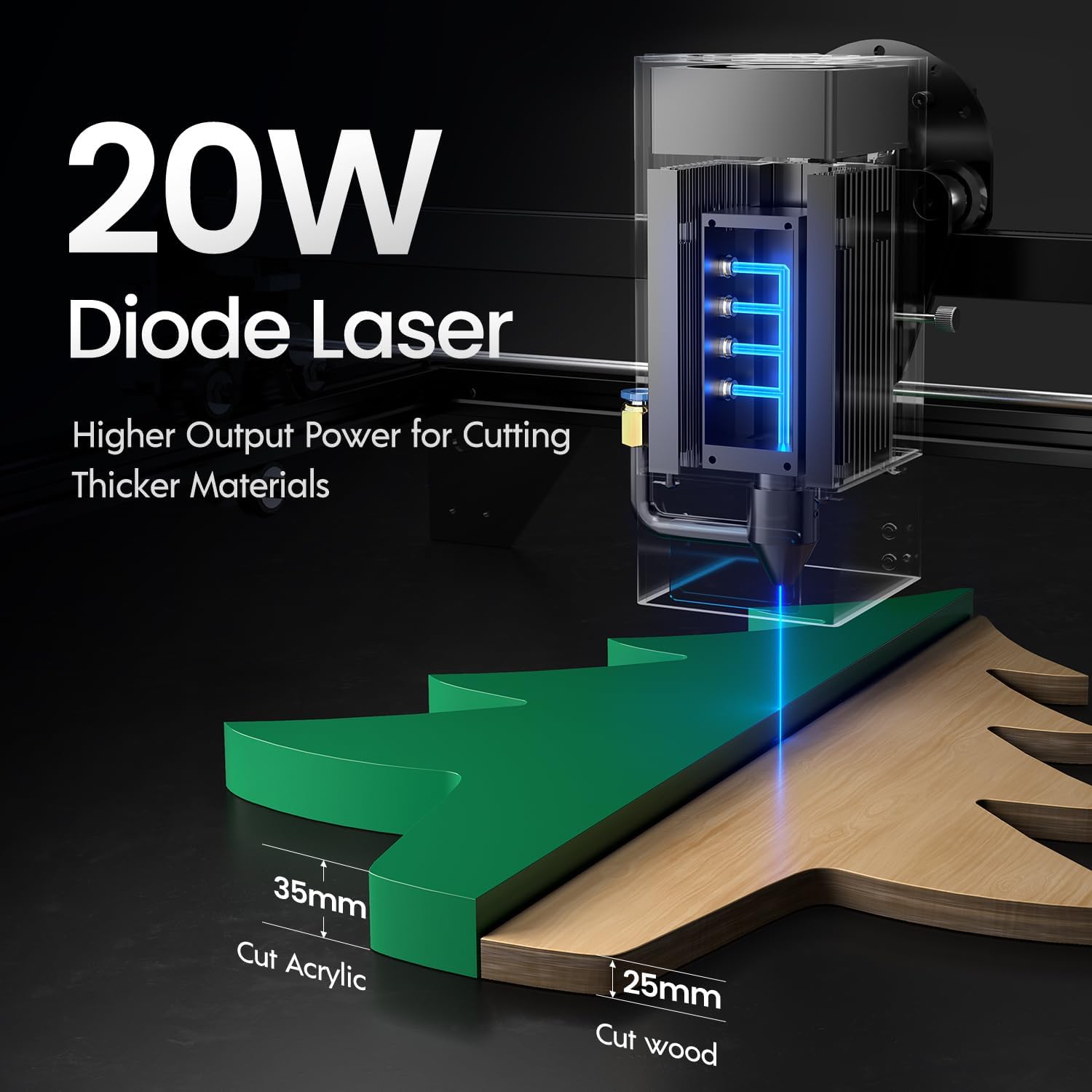
Image: Illustration demonstrating the 20W diode laser's capability to cut 25mm wood and 35mm acrylic.

Resim: Eskiamples of engraving capabilities, showcasing over 380 colors on metallic surfaces and other DIY artworks.

Image: A collection of various items demonstrating the versatile material selection for engraving and cutting, including wood, metal, and acrylic.
3. Hava Destek Fonksiyonu
The integrated air assist kit significantly improves cutting and engraving quality.
- Enhanced Cutting: The adjustable airflow (10-30L/min) suppresses smoke and dust, preventing laser energy attenuation and ensuring cleaner, smoother edges.
- Reduced Yellowing: Air assist helps prevent charring and yellowing on materials during laser processing, especially for wood and acrylic.

Image: A visual comparison showing the benefits of air assist, resulting in cleaner cuts and reduced processing time (e.g., 12 minutes with air assist vs. 20 minutes without).
4. Sürekli Çalışma
The Longer Ray5 is designed for powerful continuous working capacity, supporting 24/7 continuous engraving. A single computer can control multiple machines.

Image: Depiction of multiple Longer Ray5 machines working simultaneously, illustrating continuous operation and the ability for one computer to control several units.
Bakım
Düzenli bakım, lazer gravür cihazınızın optimum performans göstermesini sağlar ve kullanım ömrünü uzatır.
- Lazer merceğini temizleyin: Lazer ışın kalitesini korumak için lazer merceğini periyodik olarak yumuşak, tüy bırakmayan bir bez ve mercek temizleme solüsyonu ile temizleyin.
- Enkazı Temizle: Remove any accumulated dust or debris from the work area and machine components.
- Kayışları ve rayları kontrol edin: Inspect drive belts for tension and wear. Keep linear rails clean and lubricated as per manufacturer recommendations.
- Hava Destek Filtresi: If your air assist pump has a filter, clean or replace it regularly to ensure efficient airflow.
- Donanım Yazılımı Güncellemeleri: Üreticinin kontrol edin website for any available firmware updates to improve performance or add features.
Sorun giderme
Bu bölümde karşılaşabileceğiniz yaygın sorunlar ele alınmaktadır.
| Sorun | Olası Neden | Çözüm |
|---|---|---|
| Lazer ateşlenmiyor | Power not connected, software error, laser module fault. | Check power connections. Verify software settings. Contact support if laser module is suspected faulty. |
| Zayıf gravür/kesim kalitesi | Incorrect focus, dirty lens, wrong power/speed settings, material issues, no air assist. | Adjust laser focus. Clean the laser lens. Optimize power/speed settings for the material. Ensure air assist is active. |
| Makine bilgisayara bağlanmıyor | USB cable issue, driver not installed, Wi-Fi configuration error. | Try a different USB port/cable. Install necessary drivers. Reconfigure Wi-Fi connection. |
| Aşırı duman/gaz | Insufficient ventilation, air assist not active or weak. | Ensure proper ventilation. Check air assist pump and tubing for blockages. Increase air assist flow. |
Özellikler
| Özellik | Detay |
|---|---|
| Model Numarası | RAY5 |
| Lazer Çıkış Gücü | 20000mW (20W) |
| Lazer Tipi | Diyot Lazeri |
| Kesme Derinliği (Ahşap) | 25mm'ye kadar |
| Cutting Depth (Acrylic) | 35mm'ye kadar |
| Metal Cutting Capability | 0.05mm |
| Air Assist Flow | 10-30 L/min (Adjustable) |
| Dokunmatik Ekran | 3.5 inç |
| Bağlantı | Wi-Fi, USB, App, TF Card |
| Uyumlu Yazılım | LazerGRBL, LightBurn |
| Desteklenen İşletim Sistemi | Windows 7+, MacOS, Linux |
| Üretici | Daha uzun |
| İlk Mevcut Tarih | 1 Ağustos 2024 |
Garanti ve Destek
For warranty information and technical support, please refer to the official Longer website veya doğrudan müşteri hizmetleriyle iletişime geçin. Garanti talepleri için satın alma kanıtı olarak satın alma makbuzunuzu saklayın.
Çevrimiçi Kaynaklar: Ziyaret edin Longer Store on Amazon Ek ürün bilgisi ve destek için.


