
1. Giriş
The Optex ORT8915-UHD is a state-of-the-art 4K DVB-T2 terrestrial digital television receiver. This device allows you to receive terrestrial digital television programs in stunning 4K quality, providing a high-quality visual and audio experience. It supports HEVC encoding for efficient broadcasting and offers various features to enhance your viewDeneyim.
2. Paket İçeriği
Kuruluma başlamadan önce lütfen pakette bulunan tüm parçaların mevcut olduğundan emin olun:
- Optex ORT8915-UHD 4K DVB-T2 Receiver x1
- Güç Adaptörü x1
- 1.5V Batteries x2
- Kullanıcı Kılavuzu x1
- Uzaktan Kumanda x1
- HDMI Kablosu x1

Image 2.1: The Optex ORT8915-UHD receiver along with its included accessories: power adapter, batteries, user manual, remote control, and HDMI cable.
3. Ürün Bittiview
3.1 Ön Panel
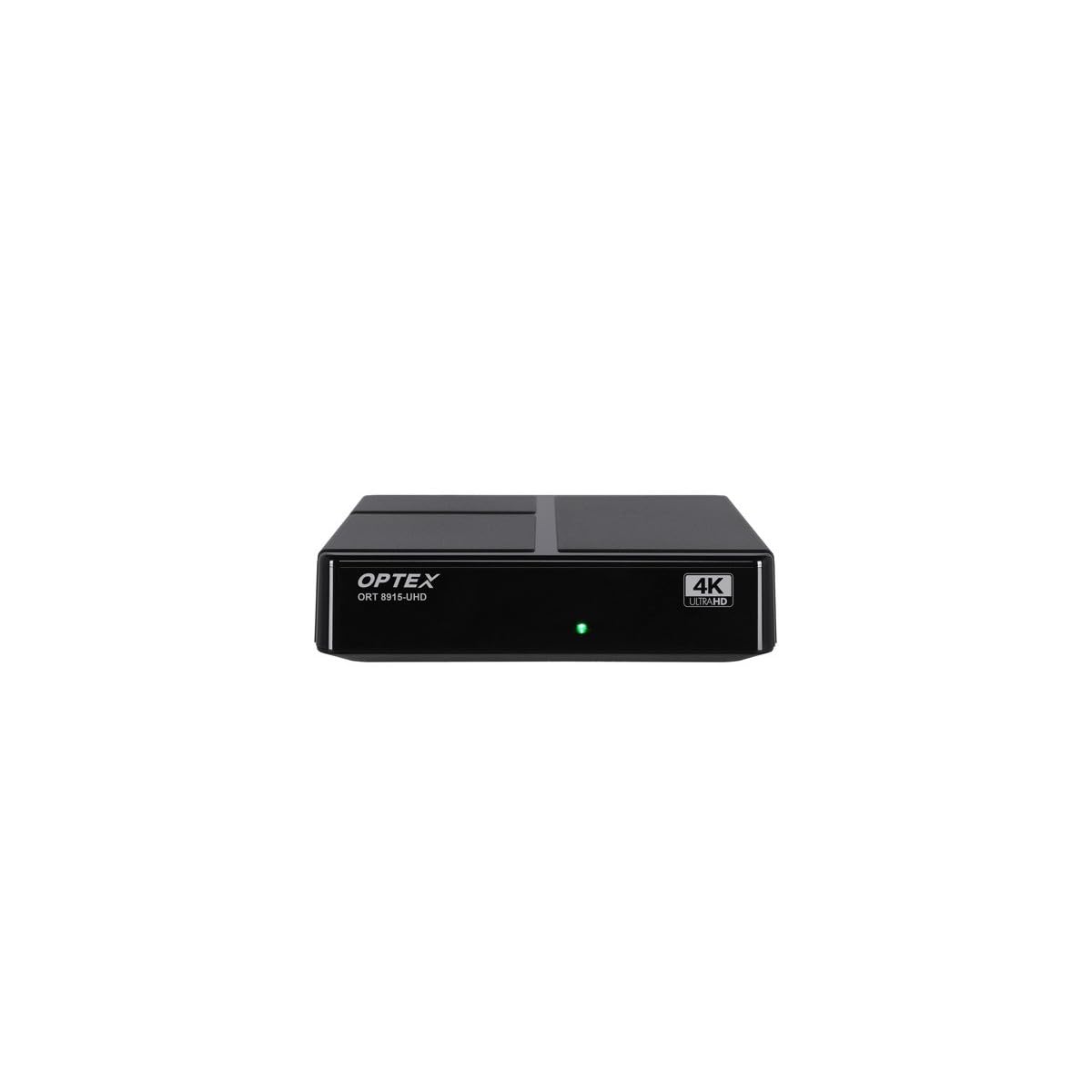
Resim 3.1: Ön view of the Optex ORT8915-UHD receiver, showing the USB port and control buttons.
The front panel features a USB port for connecting external storage devices, along with basic control buttons for power, menu navigation, channel selection (CH+/CH-), and volume adjustment (V+/V-).
3.2 Arka Panel

Resim 3.2: Arka view of the Optex ORT8915-UHD receiver, displaying various input/output ports.
Arka panel aşağıdaki bağlantıları içerir:
- Karınca: For connecting your terrestrial antenna.
- OPTIC: Optik dijital ses çıkışı.
- AV: Analog video/ses çıkışı.
- HDMI: High-Definition Multimedia Interface output for connecting to a TV.
- DC IN: Adaptör için güç girişi.
3.3 Uzaktan Kumanda

Image 3.3: The remote control for the Optex ORT8915-UHD receiver, featuring various function buttons.
The remote control provides full functionality for navigating menus, changing channels, adjusting volume, accessing program guides, and utilizing special features like Timeshift and USB recording.
4. Kurulum
- Anteni bağlayın: Connect your terrestrial antenna cable to the "ANT IN" port on the rear panel of the receiver.
- Televizyona bağlanın:
- For High-Definition (HD) connection: Use the provided HDMI cable to connect the "HDMI" port on the receiver to an HDMI input on your television.
- For Standard-Definition (SD) connection: Use an AV cable (not included) to connect the "AV" ports on the receiver to the corresponding AV inputs on your television.
- Gücü bağlayın: Plug the power adapter into the "DC IN" port on the receiver, then plug the adapter into a power outlet.
- Pilleri Uzaktan Kumandaya Takın: Open the battery compartment on the back of the remote control and insert the two 1.5V batteries, ensuring correct polarity.
- Güç Açık: Press the power button on the receiver or the remote control to turn on the device.
- TV Girişini Seçin: On your television, select the correct HDMI or AV input source that corresponds to the connection you made in step 2.
5. Kullanım Talimatları
5.1 Initial Channel Scan
Upon first use or after a factory reset, the receiver will guide you through an initial setup process, including a channel scan. Follow the on-screen prompts to automatically search for available DVB-T2 channels in your region. Ensure your antenna is properly connected for optimal results.
5.2 Temel Fonksiyonlar
- Kanal Gezinmesi: Kullanın ÇİN+ Ve Ç- buttons on the remote or front panel to change channels.
- Ses Kontrolü: Kullanın V+ Ve V- Sesi ayarlamak için düğmeler.
- Menü Erişimi: Basın MENÜ Ayarlar ve özellikler için ana menüye erişmek için kullanılan düğme.
- Program Rehberi (EPG): Basın EPG düğmeye bas view the Electronic Program Guide, which displays broadcast schedules.
- Teletekst: Access teletext services by pressing the TTX düğme.
5.3 Gelişmiş Özellik
- Timeshift (Live Control): Connect a USB storage device to the receiver. Press the Zaman kayması button (often a pause/play icon) to pause live TV, allowing you to resume viewdaha sonra.
- USB Recording (PVR): With a USB storage device connected, you can record live TV programs. Use the KAYIT button on the remote to start recording.
- Multimedya Oynatma: The USB port also supports playback of various multimedia files (audio, video, images) from a connected USB storage device. Navigate to the multimedia section in the main menu to access this feature.
- Ebeveyn Kontrolü: Set up parental control features through the menu to restrict access to certain channels or programs based on age ratings.
- Favori Listeler: Create customized lists of your favorite channels for quick access.
6. Bakım
- Temizlik: Alıcının dışını temizlemek için yumuşak ve kuru bir bez kullanın. Sıvı temizleyiciler veya aşındırıcı malzemeler kullanmayın.
- Havalandırma: Alıcının aşırı ısınmayı önlemek için iyi havalandırılan bir alana yerleştirildiğinden emin olun. Havalandırma deliklerini kapatmayın.
- Yazılım Güncellemeleri: Periodically check for software updates via USB to ensure optimal performance and access to new features. Refer to the main menu settings for update options.
7. Sorun Giderme
| Sorun | Olası Neden | Çözüm |
|---|---|---|
| Resim veya ses yok | Incorrect TV input selected, loose cable connections, power issue. |
|
| Hiçbir kanal bulunamadı | Antenna not connected or positioned correctly, no channel scan performed. |
|
| Uzaktan kumanda çalışmıyor | Dead batteries, obstructed signal, remote not paired (if applicable). |
|
| Kötü görüntü kalitesi | Weak antenna signal, incorrect resolution settings. |
|
8. Özellikler
| Özellik | Detay |
|---|---|
| Örnek | ORT8915-UHD |
| Marka | Optex |
| Ürün Türü | 4K DVB-T2 Terrestrial Receiver |
| Video Kodlama | HEVC |
| Uyumlu Cihazlar | Television, Game Console, Tablet, Personal Computer, Amplifier, Speaker, Smartphone |
| Bağlantı Teknolojisi | USB |
| Ses Çıkışı Modu | Stereo |
| Ses Çıkış Türü | HDMI, Optik |
| Çevresel Ses Kanalı Yapılandırması | 5.1, 7.1, 9.2 |
| Özel Özellik | Hareket sensörü |
| Toplam HDMI Bağlantı Noktaları | 1 |
| Güç Tüketimi (Bekleme) | <0.5 W |
| Ölçüler (Uzunluk x Genişlik) | 126.0 mm x 125.0 mm |
| Ürün Ağırlığı | 470 gr |
9. Garanti ve Destek
For warranty information and technical support, please refer to the official Optex webWeb sitesini ziyaret edin veya yerel satıcınızla iletişime geçin. Garanti talepleri için satın alma fişinizi satın alma belgesi olarak saklayın.
Software updates are guaranteed until an unknown date, as per product information. For the latest information, please visit the manufacturer's support page.