
1. Giriş
This manual provides essential information for setting up, operating, maintaining, and troubleshooting your SHARP 55FJ2E 4K UHD Smart TV. Please read these instructions carefully before using your television to ensure proper functionality and safety.
2. Neler Dahil?
Ambalajda tüm bileşenlerin mevcut olduğunu doğrulayın:
- SHARP 55FJ2E 4K UHD Smart TV
- Uzaktan kumanda
- 2 x AAA Pil
- TV Stand Installation Kit
- Hızlı rehber
3. Kurulum
3.1 TV Sehpasının Takılması
Carefully place the TV screen-down on a soft, clean surface to prevent damage. Attach the included stand components to the bottom of the TV using the provided screws. Ensure the stand is securely fastened before placing the TV upright.
Alternatively, the TV supports VESA wall mounting (400 x 300 mm) for compatible wall brackets (sold separately).
3.2 Harici Cihazların Bağlanması
Connect your external devices such as cable boxes, gaming consoles, or media players to the appropriate ports on the TV.
- HDMI Ports (3x HDMI 4K @ 60 Hz (2.1)): For high-definition audio and video devices.
- USB Ports (2x): For connecting USB storage devices or other peripherals.
- Anten Girişi: For connecting a terrestrial antenna.
- Uydu Girişi: For connecting a satellite dish.
- Kulaklık girişiÖzel dinleme içindir.
- Dijital Optik Ses ÇıkışıHarici ses sistemlerine bağlanmak için.
- Yerel Ağ (RJ45)Kablolu internet bağlantısı için.
Resim: Yan view Televizyonda bağlantı noktalarının görüntülenmesi.
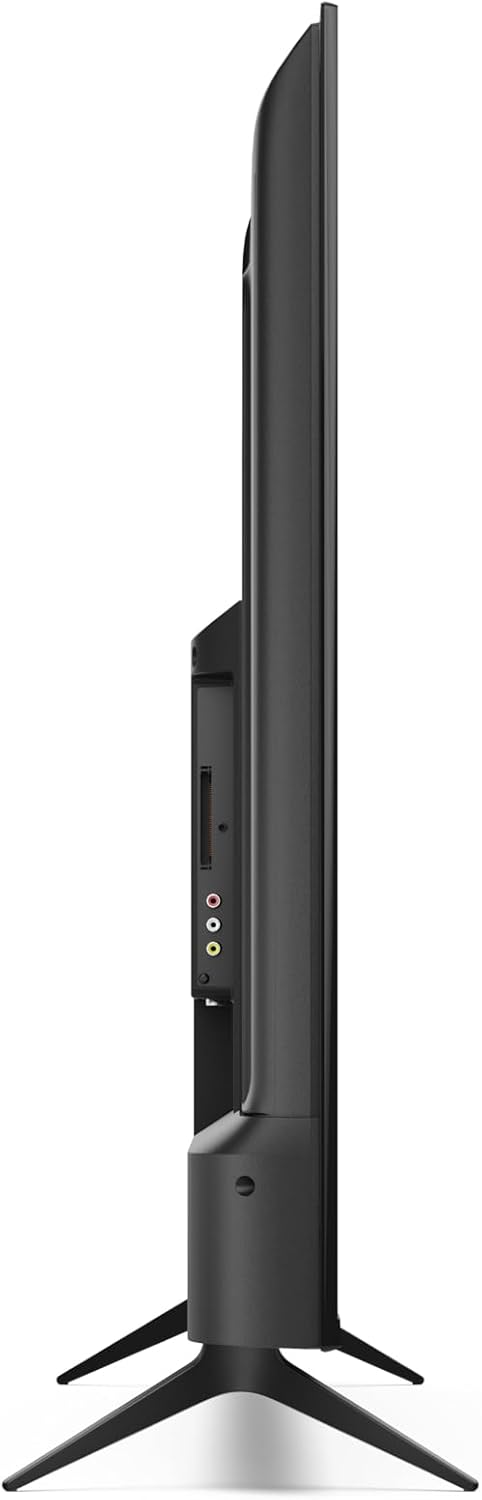
Resim: Arka view of the TV with port layout.
3.3 Initial Power On and Roku TV Setup
After connecting all necessary cables, plug the TV into a power outlet. Press the power button on the remote control or the TV. Follow the on-screen instructions to complete the initial Roku TV setup, including network connection (Wi-Fi or LAN) and channel scanning.

Resim: Ön view of the Sharp 55FJ2E TV.
4. TV'nin çalıştırılması
4.1 Uzaktan Kumanda İşlevleri
The included remote control allows you to navigate the Roku TV interface and control your television. Insert the 2 AAA batteries into the remote control before use.

Image: Sharp Roku TV Remote Control.
- Güç DüğmesiTelevizyonu açar veya kapatır.
- Rehber: Accesses the program guide.
- Navigation Pad (Up/Down/Left/Right): Moves through menus and options.
- Tamam DüğmesiSeçimleri onaylar.
- Sesi Aç/Kapat: Ses seviyesini ayarlar.
- Sesini kapatmak: Silences the TV sound.
- Oynatma Kontrolleri: Play, Pause, Fast Forward, Rewind.
- Ana Sayfa Düğmesi: Returns to the Roku TV home screen.
- Sayı Düğmeleri: For direct channel input.
- Çıkış/GeriÖnceki ekrana döner veya menüden çıkar.
4.2 Roku TV Interface Navigation
The Roku TV home screen provides access to streaming channels, input sources, and settings. Use the navigation pad and OK button on your remote to browse.

Image: Roku TV Home Screen Interface.
- Streaming Channels: Access pre-installed apps like YouTube, Netflix, Prime Video, Disney+, and Apple TV.
- Canlı TV: Access broadcast channels via antenna or satellite.
- Girişler: Select connected devices (e.g., HDMI 1, USB).
- Ayarlar: Adjust picture, sound, network, and system settings.
4.3 Roku Mobil Uygulaması
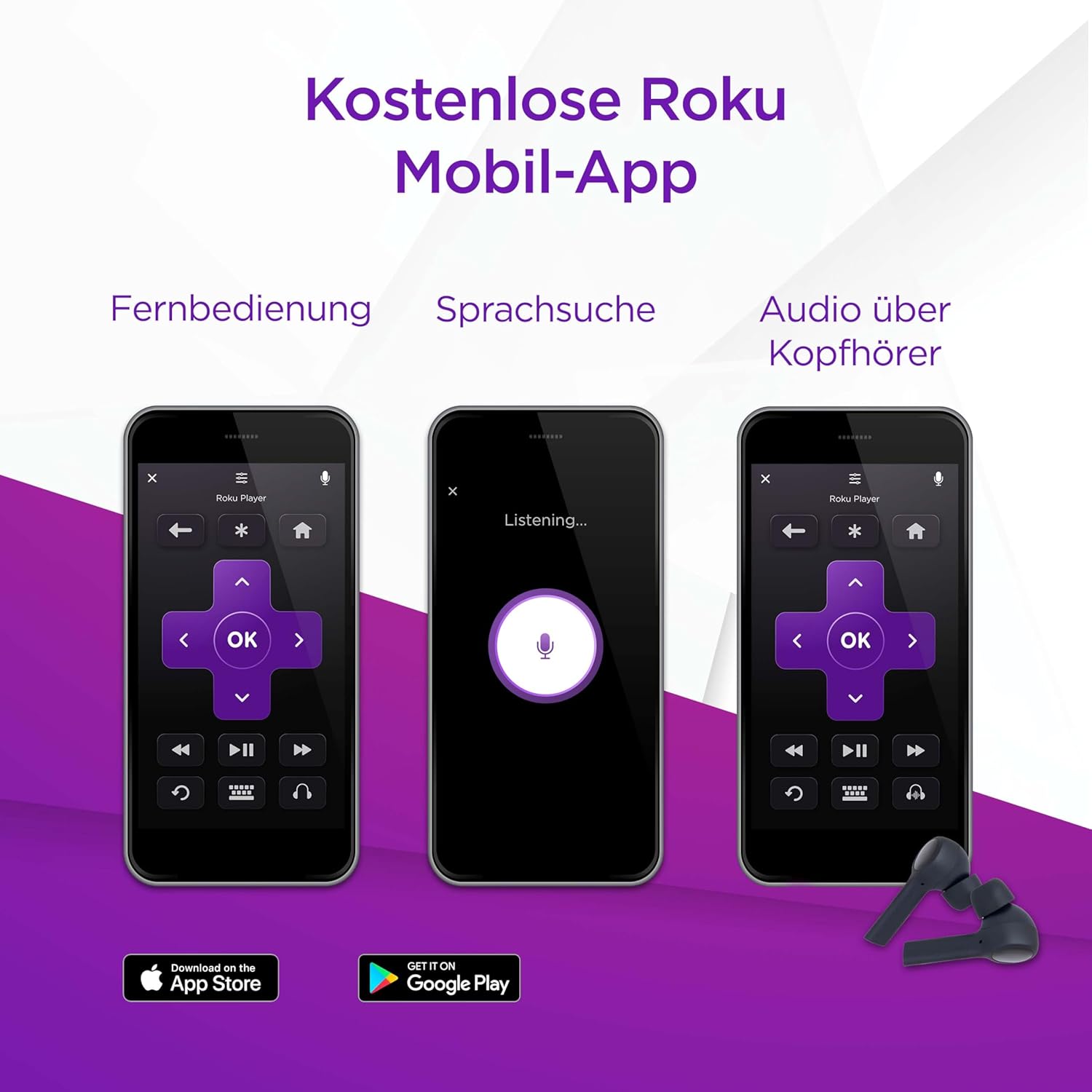
You can also control your SHARP Roku TV using the free Roku Mobile App on your smartphone or tablet. The app offers remote control functionality, voice search, and private listening via headphones.
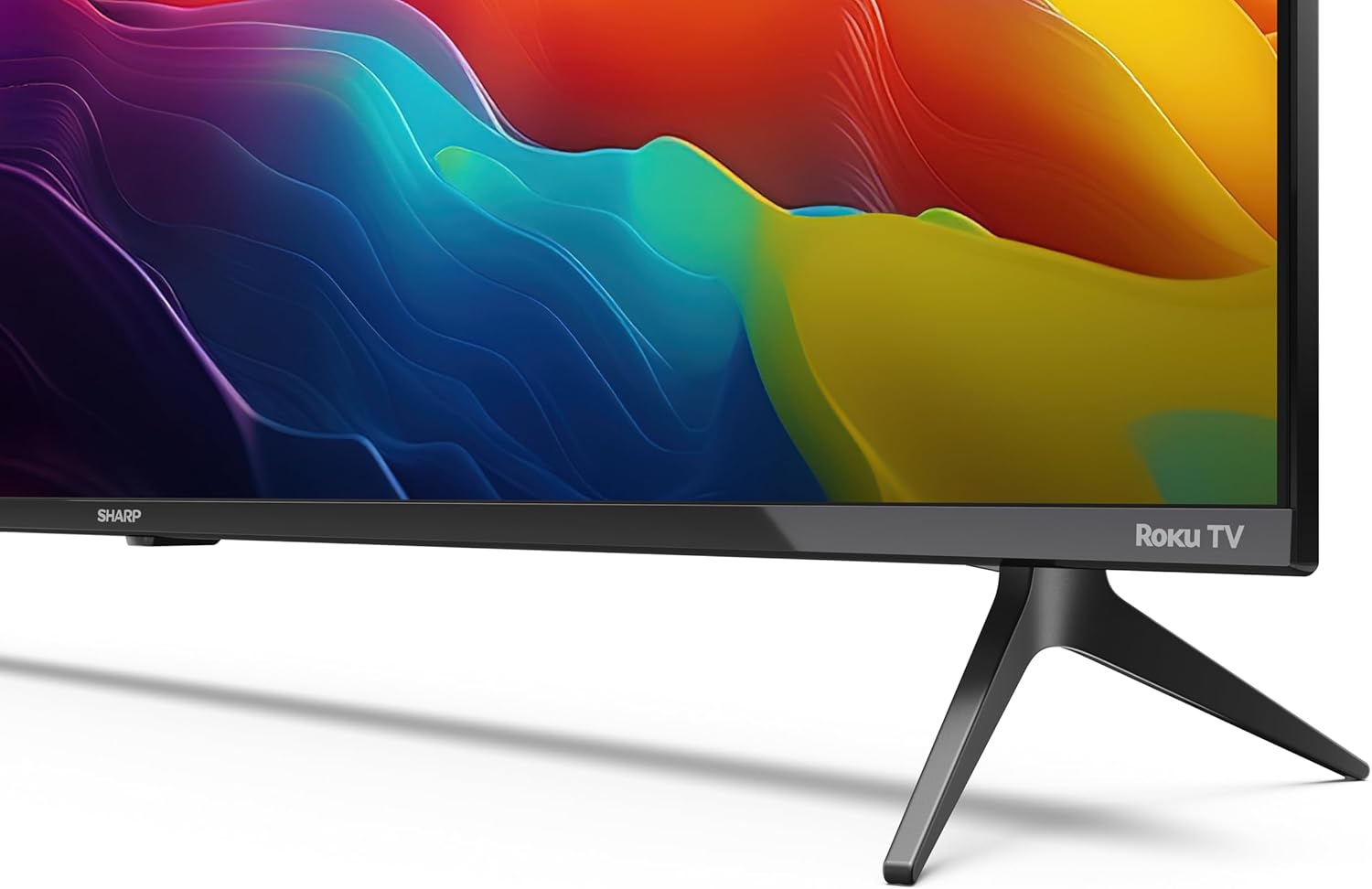
Image: Roku Mobile App features.
5. Bakım
5.1 TV'nin temizlenmesi
- Ekran: Gently wipe the screen with a soft, lint-free cloth. For stubborn marks, use a screen cleaning solution specifically designed for TVs, applied to the cloth, not directly to the screen.
- Kabine: Wipe the TV cabinet with a soft, dry cloth. Avoid using abrasive cleaners or solvents.
5.2 Yazılım Güncellemeleri
Your Roku TV automatically receives software updates to improve performance and add new features. Ensure your TV is connected to the internet for these updates to download and install.
6. Sorun Giderme
Televizyonunuzda sorunlarla karşılaşırsanız aşağıdaki yaygın çözümlere başvurun:
- Güç Yok: Check if the power cord is securely plugged into both the TV and the wall outlet. Try a different outlet.
- Görüntü yok, ama ses var.: Ensure the correct input source is selected. Check cable connections to external devices.
- Ses yok, ama görüntü var.: Check the volume level and mute status. Verify audio cable connections to external sound systems.
- Uzaktan Kumanda Çalışmıyor: Replace the AAA batteries. Ensure there are no obstructions between the remote and the TV's IR sensor.
- Ağ Bağlantı Sorunları: Restart your router and modem. Re-enter your Wi-Fi password in the TV's network settings. For wired connections, ensure the Ethernet cable is properly connected.
- Ebeveyn Denetimleri: If content is blocked, check parental control settings. These are typically protected by a PIN.
For further assistance, consult the online support resources for Roku TV or contact Sharp customer support.
7. Özellikler
| Özellik | Şartname |
|---|---|
| Model Numarası | 55FJ2E |
| Ekran Boyutu | 55 İnç (139 cm) |
| Ekran Teknolojisi | NEDEN OLMUŞ |
| Çözünürlük | 4K UHD (3840 x 2160 px) |
| Yenileme Hızı | 60 Hz |
| HDR Desteği | HDR10 |
| Motion Enhancement Technology | Aktif Hareket 400 |
| İşletim Sistemi | Roku İşletim Sistemi |
| Ses Çıkışı Modu | Dolby Dijital, Dolby Dijital Artı |
| Hoparlör Sistemi | Front silk tweeter (10W), Down-firing woofer (10W) |
| HDMI Bağlantı Noktaları | 3 (4K @ 60 Hz, 2.1) |
| USB Bağlantı Noktaları | 2 |
| Bağlantı | Wi-Fi, LAN (RJ45), Antenna, Satellite, Headphone, Digital Optical Audio Out |
| Tuner Türü | UHD DVB-T/T2/C/S/S2 (MPEG4 + 10 bits HEVC/H.265) |
| VESA Montaj Standardı | 400x300 mm |
| Ürün Boyutları (D x G x Y) | 9.1 x 123.1 x 71.8 cm (standsız) |
| Güç Tüketimi (SDR) | 67.0 B |
| Güç Tüketimi (HDR) | 114 B |
| Bekleme Güç Tüketimi | 0.5 B |
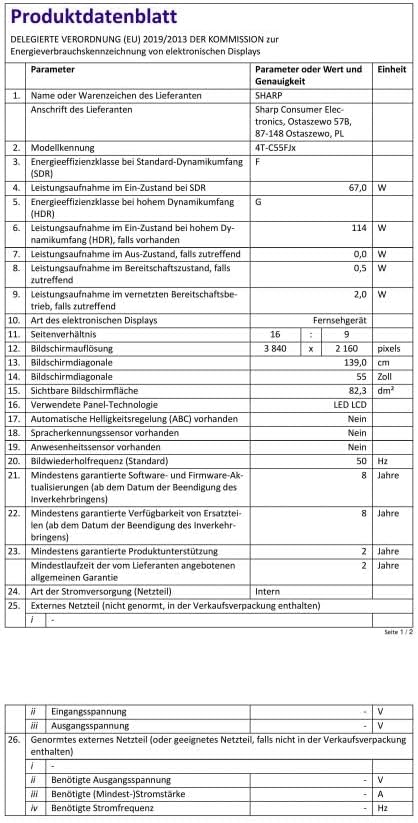
Image: Product Data Sheet (German).
8. Garanti ve Destek
8.1 Garanti Bilgileri
Warranty details for your SHARP 55FJ2E TV are typically provided with the product packaging or available on the official Sharp webLütfen garanti talepleriniz için satın alma belgenizi saklayın.
8.2 Müşteri Desteği
For technical support, service, or further inquiries, please visit the official Sharp website or contact their customer service department. Contact information can usually be found in the quick guide or on the manufacturer's webalan.