
YABER T2 PLUS
YABER T2 Plus Portable Projector User Manual
Model: T2 PLUS
giriiş
This manual provides detailed instructions for the safe and efficient operation of your YABER T2 Plus Portable Projector. Please read this manual thoroughly before using the device and retain it for future reference.

Image: The YABER T2 Plus portable projector in cream color, shown with its handle and a TV dongle accessory.
Kurmak
1. Paketin Açılması ve İlk Muayene
- Tüm bileşenleri dikkatlice ambalajından çıkarın.
- Verify that all items listed in the packing list are present and undamaged.
- Report any missing or damaged items to customer support immediately.
2. Projektörün Şarj Edilmesi
The YABER T2 Plus features an integrated high-capacity rechargeable battery, providing up to 2.5 hours of video playback or 18 hours of audio. For optimal performance, fully charge the projector before first use.
- Connect the power adapter to the projector's power input.
- Plug the power adapter into a suitable electrical outlet (240 Volt).
- The charging indicator will illuminate. Charging is complete when the indicator changes color or turns off (refer to LED indicator section for details).

Image: The YABER T2 Plus projector illustrating its battery life: up to 2.5 hours for video playback and 18 hours for music playback on a single charge. It also notes that plugging in increases brightness.
3. Placement and Positioning
Position the projector on a stable, flat surface. The integrated handle can also serve as a stand, allowing for a 15-degree tilt.
- Ensure the projection surface is clean and smooth for best image quality.
- Maintain a projection distance that allows for the desired screen size. The T2 Plus can achieve a 100-inch screen from a short distance of 0.50m.
- Projeksiyon cihazını doğrudan güneş ışığına veya ısı kaynaklarının yakınına yerleştirmekten kaçının.

Image: The YABER T2 Plus projector positioned outdoors on a small wooden crate, projecting an image onto a screen for a group of people enjoying a movie night.
Kullanım Talimatları
1. Açma/Kapama
- Açmak için: Gösterge ışığı yanana kadar güç düğmesini basılı tutun.
- To power off: Press and hold the power button until the projector shuts down.
2. İlk Yapılandırma
Upon first power-on, the projector may guide you through an initial setup process for language, network, and other basic settings.
3. Görüntü Ayarlaması
The T2 Plus features intelligent screen adaptation technology for automatic adjustments, ensuring a clear and properly aligned image.
- Otomatik odaklama: The projector automatically adjusts for a clear image.
- Otomatik Çarpıklık Düzeltme: Eğik projeksiyon nedeniyle oluşan bo distorted görüntüleri düzeltir.
- Akıllı Ekran Hizalaması: Automatically aligns the image to the screen boundaries.
- Akıllı Engellerden Kaçınma: Duvar üzerindeki engelleri algılar ve bunlardan kaçınmak için projeksiyonu ayarlar.
- En-boy oranları: Supports 4:3 and 16:9 aspect ratios.
- Yakınlaştır: Features 50% zoom capability.
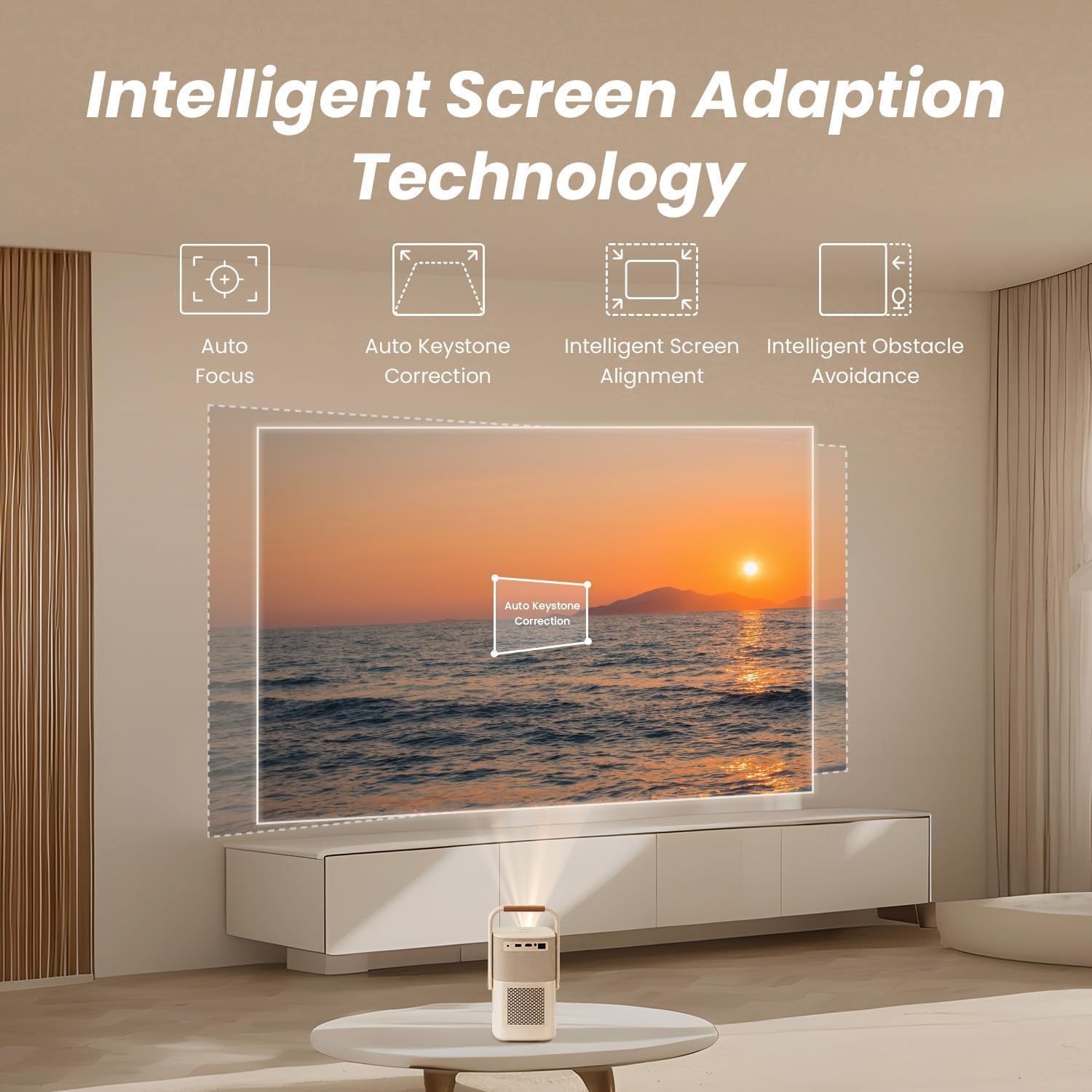
Image: A diagram illustrating the YABER T2 Plus projector's intelligent screen adaptation technology, including auto focus, auto keystone correction, intelligent screen alignment, and intelligent obstacle avoidance, with a projected image of a sunset over water.
4. Cihazları Bağlama
Projeksiyon cihazı çok yönlü bağlantı seçenekleri sunuyor:
- HDMI: Connect external devices like laptops, gaming consoles, or TV dongles.
- USB BAĞLANTI: Access documents and media files directly from a USB drive. Supports WPS files.
- Ethernet: Kablolu ağ bağlantısı için.
- Kablosuz 6: Connect to wireless networks for streaming and online content.
- Bluetooth:
- İki yönlü Bluetooth: Connect to mobile devices to use the projector as a 16W Hi-Fi stereo speaker.
- Pair with external Bluetooth speakers for enhanced audio output.
- YABER App: Utilize the YABER app with NFC for quick connections and to use your phone as a remote control.
5. Ses Çıkışı
The T2 Plus features integrated 8W*2 JBL speakers with Dolby Audio support, delivering rich sound details, clear highs, and powerful bass.

Görüntü: Röntgen tarzı view of the YABER T2 Plus projector highlighting its internal speaker components, branded with "Sound by JBL" and "Dolby Audio," indicating 2x8W speaker output.
Bakım
1. Lensin Temizlenmesi
- Optik lensler için özel olarak tasarlanmış, yumuşak ve tüy bırakmayan bir bez kullanın.
- Lensi dairesel hareketlerle nazikçe silin.
- Avoid using abrasive cleaners or excessive pressure.
2. Dış Cephenin Temizlenmesi
- Projektörün dış yüzeyini yumuşak, kuru bir bezle silin.
- İnatçı izler için, hafifçe dampBezi suyla yıkayın.
- Sert kimyasallar veya çözücüler kullanmayın.
3. Depolama
- Projeksiyon cihazını serin, kuru ve doğrudan güneş ışığından ve aşırı sıcaklıklardan uzak bir yerde saklayın.
- Uzun süre saklayacaksanız, pilin ömrünü uzatmak için kısmen şarj edilmiş (yaklaşık %50) olduğundan emin olun.
Sorun giderme
| Sorun | Olası Neden | Çözüm |
|---|---|---|
| Görüntü yansıtılmıyor. |
|
|
| Görüntü bulanık |
|
|
| Ses yok |
|
|
| Wi-Fi bağlantı sorunları |
|
|
Özellikler
| Özellik | Detay |
|---|---|
| Marka | yaber |
| Model Numarası | T2 PLUS |
| Yerel Çözünürlük | 1920 x 1080 (Orijinal 1080P) |
| Parlaklık | 450 ANSI Lümenleri |
| Bağlantı | Wi-Fi 6, Bluetooth, HDMI, USB, Ethernet |
| Ses | Sound by JBL, Dolby Audio, 8W*2 Speakers |
| Pil | Integrated Lithium-ion (10 mAh), up to 2.5 hours video / 18 hours audio |
| Özel Özellikler | Autofocus, Auto Keystone Correction, Intelligent Screen Alignment, Intelligent Obstacle Avoidance, Sealed Optical Engine |
| Ürün Boyutları | 15.5 x 14 x 29 cm; 2.5 kg |
| Cilttage | 240 Volt |
| Netage | 8 watt |
Garanti Bilgileri
Please refer to the warranty card included with your product for specific terms and conditions. Generally, YABER products come with a limited warranty covering manufacturing defects from the date of purchase. Keep your proof of purchase for warranty claims.
For return policy details, please consult the retailer where the product was purchased. For purchases made on Amazon, a 30-day refund/replacement policy is typically offered.
Müşteri Desteği
If you encounter any issues not covered in this manual or require further assistance, please contact YABER customer support.
- YABER'in resmi sitesini ziyaret edin. webDestek kaynakları ve iletişim bilgileri için site.
- The YABER app can also be used for quick connections and may offer support features.
İlgili belgelerT2 PLUS


Ask a question about this manual
Ask about setup, troubleshooting, compatibility, parts, safety, or missing instructions. Manuals+ will review the question and use this page’s manual context to help answer it.