
giriiş
Thank you for choosing the Edyell EH1 Bluetooth Motorcycle Helmet Headset. This device is designed to provide clear communication, music playback, and FM radio functionality while riding, enhancing your safety and enjoyment. Please read this manual carefully before use to ensure proper operation and to maximize the product's lifespan.
Paket İçeriği
Lütfen paketi aşağıdaki öğeler açısından kontrol edin:
- Edyell EH1 Bluetooth Helmet Headset Unit
- Microphone (boom or soft wire, depending on helmet type)
- Speakers (pair)
- USB Type-C Şarj Kablosu
- Helmet Mounting Clips (clamp and adhesive base)
- Hoparlörler ve Mikrofonlar için Cırt Cırtlı Pedler
- Kullanıcı Kılavuzu
Ürün Bittiview
The Edyell EH1 features an intuitive design with advanced functionalities for motorcycle riders.
Smart LED Screen and RGB Lights
The headset is equipped with an LED display that shows essential information such as battery capacity, Bluetooth pairing status, and FM channel. Dynamic RGB lights provide visual feedback and enhance the aesthetic.
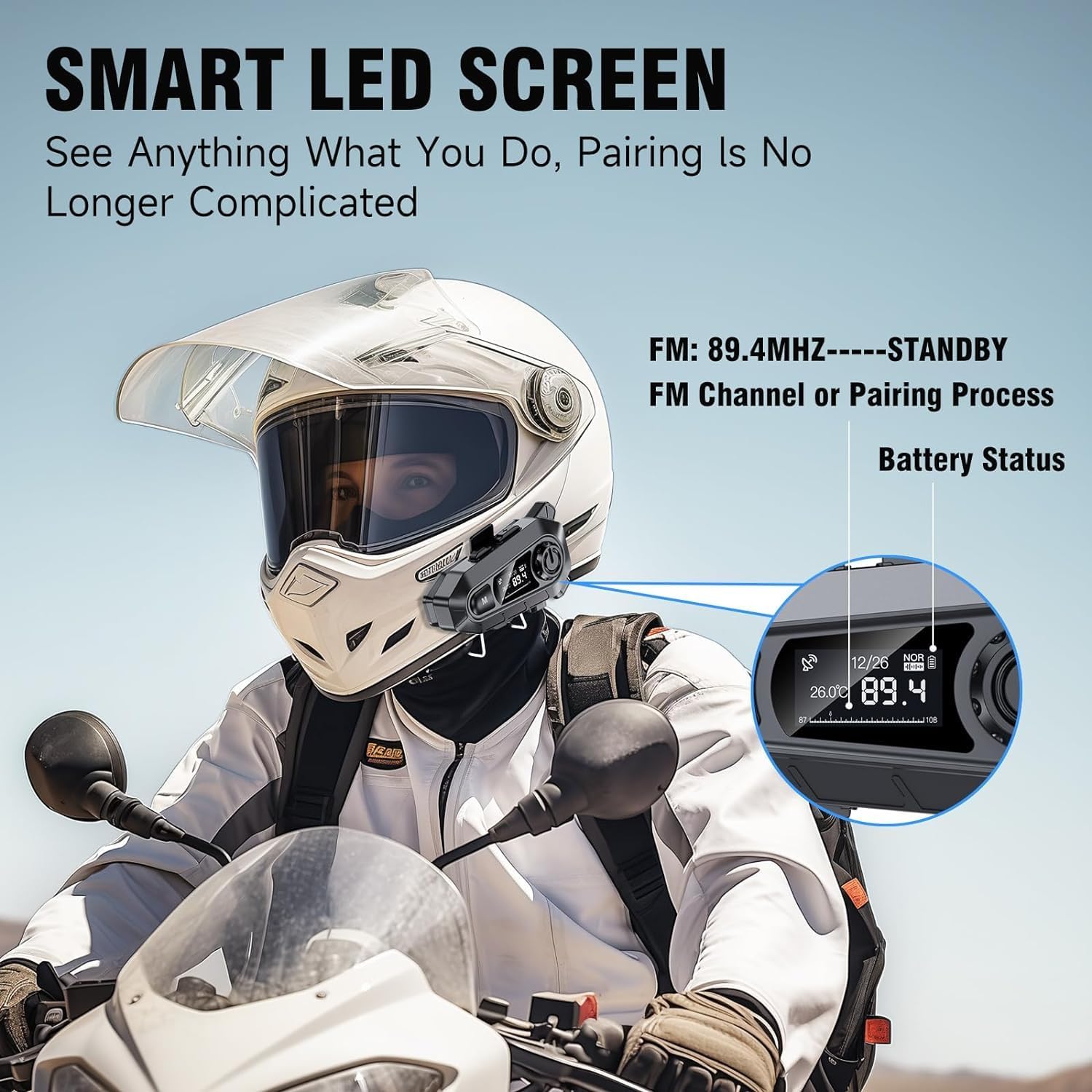
Resim: The Edyell EH1 headset mounted on a helmet, highlighting its smart LED screen which displays battery status, FM channel, and pairing information for easy monitoring.
High-Quality 50mm Speakers with ENC Noise Reduction
Experience superior audio quality with 50mm speakers, delivering enhanced volume and bass compared to standard 40mm speakers. Environmental Noise Cancellation (ENC) technology ensures clear audio even at high speeds.
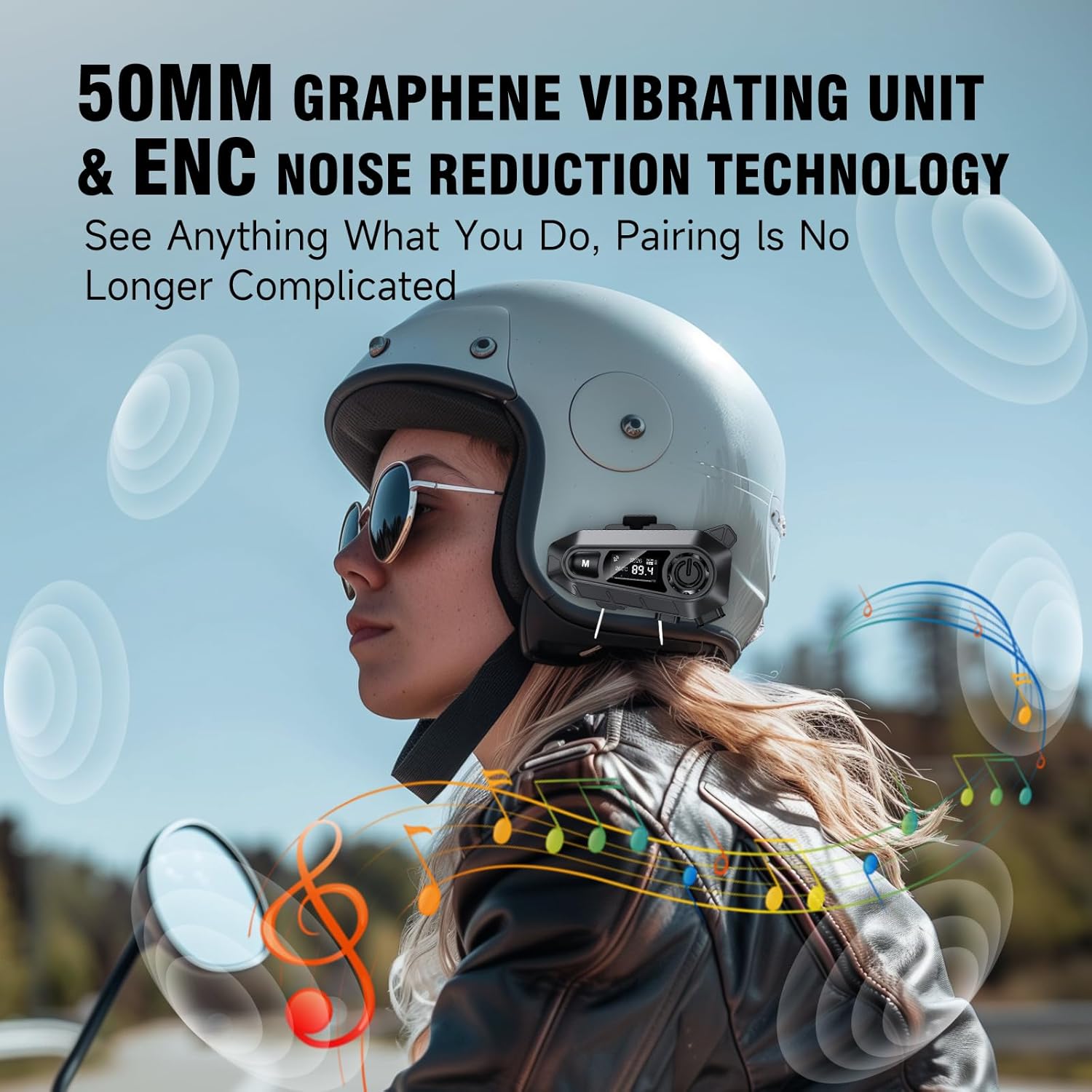
Resim: A rider wearing a helmet with the Edyell EH1 headset, illustrating the 50mm graphene vibrating unit and ENC noise reduction technology for high-quality audio and clear communication.
Uzun Ömürlü Pil ve Hızlı Şarj
Equipped with a 1000mAh battery, the EH1 provides up to 30 hours of music playback, 40 hours of talk time, and over 300 hours of standby time. The Type-C port allows for full charging in just 1.5 hours.

Resim: A close-up of the Edyell EH1 headset showing its Type-C fast charging port and indicating its 1000mAh battery capacity, with charging and usage times.
Automatic Call Answering and Voice Control
The headset automatically answers incoming calls within 10 seconds, allowing for hands-free communication. Activate your phone's voice assistant (Siri, Google Assistant) with a single button press for navigation, music control, and more.

Resim: A rider on a motorcycle demonstrating the voice assistant feature of the Edyell EH1 headset, showing prompts for "Previous song", "Open GPS", and "Hey Siri, Call Mike".
Universal Helmet Compatibility and IP67 Waterproof Rating
The Edyell EH1 is designed to be compatible with various helmet types. Its IP67 waterproof rating ensures durability and performance in diverse weather conditions.
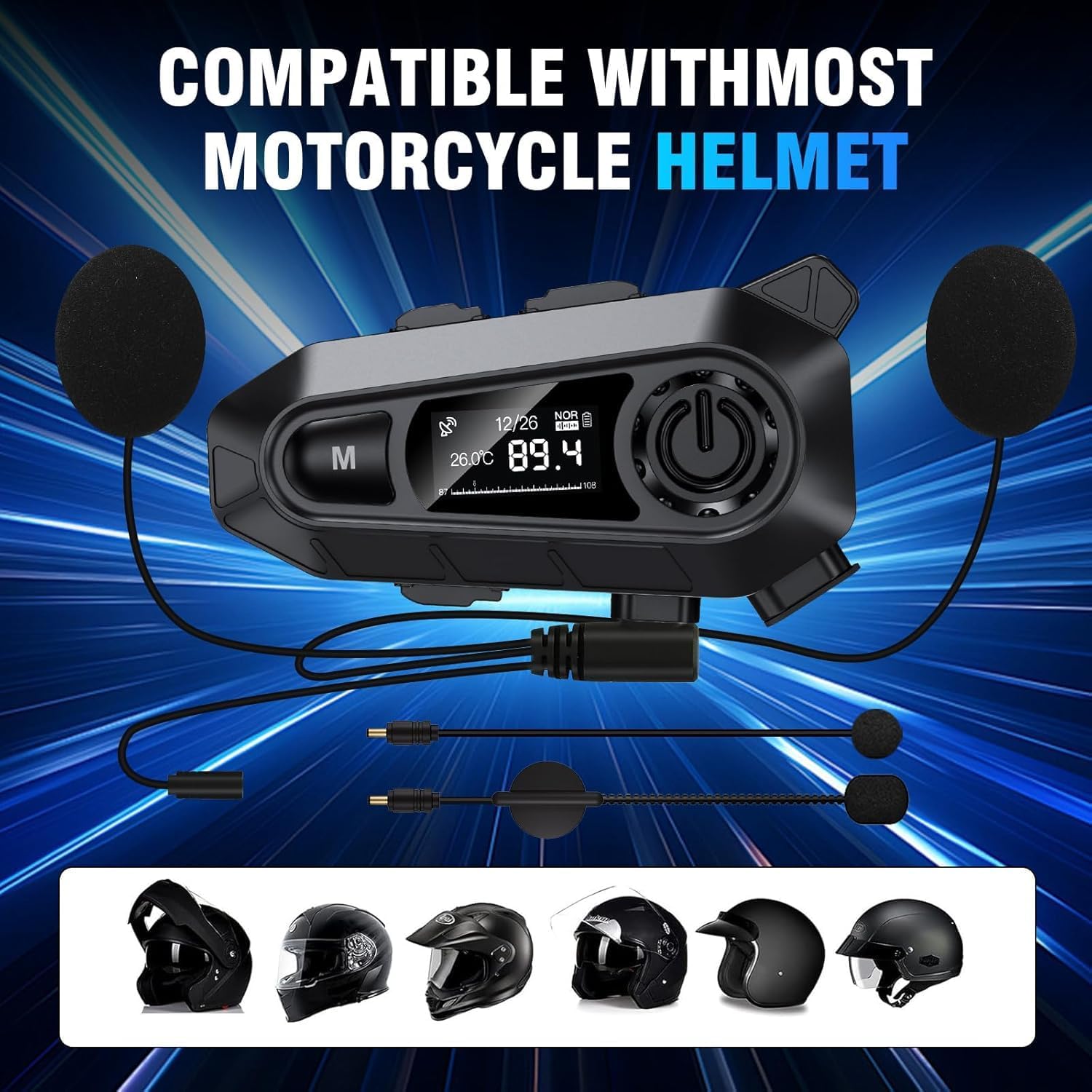
Resim: The Edyell EH1 headset with its speakers and microphone attachments, displayed alongside various helmet types to illustrate its broad compatibility.
Kurmak
1. Cihazın Şarj Edilmesi
- İlk kullanımdan önce kulaklığınızı tam şarj edin.
- Connect the provided USB Type-C charging cable to the headset's charging port and to a USB power source (e.g., computer, wall adapter).
- LED ekran şarj durumunu gösterecektir. Tam şarj yaklaşık 1.5 saat sürer.
2. Kaskınıza Takma
The EH1 can be installed using either the clamp mount or the adhesive mount.
- Clamp Dağ:
- CL üzerindeki vidaları gevşetinamp montaj.
- Cl'yi kaydırınamp between the outer shell and inner padding of your helmet on the left side.
- Tighten the screws to secure the clamp.
- Slide the EH1 main unit onto the clamp yerine oturana kadar.
- Yapışkan Montaj:
- Kaskınızın sol tarafındaki istediğiniz montaj alanını temizleyin.
- Yapışkanlı yüzeyin üzerindeki koruyucu filmi soyun.
- Firmly press the adhesive mount onto the helmet for 30 seconds. Allow 24 hours for the adhesive to fully cure before attaching the main unit.
- Slide the EH1 main unit onto the adhesive mount until it clicks into place.
3. Hoparlör ve Mikrofon Kurulumu
- Attach the Velcro pads to the back of the speakers and inside the helmet's ear pockets.
- Place the speakers inside the helmet's ear pockets, ensuring they are aligned with your ears for optimal sound.
- Attach the microphone Velcro pad to the inside of the helmet near your mouth. Position the microphone for clear voice pickup, typically on the left side.
- Route the speaker and microphone wires neatly under the helmet padding to the main unit's ports.
- Connect the speaker and microphone cables to their respective ports on the EH1 main unit.
Kullanım Talimatları
Güç Açık/Kapalı
- Güç Açık: Press and hold the Power button (usually the central large button) for 3 seconds until the LED screen lights up and you hear a prompt.
- Kapat: Press and hold the Power button for 3 seconds until the LED screen turns off and you hear a prompt.
Bluetooth Eşleştirme
- With the device off, press and hold the Power button for approximately 5-7 seconds until the LED screen shows "Pairing" and the RGB lights flash.
- On your mobile phone, enable Bluetooth and search for "Edyell EH1".
- Select "Edyell EH1" to connect. Once paired, the LED screen will show "Connected" and the RGB lights will stop flashing.
Müzik Çalma
- Oynat/Duraklat: Güç düğmesine kısa basın.
- Sonraki Parça: Short press the "Next" button (often marked with a forward arrow).
- Önceki parça: Short press the "Previous" button (often marked with a backward arrow).
Yönetim Çağrı
- Cevap Çağrısı: The headset will automatically answer incoming calls after 10 seconds. You can also short press the Power button to answer immediately.
- Çağrı Sonu: Görüşme sırasında Güç düğmesine kısa süre basın.
- Çağrıyı Reddet: Gelen bir çağrı olduğunda Güç düğmesini 2 saniye basılı tutun.
- Son Numarayı Tekrar Ara: Double-press the Power button when not on a call.
Sesli asistan
- Voice Assistant'ı etkinleştirin: Short press the dedicated Voice Control button (often marked with a microphone icon or 'M' button). This will activate Siri or Google Assistant on your paired phone.
FM Radyo
- FM'i Aç/Kapat: Press and hold the 'M' button for 2 seconds to switch between Bluetooth and FM radio mode.
- Kanalları Tara: In FM mode, short press the Power button to automatically scan and save available stations.
- Döviz Bürosu: Short press the "Next" or "Previous" buttons to cycle through saved FM stations.
Ses Kontrolü
- Sesi arttır: Short press the Volume Up button (often marked with '+').
- Sesi Azalt: Short press the Volume Down button (often marked with '-').
Bakım
- Temizlik: Yumuşak bir d kullanınamp cloth to clean the headset unit. Do not use harsh chemicals or abrasive cleaners.
- Suya Maruz Kalma: While the device is IP67 waterproof, avoid prolonged submersion. Ensure the charging port cover is securely closed when not charging.
- Depolamak: Kullanmadığınız zamanlarda kulaklığınızı serin ve kuru bir yerde saklayın. Aşırı sıcaklıklardan kaçının.
- Pil Bakım: To prolong battery life, charge the device regularly and avoid fully discharging it for extended periods.
Sorun giderme
| Sorun | Olası Çözüm |
|---|---|
| Cihaz açılmıyor. | Pilinizin dolu olduğundan emin olun. Şarj cihazına bağlayın ve tekrar deneyin. |
| Telefonla eşleştirilemiyor. |
|
| Hoparlörlerden ses gelmiyor. |
|
| Mikrofon çalışmıyor. |
|
| FM radio not receiving stations. |
|
Özellikler
| Özellik | Detay |
|---|---|
| Model Adı | Edyell EH1 (MBH-A1) |
| Marka | Edyell |
| Bağlantı Teknolojisi | Kablosuz (Bluetooth) |
| Kulaklık Form Faktörü | On-Ear (Helmet Integrated) |
| Gürültü Kontrolü | Aktif Gürültü Engelleme (ENC) |
| Empedans | 100 Ohm |
| Pil Kapasitesi | 1000 mAh |
| Şarj Süresi | Yaklaşık 1.5 saat |
| Müzik Çalma Süresi | 30 saate kadar |
| Konuşma Zamanı | 40 saate kadar |
| Bekleme Süresi | 300 saatten fazla |
| Su Geçirmezlik Derecesi | IP67 |
| Kontrol Yöntemi | Dokunmatik, Ses Kontrolü |
| Özel Özellikler | Sweatproof, Smart LED Screen, FM Radio, RGB Lights |
Garanti ve Destek
The Edyell EH1 Bluetooth Motorcycle Helmet Headset comes with a 15 ay garanti from Edyell India. If you encounter any quality issues with your product, please contact Edyell customer service for assistance. Our dedicated support team is always ready to help you with any queries or concerns.
For warranty claims or technical support, please refer to the contact information provided on the Edyell official website veya satın alma belgeleriniz.