
1. Giriş
Thank you for choosing the SODLK T13 Portable Bluetooth Speaker. This manual provides essential information for setting up, operating, and maintaining your speaker. Please read it thoroughly before use to ensure optimal performance and longevity of your device.
2. Ürün Bittiview
2.1 Bileşenler
- SODLK T13 Portable Bluetooth Speaker
- Güç Kablosu (USB-C)
- 3.5mm Yardımcı Kablo
- Hızlı Başlangıç Kılavuzu
2.2 Temel Özellikler
- Booming Bass & 360-degree Sound: Delivers powerful audio performance.
- Stereo Dual Pairing: Connect two T13 speakers for an enhanced stereo sound experience.
- IP67 Su Geçirmez ve Toz Geçirmez: Designed to withstand water immersion and dust ingress, suitable for various environments.
- RGB Party Light: Integrated LED lighting effects to enhance your listening experience.
- Çoklu Giriş Seçenekleri: Supports Bluetooth, USB, TF Card, and AUX input.
- Taşınabilir Tasarım: Kolay taşıma için kullanışlı bir tutamağa sahip, kompakt boyut.
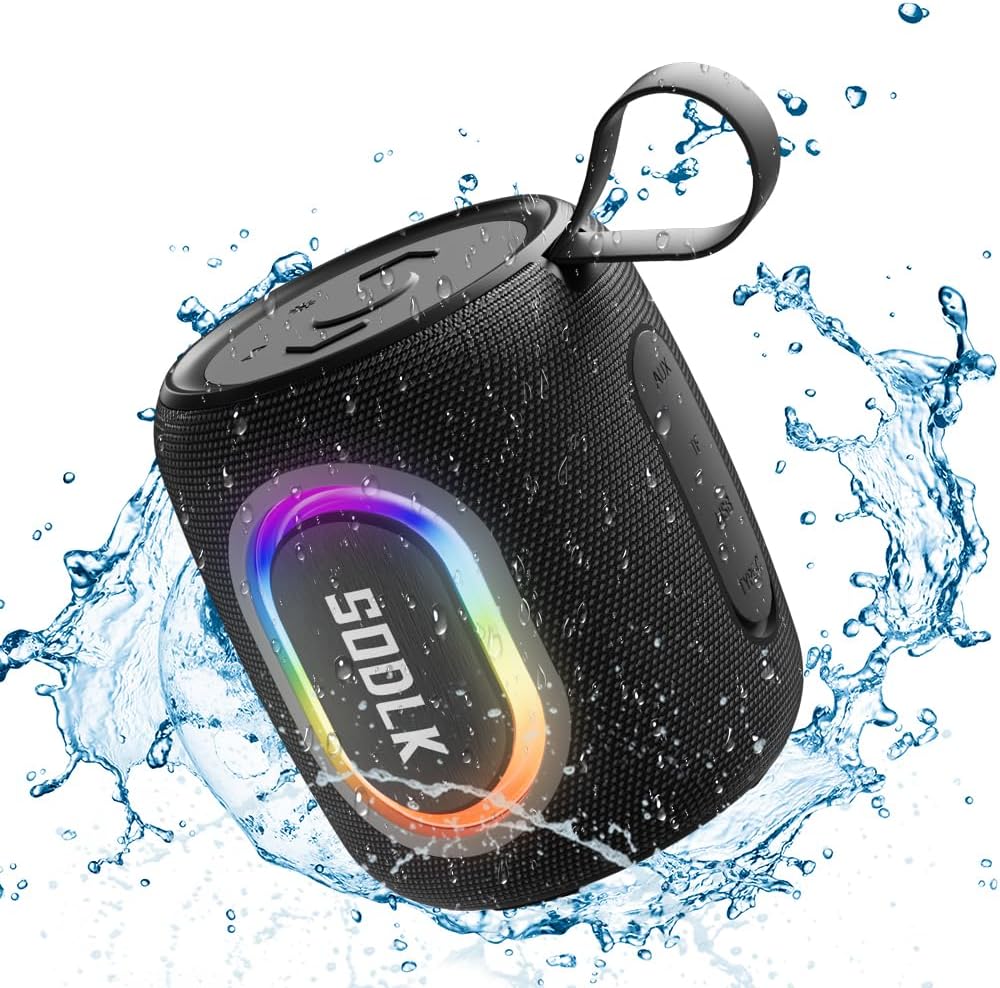
Figure 1: The SODLK T13 Portable Bluetooth Speaker demonstrating its IPX7 waterproof capability amidst splashing water.

Figure 2: Internal components of the SODLK T13 speaker, illustrating its sound engineering for loud sound and bass boost.
3. Kurulum
3.1 Hoparlörü Şarj Etme
Before first use, fully charge the speaker. Connect the provided USB-C power cable to the speaker's charging port and the other end to a compatible USB power adapter (not included) or a computer's USB port. The charging indicator light will show the charging status and turn off when fully charged.
3.2 Güç Açma/Kapatma
- Açmak İçin: Güç düğmesini basılı tutun (U) for approximately 3 seconds until you hear an audible prompt and the indicator lights illuminate.
- Kapatmak İçin: Güç düğmesini basılı tutun (U) for approximately 3 seconds until you hear an audible prompt and the indicator lights turn off.
3.3 Bluetooth Eşleştirme
- Ensure the speaker is powered on and in Bluetooth pairing mode (indicated by a flashing blue LED). If not, briefly press the Bluetooth button.
- Cihazınızda (akıllı telefon, tablet, bilgisayar) Bluetooth'u etkinleştirin ve kullanılabilir cihazları arayın.
- Select "SODLK T13" from the list of found devices.
- Once connected, you will hear a confirmation sound, and the Bluetooth indicator light will turn solid blue.
Hoparlör, açıldığında otomatik olarak en son eşleştirilen cihaza yeniden bağlanmayı deneyecektir.
4. Kullanım Talimatları
4.1 Müzik Oynatma
- Oynat/Duraklat: Oynat / Duraklat düğmesine (||).
- Sesi aç: Sesi Açma düğmesine basın (+).
- Sesi kıs: Sesi Kısma düğmesine basın (-).
- Sonraki Parça: Sesi Açma düğmesini basılı tutun (+).
- Önceki parça: Sesi Azaltma düğmesini basılı tutun (-).
4.2 Işık Modları
The SODLK T13 features dynamic RGB lighting. Press the Light Mode button (often indicated by a lightbulb icon or similar) to cycle through different light patterns and colors. Press and hold to turn the lights off or on.

Figure 3: The SODLK T13 speaker illuminating a party atmosphere with its integrated RGB lighting.
4.3 Stereo Dual Pairing (TWS Function)
To achieve true wireless stereo (TWS) sound, you can pair two SODLK T13 speakers together:
- Ensure both T13 speakers are powered on and not connected to any Bluetooth device.
- On one speaker (this will be the primary speaker), press and hold the TWS button (often indicated by two interlocking circles or similar icon) for approximately 3 seconds. You will hear a prompt indicating it's searching for another speaker.
- İki hoparlör otomatik olarak birbirine bağlanacaktır. Eşleştirme tamamlandığında bir onay sesi duyacaksınız.
- Şimdi cihazınızı Bölüm 3.3'te açıklandığı gibi Bluetooth aracılığıyla birincil hoparlöre bağlayın. Ses her iki hoparlörden de stereo olarak çalınacaktır.
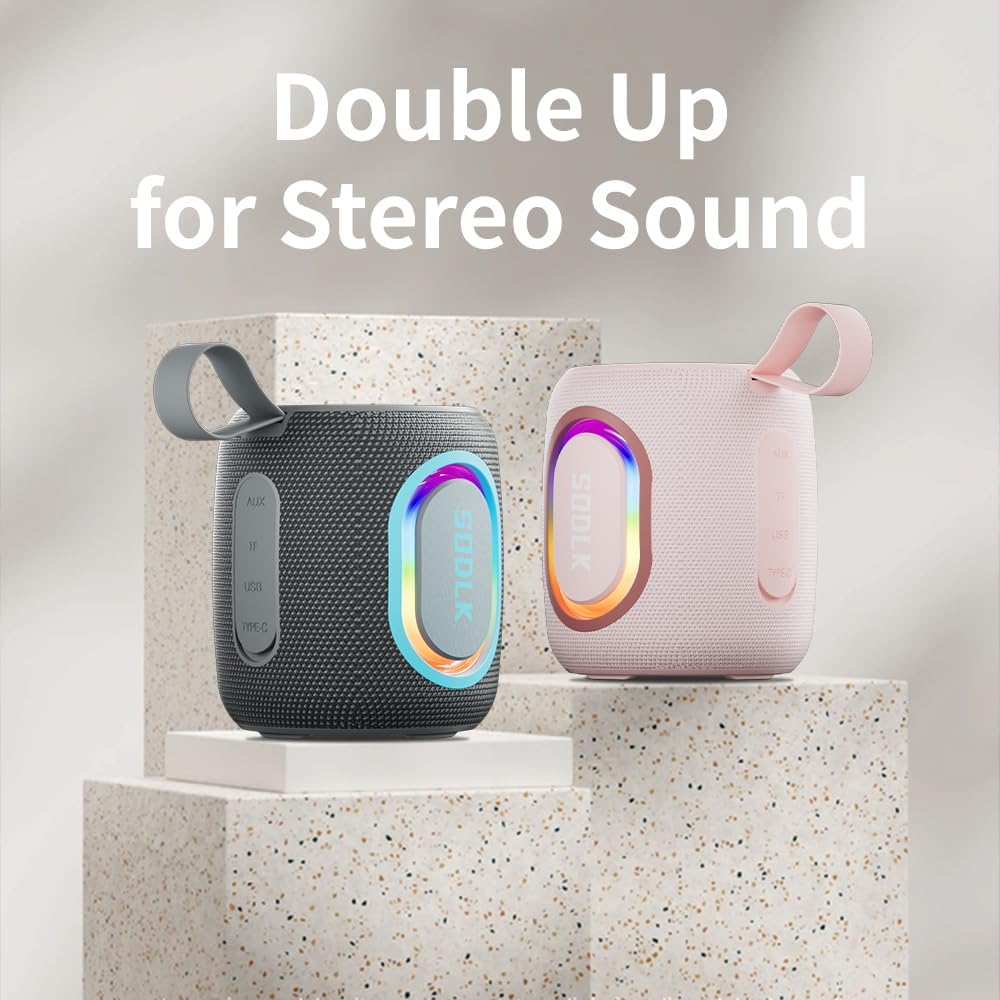
Figure 4: Two SODLK T13 speakers ready for stereo dual pairing, enhancing the audio experience.
4.4 Auxiliary and USB/TF Card Modes
- AUX Girişi: Insert the 3.5mm AUX cable into the speaker's AUX port and connect the other end to your audio source. The speaker will automatically switch to AUX mode.
- USB/TF Card Input: Insert a USB flash drive or a TF (microSD) card with audio files into the respective port. The speaker will automatically detect the media and begin playback. Use the playback controls (Play/Pause, Volume Up/Down) to manage your music.
5. Bakım
5.1 Temizlik
Hoparlörü temizlemek için yumuşak bir bez kullanın.amp cloth. Do not use harsh chemicals, cleaning solvents, or strong detergents, as they may damage the surface or internal components. Ensure all ports are dry before charging or connecting other devices.
5.2 Depolama
Store the speaker in a cool, dry place away from direct sunlight and extreme temperatures. If storing for an extended period, charge the battery periodically (e.g., every 3 months) to maintain battery health.
6. Sorun Giderme
| Sorun | Olası Neden | Çözüm |
|---|---|---|
| Hoparlör açılmıyor. | Pil bitmiş. | Hoparlörü tam olarak şarj edin. |
| Bluetooth üzerinden eşleştirme yapılamıyor. | Hoparlör eşleştirme modunda değil veya zaten başka bir cihaza bağlı. | Ensure speaker is in pairing mode (flashing blue LED). Disconnect from other devices. Restart speaker and device. |
| Hoparlörden ses gelmiyor. | Ses seviyesi çok düşük; yanlış giriş modu; cihaz çalışmıyor. | Increase speaker and device volume. Check if correct input mode (Bluetooth, AUX, USB/TF) is selected. Ensure audio is playing on the connected device. |
| TWS eşleştirmesi başarısız. | Hoparlörler birbirinden çok uzakta; hoparlörlerden biri zaten bir cihaza eşleştirilmiş durumda. | Hoparlörlerin birbirine yakın olduğundan emin olun. TWS eşleştirmesine başlamadan önce her iki hoparlörü de Bluetooth cihazlarından ayırın. |
7. Özellikler
| Model Adı | T13 |
| Bağlantı Teknolojisi | Bluetooth, Yardımcı, USB |
| Kablosuz İletişim Teknolojisi | Bluetooth |
| Hoparlör Maksimum Çıkış Gücü | 15 Watt |
| Su Direnç Seviyesi | IP67 Su Geçirmez |
| Güç Kaynağı | Pille Çalışan (1 Lityum İyon pil dahil) |
| Kontrol Yöntemi | Dokunmak |
| Ürün Boyutları | 4.4"D x 3.8"G x 3.8"Y |
| Ürün Ağırlığı | 1.34 pound |
8. Garanti ve Destek
8.1 Sınırlı Garanti
The SODLK T13 Portable Bluetooth Speaker comes with a limited warranty. Please refer to the warranty card included in your product packaging for specific terms and conditions. This warranty typically covers manufacturing defects and material flaws under normal use.
8.2 Müşteri Desteği
For any questions, technical support, or warranty claims, please contact SODLK customer service. Contact information can typically be found on the product packaging or the official SODLK webalan.