
THOKWOK TK-X4SC
THOKWOK TK-X4SC Motorcycle Bluetooth Headset User Manual
Model: TK-X4SC
1. Giriş
Thank you for choosing the THOKWOK TK-X4SC Motorcycle Bluetooth Headset. This device is designed to enhance your riding experience by providing seamless communication, entertainment, and navigation capabilities. Featuring advanced Bluetooth 5.1 technology, powerful noise cancellation, and a user-friendly LCD screen, the TK-X4SC allows for group intercom with up to 6 riders, music sharing, and hands-free calling. Please read this manual thoroughly to ensure proper installation, operation, and maintenance of your headset.

Image: Two TK-X4SC main units.
2. Kutuda Neler Var?
Paketinizde aşağıdaki bileşenlerin tamamının bulunduğunu doğrulayın:
- TK-X4SC Main Unit (x2)
- Headphone Cable & Charging Cable (x2)
- Boom Microphone & Button Microphone (x2 sets)
- Clamp with Screws & Velcro Clip (x2 sets)
- Kullanıcı Kılavuzu (x1)
- Speaker Pad (x4)
- Alyan Anahtarı (x2)

Image: All included components of the TK-X4SC Double Pack.
3. Ürün Bittiview
The TK-X4SC features a compact design with an intuitive LCD screen and a rotating wheel for easy operation.

Image: LCD screen interface and its indicators.
3.1. Temel Özellikler
- LCD Ekran: Provides clear information on battery status, current mode, and FM channel.
- Rotating Wheel: Allows for user-friendly volume adjustment and channel selection.
- Bluetooth 5.1: İstikrarlı ve verimli kablosuz bağlantı sağlar.
- Gürültü Engelleme: Advanced DSP and CVC technology for clear audio.
- IP67 Su Geçirmez: Çeşitli hava koşullarına dayanacak şekilde tasarlanmıştır.

Resim: Üzeriview of TK-X4SC key features.
4. Kurulum
Follow these steps to install the TK-X4SC headset on your helmet.
4.1. Choosing a Microphone
The TK-X4SC comes with two interchangeable microphones to suit different helmet types:
- Boom Mikrofon: Recommended for open-face or flip-face (modular) helmets.
- Düğme Mikrofon: Tam yüz kaskları için önerilir.

Image: Microphone options for different helmet types.
4.2. Ana Ünitenin Montajı
- Montaj Yöntemini Seçin: Use either the screw clamp or the adhesive velcro clip. The screw clamp offers a more secure attachment.
- Cl'yi ekleamp/Clip: Secure the chosen mounting accessory to the side of your helmet. Ensure it is firmly attached.
- Ana Üniteyi Monte Edin: Slide the TK-X4SC main unit onto the mounted clamp or clip until it clicks into place.
4.3. Hoparlör ve Mikrofon Kurulumu
- Hoparlör Yerleştirme: Attach the speakers inside the helmet's ear pockets using the velcro pads. Ensure they are positioned directly over your ears for optimal sound.
- Mikrofon Yerleşimi: Position the chosen microphone (boom or button) near your mouth, ensuring it is not obstructed.
- Kabloları Bağlayın: Plug the speaker and microphone cables into the corresponding ports on the TK-X4SC main unit. Route cables neatly under the helmet padding.
5. Kurulum
5.1. Cihazın Şarj Edilmesi
Before first use, fully charge the TK-X4SC.
- Connect the charging cable to the TK-X4SC and a USB power source.
- LCD ekran şarj durumunu gösterecektir.
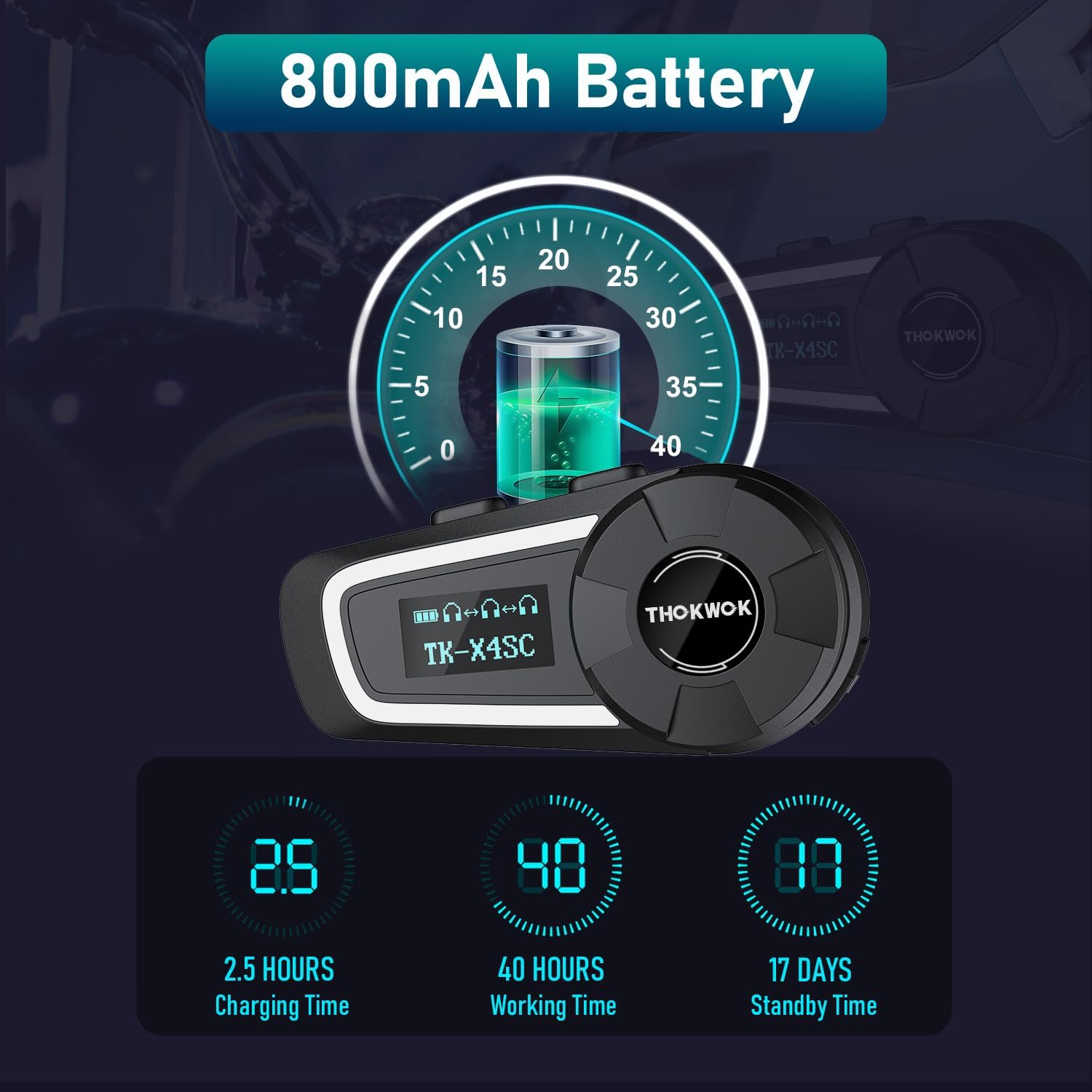
- Tam şarj yaklaşık 2.5 saat sürüyor.
Resim: Pil ömrü ve şarj bilgileri.
5.2. Initial Bluetooth Pairing with Mobile Device
- Güç Açık: LCD ekran aydınlanana kadar Güç düğmesini basılı tutun.
- Eşleştirme Moduna Girin: Refer to the user manual for specific button combinations to enter Bluetooth pairing mode (usually indicated by a flashing Bluetooth icon on the LCD).
- Cihazda Ara: On your mobile phone or other Bluetooth device, search for available Bluetooth devices.
- Select TK-X4SC: Choose "TK-X4SC" from the list of found devices.
- Eşleştirmeyi Onayla: Once paired, the LCD will show a stable Bluetooth icon.
5.3. Evrensel Eşleştirme
The TK-X4SC supports universal pairing with other brands of Bluetooth headsets. Follow the pairing instructions for both devices to establish a connection.

Image: Universal pairing and voice command features.
6. Kullanım Talimatları
6.1. Güç Açma/Kapatma
- Güç Açık: Güç düğmesini yaklaşık 3 saniye basılı tutun.
- Kapat: Güç düğmesini yaklaşık 5 saniye basılı tutun.
6.2. Ses Ayarı
- Sesi arttır: Rotate the wheel clockwise.
- Sesi Azalt: Rotate the wheel counter-clockwise.
6.3. İnterkom İletişimi
The TK-X4SC supports group intercom for up to 6 riders, with an optimal performance for 4 units.
- Pairing Multiple Units: For one-click connection of up to four TK-X4SC units, refer to the detailed instructions in the included user manual.
- İnterkomu Başlat: Press the Intercom button to start communication with paired riders.
- İnterkom Sonu: Konuşmayı sonlandırmak için interkom düğmesine tekrar basın.

Image: Group intercom capabilities and range.
6.4. Müzik Çalma ve Paylaşımı
- Müziği Oynat/Duraklat: Press the Multi-function button (refer to manual for exact button).
- Sonraki / Önceki Parça: Rotate the wheel or use specific buttons as per manual.
- Müzik Paylaşımı: Two riders can enjoy the same song simultaneously. Follow the music sharing pairing instructions in the manual.

Image: Music sharing feature between two riders.
6.5. Telefon Görüşmeleri
- Cevap Çağrısı: Çok işlevli düğmeye basın.
- Çağrı Sonu: Çok işlevli düğmeye basın.
- Çağrıyı Reddet: Çok işlevli düğmeyi basılı tutun.
- Sesli Asistan (Siri/Google Asistan): Double-press the Multi-function button to activate.
6.6. FM Radyo
- FM'i Aç/Kapat: Press the FM button (refer to manual).
- Kanalları Tara: Rotate the wheel to scan for stations.
7. Bakım
7.1. Temizlik
- Ana üniteyi yumuşak bir bezle silin.amp Kumaş.
- Sert kimyasallar veya aşındırıcı temizleyiciler kullanmayın.
- Şarj etmeden veya kabloları bağlamadan önce tüm bağlantı noktalarının kuru olduğundan emin olun.
7.2. Depolama
- Cihazı kullanılmadığında serin ve kuru bir yerde saklayın.
- Aşırı sıcaklıklardan kaçının.
- Charge the battery periodically if storing for extended periods to maintain battery health.

Görsel: IP67 Su geçirmezlik özelliği.
8. Sorun Giderme
| Sorun | Olası Çözüm |
|---|---|
| Cihaz açılmıyor. | Pilinizin dolu olduğundan emin olun. Şarj cihazına bağlayın ve tekrar deneyin. |
| Telefon/interkom ile eşleştirilemiyor. |
|
| Ses yok veya ses seviyesi düşük. |
|
| İnterkom bağlantısı不稳定. |
|
| LCD screen not working. | Cihazı yeniden başlatmayı deneyin. Sorun devam ederse, müşteri desteğiyle iletişime geçin. |
9. Özellikler
| Özellik | Detay |
|---|---|
| Model Adı | TK-X4SC |
| Bluetooth Sürümü | 5.1 |
| Gürültü Kontrolü | Active Noise Cancellation (DSP & CVC) |
| interkom aralığı | Up to 2000m (6 riders), 800m (2-way) |
| Grup İnterkom | Up to 6 units (optimal for 4 units) |
| Pil Kapasitesi | 800mAh Lityum İyon |
| Şarj Süresi | Yaklaşık 2.5 saat |
| Çalışma Zamanı | Up to 40 hours (music or intercom) |
| Bekleme Süresi | 500 saate kadar (yaklaşık 17 gün) |
| Suya Dayanıklılık | IP67 Su Geçirmez |
| Konuşmacılar | Φ40mm Hi-Fi Stereo |
| Boyutlar | 3.15 x 1.5 x 1.1 inç |
| Ürün Ağırlığı | 45 Gram (1.59 ons) |
| Özel Özellikler | Built-in FM Radio, LCD Display Screen, Music Sharing, Universal Pairing, Voice Assistant |

Image: Speaker and battery details.
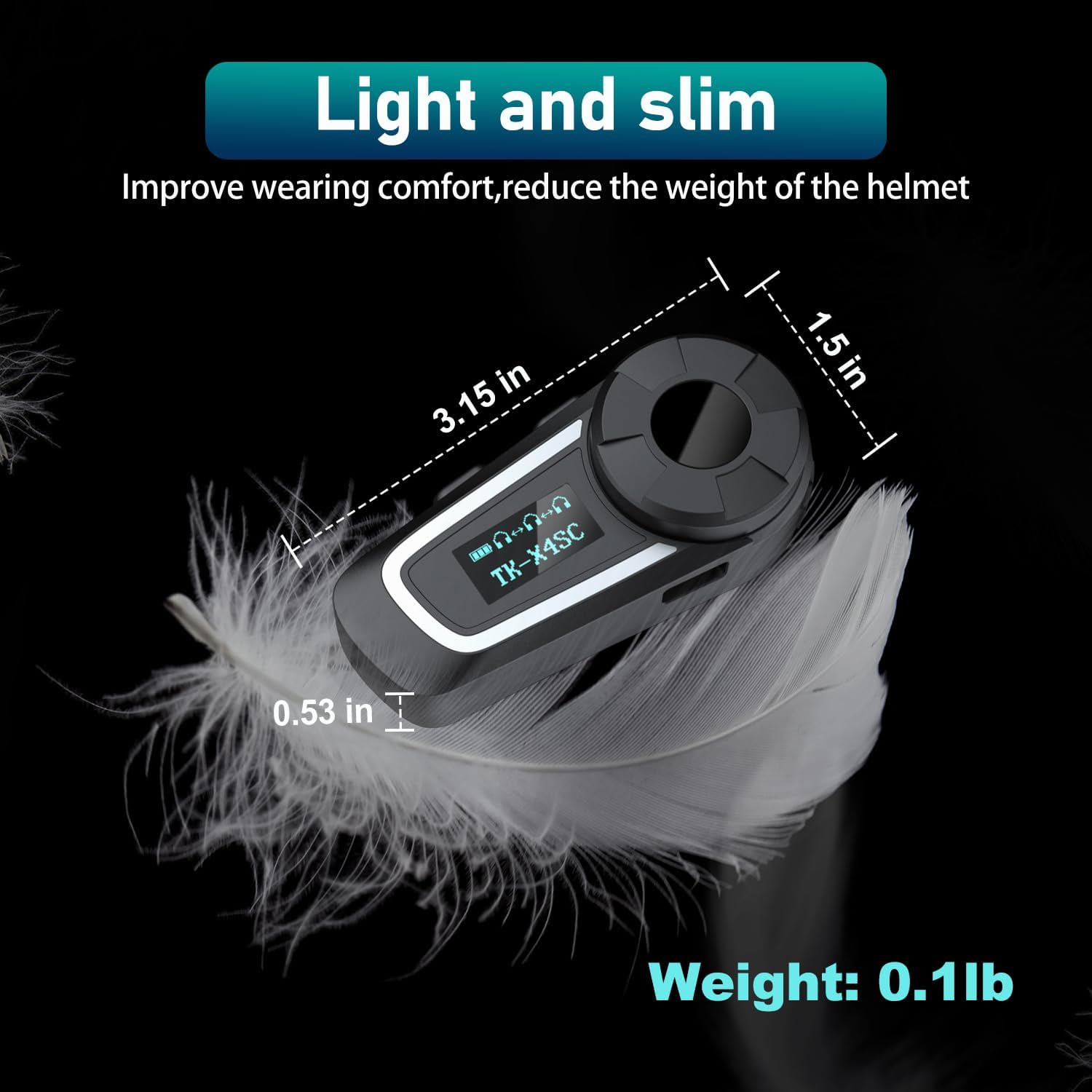
Image: Physical dimensions and weight of the TK-X4SC unit.
10. Güvenlik Bilgileri
- Yol güvenliğini her zaman ön planda tutun. Cihazı sürüş esnasında dikkatinizi dağıtacak şekilde kullanmayın.
- Maintain appropriate volume levels to hear ambient sounds and traffic.
- Cihazı sökmeye veya değiştirmeye çalışmayın.
- Keep the device away from open flames or extreme heat.
- Pilleri yerel düzenlemelere göre atın.
11. Garanti ve Destek
For warranty information, technical support, or any inquiries regarding your THOKWOK TK-X4SC headset, please refer to the contact information provided with your purchase or visit the official THOKWOK webalan.
Ask a question about this manual
Ask about setup, troubleshooting, compatibility, parts, safety, or missing instructions. Manuals+ will review the question and use this page’s manual context to help answer it.