
1. Giriş
This manual provides comprehensive instructions for the setup, operation, and maintenance of your PHOINIKAS H1C-G2B Gaming Headset. Please read this manual thoroughly before using the product to ensure optimal performance and longevity.
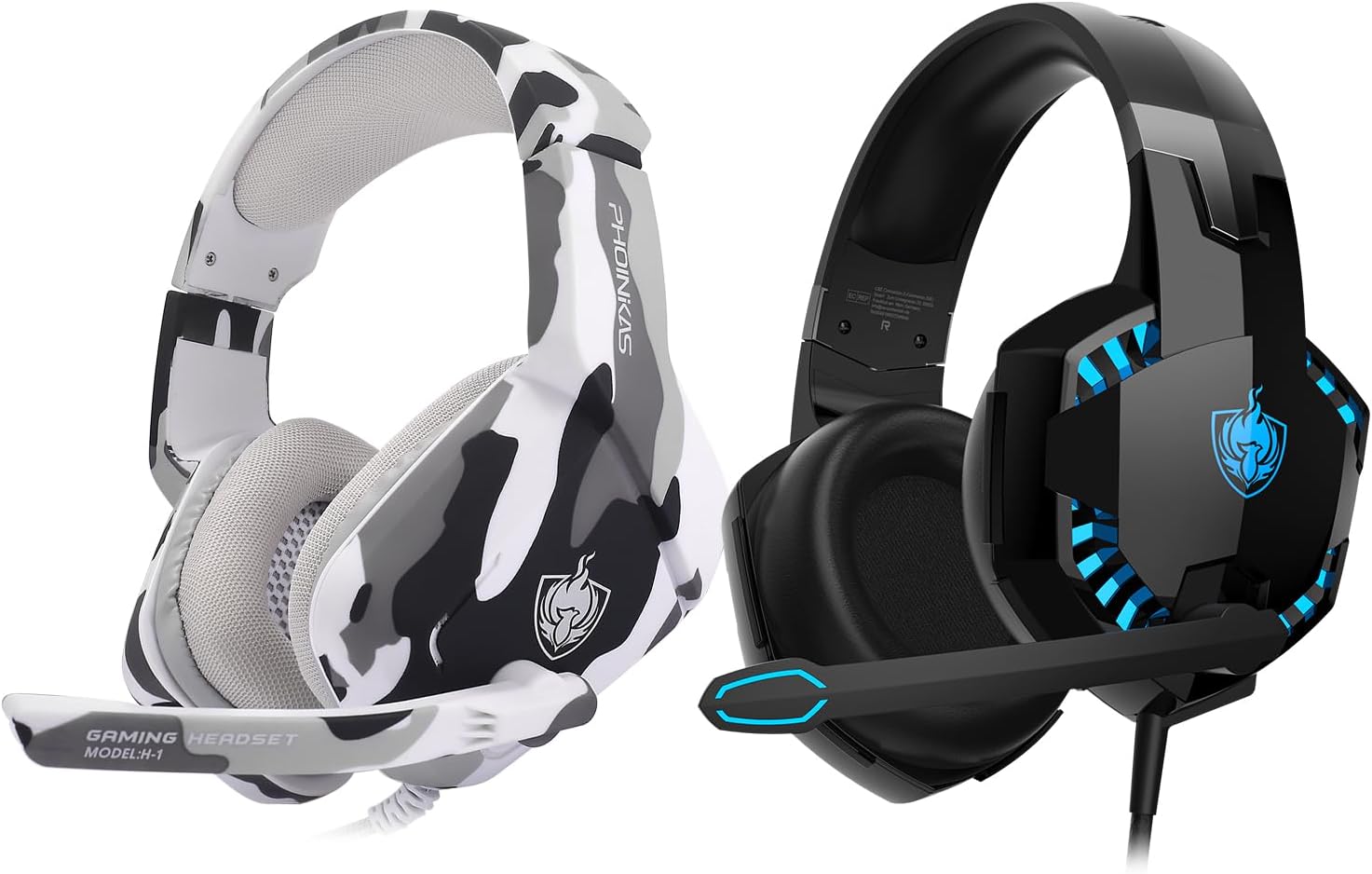
This image displays two PHOINIKAS H1C-G2B Gaming Headsets. One is in a black and blue color scheme, and the other features a white and grey camouflage pattern. Both headsets are over-ear style with integrated microphones.
2. Paket İçeriği
- PHOINIKAS H1C-G2B Gaming Headset
- 3.5 mm Ses Kablosu
- 3.5mm Y Splitter Cable (for PC use)
- Kullanıcı Kılavuzu

This image features the camouflage version of the PHOINIKAS H1C-G2B Gaming Headset, along with its retail box and a user manual, providing a view Ürün paketinin tamamının.
3. Ürün Bittiview
3.1. Temel Özellikler
- Çoklu Platform Uyumluluğu: Supports PC, PS4, PS5, Xbox Series X/S, Nintendo Switch, laptops, and other devices with a 3.5mm jack.
- Sürükleyici Ses: Features 50mm audio drivers for surround sound and deep bass, enhancing acoustic positioning.
- Ergonomik Tasarım: Constructed with soft, breathable materials to reduce pressure on the head and ears, with an adjustable headband for extended comfort.
- Gürültü Önleyici Mikrofon: Omnidirectional microphone with advanced noise-cancelling technology for clear communication.
- RGB Aydınlatma: USB-powered RGB lighting for an enhanced gaming aesthetic.
3.2. Kontroller
The headset features inline controls for convenient adjustments during gameplay:
- Hacim Tekerleği: Ses çıkış seviyesini ayarlar.
- Tek Tuşla Sesi Kapatma: Quickly mutes or unmutes the microphone.

This image details the comfort and microphone features of the PHOINIKAS H1C-G2B Gaming Headset. It shows breathable earmuffs, an adjustable headband, and a soft, durable frame for ergonomic comfort. The headset also features cool LED lights and an omnidirectional noise-cancelling microphone with a flexible design.
4. Kurulum ve Bağlantı
The PHOINIKAS H1C-G2B Gaming Headset offers versatile connectivity options. Follow the instructions below for your specific device:
4.1. PC & Laptop Connection
- Connect the headset's 3.5mm audio cable to the included 3.5mm Y splitter.
- Plug the green jack of the Y splitter into your PC/laptop's audio output port.
- Plug the pink jack of the Y splitter into your PC/laptop's microphone input port.
- For RGB lighting, connect the headset's USB cable to an available USB port on your PC/laptop.
4.2. PS4 / PS5 / Nintendo Switch / Phone / Tablet Connection
- Connect the headset's 3.5mm audio cable directly into the 3.5mm jack on your controller (PS4/PS5), console (Switch), or mobile device.
- The USB connection is not required for audio/microphone functionality on these devices, but can be used for RGB lighting if a USB port is available (e.g., on the console).
4.3. Xbox One / Xbox Series X/S Connection
- For Xbox Series X/S controllers, connect the headset's 3.5mm audio cable directly into the 3.5mm jack on the controller.
- For older Xbox One controllers without a 3.5mm jack, a Microsoft adapter (not included) is required. Connect the headset to the adapter, then plug the adapter into the controller.
- The USB connection is for RGB lighting only.

This diagram shows how the PHOINIKAS H1C-G2B Gaming Headset connects to various devices. It highlights the use of a 3.5mm audio cable for most devices, a 3.5mm Y splitter for PC/laptop, and an optional Microsoft adapter for older Xbox One controllers. The USB interface is shown for LED lights.

The PHOINIKAS H1C-G2B Gaming Headset is shown in a gaming setup, connected to a desktop PC, a Nintendo Switch, and an Xbox Series X console, illustrating its broad compatibility across different gaming platforms.
Official PHOINIKAS video showcasing the features and multi-platform compatibility of a gaming headset, including design, sound quality, and connectivity options. Note: The video may feature a similar model (H-9) but demonstrates general PHOINIKAS headset functionality.
5. Kullanım Talimatları
5.1. Ses Ayarı
Use the inline volume wheel to increase or decrease the audio volume to your preferred level. Ensure your device's volume is also appropriately set.
5.2. Mikrofon Kullanımı
The flexible, omnidirectional microphone can be adjusted to your desired position. Use the inline one-key mute switch to toggle the microphone on or off as needed for communication.
5.3. RGB Aydınlatma
The RGB lighting is powered via the USB connection. Plug the USB connector into an available USB port on your device to activate the lights. The lighting is purely aesthetic and does not affect audio or microphone functionality.
6. Bakım
- Kulaklığınızı yumuşak ve kuru bir bezle silerek temiz tutun.
- Kulaklığı aşırı sıcaklıklara, neme veya doğrudan güneş ışığına maruz bırakmaktan kaçının.
- Do not attempt to disassemble or modify the headset, as this will void the warranty.
- Store the headset in a safe place to prevent damage when not in use.
7. Sorun Giderme
7.1. Ses Yok veya Düşük Ses
- Ensure the 3.5mm audio cable is fully plugged into both the headset and your device.
- Check the inline volume wheel and adjust it to an audible level.
- Verify your device's audio settings and volume levels.
- If using with a PC, ensure the 3.5mm Y splitter is correctly connected to both audio and microphone ports.
7.2. Mikrofon Çalışmıyor
- Confirm the inline one-key mute switch is in the 'unmuted' position.
- Check your device's microphone input settings to ensure the headset is selected as the default input device.
- If using with a PC, ensure the pink jack of the 3.5mm Y splitter is correctly connected to the microphone input port.
- For Xbox One (older controllers), ensure the Microsoft adapter is correctly connected.
7.3. RGB Işıklar Çalışmıyor
- USB konektörünün, güç kaynağı bulunan bir USB portuna güvenli bir şekilde takılı olduğundan emin olun.
- Note that the USB connection is solely for lighting and does not affect audio or microphone functionality.
8. Özellikler
| Model Adı | H1C-G2B |
| Bağlantı Teknolojisi | Kablolu |
| Uyumlu Cihazlar | PC, PS4, PS5, Xbox Series X/S, Switch, laptops, and devices with a 3.5mm jack |
| Kontrol Türü | Ses Kontrolü, Mikrofon Sessize Alma |
| Kablo Özelliği | Geri çekilebilir |
| Kulaklık Şekli | Kulak üstü kulaklıklar |
| Kulaklık Girişi | 3.5 mm Jak |
| Üretici | PHONİKAS |
9. Garanti ve Destek
PHOINIKAS products are designed for reliability and performance. For warranty information or technical support, please refer to the contact details provided on the product packaging or visit the official PHOINIKAS webSite. Satın alma fişinizi, garanti talepleriniz için satın alma belgeniz olarak saklayın.