
CSD-CA202500416-4452
RONGUAN Laser Measure 132ft (40M) User Manual
High-Precision Infrared Measuring Tool
1. Giriş
Thank you for choosing the RONGUAN Laser Measure. This portable digital measuring tool is designed for high-precision distance measurement, offering a range of up to 40 meters (132 feet) with millimeter-level accuracy. It is ideal for various applications including house decoration, mapping, and general construction tasks. This manual provides essential information on the product's features, setup, operation, maintenance, and troubleshooting to ensure safe and effective use.
2. Güvenlik Bilgileri
Cihazı kullanmadan önce lütfen tüm güvenlik talimatlarını okuyun ve anlayın. Bu talimatlara uyulmaması lazer radyasyonuna maruz kalmaya, elektrik çarpmasına, yangına veya ciddi yaralanmaya neden olabilir.
- Lazer radyasyonu: This product is a Class II laser product. Do not stare into the laser beam or direct it at other people. Avoid direct eye exposure.
- Güç Kaynağı: Use only the specified Type-C charging cable and a compatible power adapter (not included) for charging.
- Çevre: Do not operate the device in explosive atmospheres, such as in the presence of flammable liquids, gases, or dust. Keep the device dry and away from extreme temperatures.
- Bakım: Do not attempt to disassemble or modify the device. Refer all servicing to qualified service personnel.
- Çocuklar: Cihazı çocukların erişemeyeceği yerde saklayınız.
3. Ürün Bittiview
The RONGUAN Laser Measure is a compact and robust device designed for ease of use and accuracy. Familiarize yourself with its components:
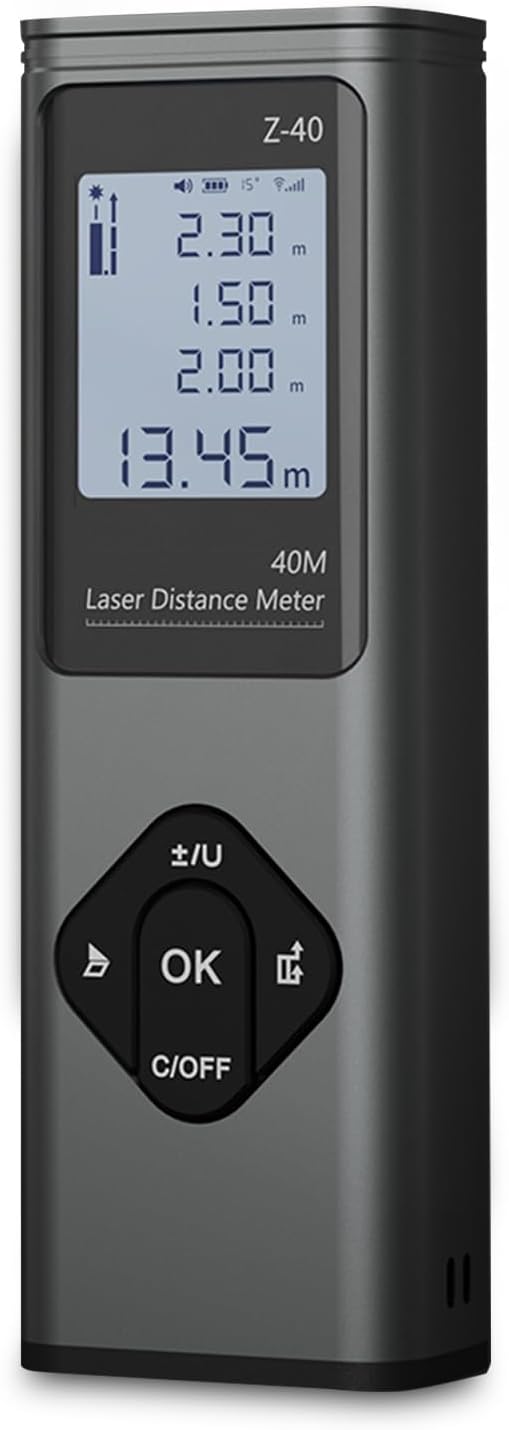
Şekil 3.1: Ön view of the RONGUAN Laser Measure. It features a clear digital display at the top, showing measurement readings and battery status. Below the display are four control buttons: a left arrow button, an 'OK' button in the center, a right arrow button, and a 'C/OFF' button at the bottom for clearing and powering off.

Figure 3.2: The RONGUAN Laser Measure is highlighted as a laser rangefinder and line thrower, emphasizing its dual functionality for both distance measurement and cross laser line projection.
3.1 Temel Bileşenler:
- Dijital gösterge: Shows measurement results, battery level, and mode indicators.
- Lazer Verici/Alıcı: Cihazın üst kısmında yer alır.
- Kontrol Düğmeleri:
- OK / Measure Button: Ölçümleri başlatır ve seçimleri onaylar.
- Kapatma/Kapatma Düğmesi: Clears current measurement or powers off the device.
- +/- / Unit Button: Switches between measurement units (e.g., meters, feet) and adjusts settings.
- Mod Düğmesi: Farklı ölçüm modları arasında geçiş yapar.
- C Tipi Şarj Bağlantı Noktası: Located on the side for convenient charging.
4. Kurulum
4.1 İlk Şarj
Before first use, fully charge the device. The RONGUAN Laser Measure has a built-in 200mAh battery.
- Cihazın yan tarafında bulunan Type-C şarj bağlantı noktasını bulun.
- Connect the provided Type-C charging cable to the device.
- Kablo ucunu standart bir USB güç adaptörüne (örneğin, telefon şarj cihazı, bilgisayar USB portu) bağlayın.
- The battery indicator on the display will show charging status. Once fully charged, the indicator will change.
4.2 Açma/Kapatma
- Açmak İçin: Basın OK Düğmeye kısa süre basın. Ekran yanacaktır.
- Kapatmak İçin: Basılı tutun C/KAPALI button for a few seconds until the display turns off. The device will also automatically power off after a period of inactivity to conserve battery.
5. Kullanım Talimatları
The RONGUAN Laser Measure offers multiple measurement modes to suit various needs. The device features a fast response time, completing measurements in 0.3 seconds.

Figure 5.1: Visual representation of the multiple measurement modes supported by the device, including single measurement, continuous measurement, even area measurements, volumetric measurements, cross-hatched line, cosine measurement, Pythagoras measurement, and cumulative additions and subtractions.
5.1 Temel Ölçüm (Tek Ölçüm)
- Power on the device. It will typically default to single measurement mode.
- Lazer ışınını hedef yüzeye doğrultun.
- Basın OK button briefly. The measurement will be displayed instantly.
5.2 Sürekli Ölçüm
This mode allows for dynamic measurement as you move the device, displaying real-time distance updates.
- Basın Mod button until the continuous measurement icon appears on the display.
- Basın OK button to start continuous measurement.
- Move the device; the distance will update continuously.
- Basmak OK tekrar durdurmak için.
5.3 Cross Laser Projection
The device can project a cross laser line, useful for alignment and leveling tasks. This feature has an effective distance of up to 8 meters.

Figure 5.2: The device projecting a clear red cross laser line, demonstrating its utility in aiding complex tasks such as pointing, marking, mounting, and fixing objects on a surface.
- Basın Mod button until the cross laser icon appears.
- The device will project a horizontal and vertical laser line.
- To turn off the cross laser, press the Mod düğmesine tekrar veya C/KAPALI düğme.
5.4 Alan ve Hacim Ölçümü
These modes allow for quick calculation of areas (length x width) and volumes (length x width x height).
- Basın Mod button to select Area or Volume mode. The display will prompt for the first dimension.
- Measure the first dimension (e.g., length) by pointing the laser and pressing OK.
- The display will then prompt for the next dimension (e.g., width). Measure it.
- For Volume, measure the third dimension (height).
- Hesaplanan alan veya hacim görüntülenecektir.
5.5 Pisagor Teoremi Ölçümü
Use this mode to calculate indirect distances (e.g., height of a building) using two or three measurements.
- Basın Mod button to select the desired Pythagorean mode (e.g., two-point or three-point).
- Follow the on-screen prompts to take the necessary measurements (e.g., hypotenuse, base).
- The device will automatically calculate and display the unknown side.
5.6 Data Storage and Voice Announcements
The system automatically stores up to 50 sets of historical data, allowing for easy review without manual recording. The device also features intimate voice announcements for convenience.
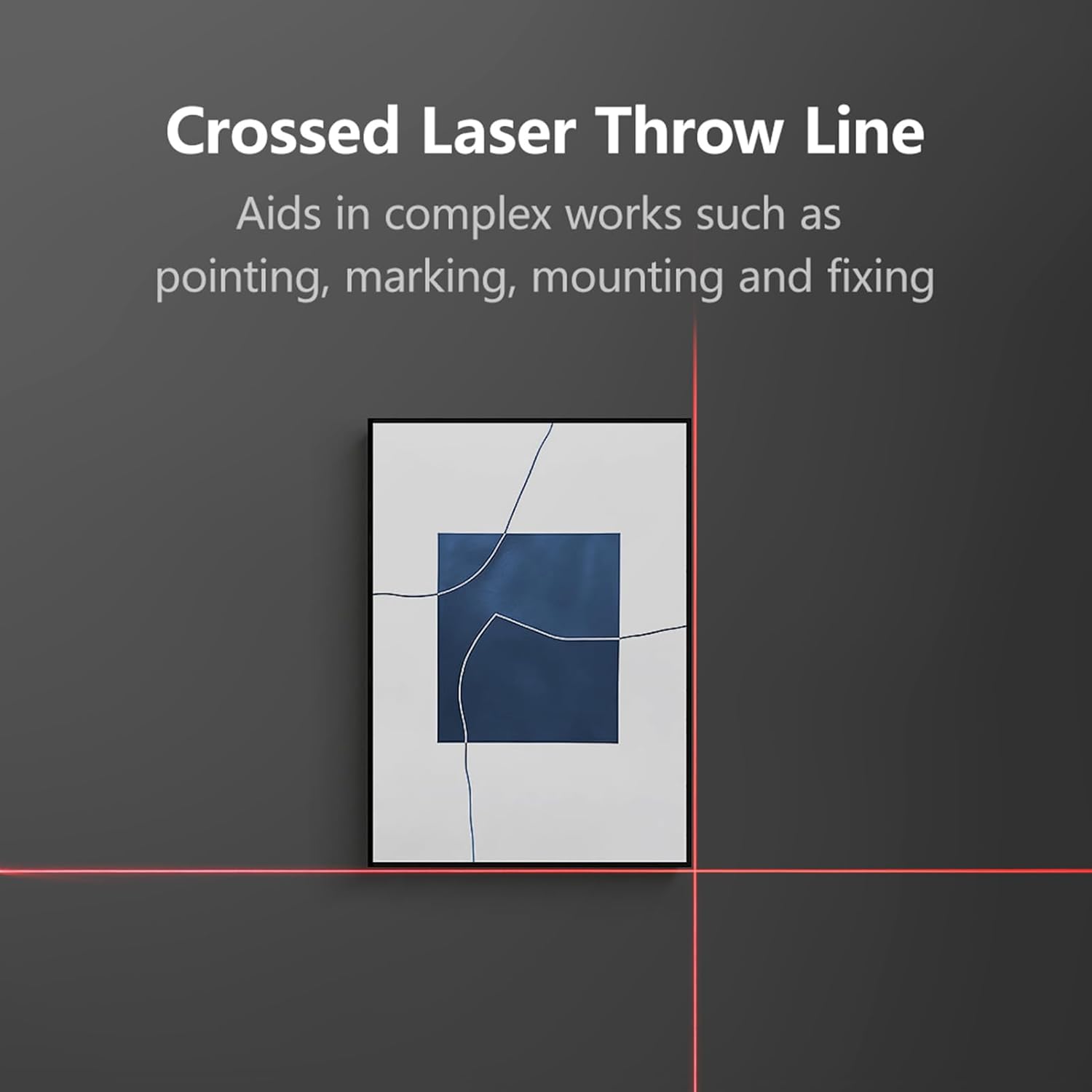
Figure 5.3: The RONGUAN Laser Measure, illustrating its capabilities for voice announcements and automatic data storage, providing easy access to historical measurements.
- Accessing History: Use the arrow buttons to navigate through stored measurements.
- Sesli Anonslar: The device provides audible feedback for measurements and mode changes. This feature can typically be toggled on/off via settings or a dedicated button (refer to specific button functions on your device).
6. Bakım
Proper maintenance ensures the longevity and accuracy of your RONGUAN Laser Measure.
- Temizlik: Yumuşak bir d kullanınamp cloth to clean the device. Do not use abrasive cleaners or solvents. Pay special attention to the laser lens, keeping it free from dust and smudges.
- Depolamak: Store the device in a cool, dry place, away from direct sunlight and extreme temperatures. If storing for an extended period, ensure the battery is partially charged (around 50%) to prolong its lifespan.
- Etkiden Kaçının: Protect the device from drops and impacts, which can affect its calibration and internal components.
7. Sorun Giderme
Cihazınızda sorunlarla karşılaşırsanız, aşağıdaki yaygın sorunlara ve çözümlere bakın:
| Sorun | Olası Neden | Çözüm |
|---|---|---|
| Cihaz açılmıyor. | Pil zayıf; cihaz arızalı. | Cihazı tamamen şarj edin. Hala yanıt vermiyorsa, destek ekibiyle iletişime geçin. |
| Hatalı ölçümler. | Laser lens dirty; unstable surface; environmental factors (e.g., strong light). | Clean the laser lens. Ensure a stable measurement surface. Avoid measuring in direct sunlight or highly reflective surfaces. |
| Laser beam is weak or invisible. | Low battery; strong ambient light. | Charge the device. Measure in areas with less intense ambient light. |
| Ekranda bir hata kodu görünüyor. | Ölçüm aralığı dışında; dahili hata. | Ensure target is within 0.05-40m range. Restart the device. If error persists, contact support. |
8. Özellikler
Technical specifications for the RONGUAN Laser Measure:

Figure 8.1: The RONGUAN Laser Measure with its dimensions indicated: 100mm in height and 33mm in width.
| Özellik | Şartname |
|---|---|
| Renk | Siyah |
| Malzeme | Alüminyum alaşımı |
| Ölçüm Aralığı | 0.05 - 40 meters (132 feet) |
| Ölçüm Doğruluğu | ± (2mm + 5*10^-5*D), where D is distance |
| Display Indexing | 1mm |
| Lazer Sınıfı | Sınıf II |
| Lazer Tipi | 630-670 nm, < 1mW |
| Pil Kapasitesi | 200mAh |
| Şarj tipi | Tip-C |
| Ürün Boyutu | 100x33x20 mm |
| Ürün Ağırlığı | 60 gr |
9. Garanti ve Destek
This product comes with a standard manufacturer's warranty. Please refer to the product packaging or purchase documentation for specific warranty terms and conditions.
For technical support, troubleshooting assistance, or warranty claims, please contact the retailer or manufacturer directly through the contact information provided at the point of purchase.
Ask a question about this manual
Ask about setup, troubleshooting, compatibility, parts, safety, or missing instructions. Manuals+ will review the question and use this page’s manual context to help answer it.