
giriiş
Thank you for choosing the TECKNET TK-MS317 Bluetooth Wireless Mouse. This manual provides detailed instructions for setting up, operating, and maintaining your mouse to ensure optimal performance. Please read this manual thoroughly before use and retain it for future reference.
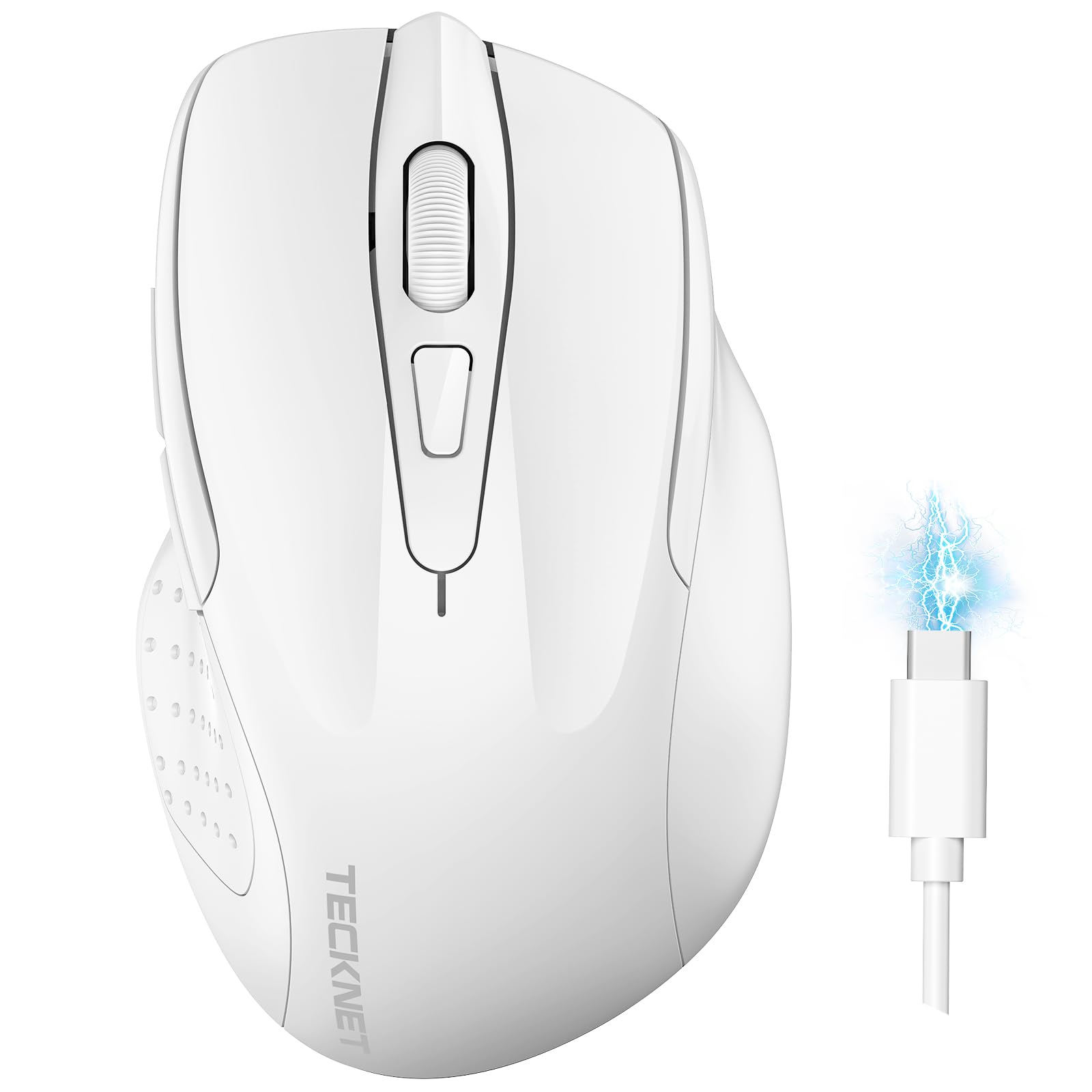
Image: The TECKNET TK-MS317 Bluetooth Wireless Mouse, showcasing its ergonomic design and sleek white finish.
Ürün Özellikleri
- Üçlü Bağlantı Modları: Supports Bluetooth 5.0, Bluetooth 3.0, and 2.4GHz wireless connectivity, allowing seamless switching between up to two devices.
- Ayarlanabilir DPI: Six adjustable DPI levels (800/1200/1600/2400/3200/4800) for precise control and adaptability to various tasks.
- Şarj Edilebilir Pil: Equipped with a 700 mAh rechargeable battery, providing extended usage on a single charge. Can be used while charging via USB-C.
- Sessiz Tıklamalar: Designed for quiet operation, reducing click noise by 90% for a focused work environment.
- Ergonomik Tasarım: Contoured shape fits comfortably in the palm, reducing hand fatigue during prolonged use.
- Enerji Tasarrufu: Features a key-wake function and automatic sleep mode to conserve battery life.
- Evrensel Uyumluluk: Compatible with Windows 11/10/8/7/XP/Vista, Mac OS, Linux, Android, and iOS (BT 5.0 for iOS 10.4+).

Image: Illustration highlighting the silent click feature of the mouse, showing a quiet work environment.

Image: Diagram illustrating the ergonomic curvature of the TECKNET TK-MS317 mouse, designed for comfortable hand fit.
Kurulum Talimatları
1. Fareyi Şarj Etme
Before first use, or when the battery is low, connect the mouse to a power source using the provided USB-C cable. The charging indicator light will illuminate. A full charge typically takes about two hours and can last for 1 to 2 months of intensive use.

Image: The TECKNET TK-MS317 mouse connected via a USB-C cable for charging, highlighting its 700mAh battery capacity.
2. 2.4GHz Kablosuz Bağlantı
- USB 2.4G alıcısını bulun; bu alıcı genellikle farenin alt tarafındaki bir bölmede saklanır.
- USB alıcısını bilgisayarınızdaki kullanılabilir bir USB-A bağlantı noktasına takın.
- Switch the mode selector on the bottom of the mouse to the "2.4G" position.
- The mouse should automatically connect to your computer. If not, try moving the mouse or restarting your computer.
3. Bluetooth ile bağlantı kurma (BT5.0 / BT3.0)
- Switch the mode selector on the bottom of the mouse to either "BT5.0" or "BT3.0" position.
- Press and hold the Bluetooth pairing button (usually located near the mode switch) for 3-5 seconds until the indicator light starts flashing, indicating pairing mode.
- On your device (computer, laptop, tablet, smartphone), go to Bluetooth settings.
- Arama new devices. You should see "TECKNET Mouse" or a similar name appear in the list.
- Select the mouse to pair. Once connected, the indicator light on the mouse will stop flashing.
- To switch between paired Bluetooth devices or to the 2.4G mode, simply use the mode selector switch on the bottom of the mouse.

Image: Diagram showing the three connection modes (2.4G, Bluetooth 5.0, Bluetooth 3.0) of the TECKNET TK-MS317 mouse, connecting to a laptop and a tablet.
Kullanım Talimatları
1. DPI Ayarlaması
The mouse features a DPI button, typically located behind the scroll wheel. Press this button to cycle through the six available DPI settings: 800, 1200, 1600, 2400, 3200, and 4800. Select the DPI that best suits your task and preference for cursor speed and precision.

Image: Visual representation of the TECKNET TK-MS317 mouse highlighting its 6 levels of adjustable DPI, up to 4800 DPI.
2. Mod Değiştirme
Use the physical switch on the underside of the mouse to select your desired connection mode: 2.4G, BT5.0, or BT3.0. This allows you to quickly switch between different devices without re-pairing.
3. Güç Tasarruf Modu
The mouse will automatically enter sleep mode after a period of inactivity to conserve battery. To wake the mouse, simply move it or click any button.
Bakım
1. Temizlik
Farenizi temizlemek için yumuşak, kuru bir bez kullanın. İnatçı kirler için biraz daha kuru bir bez yeterli olacaktır.amp cloth with mild soap can be used, ensuring no liquid enters the mouse. Avoid using harsh chemicals or abrasive materials.
2. Pil Bakımı
- Pilin sık sık tamamen boşaltılmasından kaçının.
- Uzun süre kullanılmayacaksa fareyi serin ve kuru bir yerde saklayın.
- Şarj için yalnızca verilen USB-C kablosunu veya sertifikalı bir eşdeğerini kullanın.
Sorun giderme
- Fare yanıt vermiyor:
- Farenin şarjının dolu olduğundan emin olun.
- Check if the mode switch is set correctly (2.4G, BT5.0, or BT3.0).
- 2.4G modu için, USB alıcısının güvenli bir şekilde takılı olduğundan emin olun.
- For Bluetooth mode, ensure Bluetooth is enabled on your device and the mouse is paired. Try re-pairing if necessary.
- Try connecting the mouse to a different USB port or device to rule out port/device issues.
- Aralıklı bağlantı:
- Fareyi alıcıya/cihaza yaklaştırın.
- Kablosuz sinyallere müdahale edebileceğinden, fareyi metal yüzeylerde kullanmaktan kaçının.
- Ensure there are no other strong wireless interference sources nearby.
- İmleç hareketi düzensiz:
- Farenin alt tarafındaki optik sensörü temizleyin.
- Fareyi farklı bir yüzeyde veya mousepad üzerinde kullanmayı deneyin.
- DPI ayarını daha düşük bir değere ayarlayın.
Özellikler
| Model Numarası | TK-MS317 |
| Marka | TECKNET |
| Bağlantı Modları | 2.4GHz Kablosuz, Bluetooth 5.0, Bluetooth 3.0 |
| DPI Seviyeleri | 800, 1200, 1600, 2400, 3200, 4800 |
| Düğme Sayısı | 6 |
| Pil Türü | Built-in 700 mAh Rechargeable Lithium Battery |
| Şarj Portu | USB-C |
| Ağırlık | 150 Gram |
| Uyumluluk | Windows 11/10/8/7/XP/Vista, Mac OS, Linux, Android, iOS (10.4+ for BT 5.0) |
Garanti ve Destek
TECKNET offers a 36-month warranty for registered users of this product. If you encounter any issues with your TECKNET TK-MS317 Bluetooth Wireless Mouse, please do not hesitate to contact our professional customer service team for assistance.
Garanti talepleri veya teknik destek için lütfen resmi TECKNET web sitesini ziyaret edin. websiteye gidin veya ürün ambalajınızda bulunan iletişim bilgilerine bakın.