
1. Giriş
This manual provides detailed instructions for the installation, operation, and maintenance of your BN-LINK U211A Countdown Timer Switch. This device is designed to automate the shut-off of lights and exhaust fans, contributing to energy savings and convenience. Please read this manual thoroughly before installation and use.
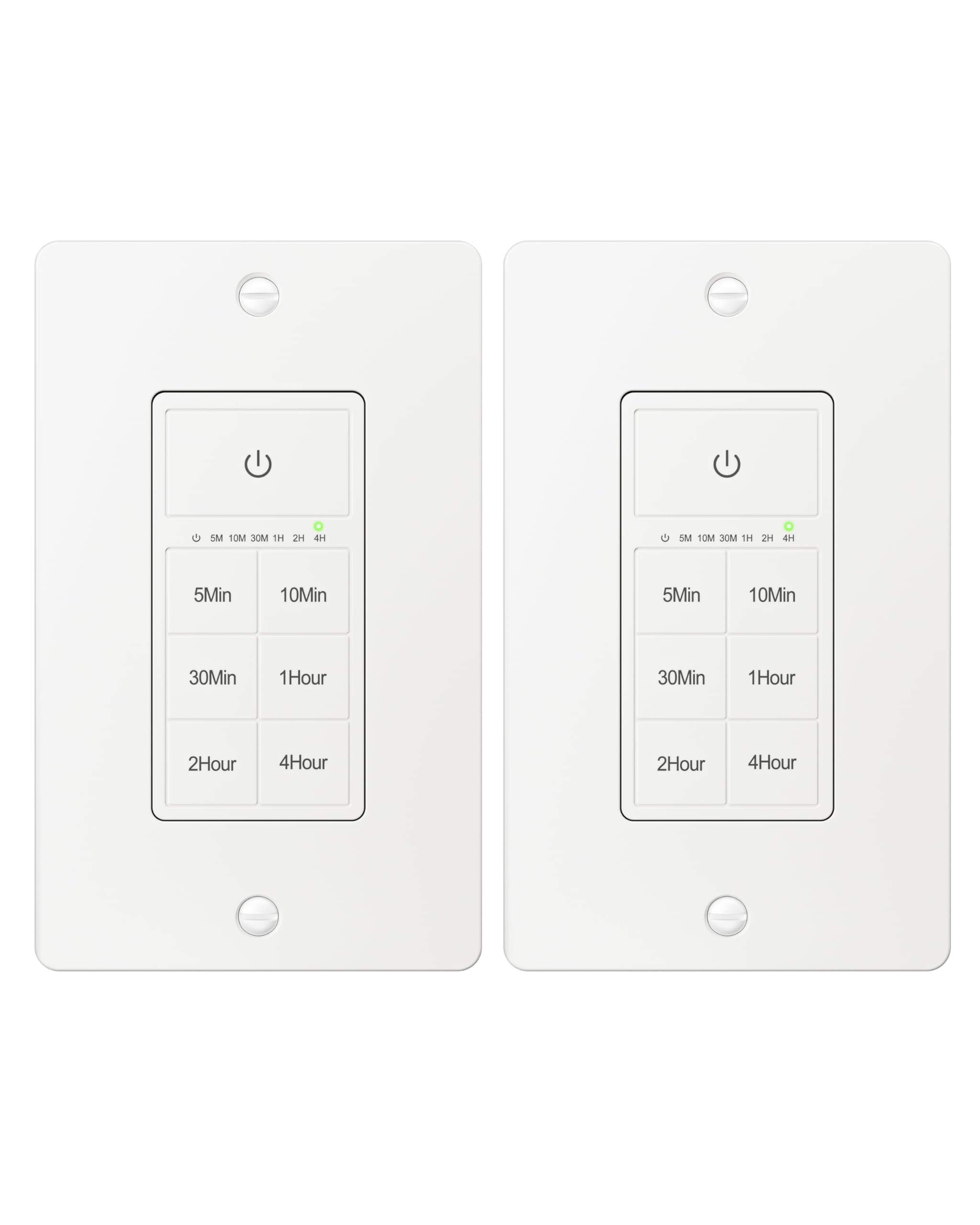
Figure 1: BN-LINK U211A Countdown Timer Switch
2. Güvenlik Bilgileri
- Profesyonel Kurulum Önerilen: For your safety, it is highly recommended to have a qualified electrician install this product.
- Güç Bağlantısının Kesilmesi: Always cut off power at the circuit breaker before attempting any installation, wiring, or maintenance to prevent electric shock.
- Nötr Tel Gerekli: This timer switch requires a neutral wire for proper operation. Ensure your wall box has a neutral wire before proceeding with installation.
- Single Pole Only: This switch is designed for single-pole applications only. It is not intended for use in 3-way applications where multiple switches control the same outlet.
- Sadece İç Mekanda Kullanım: Bu ürün sadece iç mekanda kullanıma uygundur.
- Yük Kapasitesi: Do not exceed the maximum load capacity: 15A/1875W Resistive or General Purpose, 10A/1250W Ballast or Tungsten, ½ HP. Exceeding these limits can cause damage to the switch and connected devices, and poses a fire hazard.
3. Paket İçeriği
Paketinizde tüm öğelerin mevcut olduğundan emin olun:
- BN-LINK U211A Countdown Timer Switch
- Duvar Plakası
- Montaj Vidaları
- Wire Nuts (Orange Twist Connectors)

Figure 2: Included components and size details
4. Kurulum
Doğru kurulum için şu adımları dikkatlice izleyin:
- Gücü Kesin: Turn off the main power at the circuit breaker for the switch location you will be working on.
- Uninstall Current Switch: Carefully remove the existing wall plate and switch from the wall box.
- Kabloları Tanımlayın: Identify the wires in your wall box: hot (line), load, neutral, and ground. A neutral wire is required.
- Kabloları Bağlayın: Use the included orange twist connectors to connect the wires from the wall box to the corresponding wires on the timer switch. Ensure connections are secure.
- Bağlan beyaz tel from the timer to the nötr tel in the wall box.
- Bağlan Siyah tel from the timer to the hot (line) wire in the wall box.
- Bağlan kırmızı tel from the timer to the load wire in the wall box.
- Bağlan yeşil tel from the timer to the topraklama teli in the wall box.
- Güvenli Anahtar: Gently push all connected wires and the timer switch into the wall box. Secure the timer switch to the wall box using the provided mounting screws.
- Duvar Plakasını Takın: Attach the decorative wall plate over the installed timer switch.
- Gücü Geri Yükle: Sigortadan elektriği tekrar açın.
- Başlat: The timer will initialize. Wait for all indicator lights to go out, signaling that initialization is complete.

Şekil 3: Kablolama Şeması
Video 1: BN-LINK Countdown Timer Switch Installation and Operation Guide. This video demonstrates the installation process and how to use the timer's countdown functions.
5. Operasyon
The BN-LINK U211A Countdown Timer Switch features a touch ON/OFF button and multiple preset countdown options.

Şekil 4: Zamanlayıcı Anahtarının Özellikleri
Geri Sayım Zamanlayıcısı Ayarlamak
- Press the button corresponding to your desired countdown duration (5 min, 10 min, 30 min, 60 min, 2 hours, or 4 hours).
- An LED indicator above the selected time will illuminate, confirming the countdown is active. The connected device (light or fan) will remain on for the selected duration and then automatically turn off.
- If you select a different countdown option while one is already active, the timer will reset to the newly selected duration.
- Pressing the same countdown button while it is active will not restart the countdown. To restart, first press the power button to turn the unit off, then press the desired countdown option again.
Manual ON/OFF and Always ON Mode
- To turn ON (Always ON Mode): If the unit is off, press the main power button (with the power symbol) once. The connected device will turn on and stay on indefinitely.
- Kapatmak: If the unit is in Always ON mode or a countdown is running, press the main power button once to turn the connected device off.
- Override Countdown: If a countdown is active, pressing the main power button once will turn the device off. Pressing it again will enter Always ON mode.
6. Özellikler
| Özellik | Şartname |
|---|---|
| Örnek | U211A |
| Çalışma Modu | Otomatik |
| Güncel Derecelendirme | 15 Amps |
| Çalışma Hacmitage | 125 Volt |
| Netage | 1875 Watt |
| Kontrol Yöntemi | Dokunmak |
| Anahtar Türü | Toggle (Push Button Actuator) |
| Devre tipi | 1 yollu |
| Montaj Tipi | Duvara Montaj |
| Boyutlar (U x G x Y) | 4.2 x 1.8 x 2 inç |
| Malzeme | Plastic (body), Copper, Brass (contacts) |
| Renk | Beyaz |
| Sıcaklık derecesi | 5°F ila 122°F |
| Sertifikalar | ETL Listelendi |
7. Sorun Giderme
If you encounter issues with your BN-LINK U211A Countdown Timer Switch, refer to the following common solutions:
- Anahtar Yanıt Vermiyor:
- Devre kesiciden elektriğin geri geldiğinden emin olun.
- Verify all wire connections are secure and correct according to the installation instructions.
- Check if the connected load exceeds the maximum wattage veya ampöfke.
- Countdown Not Starting/Resetting:
- To restart a countdown, first press the main power button to turn the unit off, then select your desired countdown time again.
- If switching between countdowns, the new countdown will start from its full duration.
- Lights/Fan Remain On Indefinitely:
- The switch might be in "Always ON" mode. Press the main power button once to turn it off, or select a countdown duration.
- Aralıklı operasyon:
- Ensure the neutral wire connection is solid. A loose neutral wire can cause erratic behavior.
- Confirm the switch is not installed in a 3-way circuit.
For further assistance, please contact BN-LINK customer support.
8. Garanti ve Destek
BN-LINK products are designed for ease of use and quality. This product is ETL Listed, ensuring it meets recognized safety standards.
Ürün garantisi, iade veya teknik destek ile ilgili bilgi için lütfen satın alma işleminizle birlikte gelen belgelere bakın veya resmi BN-LINK web sitesini ziyaret edin. website. You may also contact BN-LINK customer service directly for assistance.
İade politikasi: The buybox winner offers a 30-day return policy for refund or replacement.